 3
3AeroPress Timer
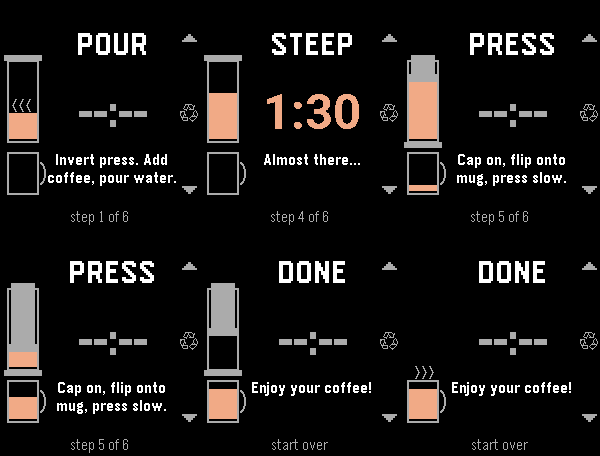
Tools & UtilitiesA step-by-step timer for the inverted AeroPress method, made for Pebble Time 2. Pour, bloom, stir, steep, flip and press. Each step tells you what to do, and the two timed steps count down, then buzz and chime at zero. Nothing moves on by itself: the timer waits for you, so a slow pour or an extra stir never throws off the brew. An AeroPress and mug down the side of the screen fill, plunge and steam as you go. Buttons • Down: next step (also skips a running timer) • Up: back one step • Select: restart the current step On watches with touch, tapping the top, middle or bottom of the screen does the same. Settings, in the Pebble phone app • Bloom and steep lengths (30 and 90 seconds by default) • Five chime melodies and a volume, previewed on the watch when you save • Chime and vibration on or off • Simplified steps: just the two timers • Graphics animated, static or off • Show or hide the button hints • Tap to advance on or off Settings are saved on the watch, so it works with your phone out of reach. The chime stays quiet when the watch is muted or in Quiet Time. Not affiliated with AeroPress, Inc.
 3
3Long Run Stopwatch
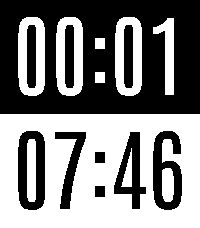
Tools & UtilitiesA stopwatch for long runs. Elapsed time on top. Time of day on bottom. Features: * Battery efficient (updates once per minute) * Large text
 3
3WDC 2014 Schedule
DailyA handy reference for attendees of Wearable DevCon in March 2014. (Unofficial app; not sponsored by WDC.)
 3
3Bussruter
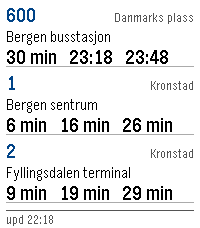
DailyReal time bus routes in Norway. Show up to three different bus routes and get real time updates of when a bus is at a given stop. Data made available by Entur (https://entur.no)
 3
3KRL Watch
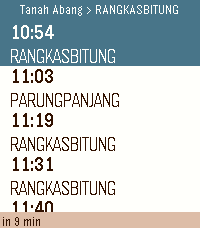
DailyKRL Watch. Check your next KRL train in Indonesia without touching your phone. Open the app and your nearest stations appear automatically, sorted by distance. Tap a station, pick a direction, and see upcoming departures in seconds. Schedules refresh every minute so the times stay current. Features: - GPS finds your nearest stations automatically. - Manual browse by line: Bogor, Cikarang Loop, Rangkasbitung, Tangerang, Tanjung Priok, Yogyakarta-Solo. - Countdown to departure for the highlighted train. - Save up to 5 favourite stations for one-tap access - Covers all active KRL stations including Jatake (opened 2026) - Auto-refreshes every minute in the background. How to save a favourite: Hold the middle button while viewing any schedule. The station is saved instantly and appears at the top of every station list. Hold again to remove it. Supports: Pebble Time 2 Schedule data provided by PT Kereta Commuter Indonesia via kci.id.
 3
3Rubik's Cube
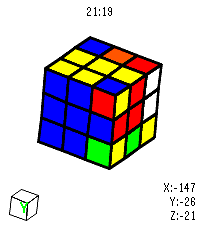
GamesVirtual Rubik's Cube for Pebble Time 2. I got close to solving it but messed up on the last layer 😭 Open source so yall can fork and make it better. Made using Claude.
 3
3Reload Face
Tools & UtilitiesImmediately exits and reloads your selected watchface.
 3
3Queue Times
Tools & UtilitiesPowered by queue-times.com API Please excuse the screenshots, the emulator kept hitting back Have you ever been at a theme park and wanted a quick and easy reference to the wait times of all of its rides? There's a watchapp for that! This WatchApp utilizes the Queue-times.com api to provide up to date wait times for many parks across the world! Do be noted, Chinese and Japanese parks do not function at the moment due to missing fonts, i apologize for the inconvenience in that regard
 3
3WasteWatch
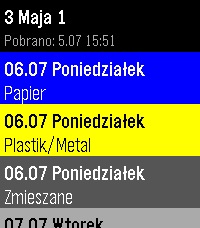
Tools & UtilitiesPersonal app to check my waste collection schedule without pulling out the phone. Shows upcoming dates with color-coded waste types (Bio, Paper, Plastics, Glass, Green, Mixed). Data from kiedywywoz.pl via OCR. Built for Kraków but works with any municipality that uses the kiedywywoz.pl service — just provide the appropriate API token.
 3
3Stibble
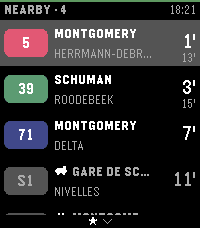
DailyStibble shows live STIB-MIVB departures on your Pebble Time 2. It covers the bus, tram, and metro network of Brussels. The app finds the stops nearest to you. Each stop shows its lines. Each line shows a badge in its official color and the wait in minutes. The board refreshes every 30 seconds. You can pin favorite stops. Favorite stops always stay on the board. Hold the select button to open the favorites list. Configure the app from your phone. Search for stops, pin favorites, and turn the arrival vibration on or off. The interface speaks English, French, and Dutch. Stop names show in French or Dutch. The status bar color shows the app state at a glance. Green means live data. Other colors show a lost phone, a lost network, or old data. Stibble continues the work of Aurélien Ooms, who made the original pebble-stib-mivb app. Data source: STIB-MIVB – Open Data (CC BY 4.0)
 3
3Livewire
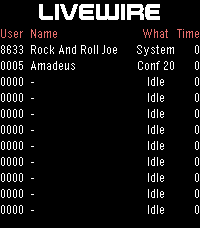
DailyLivewire is an old school telephone entertainment system in Phoenix Arizona. This app will display who is currently on the system. It updates every minute and can be refreshed manually by hitting select. For a free user code call: 602.275.2227
 3
3SupCycle
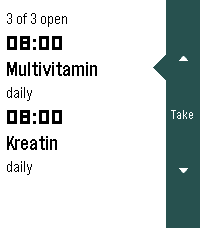
Health & FitnessPräparate im Blick behalten: was heute ansteht, und wo die zyklischen gerade in ihrem Zyklus stehen. Die Oberfläche folgt der Sprache der Uhr (Deutsch und Englisch, Englisch als Rückfall) und dem Timeline-Look der Schwesterapps: weisser Grund, schwarze Schrift, dunkle Seitenleiste rechts. Läuft auf emery, flint und gabbro.
 3
3Battery Charge
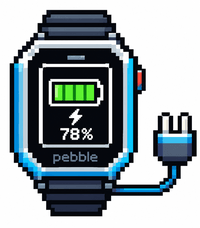
Tools & UtilitiesYou can see your battery status while charging
 3
3Spin the Bottle
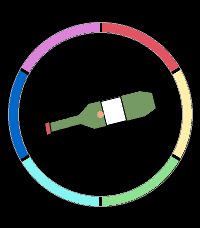
Tools & UtilitiesPick the first player for board game night, choose a random direction for your next adventure, or play a classic game of Spin the Bottle. Simply tap a button or give your watch a shake, and let destiny decide!
 3
3Pebble Pacer
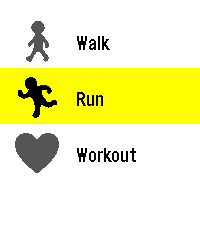
Health & Fitness# PebblePacer A fork of WayeM’s Allure A workout app for the **Pebble Time 2** (platform `emery`): walk, run or train with your heart rate shown live in five colour-coded effort zones. ## Features - Three activities: walk, run, workout, with a 3-second countdown. - Live heart rate. The top half of the screen changes colour with your effort zone (five zones, as a percentage of your estimated maximum heart rate). - Duration, steps, distance, and pace. Press the down button to switch. - Session summary: average and maximum heart rate, estimated calories. - Settings on the phone: sex, age, height, weight, and running and walking stride length - The language follows the watch language: English, French, German, Spanish, Italian and Portuguese. ## How the numbers are computed - Maximum heart rate: Tanaka formula (208 - 0.7 x age) for men, Gulati formula (206 - 0.88 x age) for women. - Zones: below 60 %, 60-70 %, 70-80 %, 80-90 % and 90 % or more of that maximum. - Calories: Keytel formula, from average heart rate, weight, age and sex. - Distance: steps are determined by a stride length you can set in settings. the stride length asks for a length in cm. Check your phone’s health app and select mobility to see your average walking stride and running stride and calculate it in cm. There is no GPS, so distance and pace are estimates. ## Settings Open the app in the Pebble mobile app and tap the gear icon. Values are stored on your phone and on your watch. Until you save them once, defaults are used (male, 35 years, 175 cm, 75 kg). ## Status and limitations - Tested on a Pebble Time 2 and in the emulator. - Metric units only (kg, cm, km) in settings. Imperial units can be selected to display to show the distance in miles. - The German, Spanish, Italian and Portuguese texts were written with assistance and have not been reviewed by native speakers: corrections are welcome. ## Licenses The source code is released under the MIT License. The fonts in `resources/fonts/` keep their own licenses (SIL Open Font License 1.1). Allure Author: WayeM This fork of Allure: AxisDrama aka TimTek ## RunZone changes - Running-focused display with elapsed time, live heart rate, heart-rate zone, and stride-based distance. - Running stride length is configurable in the phone settings (40–200 cm).