 3
3chocoZAP_QR
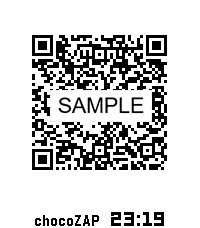
Health & FitnesschocoZAP 入退QRコード表示アプリ chocoZAPの入退館をよりスムーズにするためのPebble専用アプリです。 入館・退館のたびにスマートフォンを探したり、アプリを起動したりする手間を省き、手首のスマートウォッチだけで完結させることができます。 【主な特徴】 簡単操作 : アプリを起動したら、QRコードを瞬時に表示します。 自動更新 : QRコードの有効期限(30分間)が切れる前に、自動的にQRコードを更新します。 安心のセキュリティ設計: 重要な「Email」や「パスワード」を入力せずに、リフレッシュトークン(Refresh Token)のみでもQRコードを表示可能です。 【重要・注意事項】 本アプリは非公式アプリです : chocoZAP公式が提供しているアプリではありません。 スマートフォンの携行をお願いします : Pebbleだけを持って入館された場合、退館時にQRコードが失効し、ドアが開かなくなるリスクがあります。安全のため、必ずスマートフォンも一緒にご持参ください。 【制限事項】 以下のようなスマートフォンとPebble間のBluetooth通信機能が制限されている状態では、仕様上、QRコードの更新ができません。 ・スマートフォン側のPebble Coreアプリが動作していない状態 ・PebbleがStand-By Modeの状態 ※ 「chocoZAP」はRIZAPグループ株式会社の登録商標です。 ※ 「QRコード」は株式会社デンソーウェーブの登録商標です。
 3
3Win Counter
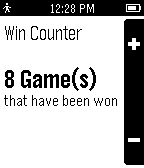
Tools & UtilitiesKeeps track of the number of games you or someone else has won.
 3
3Happy Friend
Tools & UtilitiesA simple app for letting you know if a website is online or not. Inspired by both the Macintosh SE/30. Made with AI :/
 3
3Mensaplan Contine
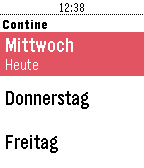
DailyMensaplan für die Contine in Hannover. Zeigt das ganze Menü der Woche an. Keine Companion-App von Nöten. Dies ist ein Privatprojekt und wurde aus Spaß an der Freude programmiert. Weder das Studentenwerk, die Mensa oder die Uni Hannover sind an diesem Projekt beteiligt. Bei Fragen, Kritik oder Ideen gerne einfach per Email melden.
 3
3Insignia Live
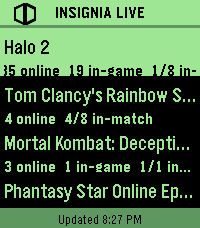
DailyInsigniaLive shows you who's playing original Xbox games online right now, straight from your wrist. - See active games on Insignia's Xbox Live replacement - View online, in-game, and in-match player counts Built for Pebble Time 2. --- - Comet Designs creates fun content for the Pebble platform. - For any bug reports, send them to us at cometdesignspebble@gmail.com. - Buy me a coffee → https://ko-fi.com/cometdesigns *This app is not affiliated with, endorsed by, or connected to Insignia or Microsoft Xbox in any way.*
 3
3GRE Reminder (with Chinese translation)
Tools & UtilitiesAn app for Chinese users to recite GRE words for conveniently.
 3
3HVV Departures - Hamburg
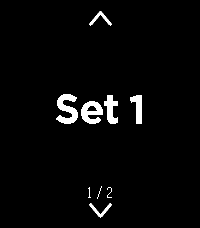
Tools & UtilitiesDeparture times of trains and buses around you, provided you are in Hamburg, Germany. Open the app and after a quick GPS check you get the list of all the departures around you. Somewhat unpolished since it's my first app, working on making it less basic. Screenshots are not from the app, the GPS check does not work in the emulator so Cloudpebble just grabbed the next best thing.
 3
3GymBuddy
Health & FitnessGymBuddy ======== GymBuddy is a watchapp for Pebble Time 2 (Emery) that replaces paper notes and your phone at the gym. Build your training plans comfortably on your phone — machine settings, sets, reps, weight and rest time per exercise — and have them available on your wrist in large, glanceable text during your workout. SESSION LIST ------------ On launch, the watch shows all saved training sessions (up to 10). Up/Down or swiping up/down selects a session (loops at the ends). Select loads the chosen session. If the session is already cached on the watch and the phone is currently connected, the watch asks: load from the watch (instant, no phone needed) or sync fresh from the phone? With no connection, the watch automatically falls back to the last cached data — so your exercise list stays usable even when your phone isn't nearby. EXERCISE VIEW ------------- Two views per exercise, switch with a left/right swipe: • View 1 — exercise name, machine number, weight • View 2 — seat position, pad position, angle, sets, reps, rest time All values in large text with icons instead of text labels — deliberately designed for maximum readability at a distance. Up/Down or swiping moves to the next/ previous exercise (loops back to the start at the end of the list). A long press on Select highlights the currently shown exercise in green — handy for keeping track of what you've already done during your workout. REST TIMER ---------- Select starts the rest timer for the current exercise, shown as large, classic LCD-style digits. When it reaches zero, the watch vibrates twice and jumps back to the exercise. Pressing Select during the countdown cancels it immediately. CONFIGURATION (via the phone app) ----------------------------------- A custom-built configuration page instead of Clay, since training plans need dynamic lists: • Create, edit, delete and duplicate sessions and exercises • Reorder exercises by dragging (☰) • Rename a session directly from its exercise list • JSON import/export (e.g. to load a complete training plan in one go) • Switchable language: German or English (applies to both the watch and the configuration page) NOTE ---- Touch-swipe and the four hardware buttons both work at the same time — whichever is more convenient in the moment. Pebble Time 2 (Emery) only, uses the touch screen, RGB backlight and vibration motor. APP PICTURES ----------- https://imgur.com/a/38bk1Cv Vibecoded with Claude · Pebble Time 2 (Emery) only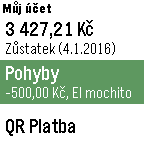 3
3Můj účet
DailyNeoficiálna aplikácia pre zobrazenie zostatku a pohybov na účte vo FIO Banke. Aplikácia využíva oficiálne API. Pre používanie je potreba vygenerovať token pre prístup k účtu vo FIO Internetbankingu (Nastavení/API) a ten potom zadať do nastavenia aplikácie. Zdrojové kódy aplikácie sú dostupné na GitHub: https://github.com/matopeto/fio-pebble
 3
3Roman Missal
DailyA worn cover. A ribbon left between the pages. The familiar red words that once helped us find our place. A missal can carry the memory of years spent in prayer, and of the people who sat beside us. Daily Roman Missal brings a little of that familiarity to your Pebble Time 2. The readings for ordinary mornings and great feast days are gathered together on your wrist, ready when the church grows quiet. Open it to today's Mass readings, with the season and the names of feasts, memorials and solemnities. The whole reading library is stored on the watch. No account or internet connection is needed to read. Bold Large and Extra Large text, red Scripture references and seasonal colors make the pages easy to follow. A little crimson ribbon keeps your place as you read. Move from one reading to the next with Down, or return with Up. Settings is close at hand, with a dark Church mode for quiet surroundings. Swipe to scroll, tap for a few lines, or hold to turn pages. Look ahead to Sunday or the next feast. An evening shortcut offers tomorrow's day readings before Sunday and solemnities. The launcher can show today's celebration before you open the app. “The important thing is that we should love the Mass and make it the centre of our day.” — St. Josemaría Escrivá, Christ Is Passing By, no. 154 This edition contains selected English Mass readings for the General Roman Calendar, 2020–2037. It is a daily reading companion, rather than the complete liturgical Roman Missal: the Order of Mass and all its prayers are not included. One reading form is provided for each date with a daytime Mass. National and local calendars, optional memorial choices and separate vigil readings are not included. Epiphany is January 6; Ascension and Corpus Christi are Thursdays. Christmas uses Mass during the Day; Holy Saturday displays a notice, without the Easter Vigil readings. Readings: Pocket Missal Project, Pocket Missal [v.04.X.2026], based on the New American Bible; John 8:12–20 supplied from USCCB (CCD). Calendar: romcal (MIT). No analytics or personal data collection.
 3
3outil de vocabulaire Francais-Anglais
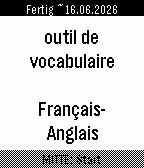
Tools & UtilitiesThis watchapp helps you to train 3000 French-English flashcards. As it is bidirectional, a French person can use it to learn the words in English. As well as an English speaking person can equally use it to learn French. Features: - uses Spaced Repetition System from Leitner/Ebbinghaus - learn difficult words in a dedicated deck that you marked as * (highlight) - option to have a rerun of all the wrong flashcards of the current learning session - estimated date of completion how to use the buttons during flashcard session: - DOWN: 1st click to reveal answer, 2nd click to mark it as known - UP: Repeat the wrong word - SELECT: highlight it and put it in a subdeck of hard words At the end of your flashcard learning session, you can repeat all your wrong flashcards you had wrong in this learning session. Have fun. If there is a mistake in the translations, feel free to tell it to me :) Credits: AnkiDeck 3000 Mots les plus courants Français-> Anglais from https://ankiweb.net/shared/info/899883645
 3
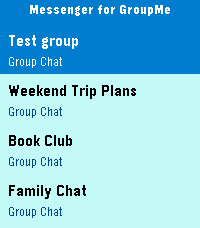
3Messenger for GroupMe
Tools & UtilitiesView and send messages in GroupMe groups and direct messages. Just add your API key in settings. Send a message by pressing and holding select in your chat. Lovingly vibe coded by Aronsky for the Pebble Time 2
 3
3QuickHarvard
DailyQuickly access information pertaining to Harvard dining (daily menu) and shuttle service (shuttle tracker).
 3
3DailyKR
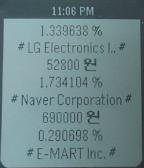
DailyThis is a daily life application for korean. 한국/한글 사용자를 위한 페블 생활 정보 애플리케이션입니다. 페블을 통해서 매일 새로운 정보를 받아 보실 수 있습니다. - 제공 정보 - 날씨, 미세먼지, 주식, 환율, 로또, RSS News feed - 지원 기기 - Pebble Classic, Time (Round 미지원) - Keyword - Pebble, Korean, Smart watch, Daily Information, 한글
 3
3One Click Vera Unlock
RemotesUnlock or lock your house door with a single click on your watch! The app toggles the current state of the doorlock. It works whether your home in your local network or outside connected to any wireless network. This app is for Vera U17+ Only. If you experience any bugs, send me an email!