 2
2BBLW Reader
Tools & UtilitiesBBLW Reader - текстовая читалка для Pebble Classic и Steel. Загружайте .txt в настройках на телефоне. До 12 слотов с названиями. Листайте страницы кнопками вверх и вниз; удержание - быстрая прокрутка. SELECT - меню слотов. В настройках: размер шрифта, жирный, число символов на странице. Текст режется по словам, не ломает слова посередине. Работает с официальным Pebble-приложением и Gadgetbridge. Только aplite - Classic и Steel. BBLW Reader - a text reader for Pebble Classic and Steel. Load .txt files from your phone settings. Up to 12 named slots. Flip pages with Up/Down; hold for fast scroll. SELECT opens the slot menu. Settings: font size, bold, characters per page. Paging breaks at word boundaries. Works with the official Pebble app and Gadgetbridge. Aplite only - Classic and Steel. BBLW Reader - Pebble Classic / Steel 向けテキストリーダー。 スマホの設定画面から .txt を読み込み。最大12スロット、名前付き。上/下でページ送り、長押しで高速スクロール。SELECT でスロットメニュー。 設定: フォントサイズ、太字、1ページあたりの文字数。単語の途中で改ページしません。 公式 Pebble アプリと Gadgetbridge に対応。aplite のみ - Classic / Steel。 We hope this enhances your experience!
 2
2Hubitat Control
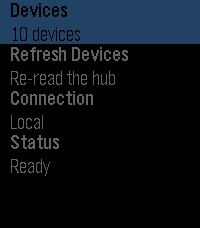
RemotesControl your Hubitat home from your wrist. A Pebble watch app for lights, dimmers, speakers, locks, garage doors, shades, and sensors, talking to your hub through its built-in Maker API app — over your home network or through Hubitat's cloud relay when you are out. No account, no third-party service, no bridge to install. Your hub and your phone are the only things involved.
 2
2Speed Test Game
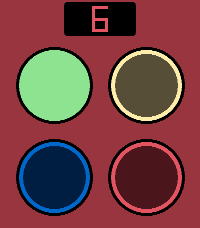
GamesA reaction speed game for Pebbles with touchsreen. Four different colored buttons that light up randomly. Tap the buttons in correct order, while the tempo gets faster and faster. Are you fast enough to beat the high score? Includes sound effects (off by default). Based on the classic Finnish game "Nopeustesti" from the 90's.
 2
2Interval Timer
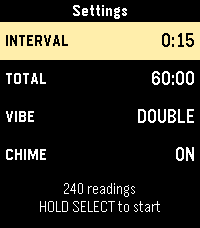
Tools & UtilitiesThis is an interval timer. Initially made for opacity testing it can used for anything else that requires a timer with intervals of 15 seconds.
 2
2Radiant Lyrics
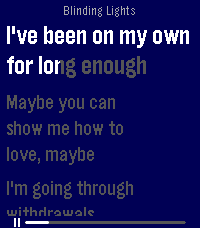
Tools & UtilitiesRelays Radiant Lyrics to your Pebble Time 2!
 2
2PechaKucha Timer
Tools & UtilitiesPechaKucha (PechaKucha.org) is a presentation format devised by Astrid Klein and Mark Dytham, in which 20 images (slides) are shown for 20 seconds. This app assists you in keeping track of the time spent on each slide, revealing a countdown for each slide, as well as the slide number.
 2
2Nav Aid
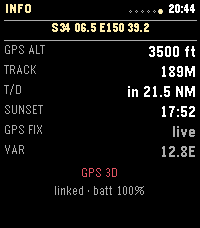
Tools & UtilitiesNav Aid is designed to be a glanceable supplemental information system for navigation and situational awareness in the air. Mostly for GA pilots, but useful for anyone operating in the air. DISCLAIMER: THIS IS NOT AN APPROVED INFORMATION SOURCE, THIS IS SUPPLEMENTAL ONLY AND SHOULD NOT REPLACE OTHER TOOLS / PROCEDURES. THIS WAS ALSO COMPLETELY VIBED, THERE WILL BE BUGS.
 2
2BBC Live Football Scores
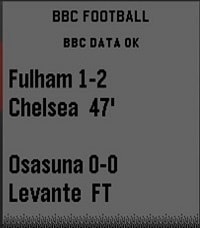
DailyLive football fixtures and scores from BBC Sport, displayed clearly on your Pebble Time 2. Automatically refreshes every 5 minutes, with SELECT for a manual refresh.
 2
2Football for Pebble
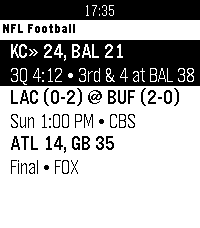
DailyLive NFL football on your wrist featuring real-time down & distance, field position, drive tracking, and score alerts.
 2
2Tennis Tracker
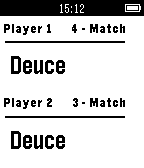
Health & FitnessHelps keep track of your tennis scores including game and match score. Player one's score is incremented using the up button while the second player's score is incremented using the down button.
 2
2Pome
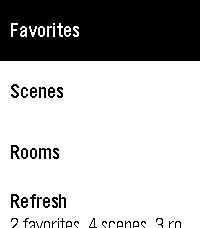
Tools & UtilitiesPome puts Apple Home controls on Pebble Time and Time 2 through Itsyhome on your Mac. Make your Home Screen yours: pin scenes, rooms, devices and sensors, then drag to reorder pins and sections in phone settings. Device pins open controls directly. Hide sections you do not use and assign favorite actions to button holds or Double Back. Browse scenes, favorites, rooms and read-only sensors. Control lights individually or together by room, set brightness and colors, adjust supported fan speeds and blinds, and toggle switches and plugs. Device controls stay open while you make adjustments. Personalize with ten built-in themes and saved custom themes. Preview colors and fonts, choose title and subtitle sizes, and show or hide icons. Time 2 offers five custom font families and five title sizes; original Time uses supported stock fonts. Long titles scroll when selected. On dictation-capable watches, try "Set movie time" or "Turn living room lights green." Voice requires the phone companion’s transcription service. Touch menus on Time 2 use a tap to focus and a second tap to activate; physical buttons remain available. Setup: install Itsyhome (https://itsyhome.app/macos), enable its Webhooks/CLI server, and enter a reachable URL in Pome’s phone settings. The Organik Apps Pebble Connector helps coordinate Mac setup. For private access away from home, use Tailscale on your Mac and iPhone with Tailscale Serve. Your Mac must remain reachable. Do not expose the server using Funnel or router port forwarding. Setup instructions: https://github.com/GeezusChrotch/pome Camera viewing is experimental and NOT included in public Pome 3.0. The public Connector does not include the HomeKit camera helper. Pome has no analytics or hosted relay. Independent open-source community project; not affiliated with Apple, Itsyhome, Tailscale or Pebble.
 2
2Dick Tracy: Agent Command
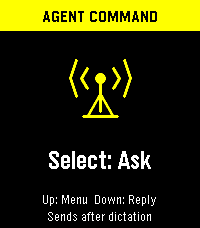
Tools & UtilitiesAsk from your Pebble, keep the conversation going on Android, and choose the model, search tools and speaking voice independently. The watch shows a compact reply; the phone keeps the full answer, formatting and source links. Requires Android 8 or later, the Dick Tracy Watch companion, and your usual paired Pebble phone app. Get the companion and setup details: https://dr.eamer.dev/dicktracy/ ON THE WATCH Press Select to dictate a question or follow-up. It sends when Pebble dictation ends; choose Send: Review first to check the transcript before sending. Up/Down scroll, Back cancels, and holding Select marks the full reply to open on your phone. The menu includes New conversation, larger text, Tools On/Off, Watch voice, Voice test and Auto-read. Sending mode and text size persist. The backlight stays on while the app has focus. ANDROID CHAT AND HISTORY Type questions without a watch. Read selectable Markdown answers with clickable citations, a Sources list and a label showing which tools ran. Reopen saved replies to read or listen, continue an earlier conversation, start a new chat, or edit a failed question and retry. Up to 200 question/reply records are saved; Delete all clears history while keeping your provider keys and settings. The phone screen stays awake while the app is visible. ANSWER SOURCES OpenAI, Anthropic, xAI, Gemini, OpenRouter, Runware, Hugging Face, Mistral, Cohere, Ollama Cloud and Kimi, plus a custom HTTPS endpoint compatible with Chat Completions. Enter a model ID or choose a preset. Each provider keeps its own key, model and tool selection. Anthropic also has a workspace-ID field. Check saved setup sends a short test with tools off, without adding it to History. ON-DEVICE MODELS Gemini Nano uses Android AICore on supported phones and requires the companion to stay on screen. Gemma offers a resumable 2.59 GB Gemma 4 E2B download with size/SHA-256 checks, or import of a portable GPU/CPU .litertlm model. Downloads default to unmetered networks; local model files can be removed separately from chats. Models need compatible hardware and enough storage/RAM. Local inference never silently falls back to a hosted model. Optional search and hosted speech still send data to their selected services. SEARCH AND TOOLS Configure these in Android Settings → Tools, then toggle the saved selection from the watch. Tools start off. Availability depends on the chosen model and account. • OpenAI: web search/page reading and hosted calculations. • Anthropic: web search, link reading and hosted calculations. • xAI: web search/page reading, X search and hosted calculations. • Gemini: Google Search, URL context, hosted calculations and places/maps on supported models. • OpenRouter: web search, link reading and current time. • Mistral: web search and hosted calculations. • Ollama Cloud and Kimi: standalone search and link fetching. Any answer source, including local models, can instead use OpenAI, Ollama Cloud or Kimi for search. That service retrieves evidence; your selected model writes the answer. The watch shows a source count and the phone opens the links. Search budget offers 1–3 calls where supported; it is not a spending cap. Calculations run at the provider, and maps use a place you name rather than phone location. VOICES AND PLAYBACK Use any answer provider with ElevenLabs, OpenAI, Runware, Mistral or installed Android offline voices. ElevenLabs includes voice presets and your own account's voice ID. Listening settings have Slower/Normal/Faster speeds, Test voice and a separate saved speech selection. Tap Listen beside any saved answer for phone playback. Experimental watch speech uses the phone to synthesize the full answer and sends buffered audio sections to compatible Pebble Time 2 or Pebble 2 Duo firmware. No voice model is installed on the watch. Auto-read starts off; enable it on phone or watch to speak new watch-requested replies automatically. Phone questions do not trigger watch playback. Select or Back stops audio, and Listen moves playback to the phone. Watch mute is respected; pauses and limited speaker quality remain possible. PRIVACY, COSTS AND LIMITS Keys and conversations use AES-256-GCM with Android Keystore and are excluded from backup. Hosted answers receive the question and up to ten recent exchanges from the same conversation/provider/model. Hosted speech receives the reading text. Pebble's own dictation service handles speech recognition and when recording ends. The watch's text reply is limited to 900 UTF-8 bytes; the full answer remains on Android and is used for speech. Hosted requests use your provider accounts and may cost money; an app subscription may not include API credit. These details cover watch 1.8.0 with Android 0.9.0-dev (build 11). By Luke Steuber — https://lukesteuber.com
 2
2APRS Beacon
Tools & UtilitiesOne-press APRS position beacon for licensed amateur radio operators. Pick a map symbol and a privacy radius on the watch, press UP (or quick-launch) and your phone's GPS position is reported to the APRS-IS network - blurred by a random offset inside the radius you chose (500 m to 5 km, or exact). **Requires a valid amateur radio licence, your own callsign and an APRS-IS passcode (entered once in the phone settings page).
 2
2Kablooey!
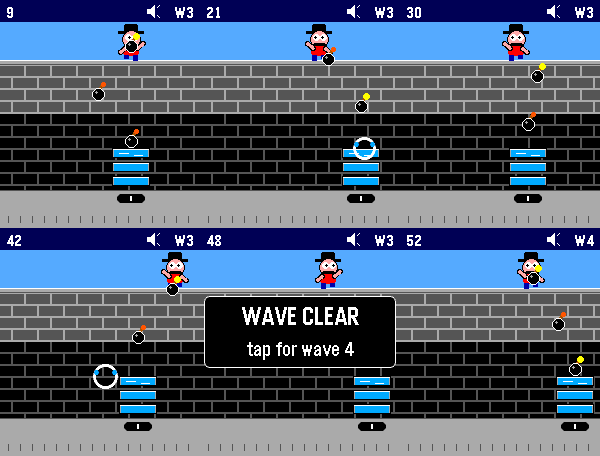
GamesScarry Kablam is at it again, and you and your bucket brigade are what stands in the way of devastation. Use your touch-enabled Pebble Time 2 to catch the bombs before they hit the bottom of the screen and save your city. The game. inspired by the Atari 2600 classic Kaboom!, supports sound and vibration. When you miss, you feel it. Levels get harder over time, and you can set an initial difficulty so there's always some challenge. Basic controls include touching the screen to move your buckets, hitting the top button to toggle sound, and using the select button to go into the game menu where you can see the high score and adjust difficulty.
 2
2Signal Station
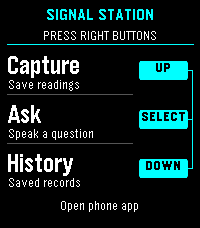
Tools & UtilitiesEXPERMENTAL This is a signal / presence awareness system with a Pebble face serving as interface and capture tool. It also offers chat from your wrist with the language model you choose, enriched by signal intelligence all around you and over time, whatever you choose. The phone keeps full conversations; the watch shows a short, scrollable reply. Install the separate Signal Station Android app first: https://dr.eamer.dev/downloads/apps/signal-station/ On your Android phone, tap Download for Android, open the APK, allow installation from your browser if asked, and tap Install. Open Signal Station, go to Ask, choose Set up answers, and add your provider, model and key. Provider usage charges apply. Capture and local History need no key. Keep your usual Pebble app installed and your watch paired there. In Signal Station on the phone, open Settings, Connected devices, Watch connection. Choose your Pebble app and watch, then tap Check connection. Open Signal Station on the watch. The right-side buttons are Up for Capture, middle for Ask, and Down for History. Up/Down scroll replies; Back returns home. Dictation depends on watch support. Hold the middle button while reading a reply, then open Signal Station on your phone and tap Open full reply. Requires Android build 16 or later. Resume conversation is a separate choice. The backlight stays on throughout app use. Hold Down at home to open the Home favorites chosen on your phone. Connect Home Assistant, openHAB or Geepers in Android build 17 or later. Home access is optional; actions ask for confirmation unless you have allowed that exact action. Still in testing. By Luke Steuber.