 138
138Flight Radar
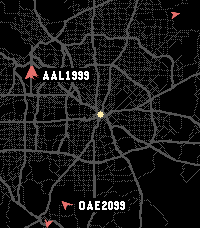
Tools & UtilitiesAware of a bug causing roads not to render. Working on a fix! Live ADS-B air traffic on your wrist. See planes around you in real time, painted over OpenStreetMap roads centered on your current GPS location. Auto-refreshes every 30 seconds. Controls: - Select: Cycle Zoom (5, 10, 20, 40 mi visible) - Up / Down: Pick next or last plane ordered by distance from you - Back: Deselect plane if selected, exit app When a plane is selected you'll see its callsign, type and tail number, altitude, and ground speed, plus its recent flight path drawn over the map. Missing fields show in orange, planes without a callsign fall back to their ICAO hex address. Roads are cached on your phone for 7 days; planes are polled at most every 30 seconds. If Overpass rate-limits, the app honors Retry-After and falls back to the cached map. Attributions: - ADS-B info provided by adsb.lol. - Road map data provided by OpenStreetMap contributors, fetched via the Overpass API. Privacy: - GPS Position is used on-device for plane and road queries. Nothing is sent anywhere except the above public APIs.
 138
138Breaking News
DailyBreaking News for Pebble. Read the main feed from breakingnews.com on your wrist now!
 137
137TinyTron
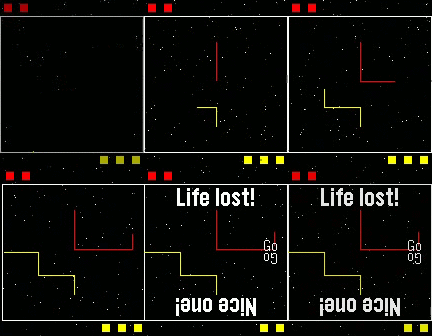
GamesTinyTron: 2 player Tron Lightcycle action on a single Pebble. Controls - Bottom player - Turn left: Select Turn right: Bottom Top player - Turn left: Top Turn right: Back As this app overrides the back button functionality, to quit press and hold Back or wait until exit is displayed on the splash screen. Note: TinyTron was formerly known as PebbleTron. Love TinyTron? Give it a heart!
 137
137Cash Shaker
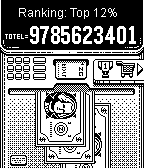
GamesWhy bother robbing a bank? Easy as simply shake to get ultimate game CASH and buy the things you never had! Features: - Up to 30 collectable item s and more coming. - It pours like a breach as long as you shake. - Triple, quadruple, Penta! Use Boosters to multiply your income. - Make investments to get additional income every second. Follow us @ZingGames
 137
137Contopus Phone Connection Monitor
Tools & UtilitiesContopus monitors your phone connection with your Pebble in the background. When your phone goes out of range, you will get a vibration alert. You can then snooze or dismiss your alarm. It works with all watchfaces and regardless of any screen you are in your Pebble. You will never forget to bring your phone or miss any notification due to a bluetooth disconnection. Configurable to disable vibration during Quiet Time.
 136
136Solitaire
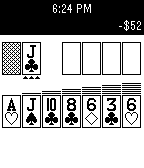
GamesKlondike Solitaire for Pebble. Includes Vegas scoring, one and three card draw modes, and selectable flip limit. Controls allow you to automatically skip over ineligible piles and move cards to the foundations, for more fun and less button presses! Please visit the webpage to report bugs and download the source code. Enjoy!
 136
136Liftoff
NotificationsSpace enthusiasts! Rocket Lovers! People who like it when things go boom in the right direction! Have you ever wanted to know when those pillars of ingenuity are destined to leave the bonds of earth's gravity in a blaze of glory? With Liftoff, now you can! Liftoff is a timeline-filler app that uses the free API available at launchlibrary.net to give users the ability to see at a glance when and where a rocket launches, and see the rocket's mission. Liftoff also provides handy reminders, at 15 minutes before and at the expected launch time, to let you know when a launch happens. Liftoff isn't isolated to the progression of the United States. It can see the liftoff times of any rocket, anywhere (that's publicly available, that is). And if you don't want to see rockets from a specific country? No worries! The configuration page provides you the ability to select from at least 16 different locations, of which you can subscribe and unsubscribe to with ease. And now with update 1.1.0, you can easily access more information or video streams via an on-watch QR code, directing you to those links when available. What are you waiting for, star-gazer? Get Liftoff installed now!
 135
135Automatic
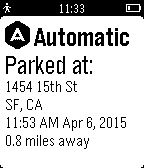
Tools & UtilitiesNever forget where you parked. This app shows you where you last parked and when. It also shows how far you are from your car.
 135
135ChinaStock
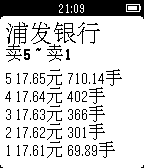
DailyChinaStock is a watch app for tracking stock information in Chinese stock markets. It only supports Chinese language right now. Please set the system language to Simplified Chinese first to use the watch app. ChinaStock是专门针对中国用户的股票查询Pebble应用。 使用前请先将Pebble手表的语言设置为中文,因为股票的名称都是以中文显示的,否则会出现乱码。 使用说明: 第一次打开,请按手表屏幕提示在手机上的Pebble应用里对手表app进行配置。以后也可以随时进行配置,更改关注的股票或者指数的代码。 配置方法:点击对应的Settings按钮会打开一个配置网页,里面可以设置您要关注的股票或者指数的代码。请按页面里要求的格式输入。 手表app的使用方法: 在第一个列表页,上下键选择项目,确定键进入项目详情,长按确定键刷新列表。 在详情页,上下键翻页,确定键刷新数据,返回键返回到列表页。 欢迎大家多提意见和建议,我会把它做得越来越好的。谢谢支持和鼓励!
 135
135PebbleTrail Map
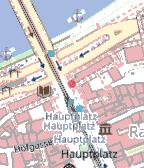
Health & FitnessPebbleTrail Map: Your Adventure Companion Explore the outdoors with confidence using PebbleTrail Map, the ultimate GPS and map app for your Pebble smartwatch. Track your real-time location, load and follow GPX trails, and navigate with ease - all from your wrist. Key Features: - Real-time GPS tracking and map rendering - Load and display GPX tracks from URLs or text - Customizable map styles and settings - Simple button controls for zooming - Supports multiple map providers for color and black-and-white displays Perfect for hikers, runners, and adventurers, PebbleTrail Map keeps you on track and informed. Note: Requires an active internet connection for map and track loading. Maps provided by: © Stadia Maps, © OpenMapTiles, © OpenStreetMap contributors
 135
135Helibble
GamesClassic helicopter. By Stuart Harrell.
 134
134Speedometer
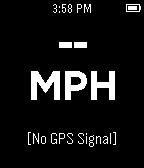
Tools & UtilitiesDisplay the speed information on pebble by using your mobile phone's GPS signal to obtain speed information.
 134
134Spoon
DailySpoon is a simple Foursquare/Swarm check-in app for Pebble. The watchapp lists nearby venues using your phone's GPS location. Pick a venue and check-in. All from your wrist. Español Spoon es un app simple para Foursquare y Swarm. Usando el GPS del su celular para listar los lugares cercano. Elige uno y haz "check-in" desde tu pulsera.
 134
13480% battery charged
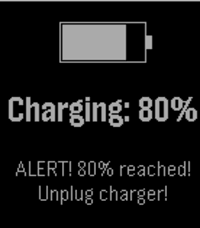
Tools & UtilitiesGet notified when you charge your pebble and the battery level reaches 80%. This way, you can manually interrupt the charge. Preventing batteries to charge completely has been proven to improve their capacity degradation. When 80% charge is reached, the pebble will display a message and vibrate repeatedly. Additionally, you can configure your pushbullet access token or a custom webhook in the settings so that you get a remote notification as well.
 133
133Pokedex
Tools & UtilitiesA Pokédex-App including all 721 Pokémon from all generations plus Mega Evolutions. Features: - English and German name (configurable), types, number and generation of every Pokémon. - Sort the Pokémon by number or by English or German alphabet. - Images of all Pokémon. - Little symboles for legendary Pokémon and Pokémon with Mega Evolution. Controls: - Up (hold): step 1 (25) Pokémon backward - Down (hold): step 1 (25) Pokémon forward - Press Select: toggle language/Mega Evolution - Hold Select: random Pokémon - Press Select on "Pokémon 000" to change order This app is based on the Pokédex by shutdown27 and the Pokédex by DKote with friendly permissions. Feel free to comment this app: https://jascosius.de/projects/pebble-pokedex/