 107
107Home Assistant Shortcuts
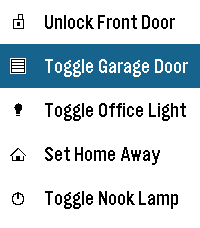
RemotesThis application is a very simple home-assistant script-caller. The goal of the application is to be as simple as possible. It won't autodetect everything that you have configured or won't check the current statuses of entities, but it loads extremely fast and responds just as fast as well. Internally, it just does a POST request to your home-assistant endpoint and triggers a script. Instructions: * Go to your home-assistant UI and create one or many scripts (Settings -> Automations & scenes -> Scripts) * Go to "Settings" for each script and take note of the entity_id (the part after "script.") * Go to your Profile -> Security and Create a new Long-lived access token (make sure to save it somewhere safe, you won't be able to retrieve it again) * Take note of how you access your home assistant URL, if it's just an IP, the shortcuts might only work when connected to your WiFi * Install the app on your watch :) * Go to the app settings through the Pebble app and fill in: - The Base URL (make sure to match http or https accordingly). It's highly recommended you leave the /api/services/script/ section alone unless you know what you're doing - The Bearer Token with the one you got on the previous steps - The information for each shortcut, each one has a display name, a script id (the entity id) and the icon Note: this application has been created with the help of AI, it has been reviewed by a human and fully tested in emulators and real hardware.
 107
107Flucht
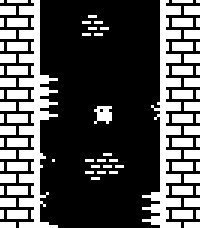
GamesWall jump as high as you can while avoiding dangerous spikes! This is a one-button game, with random level generation and local high scores. Select/Down: Jump (short tap is short jump, holding press is longer jump) Up: Toggle FPS counter display You can play a very similar version online at https://sergilazaro.itch.io/flucht NOTE: This hasn't been tested with any of the actual hardware, only with emulators. Feedback on performance is appreciated.
 106
106MyFitnessPal Daily Stats
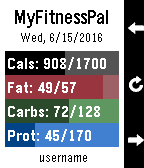
Health & FitnessMonitor your MyFitnessPal food diary right from your Pebble. Shows you progress of your daily totals compared to your goal for the day. Shows Calories and the first three other nutrients tracked in your diary settings. Buttons move backward and forward through the calendar so you can compare previous days. Food diary must be set to public for Pebble to gain access to your information. No password is required. If you like the app, please heart it in the app store. If you don't like it or would like to see additional features, please let me know and I will see what I can do. Remember, I can only read from your public diary. I cannot write to it. We are not affiliated with or endorsed by MyFitnessPal or Under Armour.
 106
106TramFinder
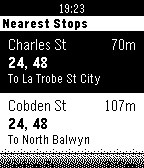
DailyGet live tram arrival times for the Melbourne tram network. The app uses TramTracker™ to display your closest tram stops, and gives you the next scheduled trams with minutes until departure. By Pete Hare, maintained by Peter Summers as Pete has moved out of Melbourne. If you like it, please give it a heart!
 106
106ThisButton
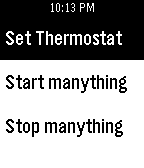
RemotesThisButton is your remote to control the outside world. Any If "THIS" Channel from the popular If This Then Than (ifttt) can be triggered to do a myriad of different tasks. Set your thermostat, start your security cameras, email your mom! If you can do it with ifttt, you can trigger it with ThisButton. Android SMS, Honeywell, GMail, Manything, Nest, Wink, and WeMo are just a few of the popular channels that ThisButton can trigger, right from your wrist! ThisButton is not affiliated, nor endorsed, by IFTTT or any of it's associated services.
 106
106Draw - Sketch on your Wrist!
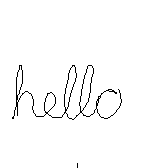
GamesDraw just by tilting your wrist! Note: Currently not compatible with Pebble Times. Working on fixing this and adding color. Send the drawing to your phone without sending anything to a server or needing a companion phone app. View the drawing on your phone by going to the 'Draw' app settings in the Pebble phone app. (Only tested with iPhone) iPhone users - To save, copy, send the image: 1) Hold down on the image in the 'Draw' settings in the Pebble phone app and tap Copy 2) Create a new note in the Notes app and paste into the note 3) Tap Done and then hold down on the pasted image, which will let you save, send, copy the image from there. - 1st Shake of Pebble: While not drawing, undo last pen stroke - 2nd Shake of Pebble: While not drawing, undo the undo or clear the image based on setting - Up Button: Re-center cursor - Select Button: Click to toggle 'pen' on/off, Hold for 2 seconds for Eraser - Down Button: Actions & Settings, including send image to phone
 105
105Button Press
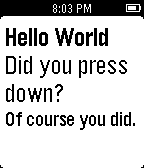
GamesJust a 15 year old learning how to write programs here. You can press the buttons or hold them and it will tell you what button you pressed. Enjoy :)
 104
104Etchist
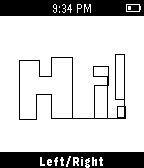
GamesEtchist turns your Pebble into an Etch-a-sketch! Use the select button to toggle between drawing up/down and left/right. Shake to clear the screen!
 104
104Sony TV Remote
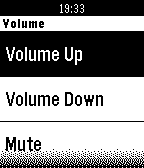
RemotesBe like a magician and send commands to your Sony Smart-TV. Available Commands: Volume Up, Volume Down, Mute Channel Up, Channel Down Guide, Options, Home, Confirm, Back, Info Up, Down, Left, Right Numbers 0-9 Make sure to enter your TVs IP-Address in the app settings. This Watchapp is not associated with the Sony Corporation or its subsidiaries.
 104
104Greedy Greedy Piggies
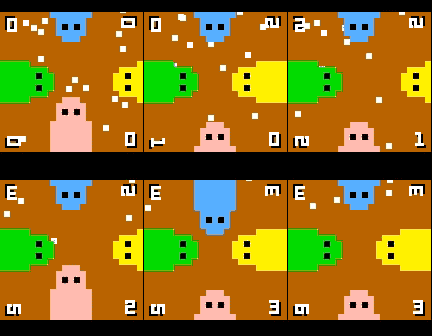
Games4 player dot munching, button mashing fun! Up to 4 players at once on a single pebble, or play on your own against CPU piggies. If the dots ever get stuck or difficult to get, simply give the watch a quick shake. Note: this game uses the back button to control the green piggy, so to exit hold back for a few seconds.
 104
104FlipClock 3D
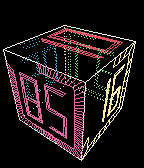
GamesFlipClock3D is a gravity & gesture aware 3D interactive fliping clock. Buttons: - UP/DOWN: +/- spin speed. - SELECT: transparency (SOLID/XRAY/WIREFRAME). - LONG SELECT: configure digit font. Gestures: - TWIST: mode change (DYNAMIC, STEADY) - PUNCH: spin faster - YKES : stop spinning, make Day/Hour/Minute faces visible.
![Utilities Bundle 4 [Pebble Rocker]](https://assets.repebble.com/screenshots/52e1daa03bf01ab858000135-4.png) 104
104Utilities Bundle 4 [Pebble Rocker]
Tools & UtilitiesInclude Android Settings, Camera Control, Phone Pager, and Photos watch apps. IMPORTANT: This watch app requires the Pebble Rocker companion app available via the Google Play store.
 104
104SpaceMerc
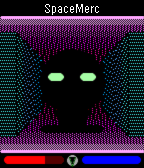
GamesA 3D first-person shooter (FPS game)! Defend humanity against hostile aliens, earn money, and buy upgrades as you progress through this intense sci-fi action thriller. UP: Press once to step forward, twice to turn left. SELECT: Fire your laser gun to demolish walls and kill enemies! DOWN: Press once to step back, twice to turn right.
 104
104Modern+Timer
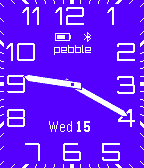
DailyFor left-handers now you can turn the screen upside down! An analog watchface app based on Lukasz Zalewski's design with the addition of a stopwatch and countdown timer. The timer function is started by pressing the select button and then either the up or down buttons depending on what type of timer is required. Various features of the app, including the color of the watchface and its orientation, are configurable in settings which also includes full instructions on how to operate the timer function.
 103
103What's That?
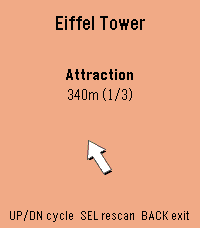
Tools & UtilitiesWhat's That? is a more whimsical way of discovering interesting points of interest near to you! See something interesting in the distance? Simply point in its direction, and your watch will let you know what it is! Sometimes you are looking for something very specific, so in the app settings you can also choose what you want to look for (such as restaurants, tourist spots, or parks). When you're in the "pointing mode", you'll see a compass view with vibration cues for when you're pointing at a point of interest. One vibration means you're pointing at something. Continuing to point will lock in the selection (indicated by three vibrations). Once a point of interest is locked in, you'll get to a details screen for that POI. There, you'll see its name, distance from you, and a live arrow pointing to it. Let me know if you have fun with this project, and if you have ideas for how to improve it please let me know! You can email me at: my first name [at] my last name [dot] ca.