 106
TramFinder
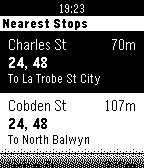
DailyGet live tram arrival times for the Melbourne tram network. The app uses TramTracker™ to display your closest tram stops, and gives you the next scheduled trams with minutes until departure. By Pete Hare, maintained by Peter Summers as Pete has moved out of Melbourne. If you like it, please give it a heart!
 106
Draw - Sketch on your Wrist!
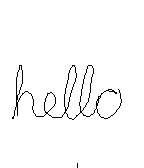
GamesDraw just by tilting your wrist! Note: Currently not compatible with Pebble Times. Working on fixing this and adding color. Send the drawing to your phone without sending anything to a server or needing a companion phone app. View the drawing on your phone by going to the 'Draw' app settings in the Pebble phone app. (Only tested with iPhone) iPhone users - To save, copy, send the image: 1) Hold down on the image in the 'Draw' settings in the Pebble phone app and tap Copy 2) Create a new note in the Notes app and paste into the note 3) Tap Done and then hold down on the pasted image, which will let you save, send, copy the image from there. - 1st Shake of Pebble: While not drawing, undo last pen stroke - 2nd Shake of Pebble: While not drawing, undo the undo or clear the image based on setting - Up Button: Re-center cursor - Select Button: Click to toggle 'pen' on/off, Hold for 2 seconds for Eraser - Down Button: Actions & Settings, including send image to phone
 106
Greedy Greedy Piggies
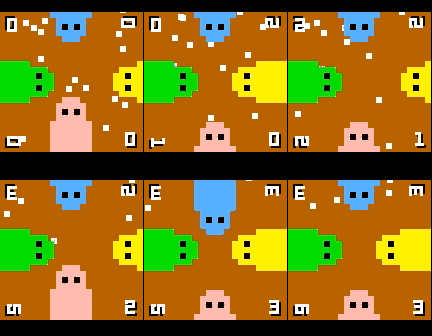
Games4 player dot munching, button mashing fun! Up to 4 players at once on a single pebble, or play on your own against CPU piggies. If the dots ever get stuck or difficult to get, simply give the watch a quick shake. Note: this game uses the back button to control the green piggy, so to exit hold back for a few seconds.
 105
Button Press
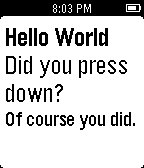
GamesJust a 15 year old learning how to write programs here. You can press the buttons or hold them and it will tell you what button you pressed. Enjoy :)
 105
Etchist
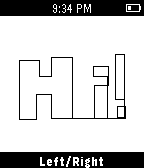
GamesEtchist turns your Pebble into an Etch-a-sketch! Use the select button to toggle between drawing up/down and left/right. Shake to clear the screen!
 104
Utilities Bundle 4 [Pebble Rocker]
Tools & UtilitiesInclude Android Settings, Camera Control, Phone Pager, and Photos watch apps. IMPORTANT: This watch app requires the Pebble Rocker companion app available via the Google Play store.
 104
SpaceMerc
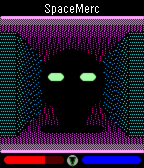
GamesA 3D first-person shooter (FPS game)! Defend humanity against hostile aliens, earn money, and buy upgrades as you progress through this intense sci-fi action thriller. UP: Press once to step forward, twice to turn left. SELECT: Fire your laser gun to demolish walls and kill enemies! DOWN: Press once to step back, twice to turn right.
 104
Modern+Timer
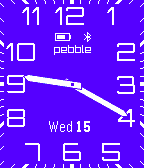
DailyFor left-handers now you can turn the screen upside down! An analog watchface app based on Lukasz Zalewski's design with the addition of a stopwatch and countdown timer. The timer function is started by pressing the select button and then either the up or down buttons depending on what type of timer is required. Various features of the app, including the color of the watchface and its orientation, are configurable in settings which also includes full instructions on how to operate the timer function.
 104
VoiceWeather
DailyA very simple App using the voice dictation on Pebble Time to tell the weather in any city around the world. Version 1.2 1. Add 5-day weather forecast;
 104
Sony TV Remote
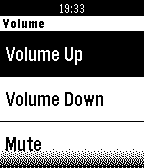
RemotesBe like a magician and send commands to your Sony Smart-TV. Available Commands: Volume Up, Volume Down, Mute Channel Up, Channel Down Guide, Options, Home, Confirm, Back, Info Up, Down, Left, Right Numbers 0-9 Make sure to enter your TVs IP-Address in the app settings. This Watchapp is not associated with the Sony Corporation or its subsidiaries.
 103
Shake Dice
GamesIT SHAKES DICE. (Dear God) There's more. (No) It also flips coins! But seriously: Press up or down to select and roll a dice/coin. Press select or shake wrist to roll the displayed die. Actual feedback from REAL users: "I am GROOT" -Groot "I have done nothing but teleport bread for three days" -Soldier
 103
PebblePool
GamesTurn your Pebble into a tiny pool table and test your basic billiard skills. You can choose between: - free play mode, try to get your top score in one single round - qualify mode, a six-round challenging experience How many balls will you be able to score without a miss? Do your best!
 103
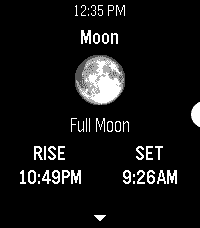
Hubble
Tools & UtilitiesAn astronomy app for Pebble. It uses the time and your location to obtain the azimuth & altitude of the sun, moon, planets, and various constellations. Eligible bodies will also display their phase, rise & set times, and relative illumination levels. No internet access required. Locate these objects around you using only your Pebble’s accelerometer and compass, simply by holding your watch right in front of where you are looking. The ‘😊’ emoji in the locator reading indicates your compass heading has been corrected for magnetic declination. Keep track of the things in the sky outside of the app too, right on your Timeline: Pin rise/set times, twilight (civil, nautical, and astronomical), solar noon, solstices, equinoxes, eclipses, and more! Visit the app settings to decide what to include.
 102
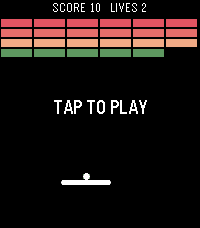
BreakerBrick
GamesA breakout clone using touch and speaker Note: this was made as a tech demo, I probably won't update this. Please stop sending me messages with feature requests :)
 102
POMO D'ORO
Tools & UtilitiesMake yourself more productive. Use a pomodoro timer on your wrist with Pomo D'oro for Pebble Time. You dont need to set alarms on your phone or install apps on your computer. The watch will vibrates at the end of each work or rest period. Update v1.1 - The app counts how many completed cycles you have. And you can reset the counter using the down button Update v1.2 - You can now configure the work time and the rest time.