 100
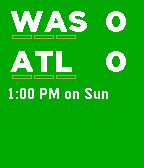
100NFL ScoreWatch
DailyKeep up with your favorite NFL teams right on your wrist. Follow live NFL football games. Bug reports or ideas to make it better? Let me know in the forum: http://forums.getpebble.com/discussion/17152
 100
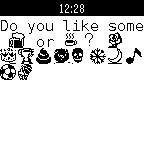
100Watch-Messenger
NotificationsThis is an application that lets you send all notifications to your Pebble smart watch with your home language's characters and emoji. Chinese, Korean, Russian, Hebrew,Japanese,etc.You can select which notification you want to display. The application is base on Pebble Notifier (by Dattas Moonchaser) and Pebble Notifier International by (Tiago R. Espinha).
 100
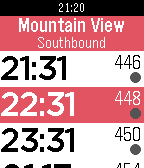
100Caltrain
DailyShows the next trains to any given Caltrain stop. No phone or internet required; the schedule is stored locally. If a phone is connected, will automatically open the nearest station; otherwise stays in the state you left it in. Now supports Pebble Time!
 99
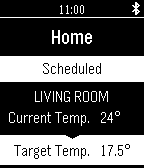
99evohome Watchapp
RemotesWelcome to the evohome Pebble Watchapp. This is designed to complement the Honeywell Total Connect Comfort App and will control the evohome smart zoning thermostat and control system. European evohome & TCC accounts only. - View all home zones and temperatures – even hot water - Ability to select any evohome quick action so control your home via your Pebble watch!
 99
99HTTP Push
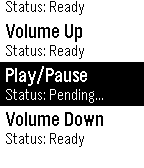
RemotesA customizable HTTP request WatchApp perfect for Home Automation. The configuration page allows you to test requests before publishing to your Pebble. Configure any number of HTTP GET/POST requests on your phone and fire them off on your watch. Setup JSON data for POST calls on the phone. Use the configuration page to create, delete, reorder and test individual HTTP requests. The Pebble interface provides feedback of each call attempt with HTTP status codes (200, 401, 404, etc). Requests are sent asynchronously, so you don't have to wait for a response before firing off another call. Setting the volume on your audio device has never been easier. Save time by testing your requests on the configuration page before making it available on your Pebble. Also if you're sending JSON data, test the formatting right on the phone app. Setup Demo Video: https://youtu.be/BL3GRCVes80 Fearture Roadmap: - Color - Additional Status field display options - Basic Authentication
 99
99SimpleMap
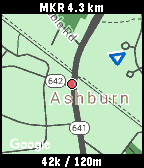
Tools & UtilitiesThis is simple map application. Show current location, speed(km/h), altitude, clock, and user marker(distance, direction) only. (The map is not always displayed, because it uses google static map) User markers can be set from the setting page or button. If the map is not updated, run the GPS continuation application (I did not create it) on your smartphone. * HOW TO USE * [CENTER] Change "enable / disable" position updating. [UP/DOWN] Change zoom level. [LongPressed CENTER] "Set / Clear" user marker. (one position only)
 99
99Reminder Pro
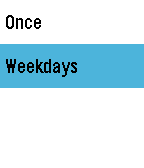
NotificationsProfessional way to make reminders My first app Leave your feedback at forums. (App's website link) If you've found any issue, contact me
 98
98Aquarium
GamesLittle aquarium with Golden fish on your wrist.
 98
98Golf Pad: Golf GPS Rangefinder and Score
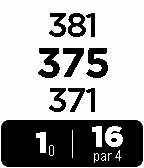
Health & FitnessGolf Pad GPS is a fast accurate golf GPS rangefinder, scorecard and shot tracker. It works on over 30,000 golf courses worldwide. As you play a round, Golf Pad keeps your phone and Pebble in perfect sync. Instantly see distance to front/middle/back of the green, record shot positions and keep score from Pebble. View aerial maps, statistics and share with friends on the phone.
 98
98Pixebble
Tools & UtilitiesPixebble is the fastest way to preview your designs accurately on Pebble devices. With Pixebble, you can make sure your designs appear exactly the way you want on the Pebble OG, Pebble Time or Pebble Time Round. Go to www.half4.com/pixebble/ to start sending your design to your pebble watch ! Pixebble is included with a Dither library, who automatically convert the colors of your design to match the smartwatch's color palette. Getting Started Pixebble is a combinaison of a web service and an app. Because it's complex to send image data to a Pebble, we cannot refresh the image in real time ; the user have to manually upload his design. * Download this watchapp * Open Pixebble website on your favorite browser * Set a custom Unique Identifier and add it in the settings of the watchapp. * Upload your image on the website * Shake the watch or press the middle button to get the image on the watch
 97
97Hearts
Tools & UtilitiesKeep an eye on how popular your apps are on the Pebble appstore with this amazing app.
 97
97Bible
DailyThe application includes the following features: access to the entire bible, verse of the day, random verse, and daily bible plan. The application requires internet to access most of its features. This is the first version of the application, so please feel free to access my website(link below) and leave feedback, comments or suggestions. Special thanks to Bible.org for usage of their API.
 97
97Jump! Chump!
GamesJump and his buddy Chump are under attack! Tap the up and down buttons to avoid the enemies and keep them alive for as long as possible! This is a port of my popular(ish) iPhone game of the same name, it's my first Pebble app so any feedback would be hugely appreciated!
 97
97PebbleNTN - Maps Nav Notification To Nav
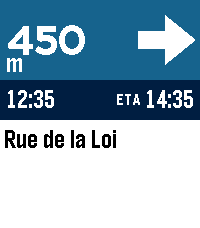
Tools & UtilitiesTurn-by-turn directions from your phone's nav app, on your pebble. PebbleNTN reads your navigation app's notifications and shows the next turn, distance, road, and ETA on your Pebble. No need to reach for your phone! - Google Maps supported now, more coming soon - Accent colours, light/dark, and three arrow styles - Backlight (with RGB support) and vibration options - Metric/imperial, left- or right-hand arrow - Write your own rules, or share logs to help add new apps Requires the companion Android app with notification access. Something not working or have a feature request? Use the 'Contact Developer' option from the Pebble app or create an issue at https://github.com/optio/PebbleNTN/issues
 97
976 Watchfaces
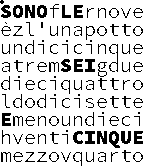
DailyGet 6 more digital watchfaces in 1 app. Up/down changes watchfaces. Long Up for quick battery & BT check. Repeating select then up/down for back light, vibration, and invert. Chrono watchface can also switch between 10 languages. Also check out "7 Watchfaces" and "Watchfaces+"