 97
97Kiezel Health
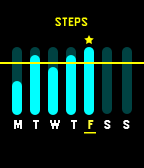
Health & FitnessThis is a paid app. You can purchase this app individually for $0.99. Purchases are via KiezelPay. If you love the app, give us a heart to let us know! KiezelHealth was built to help you live a healthier life by reaching your goals. Along with our collection of goal focused watch-faces, we wanted to a simple way for you to view the progress of your goals daily and weekly. We also are bringing healthy notifications to your wrist to help you get up and move when you need to, and to drink more water throughout your day. We have tons of plans for this app and can’t wait to bring more healthy notifications to help you live a healthy lifestyle. Top Features: Weekly Overview of Step & Sleep Progress Daily Overview of Step & Sleep Progress Get Up and Move Notification Drink Water Notification More to come! Enjoy! Kiezel Team-
 96
96Hubble
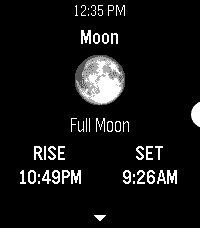
Tools & UtilitiesAn astronomy app for Pebble. It uses the time and your location to obtain the azimuth & altitude of the sun, moon, planets, and various constellations. Eligible bodies will also display their phase, rise & set times, and relative illumination levels. No internet access required. Locate these objects around you using only your Pebble’s accelerometer and compass, simply by holding your watch right in front of where you are looking. The ‘😊’ emoji in the locator reading indicates your compass heading has been corrected for magnetic declination. Keep track of the things in the sky outside of the app too, right on your Timeline: Pin rise/set times, twilight (civil, nautical, and astronomical), solar noon, solstices, equinoxes, eclipses, and more! Visit the app settings to decide what to include.
 96
96Torch v1.0
Tools & UtilitiesSimply a white screen with always on backlight.
 95
95Xbox Live Friends
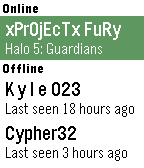
DailySee the status of your Xbox Live Friends on your wrist! Choose your favorite friends from the configuration page and see if they are online and what game they're playing.
 95
95Noise
Tools & UtilitiesSimple sample of pebble application which using graphical api
 95
95GoPro Remote
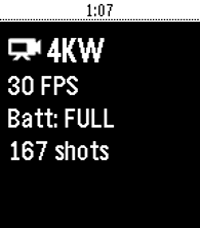
RemotesA GoPro Remote for Pebble. Works with: - (Partially) GoPro HERO3 and HERO3+ - GoPro HERO4 Black/Silver - GoPro HERO4 Session - GoPro HERO5 Black/Session - GoPro HERO+ and HERO+ LCD - GoPro HERO6 - GoPro HERO7 - GoPro MAX - GoPro FUSION - GoPro HERO8 Press UP to change modes, press Center to start/stop video/timelapse or take a photo, press Down for quick presets, long-press Up for HiLight Tag. Needs a GoPro Wifi connection to the phone! For GoPro HERO4 / HERO5 Session / GoPro HERO8 / MAX: Make sure you first open the GoPro App and get a live preview, this step is necessary for H4 Session and H5 Session. Then close the GoPro app and open GoProRemote app on Pebble. (HERO8/MAX: Leave the app open to ensure WiFi connection) Tutorial/write-up: https://medium.com/@konrad_it/gopro-remote-for-pebble-8661dabf0897 App icon by PotatoFi
 94
94Lacuna
GamesHigh speed arcade tunnel flying action, ported from the 2004 GP32 release. * Tilt controls! * Any button to thrust up! * 5 speed and 3 gap size settings! * Global high score table! (viewable from settings) * Fly down a tunnel for no reason! Love Lacuna? Give it a heart!
 94
94Hive for Ecobee
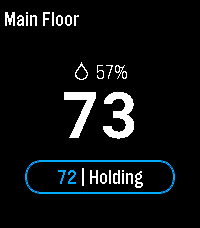
RemotesPebble smartwatch app that allows you to control ecobee ( www.ecobee.com ) thermostats.
 94
94Studio Watch, StopWatch, Countdown, Yach
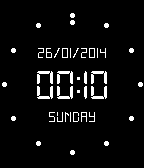
Health & FitnessStylish - Multi-function stopwatch, watch, countdown timer, yacht timer with adjustments and vibration on key times.
 93
93Samsung TV remote
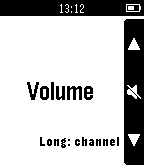
RemotesControl a Samsung Smart TV from your wrist! Version 2 will arrive somewhere in September with automatic TV finding and more!! Supports: all Samsung Smart TV's from before 2014, newer TV's from 2014 or later (H-series or later) are NOT supported due to Samsung not allowing this anymore! Setup: install the companion app, open it and enter the TV's IP address. Demonstration of the app: https://youtu.be/OdS6BVVKP1M (or use the website button below).
 93
93:: Chess ::
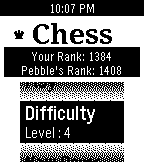
GamesCan you beat your Pebble Watch in Chess? Introducing the first chess engine that is small & smart enough to fit in your Pebble as an app. This app has following features : * 'pMax' AI to make your Pebble think! * Choose from difficulty level 1-10 * Auto-save the game on exit * track/reset your ELO chess rank against Pebble send me your Pebble chess selfie if you can beat Pebble ;)
 93
93PEBBLE-TONE
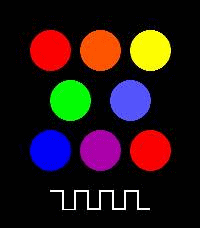
Tools & UtilitiesA simple piano app for Pebble Time 2. You can play one octave of notes.
 93
938 Ball by Dalpek
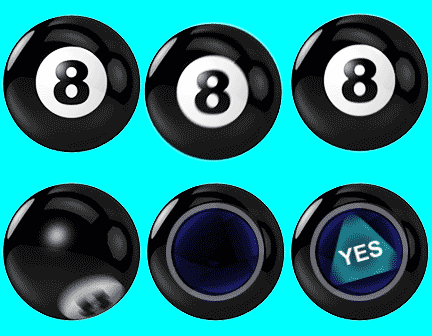
GamesPredict the future or amaze your friends with the photorealistic Magic 8 Ball. Just shake your pebble and enjoy timeless mystical powers on your wrist.
 93
93FLAGS!
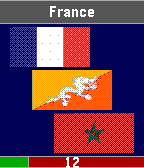
GamesFlags of the world: test your knowledge with FLAGS! If you like FLAGS!, give it a heart ! <3 To stay tuned, follow me on Twitter : @PaulKubGames
 92
92Pulse Metronome
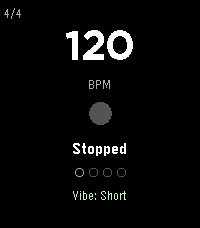
Tools & UtilitiesPulse is a serious practice metronome for your wrist. Not a toy — it has the features working musicians actually need. Rock-solid timing: Anchor-based tick scheduling eliminates the cumulative drift that plagues timer-based metronomes. At 130 BPM, a naive implementation drifts 54ms after 100 beats. Pulse drifts zero. The scheduler even rides out clock adjustments (like phone time syncs) without missing a beat. Audible click on Pebble Time 2: A real metronome sound through the speaker — higher-pitched accent on the downbeat, lighter click on upbeats and subdivisions. Falls back to vibration automatically when the speaker is muted. Haptic accent patterns: Beat 1 hits harder than the upbeats — you feel the downbeat, not just count it. Three click styles (Sharp, Double, Buzz) each have distinct accent variants. Two intensity levels (Short and Strong) scale the entire feel. Time signatures: 2/4, 3/4, 4/4, 5/4, 6/8, 7/8. Beat position dots at the bottom show exactly where you are in the measure. The downbeat dot is visually distinct. Subdivisions: Layer 8th notes, triplets, or 16th notes over any time signature. Subdivision pulses use a lighter vibration so you can feel the rhythmic grid without losing the main beats. Tempo trainer: Automatically bumps BPM every N bars — set it and forget it. Default is +2 BPM every 4 bars. Great for building speed on a passage. Caps at 300 BPM. Simple controls: UP/DOWN set the tempo, SELECT starts and stops. Everything else lives in a settings menu on long SELECT — no gesture memorization required. Power users still get shortcuts: double-tap UP/DOWN to cycle time signature/subdivision, long-press BACK to toggle the trainer. Tap tempo: A dedicated tap screen (settings menu > Tap Tempo): tap SELECT to the beat and the BPM follows your feel — while playing, the beat locks to your taps instantly. Averages up to 8 taps for a stable reading. Resets after 3 seconds of silence. Everything persists: BPM, time signature, subdivision, haptic mode, click style, and tempo trainer settings all survive app restarts. CONTROLS UP - BPM +1 (hold to repeat — accelerates to +5, then +10) DOWN - BPM -1 (hold to repeat — accelerates) SELECT - Start / Stop SELECT hold - Settings menu (tap tempo, time sig, subdivision, click mode, click style, trainer) BACK - Exit (double-press; single press shows a hint) Shortcuts: double-tap UP cycles time signature, double-tap DOWN cycles subdivision, hold BACK toggles the tempo trainer. CLICK STYLES Sharp - Single short tap. Clean and minimal. Best for fast tempos. Double - Two quick taps with a gap. Easier to feel at slower tempos. Buzz - Sustained vibration. Strongest presence on the wrist. Each style has three intensity levels: normal (upbeats), accent (downbeats in Short mode / upbeats in Strong mode), and heavy (downbeats in Strong mode). CLICK MODES Off - No vibration. Visual-only metronome. Vibe Short - Light upbeats, medium accent on beat 1, subtle subdivision taps. Vibe Strong - Medium upbeats, heavy accent on beat 1, firmer subdivision taps. Full intensity for loud environments. Sound (Pebble Time 2) - Audible clicks through the speaker: G6 downbeat, C6 upbeats, G5 subdivisions. Falls back to vibration when muted. Vibration pulses are tuned per motor type — ERM (original Pebble, Time, Time Round) and LRA (Pebble 2 and newer) get different durations so every model feels crisp. TIME SIGNATURES 2/4, 3/4, 4/4 (default), 5/4, 6/8, 7/8. Pick from the settings menu (long SELECT), or double-tap UP to cycle. Beat position dots update to show the new measure length. The beat counter resets to beat 1 when you switch. SUBDIVISIONS Off (quarter notes only), 8th, Triplet, 16th. Pick from the settings menu (long SELECT), or double-tap DOWN to cycle. Subdivision ticks use a lighter vibration than main beats so the rhythmic hierarchy stays clear. TEMPO TRAINER Toggle from the settings menu, or long-press BACK. When active, the BPM label shows the trainer settings (e.g. "BPM +2/4b" = +2 BPM every 4 bars). The increment applies at the start of each cycle. Stops at 300 BPM. PLATFORMS All Pebble models: Aplite, Basalt, Chalk (round), Diorite, Flint (Pebble 2 Duo), Emery (Pebble Time 2), Gabbro (Pebble Round 2). Layout adapts proportionally to each screen size — big 60px BPM digits on Pebble Time 2 and Round 2. Color accent (mint green) on color displays; clean white on B&W. Supports quick launch: assign Pulse to a button shortcut and it starts ticking the moment it opens.