 92
92A Note
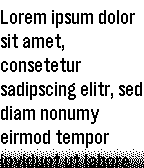
Tools & UtilitiesIt's just A Note on your wrist: The simplest note app I could come up with. Write or paste a note in the settings page, maybe choose a font size and read it on your Pebble. Perfect for shopping lists or similar. Supports UTF-8.
 92
92Steam Companion
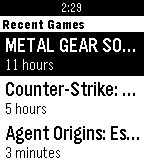
DailyHey gamers! We proudly introduce our new Steam Companion watch app. Everything you need is right on your wrist! See your status, games you have and recent games you played. See all of your friends, their games and what they are playing. See Steam's top selling games. Customize the appearance in the configuration. Long press select in any profile page to refresh. Long press select in friends list to quickly switch online/offline friends. Long press select in game library to switch recent/all games. Hit us up by sending emails. We are open for suggestions :) Happy gaming! Powered by Steam Steam Companion is not affiliated with steam or valve.
 91
91Twibble
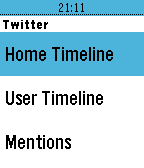
DailyTwibble - Twitter for Pebble! Browse your home timeline from your watch, see your mentions and check your direct messages!
 91
91Water cleanout
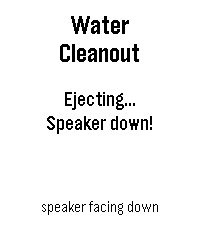
Tools & UtilitiesWater Cleanout — Eject trapped water from your Pebble Time 2 speaker after a swim. Just got out of the pool? Water Cleanout clears your speaker the same way an Apple Watch does. Hold the watch speaker-side down and press the middle button — it plays a short sweep of low-frequency tones centered on 165 Hz that drive the speaker diaphragm hard enough to push trapped water back out through the grille. How to use it: 1) After swimming, dry the watch and hold it speaker-side down. 2) Open Water Cleanout and press Select. 3) Let the ~7-second tone sequence finish — run it again if audio still sounds muffled. Built for the Pebble Time 2, the first Pebble with a speaker. On Pebbles without one, it falls back to a vibration.
 90
90Power Saving Watchapp
Tools & UtilitiesThis watchapp is designed to use as little power as possible overnight. It achieves this by not doing anything until you press the Select button which lets the processor stay in a low power mode. It also features a daymode if you happen to run low on battery during the day. You can enable this mode by holding Select for about 5 seconds. Power saving tips: https://www.notehub.org/08ooy
 89
89OpalX
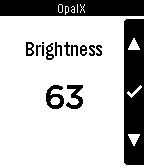
RemotesA LIFX remote app. Control all LIFX lights on your network! Toggle them or change the colors from your wrist. No companion app needed. It uses the LIFX HTTP API (find instructions on how to install it on the website). Will work with the upcoming LIFX Cloud API.
 89
89Tabata Timer
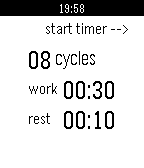
Health & FitnessA simple configurable high-intensity interval training timer for Pebble. up - start/pause timer select - configure timer down - reset timer
 89
89Time2Paint
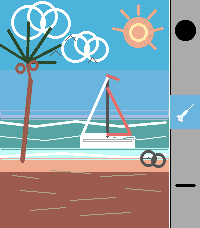
Tools & UtilitiesA full-featured drawing app for Pebble Time 2 and Pebble Round 2. Paint, sketch, and create directly on your wrist with 8 tools, 30 colors, and 3 save slots. Whether you want to doodle on the go, sketch a quick idea, or just see what you can create on a tiny screen, Time2Paint gives you the tools to do it. Use the Screenshot button in the Pebble app to save your creations! Tools -Brush — Freehand drawing with stroke smoothing for clean, fluid lines. Tap to place a dot. -Eraser — Erase by dragging over your drawing. Uses the current brush size. -Line — Draw a perfectly straight line. Touch to start, drag to end, lift to commit. -Fill — Flood-fill any area from a tap point outward. -Box — Draw a rectangle outline. Tap MID while Box is active to toggle filled mode. -Box Fill — Draw a solid filled rectangle. -Circle — Draw a circle outline. Tap MID while Circle is active to toggle filled mode. -Circle Fill — Draw a solid filled circle. Sidebar Shows your current color, active tool, and brush size. Hides automatically after a few moments, tap any button to re-open it. A stroke-count meter tracks how much canvas slot capacity you've used — blue is fine, yellow means 75% full, red means 90%. Save Slots Three independent canvases that each save automatically. Hold DOWN to open the canvas slot manager, switch between them, or hold a slot to permanently clear it. Controls UP button - Tap — Cycle Colors - Hold — Open the Color Picker MIDDLE button - Tap — Toggle the Eraser on/off. - Hold — Open the Tool Menu DOWN button - Tap — Cycle brush sizes - Hold — Open canvas slot manager BACK button -Tap — Undo last stroke Shake Shake the watch twice to clear the canvas. About the Developer - Comet Designs creates fun content for the Pebble platform - We'd love to see your drawings! Send them to us at cometdesignspebble@gmail.com . - Buy me a coffee https://ko-fi.com/cometdesigns
 89
89Transit, that's it
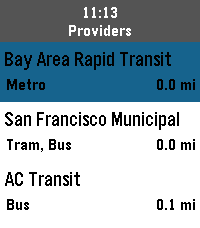
DailyThis it Transit, that's it. It's a simple app for navigating public transit across the globe. with it you can quickly: - find the nearest train, light rail, subway, or bus stations - view an up-to-date departure schedule for those stations - schedule a trip and pin your departure and arrival to your timeline (simple reminders on pebble classic) And thanks to the folks @ Core Devices, it's completely free to use, no API key required.
 89
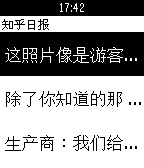
89知乎日报
Daily全新阅读应用,知乎日报上架了~~~ 采用和cnBeta一样的阅读器框架,方便易用~ 意见和建议扣扣185261784~~~ ps:喜欢就请点上面的大大红心~~~
 89
89PureNavi
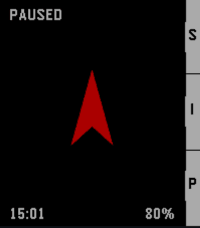
Tools & UtilitiesPureNavi is a minimalist, highly efficient straight-line navi. Instead of distracting you with complex maps, PureNavi delivers navigation in its purest form. A single arrow and the exact distance to your destination. Nothing more. Nothing less. The v2 update introduces a refined hybrid engine that intelligently combines GPS and compass data. This ensures a smooth, stable needle that stays on course whether you are moving at pace or standing still. You can also pin your current position instantly with a single button press. This is perfect for finding your car again or marking any spot you want to return to later. PureNavi navigates exactly as the crow flies. Direct. Clear. Focused.
 89
89Weather
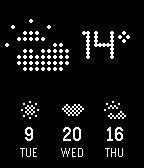
Tools & Utilities- Current temperature & condition - 3 day forecast Features: - Celsius & Fahrenheit option in settings - Live location or manual location in settings - Change Refresh Intervall in settings - Long Press Okay for manual refresh - Long Press Up/Down to close app
 89
89Yoga
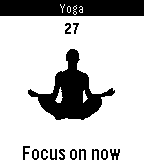
Health & FitnessYoga comes with 10 different poses and a program that goes with it! Happy Yoga!
 88
88Where Am I?
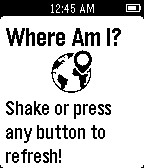
Tools & UtilitiesThis app shows you your current latitude, longitude and approximate address.
 88
88Get Me There
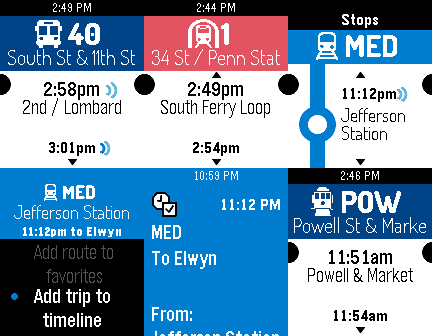
DailyGet Me There is a public transit schedule app designed for commuters and frequent public transit users. Upon launch the app will display the upcoming departure times for nearby stops, with all modes of public transit supported. The app also corrects for real-time departures where data is available. Get Me There has many unique features such as the ability to set favorite stops, add departure times to your timeline, and where available, Get Me There will display real-time departure times so you'll know exactly when your train will arrive. Get Me There is currently available in the following cities: Philadelphia* New York City* Chicago San Francisco* DC/Baltimore Boston Denver Miami Seattle Portland Dallas Detroit State College, PA and more! You're in the city shopping and going to a show and you don't know where the nearest public transit stops are? No problem, launch Get Me There and you are immediately presented with the nearest public transit stations. You're at work, or you still have a last minute project to finish, and you want to know when the next few buses or trains are coming? No problem, launch Get Me There and you'll immediately know when the next ten buses/trains are coming so you can plan your work accordingly. You can even see when each train will arrive at your destination. The real-time feature will tell you exactly when your train will arrive, not just the scheduled time, so you're never left there standing in the non-air conditioned station waiting minutes on end for your late train.