Quick Peek
cvuorinen
Watchapp
Description
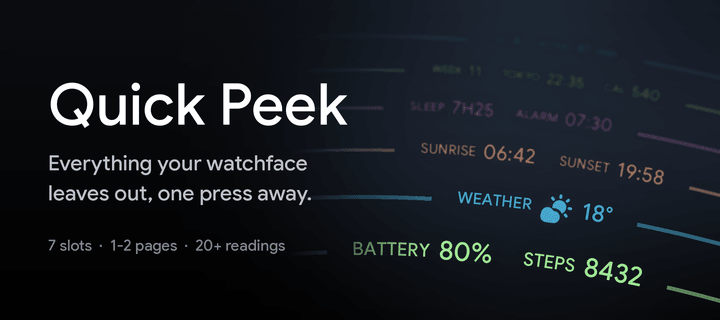
Take a quick look at useful info by adding Quick Peek to your quick launch.

Many otherwise nice watchfaces don't show all the info you need throughout the day. Quick Peek solves this issue by displaying additional info, easily accessible when configured as a quick launch app. And auto exit handles returning to you watchface automatically (with ability to cancel auto exit).

Lot's of configuration options to make it show what info you need.
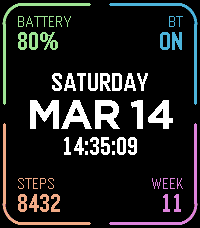
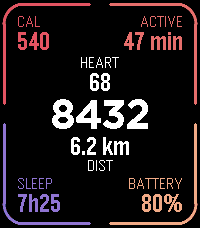
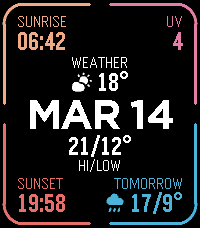
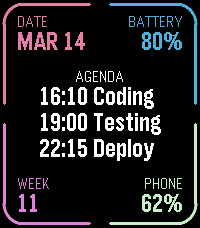
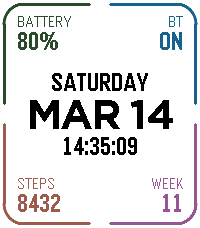
7 complication slots, where you can choose what info to show + color.
Ability to define a second page for even more info (navigate using up/down buttons or swipe on touchscreen).

Available complications:

* Date (with configurable format)
* Day of week
* Time (with or without seconds)
* Battery percent
* Bluetooth connection status
* Step count
* Week number
* Heart rate
* Distance
* Calories
* Active minutes
* Sleep
* Weather (icon + current temp)
* Today's high and low temp
* Tomorrow's weather (icon + high and low temp)
* UV index
* Sunrise
* Sunset
* Phone battery
* Next alarm time (within 24h)
* Second time zone (configurable city, which also acts as the label)
* Agenda — today's appointments, from one or more calendar feeds on the phone.
  In the big center slot it takes the whole column and lists the day; anywhere
  else it shows only next appointment.
* Webhook** (drawn as a button to tap on touchscreen)


Configurable buttons, choose what action each of the up/middle/down buttons does, both normal press and long press.

Available button actions:

* Swith page
* Disable auto-exit
* Reset auto-exit
* Webhooks**

In addition to the physical buttons, flicking the watch resets auto-exit timer and tapping on touchscreen disables auto-exit.

Additional configuration options:

* Date format
* Light mode, which puts the whole display on white and darkens the corner colors to suit
* Temperature unit (Celsius or Fahrenheit)
* Auto exit delay (when launched from quick launch)

Webhooks:

Define up 6 webhooks by specifying a URL that will we called when the webhook is triggered.
You can point this to any publicly available URL or something on your local network, for example Home Assistant so that you can toggle lights on/off, open your carage door or whatever Home Assistant can automate.
Ability to choose HTTP method (GET/POST/PUT), define a JSON payload, and a Bearer token for authentication.
- Developercvuorinen
- CategoryTools & Utilities
- PlatformsOG Pebble, Steel, Time/Time Steel, 2, 2 Duo, Time 2, Round 2
- Updated2026-09-13
- Version2.1