 52
52Magic Dict8-Ball
GamesShould you run for President? Should you have another drink? Is that person next to you really annoying or do they just look annoying? Stop answering life's hard questions and let the mystical powers of the Magic Dict8-Ball decide for you! Simply speak your question into your Pebble's mic and let the power of the Random Number Generator decide your fate... Features all 20 of the iconic responses for the original Magic 8-Ball. Think this app is ridiculous? You should check out my watch faces!
 51
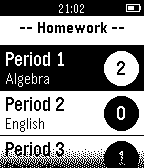
51Homework Manager
Tools & UtilitiesManage your current number of assignments in all your current classes. Update assignments inconspicuosly on your watch during class to help you remember.
 51
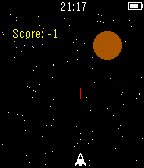
51Asteroids
GamesA refreshing take on a simple classic.
 51
51StressBeGone
DailyFeeling stressed? Turn on StressBeGone and take a chill pill. SBG will lower your heart rate by vibrating every second to create a pattern, which your body will find calm. If there are any issues, please contact my support email (tylernij@gmail.com). Enjoy!
 51
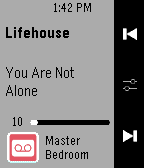
51ZP Controller
RemotesUnofficial SONOS controller. Please click the heart button if you like the app. Quick instruction: Please set the speaker ip-address at the phone app settings. Long press select button for 1sec to see list of ZP. Long press track button to change volume level.
 51
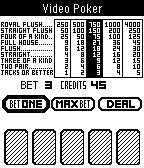
51Video Poker
GamesPlay Video Poker on your Pebble. Bet from 1 to 5, and win from 1 to 4,000!!!
 51
51News v1.2
DailyRead the latest worldwide news headlines.
 51
51Fireplace
GamesThis app was written for using in long winter evenings...
 51
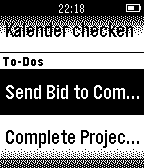
51Habitica Tasks
DailyThis watchapp lets you access your habitica (aka habitRPG) tasks and mark them completed. Select a task in the tasks list and press 'select'. The selected tasks get IMMEDIATELY marked as completed or scored up. For habits with up AND down direction/action you can choose the direction in the upcoming card. If you have a task with a checklist you access the checklist via the task. To mark these tasks as completed you have to 'long select' - press select for a longer time - them.
 51
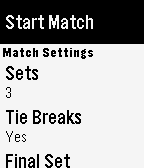
51Tennis
Health & FitnessBuilt by a tennis player for tennis players. Keep track of the score in your tennis matches with simple controls and a clean, uncluttered interface. Match formats are easily configured inside the app and it defaults to the settings you last used. If your yours isn't configurable, let me know because I want to support all commonly played formats. ## Instructions - Select the match format then choose 'Start match' - Use the middle button to toggle who is serving first - Your score is at the bottom and your opponent's score is at the top - Hit the bottom button when you score, the top button when your opponent scores - If you make a mistake, hit the middle button to undo ## Features - Clean interface - Service indicator - Many match formats supported - Infinite undo - Post-match stats ## Roadmap - Ability to save/resume match state with persistent storage - Ability to view stats for previously completed matches - Support any missing match formats
 51
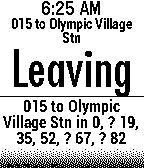
51My Vancouver Bus
NotificationsBus schedules for Vancouver, BC. Displays scheduled departure time, with an indicator if the real-time bus is early <, late >, or unknown ?. All routes for a given stop are shown. Scrolling down gives additional details. Select up to 8 stops by ID. Includes stop ID search. Repeatedly press select button to choose your preferred route at a stop. Stop validation now turns stop number bold red if stop doesn't exist.
 51
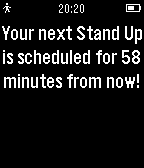
51Stand Up
Health & FitnessStand up is a simple reminder app that will notify you to stand up and move around one hour from the time it is started.
 51
51TurnOnBacklight
DailyForce turn on your backlight for 2 seconds. Open backlight manually just like normal electric watch. It's especially useful when auto backlight off. --- How to use? 1. Go to Settings > Quick Launch page Set this app as down button (or up button) long press 2. Long-press the button as you set in the watchface page, backlight will turn on for 2 second. --- Demo video: https://youtu.be/VV7u0Loy_ko ---
 51
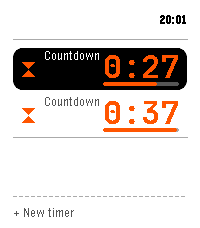
51Timers
Tools & UtilitiesMulti-timer, stopwatch, single and repeat countdowns for Pebble Time 2. -- Across the app - Run several at once; the home screen keeps each live time visible - Say a timer by voice, English or Spanish ("five minutes", "pasta for eight minutes", "every 20 minutes", "at 6:45"); name it too - Save 12 presets, start one with a press - Fires on time even with the app closed; snooze a fixed amount or a quarter of the set time Countdowns - Big digits with a progress bar, start and end time - Hold to pause, add more time while it runs - Keep counting past the target until dismissed Stopwatch - Latest laps on the main screen; hold Up to add a lap Repeat timers - Repeat on a set interval, with a round tally and quick restart Turn a countdown into a repeat, and back. Controls: hold Select to pause, hold Up for the quick action, Down for the menu. Report bugs or request improvements: https://github.com/Persitz/pebble-timers/issues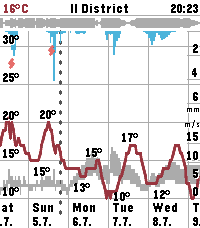 51
51Sae Weather Graph
DailyHighly informative weather forecast graph for Pebble Time 2. The only weather app you'll ever need! Sää [ˈs̠æː] is Finnish for weather. Sae is Finnish for rain. The app works globally. Displays 10 days of hourly values for: - Temperature, day's min/max - Precipitation - Thunder - Wind speed, gust speed, direction - Cloud cover level - Relative humidity - Air pressure - UV index - Sunrise/sunset times - Golden hours - Dark hours App controls: - Step forward/backward: press down/up - Toggle zoom: press select - Select location: long press select - View hourly values: touch the screen Data sources: - The Finnish Meteorological Institute (FMI) if you're in Finland or nearby - Open-Meteo elsewhere - Possibly others in the future Configuration options: - Units & formats - Data selection - Preset locations Open source. Or open slop. The app is 99% vibe coded.