 51
51Pebble eReader
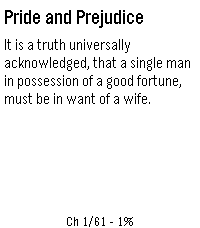
Tools & UtilitiesRead EPUB books on your Pebble watch. Upload an EPUB via the in-app settings page, then read chapter-by-chapter with proper headings, progress tracking, and a chapter menu.
 51
51Tiny RPG Day
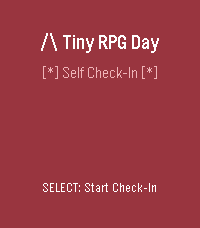
Health & Fitness# Tiny RPG Day *Your inner world, as an RPG character.* A self-awareness companion for Pebble smartwatches that transforms your current mental and emotional state into an RPG-style character—complete with class, narrative, and suggested quests. ## ✨ What Is It? Tiny RPG Day isn't a game—it's a **tiny mirror**. Through quick check-ins throughout the day, it reflects your energy, mood, social battery, focus, and overwhelm as a playful character profile. Are you a **Fog-Walker** trudging through mental haze? An **Ember Knight** blazing with focus? A **Cozy Druid** in perfect balance? Each check-in becomes a chapter in your daily story, tracking how your inner state evolves from dawn to dusk. **Core Philosophy:** Supportive, not competitive. Clever, not childish. A companion, not a judge. ## 🎮 Features - **Quick 5-step check-ins** — Rate your Energy, Mood, Social Battery, Focus, and Overwhelm - **14 unique RPG classes** — Dynamically assigned based on your state - **Narrative storytelling** — Each check-in is a "chapter" with time-of-day themes (Dawn, Journey, Return, Rest) - **Transition tracking** — See how your state changed since your last check-in - **60-day history** — Your story persists, viewable as a scrollable journal - **Time-aware visuals** — Background colors shift with the time of day - **Visual stat bars** — See your values as `[####--]` progress bars - **Progress indicators** — Track your check-in flow with `[**---]` - **Color support** — Beautiful colors on Basalt/Chalk/Emery, graceful B&W fallback on Aplite/Diorite
 51
51Focus
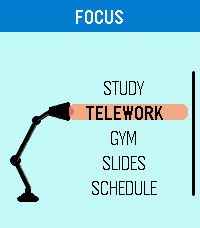
DailyFocus is designed around the essence of Pebble: extracting the greatest beauty and utility from simplicity. It is a flexible time management app built to help you stay on track and always know what comes next, with dedicated modes for Study, Telework, Gym, Slides, and Schedule. Use Focus to run structured study blocks, work timers, workout routines, slide-based sessions, or weekly schedules that follow real time automatically. Slides mode lets you configure and save custom decks, while Schedule mode lets you plan tasks by day and time so the app can guide you through your routine. Focus has been carefully adapted for multiple Pebble models, including round and rectangular displays, with platform-specific layout tuning for better readability and usability. Any feedback? https://forms.gle/ha6sMDPRn2WN4JHp7
 50
50Swim Buddy
Health & FitnessRecord your swimming workout. During a workout you can count laps by pressing any of pebbles buttons. Information for the current workout like time, distance and speed will be displayed. The last workouts will be stored on the pebble watch.
 50
50Bodybuilding Jesus
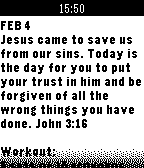
DailyBodybuilding Jesus is a free watch app that broadcasts a daily Bible verse, a personal devotional, and a simple workout. We at Renewal Studios believe that physical and spiritual wellness together form a healthy lifestyle. Content for the year will be released periodically so keep an eye out for updates in the future!
 50
50Is It Christmas
DailyThis watchapp tells you whether or not it is currently Christmas. Based on the website isitchristmas.com.
 50
50Netatmo
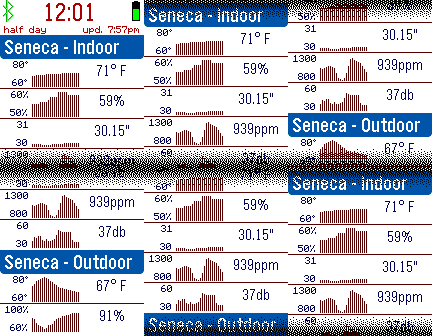
DailySee your Netatmo home weather station readings on your Pebble smart watch. Enter your Netatmo credentials to see your temperature, humidity, and other readings. Customizable for temperature and pressure units, header format, vibration alerts, and more.
 50
50lucidity
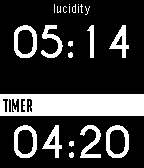
Tools & UtilitiesIn order to lucid dream, one must acknowledge the fact they are dreaming. Lucidity causes the Pebble to vibrate after a certain time determined by the user. Launch the app before bed. The Pebble will vibrate a second time 5 minutes after the set time. Email with feedback please.
 50
50DogeLove
DailyDogeLove is a complete DogeCoin wallet on your watch. Use it to tip friends or pay for services! So nice! So much love! This app is currently in beta test. Use at your own risk. Please contact @sarfata on twitter with feedbacks.
 50
50Alice's Mom's Rescue
GamesThis is the "runner" version of Alice's Mom's Rescue platformer game for Windows & Android. The giant raven has captured Alice's mother. Help Alice save her mother through the 3 worlds and 6 levels! Change Alice's height by jumping on the magic mushrooms to get through the tiny spaces. If you like the game, please get the full version with 25 levels on Android store or Steam !
 50
502048
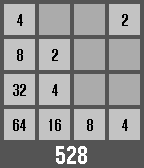
Games2048, The addictive computer game made specifically for your wrist! How to play Back button to go left Select button to go right Up button to go up Down button to go down Hold select button to exit and save game NEVER LONG PRESS THE BACK BUTTON!!! (unless you want to not save and lose progress) Please heart it!!!
 50
50pReader
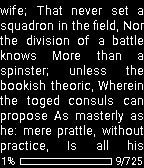
Tools & UtilitiespReader - watchapp for reading plain text (.txt) files stored on your phone. Key features: - Built-in file browser, - Displays text correctly in any language (if supported by the phone), - Support for different character sets, - Automatic detection of charset, - Customizable appearance. The application works only when connected Pebble to the phone.
 50
50A Micro Western
GamesEnter "A Micro Western"! A fun, simple reaction game. Press SELECT to draw and shoot! Features 20 levels of difficulty, from slow loras to cheetah. Your current level is saved when you quit! Artwork by Kirby Evers.
 50
50Timer Repeat
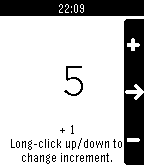
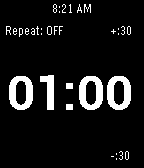
Tools & UtilitiesThis app is a simple countdown timer that vibrates when the countdown is done. You can set it to repeatedly countdown. Great for working out, switching tasks, intervals, or just a reminder to take a break. Up/Down to change the time. Hold Up/Down to change the step size of the timer. Select to start/stop timer. Hold Select to turn the Repeat ON/OFF.
 50
50TimePulse
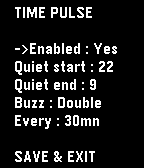
NotificationsTime Pulse is a practical timekeeping app designed to assist you throughout your day. - With Time Pulse, you can set specific intervals for notifications, helping you stay aware of the passing hours. It's especially nice if this feature isn't supported by your watchface. Here are some key features: - Minimal battery usage: Time Pulse utilizes the Pebble wakeup_schedule function, ensuring it has virtually no impact on your device's battery life. - Background efficiency: Time Pulse does not run in the background, so it does not occupy the background app slot. -Offline customization: Customize Time Pulse directly from your watch without the need for internet connectivity or external servers. Time Pulse is your reliable companion for staying on schedule. (Forked from "nag for Pebble" from YGalanter)