 47
47Pocketsoccer
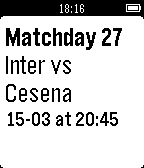
DailyPocketsoccer shows to you all main soccer information directly on your Pebble. You can select the league and get all the information about teams, rankings and fixtures, updated everyday. The available league is english Premier League, deutsch Bundesliga, spanish Liga, italian Serie A and french Ligue.
 47
47BeerTime
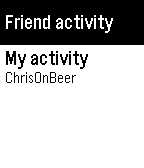
DailyA standalone client for Untappd, a social network for beer drinkers. Browse your friends' activity, view beer and user details, and toast checkins from your wrist!
 47
47Keepzer
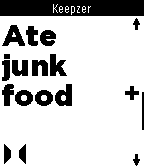
Tools & UtilitiesRecord your life events with supreme ease. Want to log the number of beers you drink tonight? Or the number of cookies you've been devouring? With Keepzer for Pebble it's as simple as a one-button click on the wrist. It's simple to see logged events in your free Keepzer account. We've built a great timeline and graph feature which gives you a powerful overview of all your life events.
 47
47ThermoPebbleStat
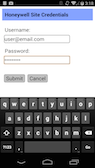
RemotesA Pebble watch application to set the temperature of multiple thermostats.
![Phone Pager [Pebble Rocker]](https://assets.repebble.com/screenshots/52e1ad80e819d8b7870000b4-0.png) 47
47Phone Pager [Pebble Rocker]
Remotes- Page your phone/tablet from your Pebble watch with the press of a button. - Configurable ringtone and vibrate settings. - Strobe camera flash when paging. - Page your Pebble watch from you phone (vibration / backlight). IMPORTANT: This watch app requires the Pebble Rocker companion app available via the Google Play store.
 47
47Weather-O-Graph
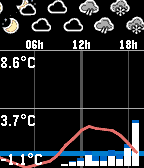
DailyThis app displays current weather forecast in a graph form, from one of the following services: * yr.no (probably most of the world) * aladin (Czech republic) Controls: * 'up/down' scrolls the view * 'middle' button press resets the view * 'down' long press switches the service
 46
46openHAB
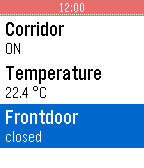
RemotesThis app allows you to use your Pebble SmartWatch to connect to and control your OpenHAB server. Most of the basic kinds of sitemap elements are supported (Frame, Group, Selection, Setpoint, Slider, Switch, Text) but not graphically rich ones (Colorpicker, Chart, Image, Video, Webview). Supports multiple sitemaps, separate intranet and Internet URLs, http/https, and username/password authentication.
 46
46Walk Log
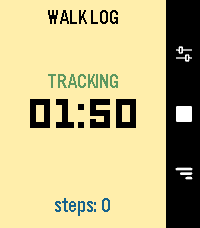
Health & FitnessWalk Log is a Pebble application that tracks the time and steps taken during your walks. Your walk history is stored in the logs view, where you can review past activities and delete entries as needed. You can also send walks to the timeline to view them in the Pebble watch's Past Timeline view. Set it and for get it: an inactivity option will automatically stop your walk after a set period of inactivity, thanks to a background worker. **Quick Use** - Open the app - Press center right button (start symbol) - Press again to end it (stop symbol) **Logs** - Press down right button - Navigate down from latest to oldest - Press center right button to open detail - Long press on center right button to delete, from list or detail page **Settings** - Press up right button - Navigate down to setting you want to change - Press center right button to change it
 46
46Blackjack Touch PT2
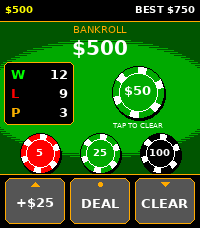
GamesSix deck blackjack for the Pebble Time 2. Tap a chip to bet, tap DEAL, play the hand. Your total sits in a badge next to your cards so you're not doing arithmetic on a watch, and soft hands show both numbers (7/17) so you can see when an ace is still doing you a favor. The three buttons along the bottom are Double, Hit and Stand, left to right. Each one is wired to the physical button beside it (up, select, down) and carries a small mark so you can tell which is which without checking the manual. Double greys out when you can't double, rather than disappearing, so Hit stays in the middle of the bar whatever you're holding. Splitting had to go somewhere else, since there's no fourth button to give it. Get a pair and your cards pick up a gold outline with a SPLIT tag beside them. Tap the cards. Holding the up button does the same thing if you'd rather not touch the screen. The rules are the ones you'd get at a table. Six decks, reshuffled about three quarters of the way through the shoe. Dealer stands on all 17 and peeks on an ace or a ten. Blackjack pays 3 to 2. You can double any first two cards including after a split, split a pair once, and take insurance when the dealer shows an ace. Split aces get one card each and stand, same as the real thing. You start with $500. The app keeps your best bankroll as a high score, and it counts money that's still sitting on the table, so a $700 bet that loses still records $700. Bust out completely and you get a game over screen with your record on it and a fresh $500 to start again. *Reminder $$ is not real money and is only in-game cash*
 46
46RaceTime
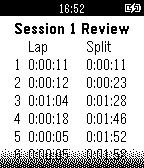
Health & FitnessRaceTime is a general-purpose, standalone workout stopwatch app for the most time obsessed athletes. Features include: * data persistence * 50-lap memory * main display color inversion * Review recorded lap times during the workout * Save and review saved workouts * Integrated Pacerband technology: 50-segment countdown timers in single/repeat modes
 46
46Time Eye-Opener
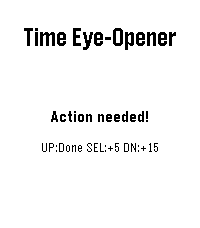
NotificationsTime Eye-Opener: The notification that doesn't take "no" for an answer. You’re in a meeting and a crucial text comes in. You can’t reply right now, but if you swipe it away, you know you’ll forget it exists. Standard smartwatches let tasks vanish into the void. Time Eye-Opener is different. With a couple of clicks, set a 5 or 15-minute persistent reminder that stays glued to your screen and escalating its vibrations until you actually mark it "Done." Stop relying on your memory; rely on your wrist. This is also very helpful for people with busy lives, or ADHD- push away the cognitive demand for later. Deal with time blindness- open your eye to more time now, in exchange for some time later!
 46
46Wrstlytics
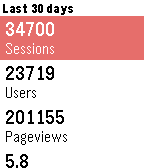
Tools & UtilitiesWrstlytics - Google Analytics on your wrist. Wrstlytics shows your important site metrics right on your wrist. Check past performance and live traffic! NEW: Custom reports! Simply sign in with your Google account.
 46
46Pebblemon Lite
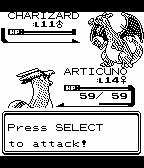
GamesPebblemon Lite! A bite-sized Pokemon adventure on your wrist. Pebblemon finally comes to the Pebble Classic and Pebble Steel! It's a much smaller experience than the original Pebblemon, but you can still encounter all 251 Pokemon from the Game Boy Color games. Use select to toggle movement, and up/down to turn the character. Have a newer Pebble? Check out the original Pebblemon! This uses the same GameBoy Color graphics library as the original Pebblemon.
 46
46Disney Parks Wait Times
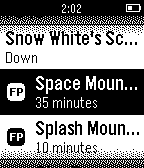
DailyCheck the current wait times and FastPass return times for attractions at the Disneyland Resort, Walt Disney World, and Disneyland Paris directly from your Pebble. Parks Included: Disneyland Disney California Adventure Magic Kingdom Animal Kingdom EPCOT Disney's Hollywood Studios Disneyland Paris Walt Disney Studios Note: Developer is not affiliated with Disney Parks.
 46
46Froggle
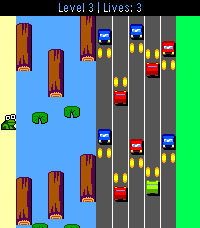
GamesFrogger, but for Pebble! Multiple challenging levels, which get faster as it goes... Can you dodge the cars and hop those logs? You get an extra life for each level you complete.. Good luck! Choose between modern or retro art! Note: Touch screen support is enabled for jumping only. It is only enabled on the new RePebble time 2 for 2026 Special thanks to GitHub user cmbartschat for the graphics overhaul. Absolutely beautiful!