 48
48Peball
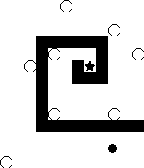
GamesPeball is the classic game where you control a ball by tilting a labyrinth. Collect all the stars. But watch out! Don't fall in the holes! If you like Peball, please click the like-button. and never forget: keep pebbeling ;)
 48
48UK Local Info
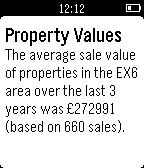
DailyUK Local Info provides you with immediate access to information relevant to where you are right now in the UK, including facts about the local area, your location information (postcode, grid reference and more), weather information (current conditions, temperature, tomorrow's forecast and sunrise/sunset), property value information, crime statistics and details of nearby train stations, cash machines, fuel stations, supermarkets, pharmacies, bars, pubs & restaurants/take-aways. Note: You can use this app outside of the UK, but the amount of data available will be limited. Tip: long press the select button on any menu screen to reload the data (useful if you're moving around).
 48
48Badminton score
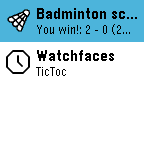
Health & FitnessAn easy to use pebble app to count the points during your badminton game. Hit the bottom button when you score, the top button when your opponent scores. The final score will be displayed at the end of the game. The last result will be available from the app launcher (new App Glance feature of OS 4). This app is an adaptation of Ben Gourley's Pebble Tennis to the badminton game.
 48
48GravCalc
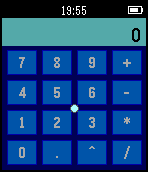
Tools & UtilitiesAccelerometer-based calculator with RPN (reverse Polish notation). Move the cursor by tilting your hand. IMPORTANT: Because it uses RPN, to calculate 1+1 you need to first input "1", confirm, input an another "1" and then press "+". The same with the other operations. Buttons: - Lower :: click - Middle :: push number to the stack (accept/confirm number) - Middle hold :: empty the stack - Upper :: backspace / pop a number from the stack - Upper hold :: clear the current number Fractions are supported up to two decimal places.
 48
48Morse
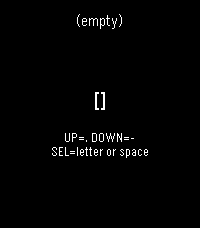
Tools & UtilitiesPebble watchapp for typing International Morse with the watch buttons. The decoded text is shown on screen.
 47
47Kombat for Pebble
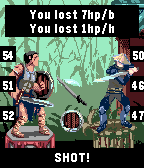
GamesDarkness hung ... All the power of magic imprisoned in a pebble ... And only one hero can possess it ... "Pebble Kombat" (or Kombat for Pebble) - tactical mini fighting with simple rules. You can read all about project on the Pebble Forum page (https://forums.pebble.com/t/watchapp-pebble-kombat-kombat-for-pebble/23787) v 1.0 - 8 heroes with own passive abitily; - 2 game mode; - tested only on emulator;) Please, leave your opinion on the Pebble Forum page
 47
47Beeb News Feeds
DailyThis watchapp displays the most popular BBC news feeds on your wrist. It includes Top Stories, UK, World, Sport, Technology, Entertainment, Business, Politics, Education, Health, Science and Also in the News. The information included for each story is the headline, a summary and how long ago it was posted. This watchapp has nothing to do with the BBC and uses their public RSS feeds.
 47
47Gospel
Tools & UtilitiesA simple reference app to help share the gospel. Features: - Collection of key gospel verses arranged in order of gospel presentation - Summary view with just a verse reference and a short description so you can take a quick look at your wrist and open your preferred bible. - Press select in the summary view to view the verse itself (handy if you don't have a bible with you) - Long press in summary view to see a short explanation of the verse (just in case you find it difficult to explain the verse yourself).
 47
47BatteryAlert
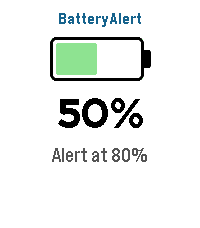
Tools & UtilitiesBatteryAlert — get a buzz or beep when your Pebble battery hits the levels you care about. Tick one or more battery levels and BatteryAlert watches your battery for you. When the charge crosses a level you chose — charging up to it (great as a "stop charging at 80%" reminder) or draining down to it (a low-battery warning) — your watch alerts you until you dismiss it. FEATURES • Tick any of the levels from 10% to 100% (default 80%) — set as many as you like • Fires in both directions — charging up to a level or draining down to it • Alerts only on an actual crossing while you're being watched • Alert mode — Vibration only, Sound only, or Sound & vibration • Audible alarm — alerts you with sound and/or vibration until dismissed • Alert patterns — pick from 10 built-in styles, including vibration rhythms (Pulse, Nudge Nudge, Jackhammer, Gentle) and real tunes played through the Pebble Time 2 speaker (Reveille, Mario, Ode to Joy, Twinkle Twinkle, Für Elise) with rich polyphonic harmony • Adjustable notification strength (Low / Medium / High) for buzz and volume • At-a-glance screen — battery icon, current percentage, charging bolt, and your configured alert levels CONTROLS • Touchscreen on Pebble Time 2 — tap anywhere to close the app • Button navigation on all other Pebbles — Back to exit • Alarm screen — tap, Select, or Back to dismiss Sound requires the built-in speaker on Pebble Time 2; every other model alerts with vibration. Works on Pebble Time 2, Time, Time Steel, Time Round, and Pebble 2. Bugs & suggestions: support@sinaware.com
 47
47Chopper
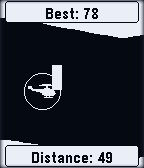
GamesSee how long you can navigate the Chopper through the perilous caverns. Try to beat your high score!
 47
47Punchclock
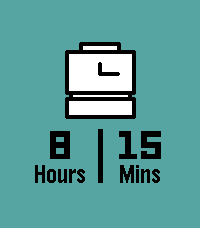
Tools & UtilitiesInstantly calculate how long you worked today with Punchclock! Input when you started, when you ended, and Punchclock calculates how many hours and minutes you worked, and pushes a pin to your past timeline for reference. Via settings on the phone, configure the default start and end times, and how much time to subtract for breaks. Settings are saved both on the phone (in case you like to switch watches), and saved to the watch (in case your phone isn't nearby).
 47
47Abs Plank
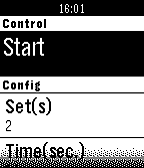
Health & FitnessThis app guides you through a plank exercise workout to build your abs. The plank is one of the best exercises to strengthen your core, which is more than just your abdominal. The core is a complex series of muscles that includes your entire body, minus your legs, head and arms. http://en.wikipedia.org/wiki/Plank_%28exercise%29
 47
47Touch Test
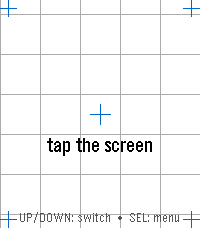
Tools & UtilitiesTouch Test — Watch Hardware Diagnostic A menu-first hardware diagnostic suite for your Pebble: 16 self-contained tests covering touch, buttons, motion, compass, heart rate, health, ambient light, haptics, sound, backlight, Bluetooth, battery, display, and device identity — fast, no-fuss, and event-driven so it won't touch your battery. Open the Diagnostics menu and tap or scroll to any test. SELECT opens it; BACK returns to the menu from any test, and BACK again from the menu leaves the app; holding BACK exits from anywhere. Sixteen diagnostics on Pebble Time 2, fourteen on Pebble Round 2: • Touch — tap anywhere and a red marker drops exactly where the watch registered your touch, with the raw x, y coordinate over a reference grid and crosshairs. The quickest way to check whether your touchscreen is aligned. • Zones — sweep your finger across the whole screen; each zone turns green until every one has registered ("ALL ZONES OK"), so you can find dead spots. SELECT resets and runs it again. • Buttons — press and hold BACK, UP, SELECT, or DOWN and watch the matching on-screen button light up, with a sustained "held" state while you keep holding. • Motion — a live tilt bubble-level, per-axis X / Y / Z readouts, and a "SHAKE!" flash, driven by the accelerometer. • Compass — a live needle and heading, plus a calibration view with a 16-sector heading-coverage ring and guidance for getting a clean fix. • Heart Rate — filtered and raw BPM, a pulsing heart glyph, and a scrolling trace of recent samples. • Health — steps, distance walked, active time, calories, sleep, and your current detected activity. • Haptics — six vibration patterns, with a waveform preview so you see the pattern before you feel it. SELECT plays the next one. • Touch Haptics — tap the screen and feel it buzz where you touched. A tap in the top half gives a short pulse, one in the bottom half a long one, with a crosshair marking the spot and a running pulse count — so you can check both that the vibration motor responds and that the watch registers your touch where you actually put your finger. • Piano (Pebble Time 2 only) — a one-octave touch keyboard with octave shift, waveform selection, and a 3-voice chord test. • Backlight (Pebble Time 2 only) — a color wheel; touch it to tint the RGB backlight LED to any color, with a live hex readout. • Bluetooth — live phone-app and PebbleKit connection status, a dropped-link counter for each, and a link-latency ping to your phone. • Battery — charge percentage as a filled ring, plus charging and plugged indicators. • Display — full-screen test patterns (color bars, gray ramp, solid colors, checkerboard, grid, edge-alignment frame) for spotting dead or stuck pixels. SELECT cycles the patterns. • Device Info — model, color, firmware version, resolution, free memory, and the detected hardware capability list — the first screen to check what your watch claims to be. Built for Pebble Time 2 (emery) and Pebble Round 2 (gabbro) — the Pebble models with a touchscreen. Lightweight and entirely event-driven: nothing polls in the background, so it won't drain your battery.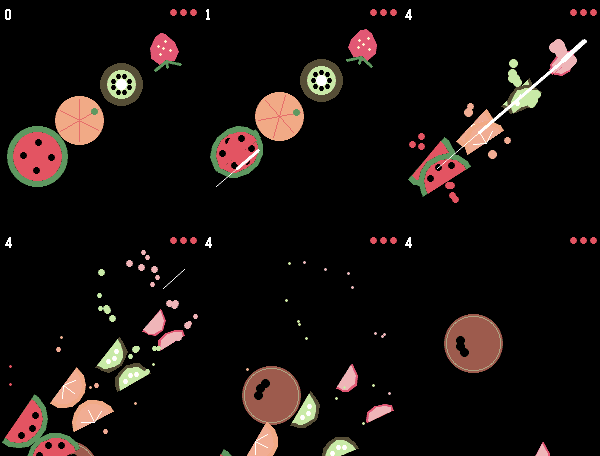 47
47Fruit Chop
GamesSwipe across the screen to slice the fruit — just watch out for the bombs. That's all it takes to play Fruit Chop, a fast, fun fruit-slicing game built right for your wrist. This game needs a touchscreen, so it works only on the Pebble Time 2 and Pebble Round 2. Before playing, enable touch under Settings → Display → Touch.
 47
47Periodic List of Elements
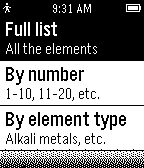
Tools & UtilitiesI created this app hoping it would help students, scientists, and anyone interested in science learn/have a reference of the periodic table of elements. Color version coming soon for Pebble Time! If you believe I made any mistakes in the app, please don't hesitate to contact me, I don't want to be giving anyone false information! Also contact me if you have some improvements you think I should make. :) Thanks.