Touch Test
Jaybon
Watchapp
Description
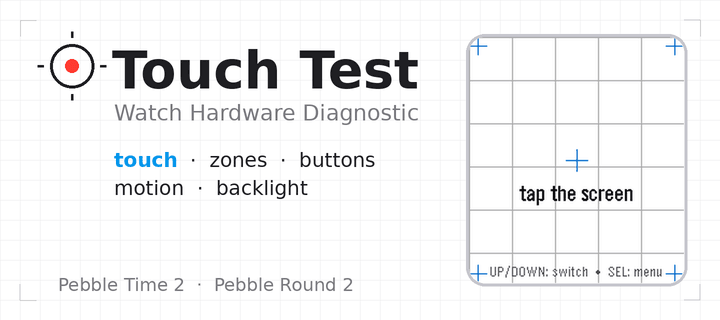
Touch Test — Watch Hardware Diagnostic

A menu-first hardware diagnostic suite for your Pebble: 16 self-contained
tests covering touch, buttons, motion, compass, heart rate, health, ambient
light, haptics, sound, backlight, Bluetooth, battery, display, and device
identity — fast, no-fuss, and event-driven so it won't touch your battery.

Open the Diagnostics menu and tap or scroll to any test. SELECT opens it;
BACK returns to the menu from any test, and BACK again from the menu leaves
the app; holding BACK exits from anywhere.

Sixteen diagnostics on Pebble Time 2, fourteen on Pebble Round 2:

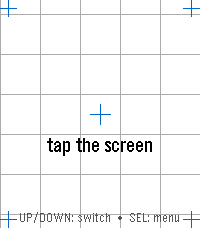
• Touch — tap anywhere and a red marker drops exactly where the watch
  registered your touch, with the raw x, y coordinate over a reference grid
  and crosshairs. The quickest way to check whether your touchscreen is
  aligned.

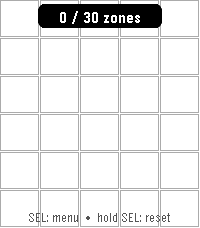
• Zones — sweep your finger across the whole screen; each zone turns green
  until every one has registered ("ALL ZONES OK"), so you can find dead
  spots. SELECT resets and runs it again.

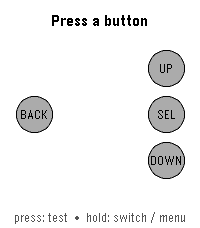
• Buttons — press and hold BACK, UP, SELECT, or DOWN and watch the matching
  on-screen button light up, with a sustained "held" state while you keep
  holding.

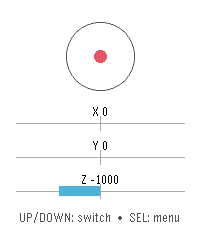
• Motion — a live tilt bubble-level, per-axis X / Y / Z readouts, and a
  "SHAKE!" flash, driven by the accelerometer.

• Compass — a live needle and heading, plus a calibration view with a
  16-sector heading-coverage ring and guidance for getting a clean fix.

• Heart Rate — filtered and raw BPM, a pulsing heart glyph, and a scrolling
  trace of recent samples.

• Health — steps, distance walked, active time, calories, sleep, and your
  current detected activity.


• Haptics — six vibration patterns, with a waveform preview so you see the
  pattern before you feel it. SELECT plays the next one.

• Touch Haptics — tap the screen and feel it buzz where you touched. A tap in
  the top half gives a short pulse, one in the bottom half a long one, with a
  crosshair marking the spot and a running pulse count — so you can check both
  that the vibration motor responds and that the watch registers your touch
  where you actually put your finger.

• Piano (Pebble Time 2 only) — a one-octave touch keyboard with octave
  shift, waveform selection, and a 3-voice chord test.

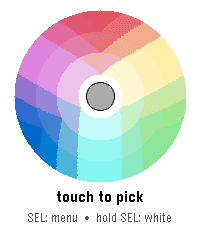
• Backlight (Pebble Time 2 only) — a color wheel; touch it to tint the RGB
  backlight LED to any color, with a live hex readout.

• Bluetooth — live phone-app and PebbleKit connection status, a dropped-link
  counter for each, and a link-latency ping to your phone.

• Battery — charge percentage as a filled ring, plus charging and plugged
  indicators.

• Display — full-screen test patterns (color bars, gray ramp, solid colors,
  checkerboard, grid, edge-alignment frame) for spotting dead or stuck
  pixels. SELECT cycles the patterns.

• Device Info — model, color, firmware version, resolution, free memory,
  and the detected hardware capability list — the first screen to check
  what your watch claims to be.

Built for Pebble Time 2 (emery) and Pebble Round 2 (gabbro) — the Pebble
models with a touchscreen. Lightweight and entirely event-driven: nothing
polls in the background, so it won't drain your battery.- DeveloperJaybon
- CategoryTools & Utilities
- PlatformsTime 2, Round 2
- Updated2026-08-19
- Version3.4.1