 36
36Five
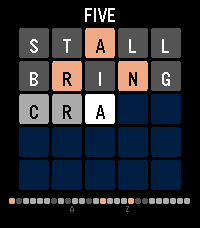
GamesA daily word puzzle for your wrist, a wordle clone ;). Guess the five-letter word in 5 tries. Letters turn green (correct), yellow (wrong spot), or gray (not in word). One new puzzle every day -- play it on the go in seconds. Tracks your stats, win percentage, and streak. Supports Pebble Time 2 and Pebble Time Round.
 36
36Big Timer
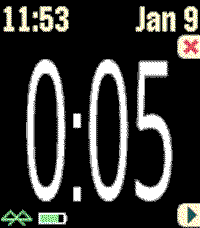
Health & FitnessThis timer features BIG numbers, settable start times, vibration alerts, and other custom settings. This app was originally developed for Chris Conley, a grade school teacher, who uses this countdown timer for reading studies and student contests.
 36
36Pebble-Dex
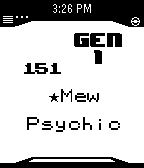
Tools & UtilitiesNOTE: No Update Soon Pebble-Dex is a update of Pokedex Kanto developed by Shutdown27! Base Code From Shutdown27! Controls: Up button to move up by 1 Down button to move down by 1 Press Middle button to toggle Type/Hight, and Weight Hold up to move up by 15 Hold down to move down by 15 Hold Middle button for random Pokemon! Credit to Shutdown27, The original Coder!
 36
36Flip a coin
Tools & UtilitiesBy shaking your pebble, you can simulate flipping a coin.
 36
36After Credits
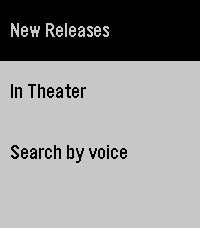
DailyAfter Credits helps you decide whether to stay after a movie ends. Search by title and instantly see if there are post-credit scenes, how many there are, and whether they appear during or after the credits. Get spoiler-light guidance so you can choose to wait (or leave) without ruining surprises. Fast, simple, and made for movie nights. It saves locally the last search if you lose internet/phone connection. Note: I don't own the movie database, it comes from https://aftercreditsapp.com
 36
36Chord Magic
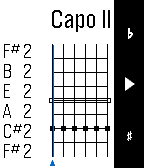
Tools & UtilitiesIf you want to master guitar chords, Chord Magic is for you. To input a chord, use the Up and Down buttons to change what's played on a string: open, muted, or a particular fret. Tap Select to move to the next string. For every position, Chord Magic tells you the chord name, the notes played, and the chord spelling, which helps you understand how the chord is constructed and how to change it. Chord Magic examines the actual notes to determine the chord, so it's not limited to the chords you find in books. In fact, it was designed to help play in alternative tunings. To change the tuning, press and hold the Select button to switch to tuning mode. There, you can adjust each string's pitch by using Up and Down, and use Select to move strings. You can set any tuning you want, and Chord Magic will confirm when it recognizes certain common tunings. The tuning feature can set a Capo as well by moving all strings up a fixed number of frets. Once your tuning is set, press and hold Select again to return to Chord Mode.
 36
36Tempo: Vibrating Metronome
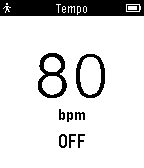
Tools & UtilitiesYour Pebble already helps you stay on time, now it helps you stay in time. Tempo is a simple metronome app that lets you set a BPM and vibrates to indicate the beat.
 36
36PowerPoint Presenter
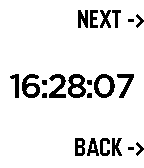
RemotesONLY ANDROID This watchapp lets you do the PC's PowerPoint/LibreOffice/OpenOffice -presentations NEXT and BACK functions. Additionally the time is displayed to have everything under control. What is needed? -your pebble -a device where the presentation is on (PC) -a USB cable -your phone This app works with all presentation softwares, which support left/right arrow for switching the pages: PowerPoint, OpenOffice or LibreOffice. Download the companion app here: https://github.com/WuerfelDev/PPP/blob/master/android-debug.apk?raw=true How it works: Pebble to Phone (Bluetooth): NEXT Phone to PC (USB): I am a Keyboard Phone to PC (USB): press right-arrow key IMPORTANT: You need a rooted phone (with OS and kernel) that supports 'hid-gadget-test'. Have a look here: https://github.com/pelya/android-keyboard-gadget#installation The app does the installation so you just need to make sure your phone got this kernel. If you have Nethunter installed, you can directly run the app.
 36
36UV Alert
DailyTimeline alerts for UV radiation levels in Australia, USA and Japan
 36
36Mil-Dot Calculator
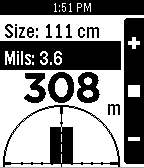
Tools & UtilitiesGiven a target of known size and a mil-dot measurement from the reticle of a scope or binoculars, this app estimates the range to target. Works in inches/yards or centimeters/meters (long select button press to switch between them). Tell me what you think: https://twitter.com/MisterOuchie
![Photos [Pebble Rocker]](https://assets.repebble.com/screenshots/52e1aeaf9d19011cc90000c6-0.png) 36
36Photos [Pebble Rocker]
Tools & Utilities- Easily browse your photo gallery on your Pebble watch using the up/down buttons. - Configure how your photos are converted for viewing using five adjustable filters. - Change photo filter on the fly from your watch. - Configure which folders are searched for photos. IMPORTANT: This watch app requires the Pebble Rocker companion app available via the Google Play store.
 36
36Battery Saver / Drainer
Tools & UtilitiesThe simplest app to either save or drain your Pebble's battery If you like Battery Saver / Drainer give it a heart! (If you use the Battery Drainer, to switch to the Battery Saver, please relaunch the app
 36
36Vaper
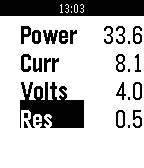
Tools & UtilitiesAn OHM calculator on your wrist!
 36
36First of Them
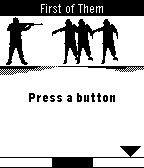
GamesFollow the cursor moving along a meter at the bottom of the screen. Press when the cursor is in the zone of the black area of the meter. This will allow your character to trigger his rifle to shoot the incoming zombies. Do not let them get to you!
 36
36Pinky
Tools & UtilitiesPinky turns your microphone-equipped Pebble into a one-button voice notebook. Assign it to Quick Launch, long-press from the watchface, speak, and Pinky opens native dictation. The transcription is saved to a searchable library on your paired phone before the watch app closes—no server required. In Pinky's companion settings, browse, search, copy, research, or delete notes and export the library, including research results, as CSV. Optional AI research uses your own OpenRouter API key. Choose a model and hotword (default: “research”), then begin a note with it to generate a research brief. Results and sources stay attached to the note. Optional web search can ground answers in current public sources. Optional email can send new notes, research results, and launch-driven daily or weekly digests. Choose the shared Pinky Mail beta, your own EmailJS account, or a private HTTPS relay. Personal routes never fall back to the shared service; email and AI are off by default. Features: • Immediate native Pebble dictation • Phone-local searchable note library • Copy, delete, and CSV export • Configurable OpenRouter research and web search • Shared, personal EmailJS, or private-relay email Supports Pebble Time/Steel/Round, Pebble 2 SE/HR/Duo, Pebble Time 2, and Pebble Round 2. Requires a paired phone, Internet, and working Pebble voice transcription. Stores text, not raw audio. Pinky is an independent community project and is not affiliated with Pebble.