 36
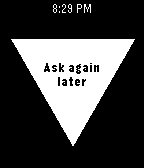
36Magic 8 Ball
GamesA toy used for fortune-telling or seeking advice. Concentrate, ask your question, and shake your wrist.
 36
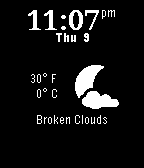
36zostay watch
DailyA watch app that shows the time, local weather, and allows you to show and hide seconds on the clock. Google Calendar and more coming soon... Weather icons are by MerlinTheRed: http://merlinthered.deviantart.com/art/plain-weather-icons-157162192
 36
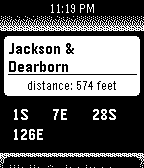
36BusWatch: CTA
DailyHey Chicago! Don't get caught out in bad weather waiting for a bus that might never come! Get up-to-date, GPS-based Chicago CTA bus predictions and arrival alerts right on your wrist. Made by a fellow Chicagoan.
 36
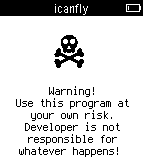
36I can fly
GamesPlayer throws his Pebble as high as he can. The higher, the better. Pebble registers the height. WARNING: Throwing a Pebble high into the air may result in both damage to the Pebble, property and/or personal injury. Author and distributor is not liable for any damages or injuries arising out of playing the game. SAFETY FIRST: Be careful not to injure yourself or others. Be always aware that there is enough space above you and around you. HINTS: Avoid rotations in the air. Rotating Pebble can give wrong results.
 36
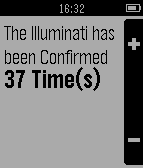
36Illuminati Confirm Counter
Tools & UtilitiesFor those obsessed with the Illuminati
 36
36FRIQ
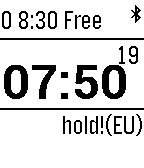
GamesPhysics-based game where circles expand to fill up space, and points are received everytime an old circle is hit 3 times. Features: High-Score Particles on collisions One-Button design
 36
36Acc-log
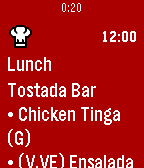
Tools & UtilitiesTool to record accelerometer data for application developers, swimming fan etc. Originally, I made it as part of our project to build application for swimming. The project is moving slowly, for now there are other app available. Please go to setting and put a name,before starting. Download your data at ron64.com/acclog/ Middle button: Start/stop recording Down button: Start/stop sending data Up button: Change note on swimming style (so it will be easy to distinguish between different recordings)
 36
36Pebble HQ Lunch
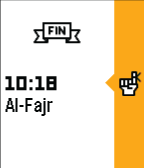
DailyPebble HQ lunch menu now on your timeline!
 35
35Prayer Times
NotificationsThis watchapp pushes praying times to your watch timeline. It retrieves your location, calculates the current day prayer times and push it directly to timeline with few motivational Ahadith about Salat. ** If you experience any Time Zone issues drop me a line. ** Email : ayoub.briki@gmail.com
 35
35Dunkin Gift Card Keeper
DailyStores up to 4 different cards. No phone or internet connection required. Obviously, use at your own risk... Hold the select button to set QR code values for quick payment at Dunkin Donuts. Maybe if Dunkin opens up their APIs it could even show the balance... We can dream.
 35
35Dribble
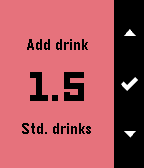
Tools & UtilitiesDribble is a BAC estimator for your wrist, compatible with the Pebble, Pebble Time and Pebble Time Round. DISCLAIMER: This only estimates your BAC - Your actual BAC may vary from what is estimated. Features include: - Track time since first drink - Estimate time to zero BAC - Estimate current BAC - Adjust time offset since first drink Instructions for use: 1. Enter your gender and weight 2. Use the first and second menu items to add drinks - First menu item allows you to add custom drinks - Second menu item contains preset drinks 3. Use the third and fourth menu items to adjust time offset (If needed)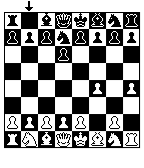 35
35Chess for Pebble
GamesWelcome to Chess for Pebble! Play against a chess AI with varying levels of difficulty. This game used to be a part of Games for Pebble, but was removed on Aplite due to memory restrictions.
 35
35Thinking Cleaner
RemotesA simple remote for your iRobot Roomba. Note: This requires the Thinking Cleaner module (www.thinkingcleaner.com)
 35
35Get Bus - HSL stops
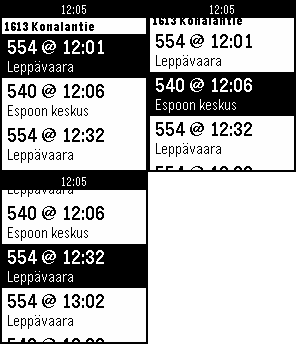
DailyNäe silmäyksellä lähimmät pysäkit ja seuraavat lähdöt. Lisää pysäkkejä suosikkeihin. Tarkastele pysäkkiaikatauluja. Katso kävelyohjeet pysäkille. English summary Find nearest bus stops and departures in the Helsinki area. The app will find the 10 nearest stops (using your phone's GPS) and the next departures from those stops. You can easily see how much time you have to get to your bus.
 35
35Reps
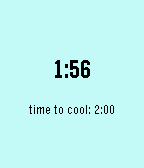
Health & FitnessSimple rep counter to automatically track your sets and reps. Just start the app and start working out! Will vibrate after you've completed a set and present you with a cooldown timer. Up/down buttons adjust number of reps per set and the timer duration. Reset using the select button.