 33
33Digital Dice Roller
GamesDigital Dice Roller Choose your dice and roll on your wrist! A handy dice roller for tabletop gamers — right on your Pebble watch. No need to carry physical dice to your game night. Features: 6 dice types: 4-sided, 6-sided (cube), 8-sided, 10-sided, 12-sided, and 20-sided Shake your wrist or press SELECT to roll Classic d6 shows dot pips, other dice show numbers Stylish 3D isometric dice graphics Rolling animation with vibration feedback Roll history — see your last 3 results Controls: SELECT / Shake — Roll the dice UP / DOWN — Switch dice type Perfect for D&D, board games, or any time you need a quick random number.
 33
33PebbleDoist
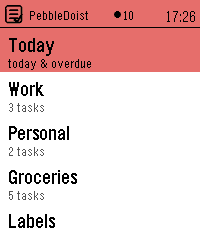
Tools & UtilitiesYour Todoist tasks on your wrist — add them by voice. Browse Todoist by list, label or Today, read details and subtasks, tick tasks off, and dictate new ones. Touch on PT2. 5 languages. PebbleDoist puts Todoist on your wrist. The overview opens on a Today row, the lists you picked (each with its open-task count) and your labels. Open a list to see its tasks with their due dates, select one to read its description, labels and subtasks, and tick things off as you go — instantly, with a short undo window before anything reaches Todoist. Adding a task takes one press and your voice: dictate it, and natural-language dates like "friday" land as a real due date. FEATURES • Today — everything due today or overdue, each row prefixed with the list it belongs to and its due date underneath. • Labels — browse your Todoist labels and see every task carrying one, across all your lists. • Details — a task's full title, deadline, description and labels as coloured badges, with its open subtasks listed underneath, each with a checkbox. • Add by voice — dictate a new task, or a new subtask straight into the task you are looking at. Bound to Quick Launch, one press starts the dictation. • Complete or delete — a task's menu completes it in Todoist right away, or deletes it after a confirmation. Optional quick-complete turns a single press into a tick, with an undo window. • Touchscreen on Pebble Time 2: tap a row to open it or tick it off, drag to scroll, swipe right to go back. One tap is enough everywhere. The buttons keep working exactly as they did. • Timeline pins (optional) — tasks due in the next few days appear on the Pebble timeline with a reminder that buzzes at the deadline, and completing or rescheduling a task clears or moves its pin. • Text size — small, medium or large task rows, set from the phone. • Available in English, Nederlands, Français, Deutsch and Español — on the watch and in the settings — following your watch language or set manually. • Privacy: your Todoist API token stays on the phone and is never sent to the watch. SETUP 1. In Todoist, copy your API token (Settings → Integrations → Developer). 2. On the phone, open PebbleDoist's settings, paste the token and save. Reopen the settings to tick the lists you want on the watch, choose the start screen, and optionally turn on timeline pins. 3. Optional: bind PebbleDoist to Quick Launch for a one-press "speak a task". Requires a Pebble Time 2. Touch needs firmware 4.33.2 or newer; on older firmware the buttons do everything the touchscreen does.
 33
33PebblePoint
RemotesControl Microsoft PowerPoint on Mac OS X from your Pebble! Use the buttons to go to next/previous slides, or press and hold for last/first. Requires: - Mac OS X - Microsoft PowerPoint Download and run PebblePointServer.app. https://db.tt/nvHQZmPg Or, if you're more technical you can install the Node.js package, pebblepoint_server, which is much slimmer.
 33
33PulseCalc
Health & FitnessBy detecting when you’ve lifted your watch hand to your neck, PulseCalc lets you intuitively calculate heart rates! After raising your hand, you have a brief moment to get ready. Your Pebble will then vibrate and turn the background red, indicating that the timer has started. All you have to do now is count 10 heart beats, lowering your arm on the last one! Pressing the Up Button will open the settings menu. Currently, this only lets you toggle the accelerometer usage, but more settings are on the way. These are also saved for the next time you open PulseCalc! If you are trying to measure a patient’s heart rate, you can use the select button to manually start or stop the timer. The Down Button allows you to toggle how many beats you have to count. If you want accuracy or you have a high heart rate, 10 beats is recommended. If you would like a faster result, there is a 5 beat option. PLEASE NOTE: Automatic detection assumes your body is upright, and that your watch is on your left hand. Lefties will be accommodated for in the next update, sorry! Sorry if there are any issues on Time or Time Steel. I only have a Time Round for testing the accelerometer.
 33
33PathFinder
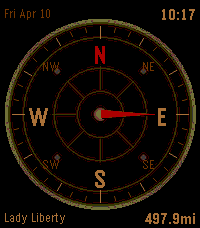
Tools & UtilitiesCompass/directions app with date, time and 3 different faces. Add up to 6 locations to track in the settings. Use Up & Down to cycle between locations and see distance and heading. Watches step tracker approximates distance updates in between Phone GPS polling (customizable interval in settings). Press Select to manually refresh location/distance data.
 33
33Pomotime
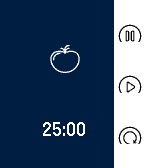
Tools & UtilitiesPomoTime - Tomato-based productivity timer Sleek, simple, and intuitive pomodoro timer for use with Pebble. Spend less time figuring out how to use the app and more time getting things done. Features three modes: pomodoro (25 min), short break (5 min), and long break (15 min). Each mode allows one to pause, play, or reset timer. A vibration notification tells the user that time is up. The pomodoro (Italian for “tomato”) technique is a productivity technique involving a 25 minute segment of concentrated work, followed by some short or long break. See http://pomodorotechnique.com/ for more details on the technique. Tested and developed with the Pebble Time family in mind. Ever free and open source (MIT license). Developer is always welcoming comments/suggestions/patches for future versions. Tags: pomodoro, pomodori, productivity, time management, timer
 33
33ThemePark Queues
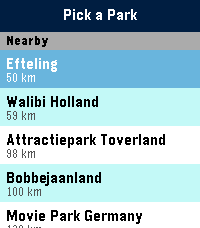
Tools & UtilitiesSkip the guesswork. ThemePark Queues brings live theme-park data straight to your Pebble — covering dozens of parks across four continents. No phone-fumbling, no app-switching, no squinting at a tiny map. Pick a destination: - Walt Disney World, Disneyland Paris, Tokyo Disneyland, Hong Kong Disneyland, Shanghai Disneyland. - Universal Orlando, Universal Studios Hollywood, Universal Studios Japan. - Plus Six Flags, Cedar Fair, Merlin parks, and more — anywhere ThemeParks.wiki covers. What you get: - Live wait times for every attraction in the parks we cover. - Show schedules with the next start time highlighted. - Opening and closing hours for each park, shown right on the park picker so you know at a glance where's still open. - Favourites — pin your must-do rides and shows to the top of the list, kept in sync across park switches. - Sort by wait (ascending or descending) or alphabetically. Built for the watch: - Readable at a glance. Traffic-light colour coding (green / amber / red) means you don't need to read numbers to know if it's a walk-on or a two-hour queue. - Works on both Pebble Time 2 (rectangular) and Pebble Round 2 (circular) — with native layouts for each. - Auto-refreshes every five minutes while open; pull the latest on-demand by switching parks. Location-aware: ThemePark Queues uses your phone's GPS to nudge nearby destinations to the top of the list, so you're one tap from live waits the moment you walk through the gate. Powered by ThemeParks.wiki — the community-maintained open API for theme-park wait times.
 33
33AI Usage
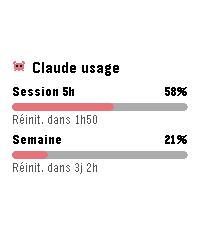
Tools & UtilitiesSee your Claude.ai usage gauges at a glance: 5-hour session and weekly limit, each with its percentage and time until reset. Configure once with a Claude Code OAuth token (claude setup-token); the token stays on your phone. Refresh interval is configurable, the interface is available in English and French, and Clawd the crab keeps an eye on your quota.
 33
33NS Treintijden
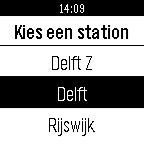
Tools & UtilitiesThis apps lists traintimes of nearby departing trains. It uses your location to check for the nearest stations, after which it is able to show you the ten first trains that are going to leave that station. It include platform number, and a possible delay. Note: All NS logos found in the app and this listing are registered trademarks of NV Nederlandse Spoorwegen and associates.
 33
33WorldCup2014 Live
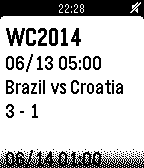
NotificationsThis app notifies match scores of '2014 FIFA World Cup Brazil' in Real Time. This app is developed by using 'simply.js'.
 33
33Amicudar
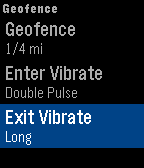
Tools & UtilitiesTrack your friends and family using Amicudar, a radar display on your wrist! Personalize with one of the included avatars and create a geofence to be notified when others are nearby. SETUP 1) Install Amicudar. 2) Open Settings on your phone and enter a user and group name. 3) Send your friends and family your group name. Then use Amicudar's menu system to choose an avatar, select metric/imperial, define a geofence, select an update interval, and show/hide the time. USAGE • The up/down buttons zoom in/out • Shake to activate the display for 1 minute. The compass will show your actual heading and the progress bar will countdown to the next update. • Joining and leaving the group is as simple as opening and closing Amicudar. You'll automatically be removed from the group after a little while once you switch to a watchface or another app. • The status bar turns red if an update fails. We're currently in beta and we would appreciate your feedback!
 33
33Track Stopwatch
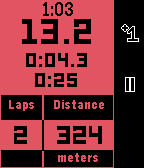
Health & FitnessThis stopwatch is intended for use when running, cycling, or swimming laps of a fixed distance. Useful information is displayed on the main screen such as: - Clock - Total elapsed time - Current lap time - Previous lap time - Distance Completing the run with a long press of the middle button shows a summary page with useful stats about the workout, including: - Total time - Total distance - Average pace - Best, average, and worst lap times The app supports background timing, so it does not have to be left in the foreground to continue timing a workout. Unit choice and lap distance can be configured on the phone.
 33
33Random Place of Interest
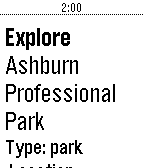
DailyWant to discover a random to visit nearby. RandomPOI will help you discover new places to explore. Click select button to get new recommendations.
 33
33Linux commands
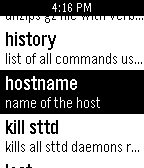
Tools & UtilitiesThis app is a list of the most essential and useful commends for aline operating system with definations for commends. Over 50 essential commends. A must for any linux owner or computer genius.
 33
33WYB: Wear Your Barcode
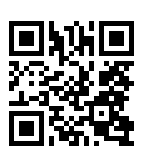
Tools & UtilitiesKeep your barcodes on your Android device and display them on your Pebble. Save loyalty cards, coupons, discounts, and ID codes all in one place. Use this in conjunction with the Android app Wear Your Barcode. You need at least version 2.0 of the Android app for this to work correctly. You can find this Android app on Google Play: http://play.google.com/store/apps/details?id=com.kabestin.android.wristbarcode.view2 If you used version 1.0, you will have to uninstall it before you install the 2.0 version.