 31
31Farwatch
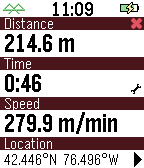
Tools & UtilitiesFarwatch is an odometer and speedometer. The smart phone GPS tracks distance and speed. The watch displays current time, elapsed time, elapsed distance, and average speed. Tap or flick your watchface to switch between average speed and current speed. Customizable settings include units, screen display, battery indicator, connection indicator, tap control, and vibration alert upon disconnect. It helps to launch this watch 20-30 seconds before you start your trip. This gives your GPS time to get an accurate starting location.
 31
31Wrist In Peace
GamesA city has fallen to the dead, and the whole thing lives on your watch. Wrist In Peace is an online-only survivor-vs-zombie survival horror MMORPG in the tradition of a long-running text game that kept players hooked for 2 decades. Play a survivor scavenging for weapons and eradicating the dead, or a zombie hunting the living. The people you fight, heal, and infect are real players on their own watches. Computer-controlled survivors and zombies fill out both sides with realistic movement, horde surges & sieges, so the streets are never empty. Every action costs action points, and you earn those by walking in the real world. Search buildings for gear, fight, unlock skills, and climb skill trees for both factions. Death is not the end here: survivors rise as zombies, zombies can be revived, and the siege never really stops. A key design tenet is readability and ease-of-use on the small watch screen. As such, we've offloaded several information screens to the app's settings page on the phone, to aid in extended planning & review on a larger screen. In the app's settings, there are tabs for Status, Maps, Settings, & Help. However, the game is fully playable without referencing the phone. Regarding data privacy - the game server only knows the tokenized / anonymized identity of your Pebble account (or watch if no account is found). Your raw step count never leaves the watch, but the game server can often infer your step count within 50-100 steps, for the purposes of granting action points. Your IP is handled by Cloudflare to route requests and block abuse, as with any other service routed through them. Everything else received by or stored on the server is game-state only, and you can initiate a complete account deletion from the app’s settings page whenever you like. Your data is never sold, and playing is always free. Join the fight, and if you die - wrist in peace!
 31
31TimeTracker
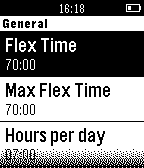
Tools & Utilitieshe unlock code is 13321 where the right buttons are 1,2,3 from up to down. With TimeTracker (TT) you are able to clock your daily work time including your flex time account and time rules. TT provides an easy to use interface with the possibility to set 16 clocks per day. At the end of each day you can do an "end of day" to save the clocks into a weekly overview and to save the new flex time value. Work times will be saved for the current week and will be reseted at the first "end of day" in the new week. Features: - "en" language - Clock up to 16 times per day - Display current work time / day end time / flex time - Display break time - Indicates a connected / disconnected BT connection - Hide mode for more privacy - TimeTable for the last week / current flex time / lost time - Display "last time charged" in the time table - Inverts and vibrates when loosing time because of the time rules For detailed information review the documentation at: http://www.albmail.de/Pebble/TimeTracker/TimeTracker.pdf (Thanks Jo) If you like the watch face please donate: pebble.donate@albmail.de
 31
31Pebble Pinball
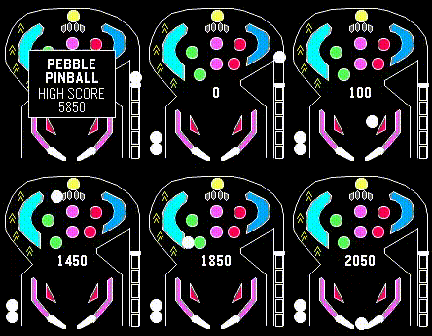
GamesA classic Pinball blast for your wrist. One-button flipper flicking fun.
 31
31Tally Counter
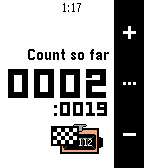
Tools & UtilitiesA tally counter with 2 modes: Free Count and Target Count. Main features Key Shortcuts: - Hold UP button to quickly switch between modes. - Hold DOWN button to quickly reset count. - Press SELECT to scroll through available actions. Free Count Mode: - Count from 0 up to 9999. Target Count Mode - Count to target number. - 2 Display modes: Count down from target to 0, Count from 0 up to target. - Vibrate to notify when the target is reached. Target Entry Page - Hold SELECT to quickly confirm the entry. - Hold UP or DOWN to quickly scroll through numbers.
 30
30PebbleLock
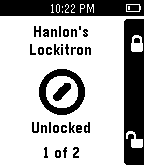
RemotesUse your Pebble to lock/unlock your Lockitron door lock. (After downloading be sure to go to Settings for PebbleLock within the Pebble app and log into Lockitron.com).
 30
30Electronics Reference
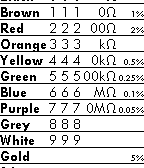
Tools & UtilitiesQuick reference tool for electronics, including resistor color code. Supports color on the new Pebble Time/Pebble Time Steel watches. Also functions on the older black-and-white models (using text rather than color). Suitable for standard 4 and 5 band resistors.
 30
30Ma meteo
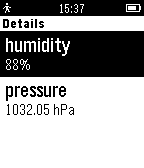
DailyApplication pour connaitre la météo où l'on se trouve avec la géolocalisation via le GPS de votre smartphone. Affichage le temps en cours, et le temps sur les 5 jours suivant en naviguant avec les boutons de la montre.
 30
30Flashlight
Tools & UtilitiesThis app turns your pebble into a fully functioning flashlight! Hit the 'up' button to turn it on and the down button to turn it off. The backlight cannot be disabled for this to work properly.
 30
30Follow Me!
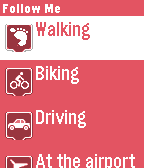
Tools & UtilitiesFollow Me! uses your Pebble Time to let others track your GPS position when you want to. Select the current activity from the watch and share your link (from the configuration page) with your friends so they can track your location whenever the app is active on your Pebble. As of version 1.2, Voice support was added. Add a status to your location by speaking to your Pebble Time. How it works: - Select any activity. It will show up on your shared link webpage (http://followme.crombz.com) - Long press the Select button on any activity and Voice Dictation will start. Record your message and it will be shown when you click on your map marker. Warning: Reporting the location does drain your battery a bit faster Find out more at http://followme.crombz.com
 30
30SpikeDislike Jr
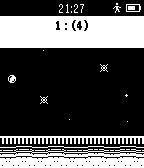
GamesHow far can you hop, through the maze of spikes? A tiny recreation of the world's best Spike dodging, ball bouncing, action game!
 30
30Six Nations Rugby 2016
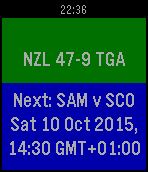
DailyHere we are, back in time for the Six Nations. See the scores and match details for every Six Nations match. This is the RWC app with a new feed, but will continue to work on it during the championship, including a more "weekend-focused" Coming Up page, and maybe timeline integration.
 30
30Simple Pomodoro
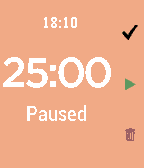
Tools & UtilitiesThis pomodoro app in pebble can: Customize time (work, rest, long rest and long rest frequency) and UI Screen Color Ability to take a long break after several iterations Shows the time and status Easily to set the intervals in pebble app under setting Count the number of pomodoro Use the setting under Apps tab in pebble to customize this app Direction: Top button: Skip to the next iteration Middle button: Play and skip Bottom button: Clear everything Courtesy: this app is based on POMO D'ORO by Lucas Conceicao. I wrote this app to cater my needs. Enjoy :)
 30
30CalorieTimer
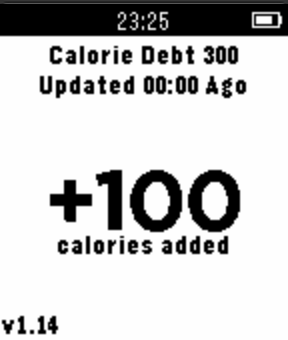
Health & FitnessCalorieTimer turns Calorie counting upside-down! Instead of counting the number of Calories you consume in a day, the CalorieTimer counts down the amount of time until you can next eat based on any Calories you input. You simply press the UP button for each 100 Calories you consume, and this adds a given amount of time to the timer, which counts down to zero letting you know when you have used up those calories. The magic is that it does not matter if you reach zero every single day, or if you only reach zero once in a month or ONCE A YEAR!, it is the exact same number of calories consumed up to that point, giving you the same results! Now counts NEGATIVE calorie debt to track your overall deficit! (optional and configurable). *UPDATE* : 20-05-2015 : v1.15 - added negative calorie debt feature (configurable). *UPDATE* : 03-05-2015 : v1.14 - added feature to allow configuration of calorie increment amount per button-press (100 calories is default). Usage; 1. pressing UP or DOWN will add or subtract 100 calories from your timer. 2. pressing the MIDDLE button will allow you to configure the amount of target calories per day (default 1800). 3. strongly suggested that you add this as a quick-launch for ease of use.
 30
30MTG Life Counter
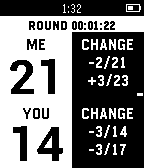
Tools & UtilitiesA Magic: The Gathering life counter and round timer for the Pebble smart watch. Tracks two players life totals, the last two life total changes per player, and round time. How To Use: Up: Me +/- 1 Up Long: Me +/- 5 Select: Toggle +/- Select Long: Reset Life/Round Down: You +/- 1 Down Long: You +/- 5 btc: 1Exq7Tf6djX5Mkn1APnExbFoAV2n5h2p7A ltc: LggR9F33ZYhEp2KXmC43rpVmBZZXNfAN3C