 27
27Watch Level
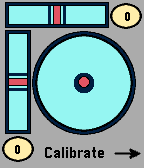
Tools & UtilitiesA spirit level. Not more and not less. Hold your watch on any side of an object (or put it on top of it), to determine if the object is level or plumb. Features included: - calibration - show angles in degrees - a flat surface level
 27
27Dice Roller
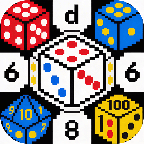
Tools & UtilitiesAn app that lets you cycle through then roll a d2, d3, d4, d6, d8, d10, d12, d20, d100. can be used as a companion to DnD or if you just need to roll a dice
 27
27A Smarter Watch
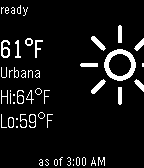
DailyHackIllinois 2014! Combines the weather and real-time CUMTD tracking into a super-powered watch face. Fast, efficient, intuitive; A Smarter Pebble. This version will only provide bus information for my stop. UPDATE: If you go to UIUC and want a custom version that works with bus stops relevant to you, pop me an email. UPDATE2: Now open source! Let me know if you do anything cool!
 27
27PebFUTÁR
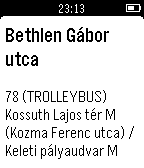
DailyTámogatott nyelvek: magyar és angol a telefon nyelve alapján. Supported languages: Hungarian and English, set according to the phone language. A PebFUTÁR alkalmazással nyomon követheted a BKK járatait a közeledben és a számodra fontos megállókban - közel valós időben. Az alkalmazás jelenleg csak Budapest területén működik. A jövőben új városok is bekerülhetnek, amennyiben rendelkeznek OneBusAway kompatibilis adatbázissal. Visszajelzésekkel, továbbfejlesztési ötletekkel keresd a fejlesztőt emailben vagy GitHubon. English Follow public transport vehicles near real-time in Budapest, Hungary with the PebFUTÁR app. Warning: due to practical reasons, the app only works in Budapest, Hungary. Other cities might be included in the future if they have a OneBusAway compatible database and there is enough interest. Feel free to send feedback and improvement ideas in email or through GitHub issues.
 27
27Tennis Time: Track your game's score
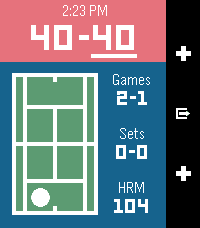
Health & FitnessWith Tennis Time you'll be able to keep track of your game's score, and the side the server or receiver should be on. Tennis Time has heart rate and calorie tracking on devices with a heart rate monitor.
 27
27Braci - Baby Crying Monitor
NotificationsBraci Baby Monitor App able to detect any baby crying sounds very accurately. very sensitive app with a smart algorithm that detects your baby's distress by listening to his/her cries with your smart phones's microphone. Braci App allows parents to stay in connection with their. https://www.youtube.com/watch?v=joRspwf6z_w
 27
27Tennis Score
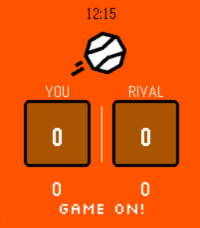
Tools & UtilitiesNever lose track of the score again. Tennis turns your Pebble into a sleek courtside scoreboard that keeps up with every rally. How to play: - Press UP to select your score, press DOWN to select your rival's - Tap SELECT to add a point - Long-press SELECT to undo a point - Confirm each game with a tap -- sets are tracked automatically Full scoring built in: Standard tennis scoring (0, 15, 30, 40, AD), tiebreaks at 6-6, and set history across the match. Stay pumped with pixel-art messages: Your watch cheers you on! See "GAME ON!" at the start, "ONE MORE POINT!" when you're close, "DEUCE! DIG IN!" when it's tight, and "FINISH THEM!" at match point. Your rival leading? "STAY ALIVE!" — you got this. Make it yours: Open Settings on your phone to pick your court color — classic Orange clay, lush Green grass, bold Blue hard court, or cool Teal for the stylish player. Works on every Pebble, designed for all platforms! Game on!
 27
27PebHub: Unofficial GitHub Client for Peb
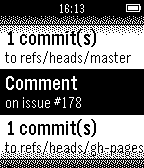
NotificationsView your most recent GitHub notifications on your Pebble
 27
27Scalerometer
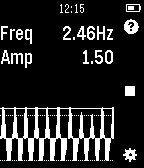
Tools & UtilitiesScalerometer is a novel app which lets you weigh things using only the accelerometer in Pebble. A scale on your wrist! How it works: The app works by detecting how fast you can oscillate a certain object. The heavier an object is, the slower you will be able to swing it up and down which can be detected using the accelerometer. The accuracy greatly depends on your ability to use a constant effort when calibrating and weighing objects. Make sure you use the same force for all weights instead of trying to oscillate even heavy weights as fast as possible. To extend the range that can be weighed, it is usually best to start with your empty hand and swing as fast as you can, then keep the same force for higher weights. You need to calibrate with at least 3 different known weights!
 27
27Pal Fit
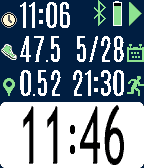
Health & FitnessFitness app specifically designed for the Pal Strap. Bottom button to start/stop. Top button to switch screens, or a long top button press to reset the time and distance. Press the middle button for the settings menu. If you are using the Pal Strap for GPS, the distance icon will either be red or green depending on whether the GPS signal is locked. You should first get the Pal Strap working with the Hey Pal app before using this app. Calculating distance is based on the haversine formula, and it is admittedly an approximation based on a homegrown algorithm. Your mileage will (literally) vary! Although the Pal Strap is designed for the Pebble Time, I am releasing this app for the Pebble Round and Pebble 2 also since it works with phone-based GPS. If you hack the Pal Strap to work with one of these devices, let me know!
 27
27Counter
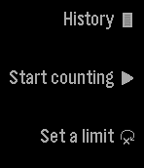
Tools & UtilitiesCount using the up and down buttons. You can set a limit to how far you want to count. You can also save your counts by long pressing select on the counting screen. (It is not currently possible to restore them.) Reset it by long pressing on the down button. You can delete an element from your history by long pressing on the select button.
 27
27Mr. Baseball Guy
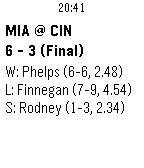
DailyMeet Mr. Baseball Guy, the baseball score viewer for your Pebble. Features include: * (New feature) You can now add your favorite teams to your Timeline! If you choose to do this, you will also receive an alert when the game starts and a notification when it ends. Powered by Raspberry Pi. * View all the current game's plays by holding the up button. Batteries not included. * Automatic and manual refresh (hold select), so you can vigorously watch your game's score as you vigorously ignore class and work. * A date selector, so you can go back to a time when your team was actually relevant. * A color display (Time devices only). * Up to 3 favorite teams, so you can watch your team win. Or, if you're a fan of my team, see a daily reminder of how much the other team can score. * Matchup and game details, as well as the last play -- more plays coming*. * The option to vibrate on score change. * A clock (patent pending). *More features are coming soon, like Timeline support, more plays, and possibly in-game box scores. This is the initial release, so there are still probably some bugs. Just let me know when you find one! See what our best users (read: me) have to say: "Genuinely good." -- Ethan B. "A real heartwarming love story." -- E. Bogart "Don't knock it 'till you try it. Ok, I guess I didn't really like it that much." -- E. B. Fakelastname "Someone always puts my name on these things. I didn't say that. I never said that." -- Robert
 27
27PebbLIFX
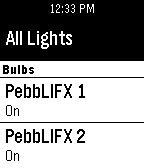
RemotesControl your LIFX bulbs from your Pebble Watch. Currently supports bulb name discovery as well as on/off commands. This app will not work without the companion app on Android. This app is powered by the recently released LIFX Android SDK.
 27
27Finamp Remote (Jellyfin)
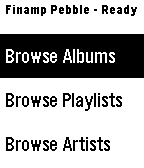
RemotesPebble companion for Finamp, the Jellyfin music player. You can browse your music by album, playlist, artist, and genre. You can initiate playback of any of those items or add a single song to the queue under any of them. This required some changes that I've made to the finamp app for android. I'll be making a pull request to try to get them accepted into the official finamp app, but for now you can compile the app yourself from this repo: https://github.com/tannermeade/finamp/tree/redesign-pebble-support I compiled a debug apk if you want to use it before finamp merges the PR: https://github.com/tannermeade/finamp/releases/tag/debug-pebble-1 The PR for the changes: https://github.com/UnicornsOnLSD/finamp/pull/1597
 27
27Remote Presentations
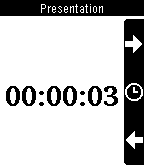
RemotesControls HTML5 presentations from your wrist. You will need a computer running the server side, follow instructions from: https://github.com/sergioaraki/RemotePresentations