 26
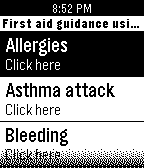
26First Aid guidance (info from Red cross
Health & FitnessThis watchapp is created as a first aid guidance to a number of problems that may occur. This guidance information is taken from the red cross app. Please read the disclaimer and use only if you agree (last title on watchapp)
 26
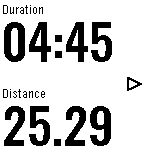
26Locus addon+
Health & FitnessYou can leave your phone in backpack or armband, and you can see and use Locus Map functions on your Pebble smartwatch. For example in geocaching, running, hiking, walking, cycling and other outdoor sports. This add-on works with Locus Map Pro and Locus Map Free. Locus - addon Pebble (v2.1+) application required for this app from Google Play. All Pebble smartwatches are supported. (including Pebble2 and Time2) Features: - 9 different pages on watch - up to 8 different data fileds in all page - NAVIGATION - point / route guidance - turn-by-turn navigation - expected time to destination/next point/turn - REAL INFROMATIONS - speed - altitude - slope - heart rate (with HR belt) - heart rate zones - compass - gps accuracy - gps alert - phone battery alert - TRACK RECORDING - control track recording (start/pause/resume) - track time - pace - distance - average speed, max. speed, - max., min. altitude - energy - average, max. heart rate - last lap informations
 26
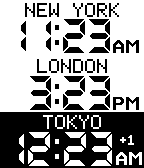
26TZplus2
IndexTZplus2: display multiple configurable timezones
 26
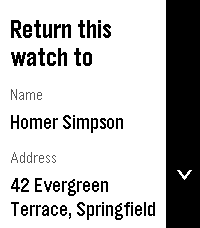
26Return to by flwkt
Tools & UtilitiesReturn to by flwkt Lost your Pebble? Make it easy to get back. Return to shows a clear “Return this watch to” screen with your name, address, phone, and email — so whoever finds it knows how to reach you. Set it once in settings and leave it on your app list. When it matters, the info is right there on the wrist. Fill in any combination of: - Name — Who the watch belongs to - Address — Where to return it - Phone — Number to call - Mail — Email address Empty fields are hidden so the screen stays clean. App list subtitle Choose which fields appear under the app name in the launcher (name, address, phone, and/or mail). Selected values are joined with “ / ” so you can spot your contact at a glance without opening the app. Recommendation Pin the app to the top of your app menu so anyone who finds your watch and opens the menu sees it right away: - Open the Pebble app on your phone - Go to Apps - Tap My Apps - Long-press Return to and move it to the very top Features Readable on Time 2, Round 2, Pebble 2, and Pebble 2 Duo — Layout adapts to rectangular and round screens (including B/W), with scroll hints on the action bar when there’s more to see. Configurable — Edit contact details and subtitle options from the phone settings page (Clay). Built for finding your way home — A simple ICE-style contact card for your Pebble, nothing more, nothing less.
 26
26Flash
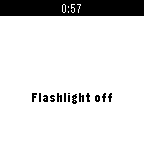
RemotesThe fastest and most easy way to turn your android flashlight on and off. Control your android phone flashlight by pressing select even while the phone is asleep, screen is off and even after phone reboots!!!
 26
26qnote
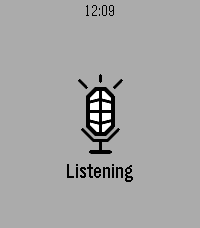
Tools & UtilitiesSpeak a note into your Pebble. It's on your phone before you lower your wrist. Opening qnote starts dictation immediately - no menu, no button to find first. Speak, confirm the transcription, and it is saved. Put qnote on a Quick Launch button and a single long press takes you from idea to recorded note. NEVER LOSES A NOTE. Every note goes out over two paths at once. When your phone is nearby it arrives instantly. When it isn't, the watch spools the note in its own storage and delivers it as soon as you are back in range - even if you closed the app hours earlier. HONEST ABOUT ITS LIMITS. The watch keeps the last 12 notes, because Pebble gives an app about 4 KB of persistent storage and a note is 256 bytes of it. Your phone is the archive. If all 12 are still waiting to reach the phone, qnote tells you rather than quietly overwriting something you said. FREE SOFTWARE. qnote is licensed under the GNU General Public License v3. Source for both the watchapp and the companion is on GitHub - read it, change it, pass it on. YOU NEED THE COMPANION APP. qnote stores its notes on your phone, so the watchapp alone will capture nothing. The companion is a free download from GitHub - it is NOT on the Google Play Store, so Android will ask you to allow installing it from your browser or file manager: https://github.com/neonfire42/qnote/releases/latest/download/qnote.apk Android only. There is no iOS companion, so qnote cannot store notes from an iPhone. Also requires a Pebble with a microphone (every model except the original Pebble and Pebble Steel) and the Pebble mobile app 1.0.7.7 or newer. On the phone you get categories, full-text search, editing, sharing and Markdown export. No account, no server, no analytics - notes move only between your watch and your phone.
 26
26Fluid Sim
GamesFluid Sim runs a real-time Navier–Stokes fluid solver on your Pebble. Dye is advected through a velocity field with diffusion and incompressible projection, producing continuous swirling, splashing, and mixing that responds to your input. CONTROLS • Hold UP or DOWN to fire two angled jets that collide and mix near the center. • Hold SELECT to add a rotational stir to the whole field. • Tap or drag the screen (Pebble Time 2) to inject a swirling blob of dye at the touch point. • Tilt the watch to apply a gravity force; the fluid flows in that direction with added turbulence. COLOR PALETTES Choose a palette from the settings page: • Water — blue to cyan to white • Fire — red to orange to yellow to white • Acid — deep green to chartreuse to white • Rainbow — full spectrum, mapped to fluid density Color watches use ordered (Bayer) dithering for smooth gradients; black-and-white models render in four-level grayscale. The simulation runs on all Pebble platforms, with touch input on models that have a touchscreen.
 26
26Run Estimate
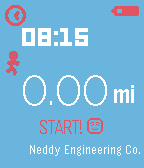
Health & FitnessRun without your phone. Run Estimate is a simple app that uses your stride length and the number of steps you've taken since opening the app to give you an estimate of how far you've run. To use it, just open the app and start running! Run Estimate remembers the furthest distance you have run and gives you a nice notification whenever you beat that distance. It also gives you a few friendly messages along the way. Both Metric and Imperial units are supported and you can customize the colors from the configuration page within the Pebble app on your phone. From the configuration page you will also need to set your stride length in order for the app to give you a good estimation.
 26
26MultiCounter
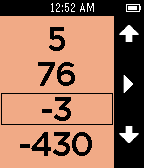
Tools & UtilitiesPeople are bad at remembering numbers. Pebble is good at always being on and displaying numbers. Use this app to count and remember up to 4 numbers at a time. Don't worry about leaving to do something else with your watch, it will remember where you left off the next time you return. Use the right buttons to select which number to modify. Once you are modifying a number press the select button to switch between counting by 1, 10, 100, or 1000. If you count high enough (or low enough) your number may run off the screen. Hold down the increment button or decrement button to count really fast or press and release to get a single count. Hold down the select button to reset the count to 0. Press the back button to return to selecting your number. Like all my apps I don't want you to loose your phone so you will get a short long short vibration if your bluetooth is disconnected. An icon will show in the top left corner. Heart MultiCounter if you like it and check out Timeline and my Precisioneer watchfaces. I appreciate the hearts on those too! Counter
 26
26Euro 2016
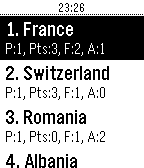
DailySimple API based app to view Teams, Fixtures, and Standings of the 2016 Euro Cup. Note: This API is not mine, and therefore I have no control over the information provided. It seems to work for the group stages, but I'll update the app for the round of 16 as not all the same data is required. The key limits it to 50 requests per minute, so if you're encountering problems getting data let me know. I am not affiliated with EUFA in any way, and therefore this app is unofficial.
 26
263Weather
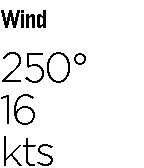
DailyNOW IN VERSION 2.0! NEW UPDATE INCLUDES - Configurability - A new interface - Optimisation and bug fixes 3Weather is an intuitive watchapp designed to give you technical weather details at your wrist. Designed with pilots in mind, this app includes temperature, pressure, wind, cloud, and a summary of them all. Weather at your wrist has never been so easy. Note: This project is still a work in progress. Please don't hesitate to contact me via the support email below if you have found any bugs, glitches, or something that shouldn't happen. Also, until I have decreased memory usage, this app may be a little slow on the menu screen. Enjoy.
 26
2620 Questions
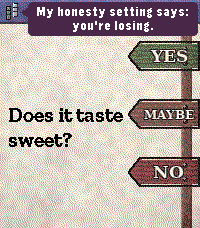
GamesThis is like the classic 20 questions but so much more, it's smart it can really get ya and has quips as you go taunting you to keep you entertained. It has a classic style that feels extra fun on the pebble.
 26
26Egg Timer
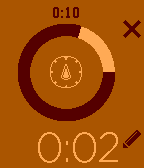
Tools & UtilitiesYet another egg timer, but this one is dedicated to the Pebble Time. Use one of the presets or define your own. Now with an enhanced alarm when timer is over, to be sure you will not miss it. If you like it, click on the heart and if you have comments, remarks or suggestions, feel free to send me a mail.
 26
26Disneyland California Wait Times
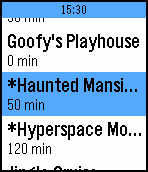
DailyQuick and easy access to the attraction wait times and hours for both parks at Disneyland California. Also, select up to 20 different attractions to be notified of status changes and lower wait times. Press and hold select button to trigger refresh manually. Code to access data is based on the https://github.com/cubehouse/wdwJS which accesses times from Disney themselves. Disclaimer: This app is not associated with Disney in any way.
 26
26Where to Eat
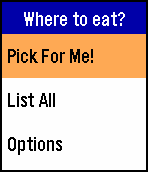
Tools & UtilitiesNEW v1.1 release! Supports Pebble Time Round and more features! Cannot decide where to eat? This app discovers nearby restaurants, and picks one for you! Specify the restaurant types and range to suit your need. 不知道要吃什麼嗎?這個app可以列出附近的餐廳,並且幫你從中挑選一家!你也可以根據自己的需求,指定搜尋的最遠距離以及餐廳類型。