 187
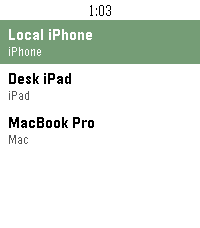
FindMy for Pebble
Tools & UtilitiesSee and ping your Apple devices
 186
Dribble
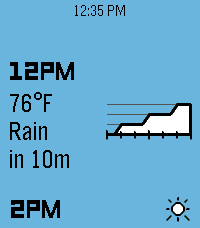
DailyA precipitation & hyperlocal weather app for Pebble. Location access is required for the app to work. When data is loaded, press the up or down buttons to scroll backwards or forwards through the forecast timeline. Hold either one to scroll quickly. There are three main information pages, which can be cycled by pressing the select button: Conditions: Displays the current weather conditions and temperature, along with a graph of next-hour precipitation intensity if applicable. Airflow: Displays wind speed & gust speed, wind direction, and atmospheric pressure. Experiential: Displays the perceived temperature, UV index, and visibility, along with an emoji accessorized with contextual indicators (sunglasses for high UV, umbrella for precipitation, hat & scarf for freezing weather, etc.)
 181
OW Camera Remote
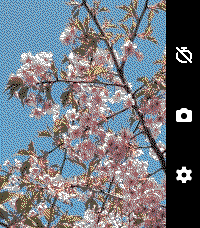
RemotesOW Camera Remote lets you preview your phone's camera and remotely take pictures with a timer. Rebuilt and enhanced from the original app version from 10 years ago. Set a timer, strike a pose, and have your pic taken. Controls: Up: Toggle timer duration (max 15 seconds) Middle: Start the timer capture Down: Open the settings window Settings: Switch Camera: Toggle between front and rear phone cameras Preview: Toggle whether to show a live preview from your camera Timer: Toggle timer duration (max 15 seconds) Timer Vibration: Toggle whether to vibrate on each countdown second Dither: Choose the dither mode for the preview image (defaults to Floyd-Steinberg) Color Mode: Choose between color and black-and-white preview (color devices only). Black-and-white previews have a faster frame rate. Does not support iOS. Requires the Android companion app, OW Camera 2 for Pebble.
 178
Claude
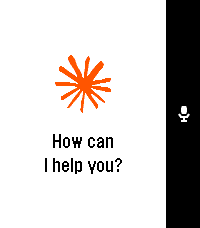
DailyTalk to Claude AI directly from your Pebble smartwatch. Use your watch's built-in dictation to ask questions and get streaming responses from Claude. Good for quick queries when your phone isn't handy, or when you just want to use your Pebble for something it was never meant to do. What it does: - Voice input using Pebble's dictation - Your conversation stays in memory during the session - Built-in web search tool support - Remote MCPs - Configure system prompts to change how Claude responds - Advanced users can point it at custom API endpoints You'll need a Claude API key from Anthropic. Configure it once in the app settings using your Pebble app. This app is an independent third-party client and is not affiliated with, endorsed by, or officially connected to Anthropic. Claude is a trademark of Anthropic. You use this app with your own Anthropic API key and are responsible for any associated costs and usage.
 173
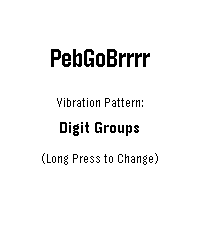
PebGoBrrrr
Tools & UtilitiesYou know that moment when you're half asleep, trying to decide whether you can get away with a little more sleep, but checking the time would wake you up completely? PebGoBrrrr is built for exactly that. Launch it with a button press and it vibrates the current time straight to your wrist. No bright screen, no squinting, no fully waking up just to find out it is 4:17. Pick your preferred vibration pattern, tweak the buzz timing, and let your Pebble whisper the time at you through pure brrrr. Source code now available on GitHub... please be kind 😬