Dashboard+
Pebble Pusher
Watchface
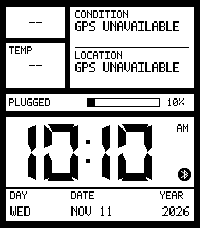
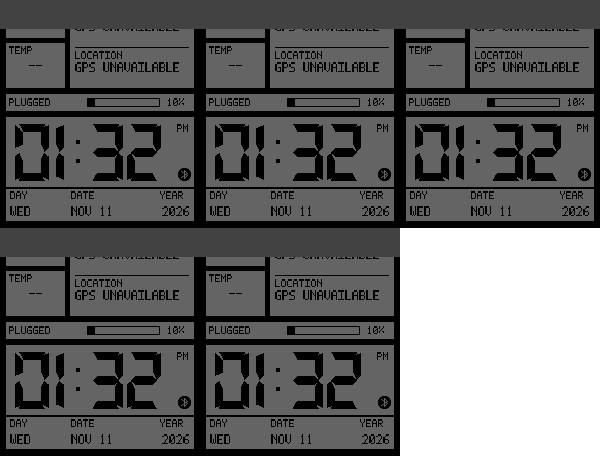
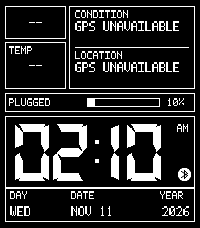
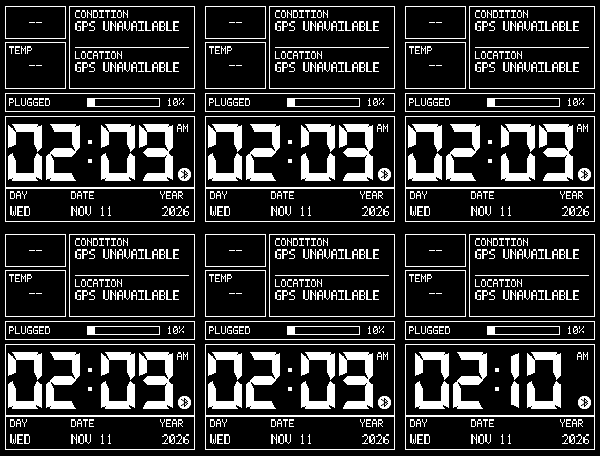
Description
Give your Pebble Time 2 a clean, retro-inspired digital display with the information that matters to you. LCD Dashboard+ combines crisp, shadow-free clock digits with customizable layouts, weather, activity information, battery insights, and optional spoken-time announcements.

Keep it minimal or build your own information-packed dashboard—all from the settings in your Pebble phone app.

Make it yours

Start with one of five presets: Essential, Health, Weather, Travel, or Full Dashboard. Choose a balanced layout, a bigger clock, or more space for information. Pick a color theme or customize individual areas, then decide which details to display. Everyday choices stay straightforward, with advanced options available when you need them.

Hear the time

Enable hourly announcements to hear the time through your Time 2’s speaker. Prefer something subtler? Choose a soft chime or vibration instead. Spoken announcements use an included English voice and work without an internet connection, with adjustable volume and quiet hours.

Useful information at a glance

Display current weather, feels-like temperature, daily highs and lows, wind, humidity, sunrise and sunset, or a six-hour forecast. Switch to activity information such as steps, step-goal progress, distance, active calories, sleep, and the latest available heart-rate reading.

You can also display a second clock or choose your own combination of two statistics.

Understand your battery

See your current charge alongside estimated daily battery use or estimated time remaining. Battery insights learn from your watch’s discharge history and show “LEARNING” until enough information is available.

Designed with battery-conscious defaults

Minute-based clock updates, cached weather, and automatic low-battery behavior help avoid unnecessary activity. Seconds, blinking, gestures, animations, and hourly audio are optional, so you decide which extras to enable.

Good to know

Weather updates require a connected phone with internet access and either location permission or manually entered coordinates. Health information depends on available watch readings and permissions.

Hourly announcements are off by default and work only while LCD Dashboard+ is active at the hour. They respect system mute, Quiet Time, configured quiet hours, and battery-saver behavior.

Battery estimates reflect the whole watch—not this watchface alone—and are not a guarantee of remaining runtime. The second clock uses a fixed UTC offset, which must be adjusted manually for daylight-saving changes. Optional audio and frequent display updates can increase battery use.
- DeveloperPebble Pusher
- CategoryFaces
- PlatformsTime 2
- Permissions
- Updated2026-11-11
- Version0.4.0
- Battery ImpactNot enough data yet