GAuth
Tilman Rauh
Watchapp
Description
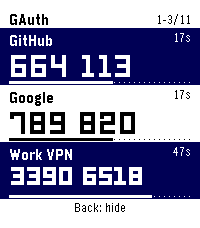
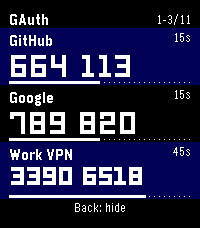
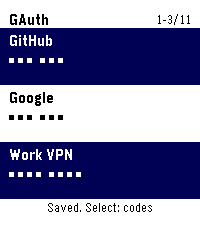
Get two-step sign-in codes on your Pebble, even when your phone is out of reach. Press Select to reveal up to three codes at once. Each account has its own countdown and timer bar so you can see how long its code will last. Press Back to hide the codes.

Press Up or Down to scroll one row at a time. On Pebble Time 2 and Round 2, you can also drag the list and release to snap it into place. To switch between light and dark, hold Up, press Select, then press Back. Your watch remembers your choice.

Set up GAuth in the standard Pebble phone app.

1. Open GAuth on your connected watch. In the Pebble phone app, open GAuth’s settings gear. Hold Select on the watch, then enter the 16 groups of four button presses shown on the phone. Keep the sequence private. Check that the eight characters on both screens match, press Select on the watch to save, and confirm on the phone.
2. In Google Authenticator, choose Transfer codes → Export codes. In GAuth settings, tap Choose QR image and select a photo or screenshot for each export QR. If you have two images, add both in either order to see one account list. On Android the camera option requests the rear camera. If your phone opens a photo picker, take a photo with the Camera app and select it. You can also paste export links or individual TOTP setup links and tap Review accounts.
3. Choose the accounts and labels you want and confirm replacement. Each import replaces every account on the watch, so include all the ones you want to keep. Tap Transfer to watch and press Select on the watch to approve.

After import, codes refresh automatically from the watch clock, even with Bluetooth off. GAuth supports six- and eight-digit time-based codes (TOTP) with SHA-1, SHA-256 or SHA-512 and up to 32 accounts, depending on label and key sizes. Counter-based codes (HOTP) are unsupported. To pick up later account changes, import a fresh export.

GAuth reads QR images on your phone and encrypts the selected accounts for your paired watch before transfer. Export photos, screenshots and links contain reusable keys. Keep them private and keep your original authenticator for recovery.
- DeveloperTilman Rauh
- CategoryTools & Utilities
- PlatformsOG Pebble, Steel, Time/Time Steel, Time Round, 2, 2 Duo, Time 2, Round 2
- Updated2026-11-08
- Version0.6.1