Homey Flows
Tom Khamis
Watchapp
Description
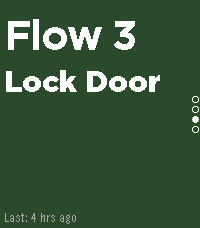
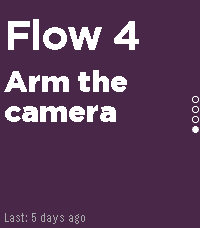
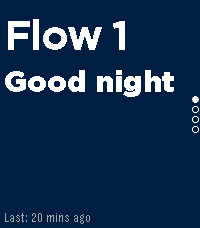
Trigger your Homey flows directly from your Pebble Time 2, no phone needed once configured. Browse up to 5 customizable flow shortcuts on your wrist and fire them instantly with a single button press.
Perfect for triggering lights, locks, thermostats, scenes, or any automation you've set up in Homey.

1. Find your Homey Cloud ID
Open the Homey app → Settings → General → scroll down to find your Cloud ID (a long alphanumeric string).

2. Create webhook-triggered flows in Homey
In the Homey Flow editor, create flows with a "When a webhook is received" trigger card. The webhook names must be exactly:

pebble_flow_1
pebble_flow_2
pebble_flow_3
pebble_flow_4
pebble_flow_5
Use only the ones you need, unused slots can be disabled in the app settings.

3. Configure the Pebble app
Open the Pebble app on your phone → find Homey Flow Trigger → tap the Settings gear. Enter your Cloud ID and configure each flow slot: give it a display name, pick a background color, and toggle it on or off. Tap Save, your watch will update immediately.

4. Use it
Press Up/Down on your Pebble to scroll between flows. Press Select to trigger the selected flow. The watch shows the name of the last trigger time and confirms each request.
- DeveloperTom Khamis
- CategoryTools & Utilities
- PlatformsTime 2
- Updated2026-06-07
- Version1.3.0