NFL Central
Brooman Inks
Watchapp
Description
NFL Central
The whole NFL on your Pebble. Follow your team, browse every game, and check the standings, using the buttons or the touchscreen.

Features
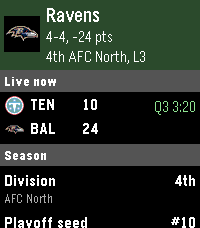
My Team: your team's live score right on the home screen, plus its record, division rank, seed, next games and recent results
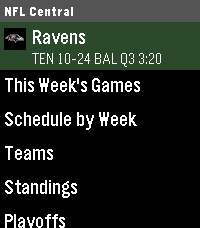
This Week's Games: every game of the week grouped by day, with team logos, scores and quarter or clock. Teams on a bye are listed at the bottom. Open any game for the full game screen.
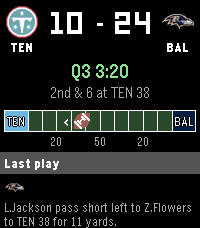
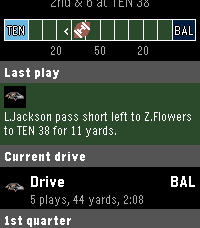
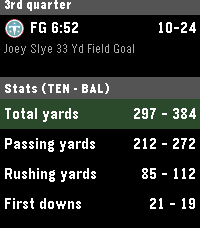
Game screen: big scoreboard, down and distance, and the field graphic with the ball at its spot, an arrow for the direction of the drive and a red outline when the offense is in the red zone. Below it you get the last play, the current drive, scoring plays by quarter, team stats and the venue, TV and weather. It refreshes every 15 seconds while the game is live.
Schedule by Week: browse any week of the regular season, and every playoff round up to the Super Bowl
Teams: all 32 teams grouped by division, each with its own page
Standings: by division, the AFC and NFC playoff pictures (division leaders, wild cards and the teams still in the hunt) or the whole league
Playoffs: every round with its matchups and scores, filled in as the bracket is set
League Leaders: passing, rushing and receiving yards and touchdowns, receptions, sacks and points
Timeline pins: your team's next 5 games show up in your Pebble timeline, with both records and the kickoff time. You can turn this off in settings.
The field graphic
The field is drawn like a real one: end zones in each team's colors, a line every 10 yards, and the 20, 50 and 20 marked underneath. The football sits at the line of scrimmage and a small arrow shows which end zone the offense is driving toward. When the offense gets inside the 20, the outline turns red and stays red until the drive ends.

Alerts
While the app is open, you get a vibration for your team, or any team you follow, in these cases. Each one can be turned off in settings.

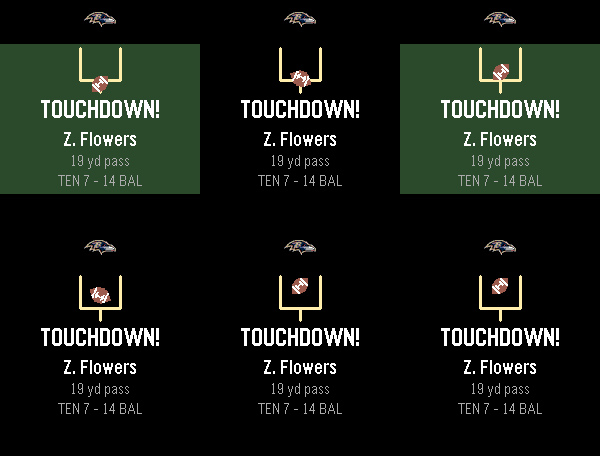
Scores: touchdowns, field goals and safeties get an animated popup with the football going through the uprights. The headline says what it was (TOUCHDOWN!, FIELD GOAL! or SAFETY!), and under it you see who scored and how far, like "Z. Flowers, 19 yd pass" or "T. Loop, 64 yd field goal", plus the score. Extra points and two-point tries do not trigger their own alert.
Red zone: your offense just got inside the 20
Close game: a one-score game (8 points or less) in the 4th quarter or overtime. It fires once per game and is the buzz that tells you to start watching.
Starting automatically
Turn on "Open the app at kickoff" in settings and the watch wakes itself when your team's game starts and opens the live game screen. "Open my team's live game at launch" jumps straight to your game whenever you open the app during a live game.

Controls
Action	Buttons	Touch
Scroll	Up / Down	Swipe
Open	Select	Tap
Back	Back	Swipe right
Make it my team	Hold Select on a team	Touch and hold a team
Change my team	Hold Select on your team	Touch and hold your team
Holding your own team opens a list of all 32 teams to pick from. Your choice is saved on the phone too, so the settings page matches.

Settings
Open the app's settings in the Pebble phone app to:

pick your team and choose extra teams to follow
turn score, red zone and close game alerts on or off
turn kickoff wake-up and open-at-launch on or off
turn timeline pins on or off
Platforms
Emery (Pebble Time 2) and Gabbro (Pebble Round 2).

Build
Needs Pebble SDK 4.33 or newer.

./scripts/run_emulator.sh emery    # or gabbro
That builds the app, installs it in the emulator and opens it. (pebble install --emulator on its own installs the app but doesn't open it.)

Or open it in CloudPebble.

Scores come from ESPN's free public API, so there's no account or key to set up.

Author
Brooman Inks
- DeveloperBrooman Inks
- CategoryDaily
- PlatformsTime 2, Round 2
- Updated2026-11-04
- Version1.0.0