TERCOM
Daniel Bally
Watchface
Description
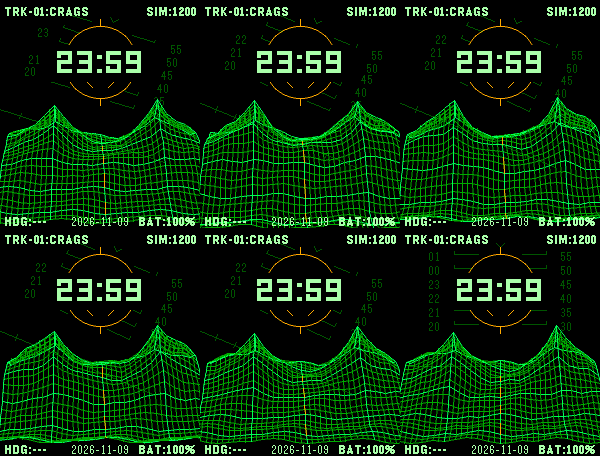
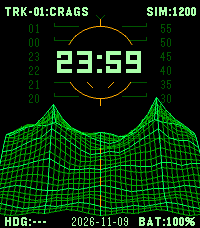
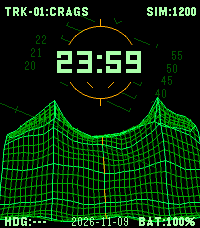
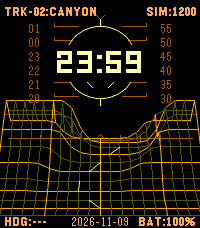
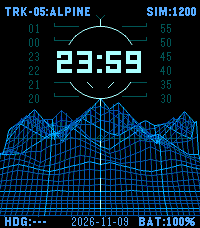
Tap your wrist and fly over the terrain. TERCOM brings a CRT-inspired wireframe flight instrument to Pebble Time 2, Pebble Round 2, and Pebble 2.

Choose Green phosphor, Amber terminal, Ice blue, or Monochrome on color watches. Pebble 2 uses a high-contrast monochrome wireframe. Explore Crags, a winding Canyon, Dunes, a volcanic Caldera, and layered Alpine ridges. Green remains the default.

On the watch, a single wrist tap starts a temporary flight. A rapid double tap changes tracks when enabled. Flight returns to the exact resting terrain position. In the phone settings, choose Flight Off, Short (2 seconds), or Standard (about 4.5 seconds), adjust tilt response, disable double-tap switching, or choose a track directly.

The upper-right readout can show explicitly simulated altitude (SIM), daily steps, compass heading, battery, or nothing. Choose an optional ISO, US, or European date in the lower center, daily steps, or an empty center. A dashed illustrative course line is optional. SIM shows a fictional altitude derived from steps. The landscapes and course lines are illustrative. The heading shows --- when a compass reading is unavailable.

Time follows the watch's 12/24-hour setting and updates each minute while idle. The preview opens in flight.
- DeveloperDaniel Bally
- CategoryFaces
- Platforms2, 2 Duo, Time 2, Round 2
- Updated2026-11-09
- Version1.2.0
- Battery ImpactNot enough data yet