Description
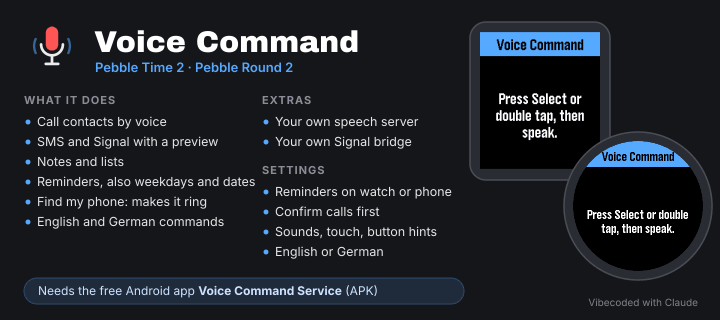
Voice Command is a watchapp for Pebble Time 2 and Pebble Round 2: you speak
into the watch microphone, speech recognition turns it into text, and your
phone carries out the command: call someone, send an SMS or a Signal
message, save a note or a reminder, or make the phone ring. English and
German commands are always understood.

To carry out commands you need the free Android app "Voice Command Service"
on the same phone. Without it the watch just shows the recognized text.

Project page, Android app and setup guide: https://github.com/uaparit/voice-command


FEATURES
--------
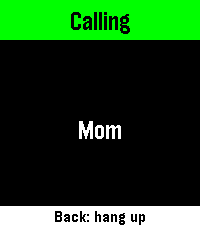
  • Calls: "Call Mom", "Could you please call Mom". The watch asks first,
    Select dials (can be turned off). Back on the watch hangs up.
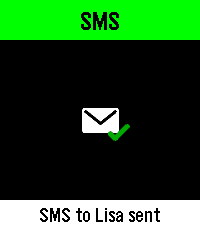
  • SMS: "Text Lisa I'm running late", "Tell Lisa that I'm on my way".
    Preview on the watch, Select sends, Back discards.
  • Signal: "Send Lisa a Signal message saying …". Like SMS, via your own
    Signal bridge.
  • Notes and lists: "New note: buy milk and coffee", "New list: holiday",
    "Note in holiday: passports". Stored in the Android app, where you
    check them off, edit and delete them, and share a note or a whole list
    with other apps, e.g. a shopping list via messenger.
  • Reminders: "Remind me at 6 pm to get the laundry", "… in 20 minutes",
    "… tomorrow morning", "… on Friday at 6 pm", "… on May 12th".
    Without a time: morning 8, noon 12, afternoon 3 pm, evening 7 pm.
  • Reminders on the watch: they ring on the watch (sound and vibration,
    3 short pulses, at most 60 s) and take priority over everything else.
    Back stops, Up/Down scroll a long text. Up to 8 reminders, one per
    minute. Alternatively they ring on the phone like an alarm clock.
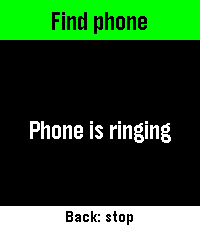
  • Find my phone: "Find my phone", "Where's my phone?". The phone rings at
    full volume, even when silenced. Back on the watch stops it.
  • English and German: all commands in both languages, any time.


ON THE WATCH
------------
  • Select or a double tap: start and stop recording
  • Back while recording: discard, the phone will not process it
  • Preview: Select sends or saves, Back discards; Up/Down or a swipe
    scrolls a long text; a preview expires after 60 s
  • A footer names what Back and Select do (can be turned off)
  • Tones: 1 short ready, 2 short recognized, 3 short sent, 1 long error
    (Pebble Round 2: vibration only, it has no speaker)
  • The watch tells you when the Android app is outdated


SETTINGS (gear icon in the Pebble app)
--------------------------------------
Service
  • Send to Voice Command Service: if on, the phone carries out commands,
    if off, the watch only shows the recognized text
  • Port and key, copied from the Android app
  • Speech recognition: Pebble dictation (default, nothing to set up),
    Groq (your own API key, spoken language English, German or automatic)
    or your own speech server (address and token)

Settings
  • Language: like the phone, English or German
  • Confirm calls: ask before every call
  • Reminders on: watch (sound and vibration can be switched separately)
    or phone (alarm sound at full volume or your normal ringtone)
  • Sounds, touch control and button hints on the watch

Reset
  • Delete all settings, including keys and tokens


THE ANDROID APP "VOICE COMMAND SERVICE"
---------------------------------------
  • Setup guide that checks every step, including a test command
  • Contacts: the names you say, picked or imported from the phone book
  • Notes, lists and reminders to view and edit
  • Service: on/off, test mode (commands are only shown), port, key,
    permissions, Signal bridge address and token, self-test
  • Log of the last commands and help with all commands and errors


EXTRAS FOR YOUR OWN SERVER
--------------------------
  • pebble-stt: your own speech recognition server (Whisper or Parakeet)
  • signal-bridge: sends Signal messages through signal-cli as a linked
    device of your account
Both are optional and described on the project page.


PRIVACY
-------
Recordings go only to the speech recognition you choose: the Pebble app
(in the cloud to Wispr Flow), Groq or your own server. Keys and tokens stay
on your phone. Commands are carried out locally by "Voice Command Service"
(127.0.0.1 only, protected by a key). Notes, reminders and contacts stay in
the Android app.


REQUIREMENTS
------------
  • Pebble Time 2 or Pebble Round 2 with firmware 4.44.3 or newer
  • Microphone permission for Voice Command in the Pebble app
  • Android app "Voice Command Service" 1.0.0 (Android 12 or newer) for
    calls, SMS, Signal, notes, reminders and finding the phone