Wander
Daniel Bally
Watchface
Description
Let the hour wander.

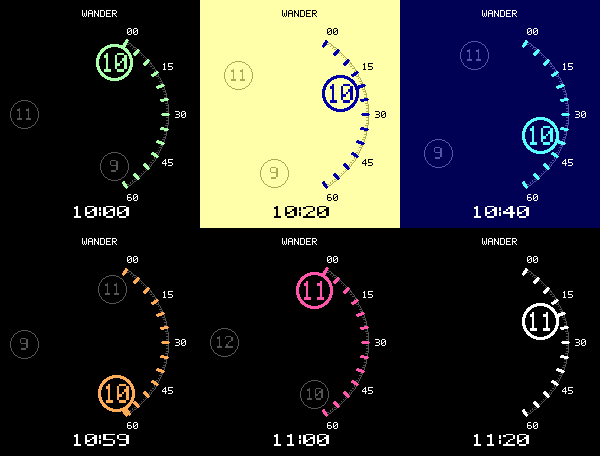
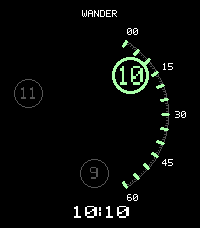
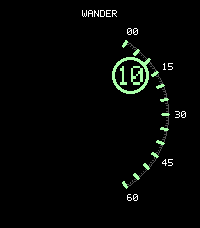
Wander tells time with a rotating hour carousel and a fixed minute scale. Read the bright hour numeral, then follow its pointer to the minute marks on the right.

How it works:
• The minute scale stays still, from 00 at the top to 60 at the bottom.
• The bright hour travels clockwise along that arc.
• At the hour change, the next numeral takes over at 00.
• Dim neighboring hours show what is approaching and what has just passed. You can hide them.

Make it yours:
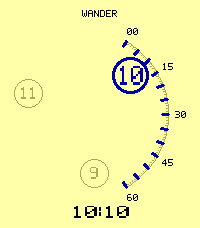
• Six palettes: Night, Paper, Ice, Amber, Rose, and Monochrome.
• Custom background, text, accent, and inactive-hour colors.
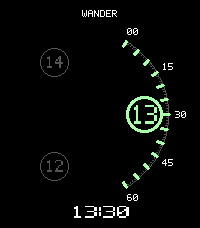
• Watch default, 12-hour, or 24-hour time.
• Optional digital time below the dial.
• Optional date: YYYY-MM-DD, MM/DD/YYYY, or DD/MM/YYYY.

Designed for Pebble Time 2 and Pebble Round 2. Settings are available through the Pebble app. Updates once per minute; no phone service is needed for timekeeping.

The animated preview is an accelerated time-lapse showing the carousel, hour handoff, and palette options. The installed watchface keeps the palette you choose.
- DeveloperDaniel Bally
- CategoryFaces
- PlatformsTime 2, Round 2
- Updated2026-11-08
- Version0.1.0
- Battery ImpactNot enough data yet