 67
67Strava GPX
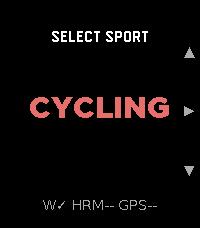
Strava GPX turns your Pebble Time 2 into a standalone GPX workout recorder for cycling, running, and walking. It captures GPS distance, speed/pace, and heart rate, and saves a GPX file directly to your phone's Downloads folder when you stop. No account, no subscription, no cloud dependency — the file is yours immediately.

Import the .gpx into Strava, Komoot, Garmin Connect, or any platform that accepts the format. For users who want automatic delivery, an optional Cloudflare Worker can email the file to you the moment the workout ends.

What it records: elapsed time (pause/resume), GPS distance, speed/pace (km/h or mph / min/km or min/mi), heart rate
embedded at every track point.

Sports: Cycling (speed), Running, Walking (pace), each with independent HR sampling interval.

Settings: HR interval 1–30 s per sport · GPS accuracy filter · metric or imperial · optional download subfolder · optional Worker for email delivery.
 4
4Eye Trainer
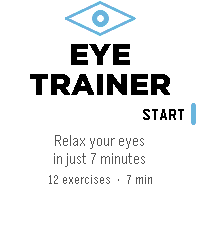
Eye Trainer is a guided eye-relaxation and screen-break app for Pebble Time 2.
The approximately seven-minute routine combines Bates-inspired relaxation and shifting concepts with simple modern eye-break exercises such as near/far focus. Visual demonstrations teach each action, while vibration cues and simple reminders let you complete most of the session without watching the screen.
The 12-exercise routine includes palming, gentle blinking, comfortable shifts between details, long swing, central focus, near/far changes, distance viewing, and rest. Physical buttons provide quick pause, resume, previous, and next controls.
Eye Trainer works offline and does not collect or transmit personal data.
The app is intended for relaxation and screen breaks. It does not claim to improve eyesight, cure myopia, correct refractive errors, or treat eye disease. It is Bates-inspired, not the Bates method or an official Bates routine.
 2
2Run Tracker
test app
 9
9Gym Zones
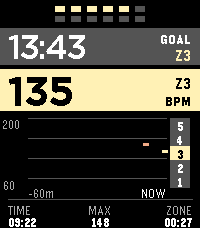
Gym Zones is a focused strength-training companion for Pebble Time 2. Start and finish workouts manually, see current BPM and a rolling one-hour graph, track a stable heart-rate zone, and run a configurable between-set rest timer. The app can reopen when rest ends and preserves an active workout for ten minutes after you exit.

Outside a workout, take a one-minute resting PPG-RMSSD measurement and compare it with a personal seven-day baseline. HRV is an optical wellness estimate, not a medical measurement or readiness score.

Gym Zones has no account, server, GPS, or network service and does not transmit workout or sensor data. Settings stay locally on the watch and in Clay on the phone; Pebble Health synchronization, if enabled, is managed by PebbleOS. Assign Gym Zones to Settings → Quick Launch → Tap Up for direct access.
 2
2Insulin Tracker
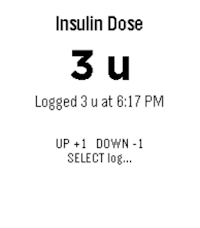
This is a very simple app for people with diabetes to keep track of their short-acting insulin use.

Use the up/down buttons to adjust the dose in 1-unit steps, then press select to log it with the current time. Long-press select to review your last 3 recorded doses. Designed for quick, low-friction dose tracking without needing your phone.
 14
14Training Time
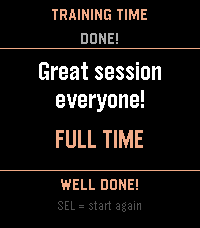
An app for running kids soccer training sessions. Build a session plan on your phone, then work through it on your wrist - activity by activity, with countdown timers, haptic alerts, and on-the-fly time adjustments.
 13
13Kick Off
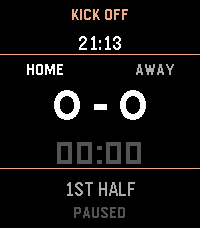
A simple football (soccer) game tracking app, perfect for kids game day. Track the score, match timer, and current half - all from your wrist.
 5
5Pool Swim Monitor
BETA VERSION - Use this app to monitor your pool swim sessions.
 2
2Step Goals Plus
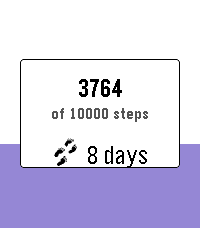
Track daily steps with a live progress fill, streak counting, bonus goals, and mid-goal encouragements — built for Pebble Time, Time Round, and Pebble Time 2 (Emery).

Open the app to see today’s steps fill the screen from the bottom up. Press Select for settings:

- Main daily goal (2k–20k)
- Optional bonus goal on top of your main target
- Streak count and best streak
- Vibrate at 50% / 75% of your goal
- Theme colors (purple, blue, green, red)

On Pebble Time 2 you can optionally show your current streak on the progress screen.

Works across restarts - you still get a celebration when you hit your goal.

Credits: original Step Goals by Travis La Marr; Step Goals Plus UI by dauletle; maintenance and streak fixes by Yaron Sheffer.
 7
7GymLog
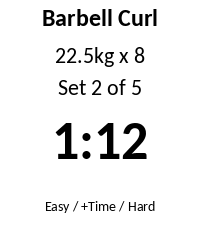
See your rest timer and current set on your wrist. Finish a set in the GymLog Android app and the watch shows the exercise, your target weight and reps, and which set you're on, with a live rest countdown. Log the set as Easy or Hard, extend the rest, or feel a buzz when the rest ends, all from the watch. It works offline over Bluetooth through the Pebble app, with no internet or account needed. Requires the GymLog Android app.
 20
20Drinktervall
Drinking reminder app with Timeline integration and a cute animation.

Stay Hydrated my friends!
 30
304-7-8 Breathing
4-7-8 Breathing
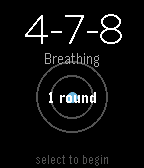
Find calm in minutes with the proven 4-7-8 breathing technique.
A simple breathing app for your Pebble watch. Practice 4-7-8 breathing to reduce stress, ease anxiety, and improve sleep.
Features:
Guided 4-7-8 breathing: Inhale for 4, hold for 7, exhale for 8
Visual breathing circle that expands and contracts with your breath
Customizable rounds: Choose 1-10 rounds (default: 4)
Progress tracking shows which round you're on
Haptic feedback at phase transitions
Clean, minimal design
Why 4-7-8?
Developed by Dr. Andrew Weil, this technique activates your body's relaxation response. Use it to calm down when stressed, fall asleep faster, manage anxiety, or reset during the day.
How to Use:
Open the app
Adjust rounds with UP/DOWN buttons
Press SELECT to begin
Follow the visual guide and breathe
Perfect for quick sessions at your desk, before bed, or whenever you need a moment of calm.
Take a breath. Find your center.
 1
1PT 2
PT Timer
 5
5Baby StoneFruit
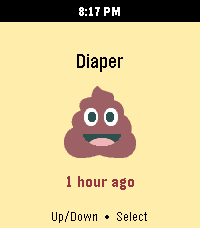
This is the Huckleberry baby tracking app on your Pebble!

It uses the Home Assistant Huckleberry Integration as a proxy since a pebble watch can't communicate with Huckleberry directly. It's a simple app that has one purpose -- logging your newborn baby's inputs and outputs.

Name comes from:
Stone -> Pebble
Fruit -> (huckle)berry

Please feel free to submit any pull requests on GitHub for areas of improvement.
 11
11Long Rest
Super simple Pebble app for rest intervals (like in the gym or pomodoro)

Originally built by [Remy](https://github.com/remy) for use in the gym, for rest intervals, and updated by updated by [clach04](https://github.com/clach04/pebble-rest-timer). This fork just changes timers from uint8 to uint16 for longer timers.