 556
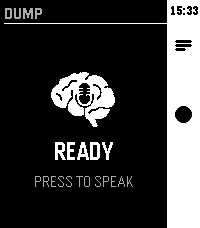
556Brain Dump (index01 for your pebble)
Voice-first brain dump app. Hit the middle button, speak your thought — it gets routed to AI, Notion, Google tasks, Todoist or saved as a local note.
 7
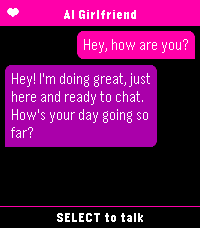
7AI Girlfriend
You need a fast and easy way to talk to your favourite ai assistant? Look no further than AI Girlfriend. As soon as the app is launched it starts dictation so you can immediately start chatting.
Supports openai compatible apis.
 28
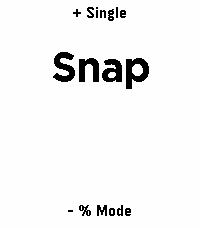
28SnapCounter
An app to count things and calculate percentages using the Pebble buttons or finger motion (snapping/tapping)
 61
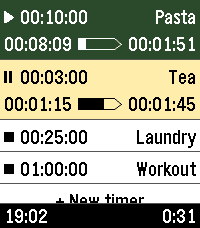
61Another Timer
Yet another timer app, built for fast, versatile, & straightforward usage.

Features:
- Only one touch to create & start new timers
- Multiple timers
- Reusable saved timers
- Run-once timers
- Labeled timers
- Track remaining time, elapsed time, & overtime
- Configure timers either from the phone or from the watch
- Optionally start counting from app launch
- High configurability

The user interface follows the design of the Another Alarm app. Use them both to feel familiar.

The app was originally forked from Sykerö Software's Countdown Timer, later mixed with many extra ideas and useful features from other open source apps.

The touch dial is adopted from howeaj's Instant Timer, and the label input keyboard from metuuu's Mölkky scorekeeper. Check out also those brilliant apps!

Attribution links, Pebble app store:
- https://apps.repebble.com/countdown-timer_c1e3e132dae74bbcaf1a8320
- https://apps.repebble.com/timer-instant-timer_1a42bf7ed056404abbdd7bf9
- https://apps.repebble.com/m-lkky-scorekeeper_bb6ffbee520f4c4cafc2b424

Attribution links, GitHub:
- https://github.com/Sykero-Software/PebbleCountdownTimer
- https://github.com/howeaj/pebble-instant-timer
- https://github.com/metuuu/pebble-molkky-scorekeeper
 6
6TapScore
TOUCH SUPPORT!

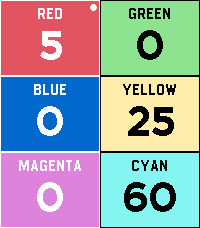
Ditch the pen and paper on game night. TapScore is a lightweight, friction-free score counter designed to get out of the way so you can focus on playing.

No configuration menus, player naming screens, or complex rulesets—just launch the app and start tapping.

Key Features

Up to 6 Players: Color-coded layout lets everyone see standings at a single glance.

Instant Touch Controls: Tap directly on a player's region to quickly add or subtract points.

Touch control for super fast score adding!

Full Hardware Button Support: Smooth navigation via Pebble’s physical buttons, ensuring full backward compatibility and blind control without touching the screen.

Zero Setup: Open the app and you’re already tracking scores.

Persistent State: Never lose your game progress if your watch sleeps or you accidentally exit.
 26
26Return to by flwkt
Return to by flwkt

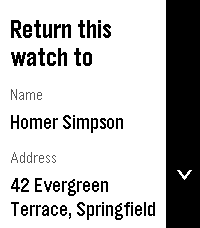
Lost your Pebble? Make it easy to get back. Return to shows a clear “Return this watch to” screen with your name, address, phone, and email — so whoever finds it knows how to reach you.

Set it once in settings and leave it on your app list. When it matters, the info is right there on the wrist.

Fill in any combination of:
- Name — Who the watch belongs to
- Address — Where to return it
- Phone — Number to call
- Mail — Email address

Empty fields are hidden so the screen stays clean.

App list subtitle
Choose which fields appear under the app name in the launcher (name, address, phone, and/or mail). Selected values are joined with “ / ” so you can spot your contact at a glance without opening the app.

Recommendation
Pin the app to the top of your app menu so anyone who finds your watch and opens the menu sees it right away:

- Open the Pebble app on your phone
- Go to Apps
- Tap My Apps
- Long-press Return to and move it to the very top

Features
Readable on Time 2, Round 2, Pebble 2, and Pebble 2 Duo — Layout adapts to rectangular and round screens (including B/W), with scroll hints on the action bar when there’s more to see.
Configurable — Edit contact details and subtitle options from the phone settings page (Clay).
Built for finding your way home — A simple ICE-style contact card for your Pebble, nothing more, nothing less.
 44
44Escape Call
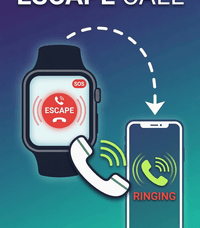
Long Press a Button and your phone rings! Stuck in a long conversation and need to go? No prob! Loser at the bar bothering you? Escape! Want to pretend to have friends and be cool? Welcome to the club! Works on my pebble time 2. Thats all I know for sure. SETUP: (Kind of a pain) This app needs a webhook URL to ring your phone. Two options: OPTION A - Twilio (Recommended, ~$1.15/month): Sign up at twilio.com (free trial included) Buy a local phone number Go to Functions and Assets > Services > Create Service Add a Function with path /call, set it to Public Paste this code (replace the phone numbers with yours): exports.handler = function(context, event, callback) { const client = context.getTwilioClient(); client.calls.create({ to: '+1YOURNUMBER', from: '+1TWILIONUMBER', twiml: '<Response><Say voice="alice">Hey, do you have a second?</Say><Pause length="60"/></Response>' }).then(function(call) { callback(null, 'OK'); }).catch(function(err) { callback(err); }); }; Deploy All, then Copy URL In the Pebble app, open Escape Call settings, paste the URL as Webhook URL, set Method to GET, Save OPTION B - CallMeBot (Free, needs Telegram): Install Telegram, search for @CallMeBot_txtbot, send /start Follow auth steps, then add @CallMeBot_API to contacts and message it Your webhook URL: http://api.callmebot.com/start.php?user=+1YOURNUMBER&text=Incoming+Call&lang=en-GB-Standard-B&rpt=2 Paste into Escape Call settings, set Method to GET, Save Note: Telegram must be running in background QUICK LAUNCH: On your watch, go to Settings > Quick Launch > assign Escape Call to Back button. Hold Back 2 seconds from any watchface to activate.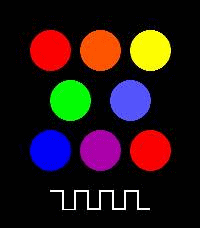 93
93PEBBLE-TONE
A simple piano app for Pebble Time 2.
You can play one octave of notes.
 16
16Todoist
A simple Todoist client for the Pebble. Displays the list of tasks due today, and allows you to mark them as complete from the watch.
 51
51Find My Gadgetbridge (Find My Phone)
Pebble app to trigger Gadgetbridge's "Find My Phone" feature.
 262
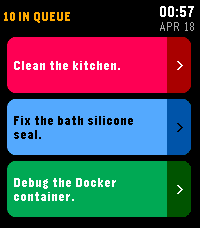
2623 Things: An ADHD-Friendly Task Manager
3 Things keeps you focused on what matters most by showing only your top 3 tasks at a time. Any additional tasks are queued and automatically replace completed ones.

Designed especially for people with ADHD or executive dysfunction - by limiting what's visible to just 3 items, it reduces decision paralysis and overwhelm while keeping your full to-do list just out of sight and ready to sub in.
 7
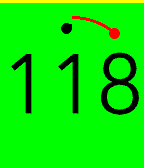
7igitimer-graphic-big
Timer with nice animations
 32
32Pebble Tides
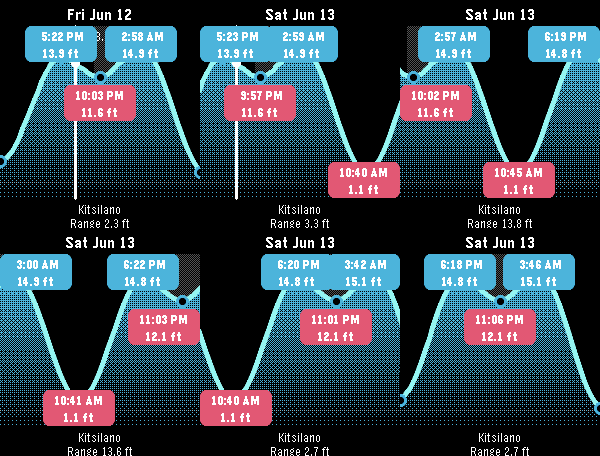
Pebble Tides shows the day's tides at a glance: a graph of the high and low tides with their exact times and heights, the current water level, whether the tide is rising or falling, and optional mid-tide times. It uses your location to pick the nearest tide station and keeps working offline by caching a week of predictions, or pin a region ahead of a trip to cache up to 45 days across a whole area.

Features:
- Uses your location to pick the nearest tide station
- Daily tide graph with high/low times and heights
- Current level with a rising/falling indicator
- Optional mid-tide times (off by default)
- Sunrise and sunset night shading
- Step through tides with the buttons; long-press to jump a day, Select to jump to now
- Feet or metres, 12 or 24 hour clock, all set from the phone
- Caches a week of predictions and refreshes once a day; works with the phone out of range
- Pin a region for an upcoming trip: download up to 45 days for every station within a chosen radius, then see the nearest one offline as you move

Coverage: Pebble Tides covers
- Canada (Fisheries and Oceans Canada, DFO)
- United States (NOAA)
- Australia and the South Pacific (Bureau of Meteorology, BOM)
- United Kingdom, Ireland and the Channel Islands (UK Hydrographic Office, EasyTide)

It picks the station nearest you, or the nearest station inside a region you pin for an upcoming trip. If you'd like another region added, let me know and I'm happy to look at adding it.

Controls: Up/Down step tides, long-press Up/Down jump a day, Select jumps to now, Back exits.
 71
71World Clock
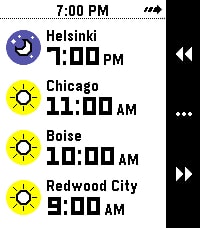
What's the current time in Helsinki, Boise, and Redwood City? When it's 4 PM in Amsterdam, what time will it be Sydney? Instantly answer questions like these right on your wrist with World Clock!

With World Clock, you can choose up to 8 timezones to display at your wrist. You can also use Time Travel to scrub forward and backwards in 30-minute increments, so you can compare different timezones.

To use it, open the Settings app on your phone and select cities to add to the list. World Clock will automatically populate the name field with the name of the city, but you can change it to whatever you like. You can also quickly enable and disable timezones, too.

Time offsets are calculated by the phone, and synchronized to the watch. The watch caches all of the cities and time offsets, so if your phone isn't nearby, you can still use World Clock. Your phone will check on all of the timezones whenever World Clock starts, just in case something like Daylight Savings Time has happened recently (and you'll see a small "X" if the watch wasn't able to sync with the phone).

If you like to switch Pebbles, no problem! The timezone list is saved on the phone, and automatically synchronized to whatever Pebble you are wearing.

Pebble Round 2 support coming as soon as it arrives!
 3
3Test Touch Sensor
An app that simply displays the coordinates of your touch in real time.
It might be useful when you feel like your touch is slightly off!