 21
T9 Time
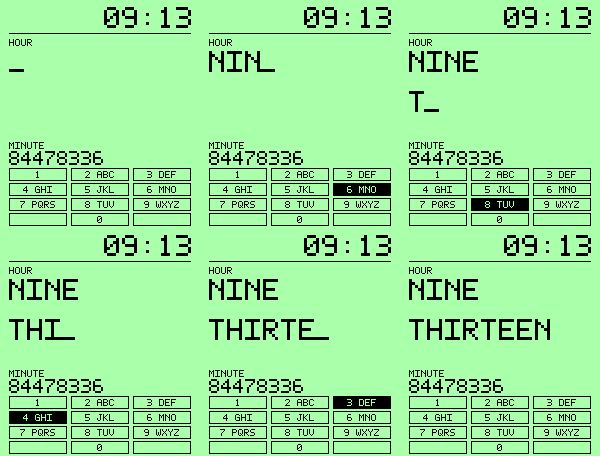
FacesWatch the time type itself, one T9 key at a time. The numeric clock updates immediately while the hour and minute appear in words, with playful predictive-text corrections. Choose your phone • Original: compact pixel lettering and square keys. • Nokia 3310: classic phone lettering and oval keys. • Motorola RAZR V3: sculpted rows, larger aligned digits, and Blue or Silver palettes. Make it yours • Steady typing at Quick, Classic, or Slow speed. • Save settings to preview your changes. • Wrong guesses: Off, Occasional, or Every collision. • Quiet hours: choose when the finished time appears instantly. • Time format: 12-hour or 24-hour. • At :00: O'CLOCK or OH ZERO. • Optional watch-battery icon. • Model palettes or custom background and text colors. Made for Pebble Time 2.
 2
PickleballKeeper
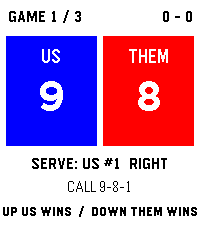
Health & FitnessKeep the rally. Let the watch handle the serve. PickleballKeeper scores pickleball on Pebble Time 2 with two simple inputs: Up when US wins a rally, Down when THEM wins. Tap either team's score panel if you prefer touch; physical buttons always work. In traditional side-out doubles, PickleballKeeper handles the opening 0-0-2 call, server 1 and server 2, side-outs, and the serving court. Singles and rally scoring are available too. Every game is win by two. Choose classic 11-point best-of-three, a single game to 15, a five-game pro-final format, USA Pickleball's 2026 rally option, or a 21-point school-style rally game with win-on-serve freezing. Custom settings let you choose singles or doubles, 11/15/21 points, best of one/three/five, and the scoring rule. The school preset scores one game, not a whole school team event. Save completed matches on the watch. Review wins and losses on a calendar, open game-by-game results, and see a relative plot of optional phone GPS locations. Undo the last rally, choose team colors, and switch touch controls off whenever you want buttons only. Scoring and saved history work without a phone connection.
 1
VolleyKeeper
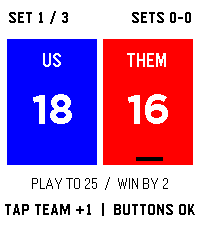
Health & FitnessKeep score at the net, then keep the match. VolleyKeeper is a volleyball scorekeeper for Pebble Time 2. Tap the US or THEM panel to score, or use the physical buttons. Choose 3 sets to 25/25/15, 3 sets to 25/25/25, or 5 sets to 25/25/25/25/25. Sets require a two-point lead. Save completed matches on the watch, review wins and losses on a calendar, and see saved results in match history. Customize team colors and switch touch controls off when you prefer buttons. Optional phone GPS adds a location to a saved match for the on-watch places view. Scoring and match history work offline.
 7
Test Pattern
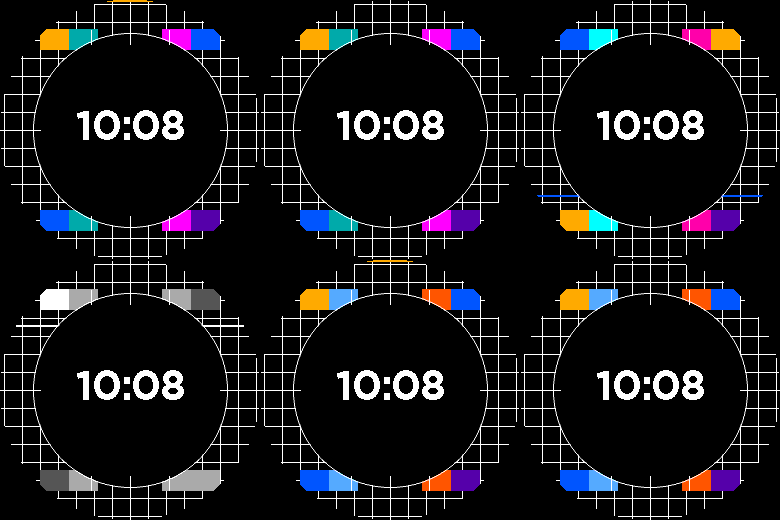
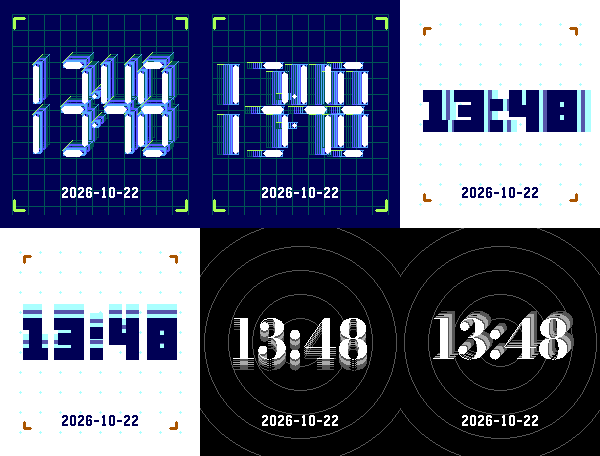
FacesTest Pattern turns a vintage calibration card into a crisp digital clock. A bright alignment grid frames a dark circular clock field, with paired color patches in the corners and fine registration marks. A short scan line sweeps across the background after wrist movement while the time stays fixed. Make it yours • Choose Warm broadcast, Electric, Grayscale, or Night blue. • Follow your watch's 12/24-hour setting, or choose either style directly. • Show no date, YYYY-MM-DD, MM/DD/YYYY, or DD/MM/YYYY. • Show or hide the battery percentage (off by default). • Turn wrist motion off for a completely still face. Made for Pebble Time 2 and Pebble Round 2. The watchface works offline.
 7
Color Key
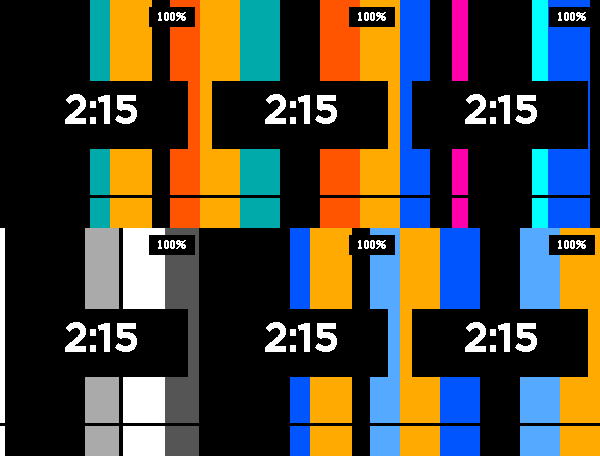
FacesColor Key gives the clock the energy of a classic broadcast color-bar transition. The bars slide into place when you move your wrist, then settle behind a fixed, easy-to-read time. Make it yours • Choose Warm broadcast, Electric, Grayscale, or Night blue. • Follow your watch's 12/24-hour setting, or choose either style directly. • Show no date, YYYY-MM-DD, MM/DD/YYYY, or DD/MM/YYYY. • Show or hide the battery percentage. • Turn wrist motion off for a completely still face. Made for Pebble Time 2 and Pebble Round 2. The watchface works offline.
 2
Level Time
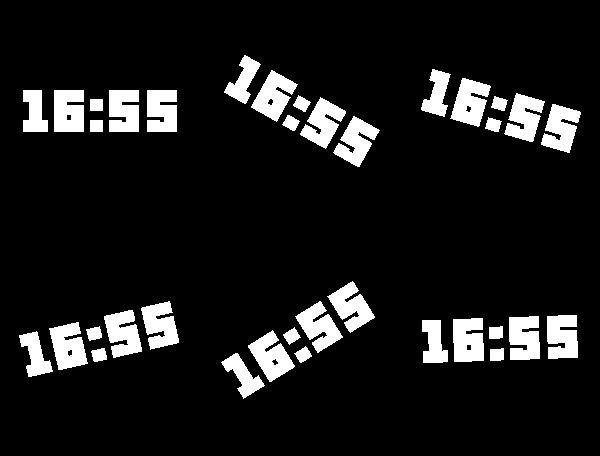
FacesLevel Time keeps the clock easy to read as your Pebble Time 2 rolls with your wrist. The flat digits counter-rotate inside the display, so they stay approximately level instead of tilting with the case. Choose a look that suits your wrist: Ink, Paper, Amber, Field, Signal, or Quiet. Each style has its own numeral design: block, serif, monospaced, bold geometric, condensed, or light. The palettes span warm paper, amber, olive, and restrained gray, with no blue required. Choose no date or one of three date formats. Level Time follows your watch's 12-hour or 24-hour clock preference. Amber includes a simple battery indicator. The face uses the watch accelerometer, works without a phone connection, and holds its last stable angle when the watch lies nearly flat. Made for Pebble Time 2 (Emery).
 20
Rainy Bookshop
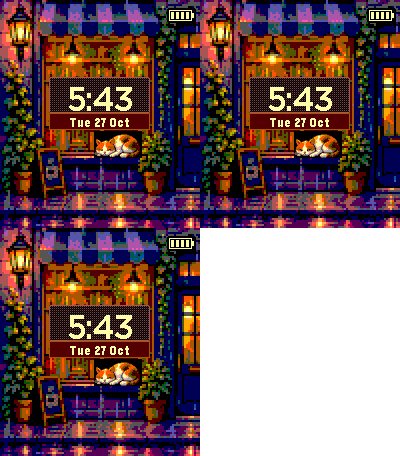
FacesRainy Bookshop turns your Pebble into a warmly lit shop window. A sleepy cat rests beside the books while rain passes outside and a coffee cup marks the chalkboard. New in 0.3.0: a cleaner shop-plaque layout and a violet dusk scene. The date sits beneath the clock on a small warm plaque, and a compact battery icon replaces the percentage badge. Prefer the old look? Choose Original layout in settings. What you can choose • Layout: Clean shop plaque or Original • Scene: day, dusk, night, or automatic. Automatic uses local time: day 07:00–16:59, dusk 17:00–18:59, night 19:00–06:59. • Clock background: Light parchment or Dark window with warm cream digits • Time style: follow your watch, 12-hour, or 24-hour • Date: Off, YYYY-MM-DD, MM/DD/YYYY, DD/MM/YYYY, or weekday/day/month • Gentle scene motion and battery display: on or off The cat briefly opens its eyes, then settles back to sleep. Its body and single curled tail stay still. The clock remains steady. The lead GIF accelerates the pauses between glances; pauses on the watch are much longer. Made for Pebble Time 2 and Pebble Round 2.
 11
Clockfish
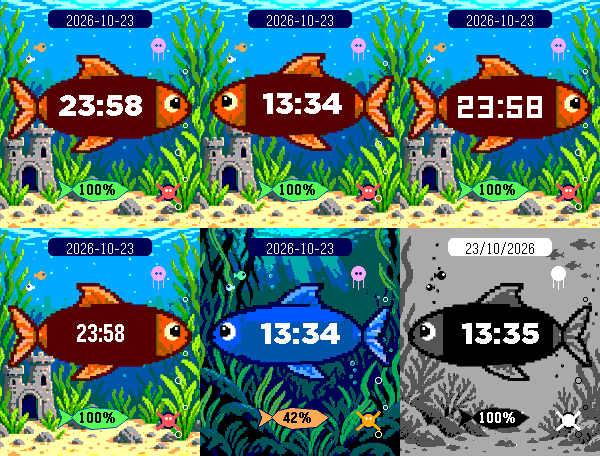
FacesA little aquarium that tells time. The clock fish carries large, upright digits inside its body while bubbles and sea creatures bring the scene to life. Choose the aquarium that feels like yours: - Six time styles: Rounded, Digital bold, Digital fine, Classic bold, Compact bold, and Tall light. - Fish and water colors you choose, or colors that change daily. - Aquarium backgrounds with kelp, reef, castle, and a grayscale look. - Still, Gentle, or Lively motion. The clock fish occasionally glides; bubbles rise, small fish swim, a jellyfish pulses, and a crab sometimes scuttles. The time stays readable when the fish turns. A small battery fish can show the percentage. Choose day, night, or automatic display, and set the date to Off, YYYY-MM-DD, MM/DD/YYYY, or DD/MM/YYYY. Made for Pebble Time 2 and Pebble Round 2. The animated store preview tours settings and scenes; the face uses your selected settings on the watch.
 12
Way Back
FacesDigital time with a sense of depth. The front digits stay fixed while their echoes recede behind them. Build your own look: - Choose from 12 numeral styles, 12 background patterns, six color looks, and eight decorations, including None. - Set 1–12 echoes and choose background, digit, depth, and grid colors. - Use separate palettes for Day, Night, and Auto modes. Choose your movement: - None holds a static trail. - Follow tilt tracks your wrist angle. - Full clockwise orbit moves through eight directions after a tilt or tap, then settles at your current angle. - Pick Quick, Classic, or Slow orbit speed. - Choose Gentle or Deliberate gesture sensitivity. - Reverse the echo direction if you prefer. Saving settings previews one orbit when Full clockwise orbit is selected. The time follows your watch’s 12- or 24-hour setting. Date choices are Off, YYYY-MM-DD, MM/DD/YYYY, and DD/MM/YYYY. For Pebble Time 2 and Pebble Round 2.
 2
Now / Next
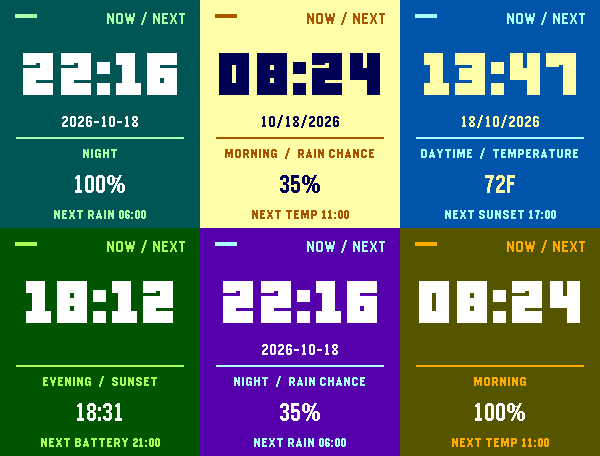
FacesThe time first. One useful detail for this part of your day. Now / Next keeps the Pebble Time 2 screen easy to read at a glance. Set four daily periods—morning, daytime, evening, and night. For each period, choose a start hour and what appears beside the clock: - Rain chance - Current temperature - Today’s sunset - Watch battery The footer shows what comes next and when that period begins. Choose background, clock-digit, and accent colors independently. Set the date to Off, YYYY-MM-DD, MM/DD/YYYY, or DD/MM/YYYY. Time follows your watch’s 12- or 24-hour setting. Weather uses your connected phone’s location and Open-Meteo, refreshing about every 30 minutes. Missing or stale weather reads UNAVAILABLE. Temperature is shown in Fahrenheit. Made for Pebble Time 2.
 21
TERCOM
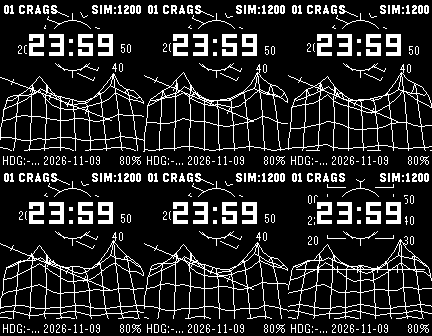
FacesTap your wrist and fly over the terrain. TERCOM brings a CRT-inspired wireframe flight instrument to Pebble Time 2, Pebble Round 2, and Pebble 2. Choose Green phosphor, Amber terminal, Ice blue, or Monochrome on color watches. Pebble 2 uses a high-contrast monochrome wireframe. Explore Crags, a winding Canyon, Dunes, a volcanic Caldera, and layered Alpine ridges. Green remains the default. On the watch, a single wrist tap starts a temporary flight. A rapid double tap changes tracks when enabled. Flight returns to the exact resting terrain position. In the phone settings, choose Flight Off, Short (2 seconds), or Standard (about 4.5 seconds), adjust tilt response, disable double-tap switching, or choose a track directly. The upper-right readout can show explicitly simulated altitude (SIM), daily steps, compass heading, battery, or nothing. Choose an optional ISO, US, or European date in the lower center, daily steps, or an empty center. A dashed illustrative course line is optional. SIM shows a fictional altitude derived from steps. The landscapes and course lines are illustrative. The heading shows --- when a compass reading is unavailable. Time follows the watch's 12/24-hour setting and updates each minute while idle. The preview opens in flight.
 7
Type Foundry
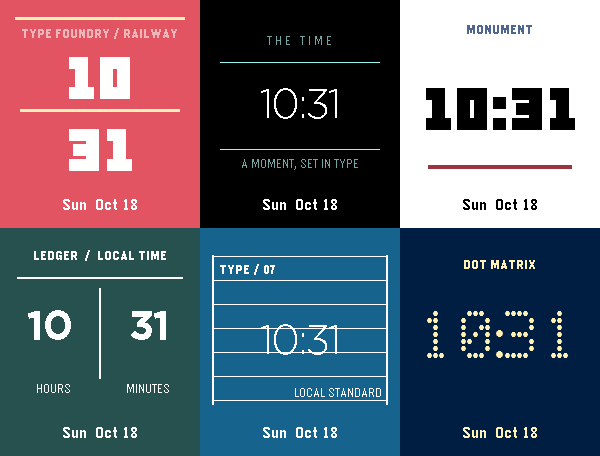
FacesA new typeface for each glance. Type Foundry is a typographic clock with nine distinct treatments for Pebble Time 2. Choose your time style: - Railway, Calculator, or Editorial - Arcade, Monument, or Ledger - Split Flap, Blueprint, or Dot Matrix Choose one of three ready-made palettes, or set the background and digit colors independently. The lower line can be hidden, show battery level, or show a date. Date formats include weekday/month/day, YYYY-MM-DD, MM/DD/YYYY, and DD/MM/YYYY. Time follows your watch’s 12- or 24-hour setting. The animated listing preview tours all nine styles and a custom-color example. On the watch, the face updates once per minute. For Pebble Time 2.
 6
Departure Board
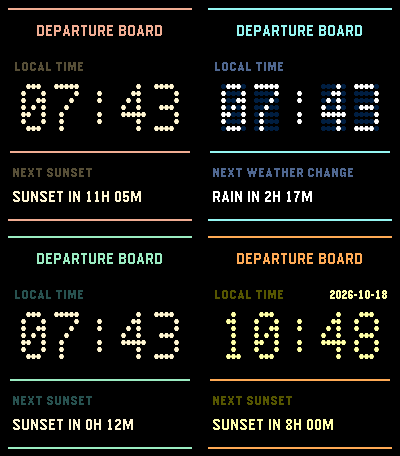
FacesA station clock for your wrist. Departure Board pairs a large flip-dot time display with one useful line beneath it. Choose the second line: - Countdown to local sunset - The next broad weather change: clear, cloud, rain, or snow Choose an amber, blue, or green terminal color. The time follows your watch’s 12- or 24-hour setting and updates each minute. Set the date to Off, YYYY-MM-DD, MM/DD/YYYY, or DD/MM/YYYY; it is hidden by default. Sunset and weather use your connected phone’s location and Open-Meteo forecast data. When fresh data is unavailable, the second line says so. The animated store preview cycles through colors, information choices, and a date example; the watch keeps your chosen settings. For Pebble Time 2.
 1
Change Clock
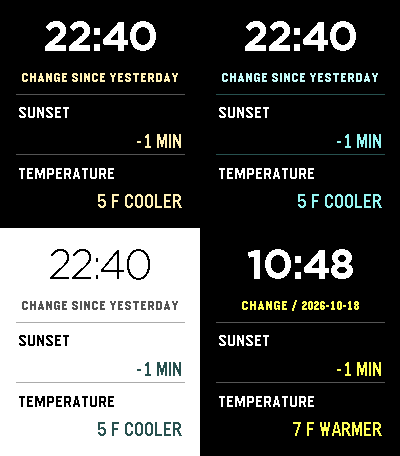
FacesWhat changed since yesterday? Change Clock shows today’s sunset and temperature alongside their differences from yesterday, with a large clock above. Two comparison rows keep the answer brief: - Sunset: how today’s local sunset differs from yesterday’s. - Temperature: the change at the matching clock hour. Choose Charcoal lime, Midnight ice, or Paper ink colors. Choose Large bold or Large light clock text. Set the date to Off, YYYY-MM-DD, MM/DD/YYYY, or DD/MM/YYYY; it is hidden by default. Time follows your watch’s 12- or 24-hour setting. The face uses your phone’s location and Open-Meteo forecast data. Missing or stale phone data is marked unavailable. The animated preview tours colors and a date example. For Pebble Time 2.
 2
Rain Clock
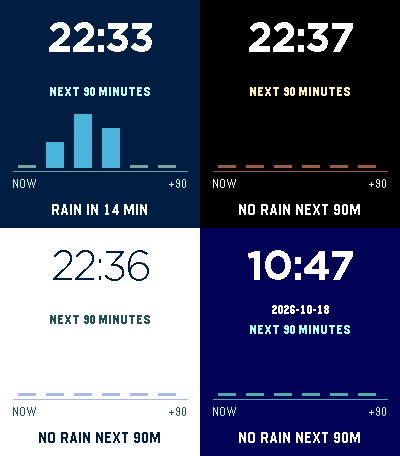
FacesSee the next 90 minutes of rain without losing the clock. Rain Clock keeps time large and places a six-bar precipitation strip beneath it. The face calls out when the next rain interval begins. If the phone forecast is missing or stale, it shows an unavailable state instead of an old prediction. Make it yours: - Ocean blue, Amber night, or Paper blue colors. - Large bold or Large light clock text. - Date Off, YYYY-MM-DD, MM/DD/YYYY, or DD/MM/YYYY; hidden by default. Time follows your watch’s 12- or 24-hour setting. Forecasts use the connected phone’s location and Open-Meteo. The animated preview cycles colors and a date example. For Pebble Time 2.
 7
Pangaea Drift
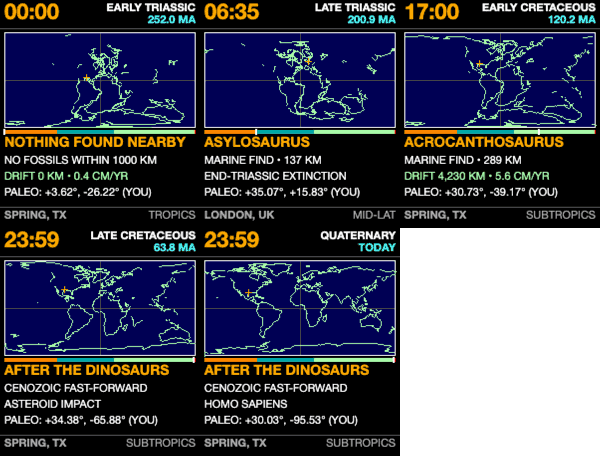
FacesA day across deep time. In Pangaea Drift, midnight begins 252 million years ago at the Triassic dawn. At 23:59, the clock reaches the asteroid impact 66 million years ago; the final minute races through continental drift to the present. Read the Earth beneath the clock: - A digital time display, geological period, and age in millions of years. - A colored day arc for the Triassic, Jurassic, and Cretaceous, with an extinction tick and a cursor. - Reconstructed coastlines and an amber reticle carrying your current ground back on its tectonic plate. - Nearby fossil occurrences, distance, paleo coordinates, and a paleo-climate band. Choose 12- or 24-hour time and a color palette. Phone coordinates are resolved on-device and cached for offline wear. Coastline reconstruction uses plate kinematics from Merdith et al. (2021). For Pebble Time 2. Source: https://github.com/globe-and-atlas/pangaea-watch
 21
Since Then
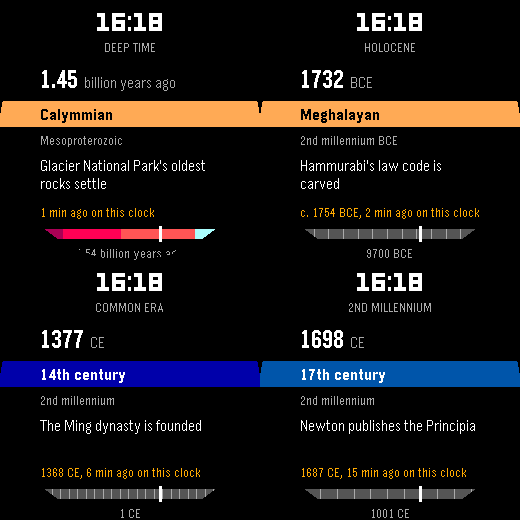
FacesAll of history, mapped to a single 24-hour day. Midnight was the beginning. Tonight at midnight is right now. Since Then compresses vast spans of time into the rhythm of your day. Choose your perspective from four distinct historical lenses in settings: - Deep Time (4.54 Billion Years): The cosmic scale. Oxygen fills the atmosphere mid-morning, complex life emerges after 21:00, dinosaurs vanish at 23:39, and all of recorded human history flashes by in the final six seconds. The last minute ticks by the second. - The Holocene (11,700 Years): The story of human civilization since the end of the last ice age. Watch agriculture emerge at dawn, the pyramids rise before lunch, and modern cities form by evening (~8 years per minute). - The Common Era (2,000+ Years): Classical antiquity to the space age. The Roman world transforms at breakfast, the Renaissance arrives in mid-afternoon, and your own lifetime unfolds over the final hour of your day (~1.4 years per minute). - The Second Millennium (1,000 Years): Modern history in fast-forward. The medieval world gives way to print, science, industry, and the digital era right as you get ready for sleep (~0.7 years per minute). Throughout the day, the face updates every minute (and every second in Deep Time's final minute), advancing the timeline's age or year, the period or century, and the latest historical event with a live counter of how long ago it occurred on this clock. The face works fully offline with no phone connection needed. Features: - 24-hour clock keeps every timeline aligned from midnight to midnight - Choose your timeline lens and custom colors for time digits - Geologic periods follow the ICS International Chronostratigraphic Chart v2024-12 (CC BY 4.0) - Historical events sourced and verified from cited records A Pebble Time 2 and Pebble Time Round watchface by Globe & Atlas.
 11
Constellation
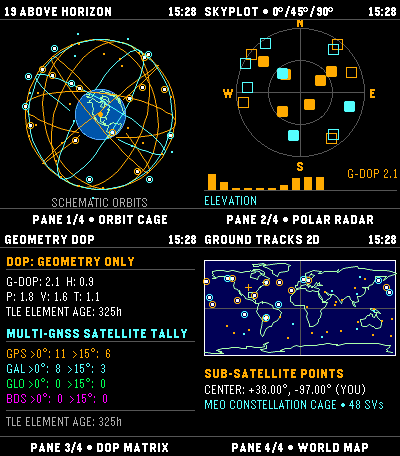
Tools & UtilitiesExplore modeled satellite geometry on Pebble Time 2. Constellation propagates public CelesTrak elements with SGP4 to show GPS, Galileo, GLONASS, and BeiDou positions. It is an educational watchapp, not a GNSS receiver or navigation fix. Four views: - Orbit globe: modeled positions with schematic orbital-plane rings. - Skyplot: modeled azimuth and elevation; bars show elevation, not signal strength. - Geometry: DOP from modeled directions, or N/A when geometry is insufficient. DOP describes geometry, not position accuracy. - World map: simplified coastlines, selected center, and modeled sub-satellite points; no reception-radius circle. Choose phone location or validated manual coordinates. A location failure is shown without substituting another place. Phone coordinates stay on-device and are not sent to CelesTrak. TLE age is shown; fresh elements need internet, while cached elements can be viewed offline. TLEs do not provide a position-accuracy estimate. Hold UP/DOWN to change panes; click UP/DOWN on the globe to rotate; SELECT toggles catalog numbers; hold SELECT to refresh. Data: CelesTrak GP/TLE. Source: https://github.com/globe-and-atlas/constellation-watch
 6
Satellite Overpass
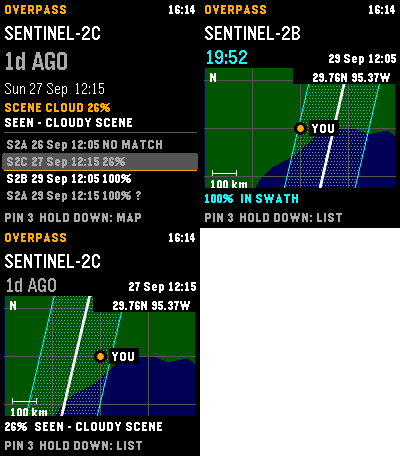
Tools & UtilitiesPlan Landsat 8/9 and Sentinel-2A/B/C passes over your location on Pebble Time 2. Satellite Overpass shows a countdown, hourly cloud forecast, and modeled cross-track coverage. Explore a pass: - See your center, the selected ground track, and its nominal imaging swath on a regional map. - Review 30 days of matching Earth Search scenes, whole-scene cloud cover, and product-lag status. - Save a timestamped pin or refresh the data from the watch. A catalogue no-match does not prove no acquisition occurred. Coverage and swath-edge status are geometric heuristics, not probabilities or guarantees. The map is an overview, unavailable above 80° latitude, and not live navigation. Sentinel-2A has a partial acquisition plan; cloud forecasts beyond five days have little skill. Refresh sends current coordinates to Open-Meteo for clouds and Element 84 Earth Search for scene history. Pins stay on the phone and are not included in those requests; they can be copied as GeoJSON from settings. Fresh predictions require location permission; forecasts and scene history require internet. Cached predictions and maps remain available offline. UP/DOWN selects a pass; hold DOWN switches map/list; SELECT saves a pin; hold SELECT refreshes. Data: CelesTrak, Open-Meteo (CC BY 4.0), Element 84 Earth Search, Natural Earth (public domain). Source: https://github.com/globe-and-atlas/overpass-watch
 14
From Here
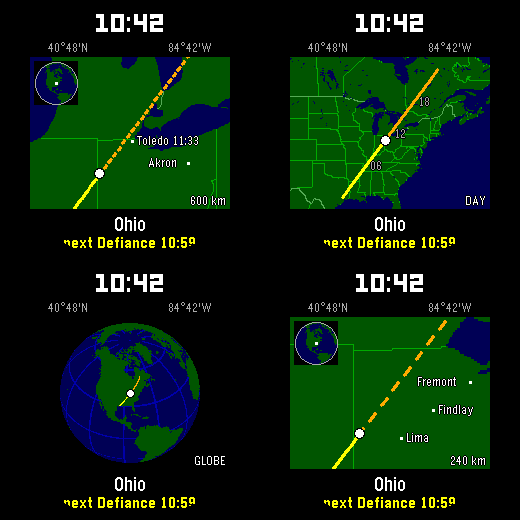
FacesWatch the place your clock points to change through the day. Your location is the start; at 10:42, the route reaches 10°42′ along your chosen map direction. At midnight, the journey begins at home again. Make the route yours: - Choose one of eight directions, or Auto for a path with more land and towns. - Flick your wrist among nearby Now, the default Hour view, the whole Day route, and a Globe. The map shows the destination and names the next town ahead. Over open water, it widens to the Day view. After a minute, the default view returns. Your starting location is rounded to about 10 km and stays on the phone. For Pebble Time 2 and Pebble Round 2, by Globe & Atlas. The Round 2 animation tours four selectable views. Map data: Natural Earth (public domain) and GeoNames (CC BY 4.0).