 52
Earshot
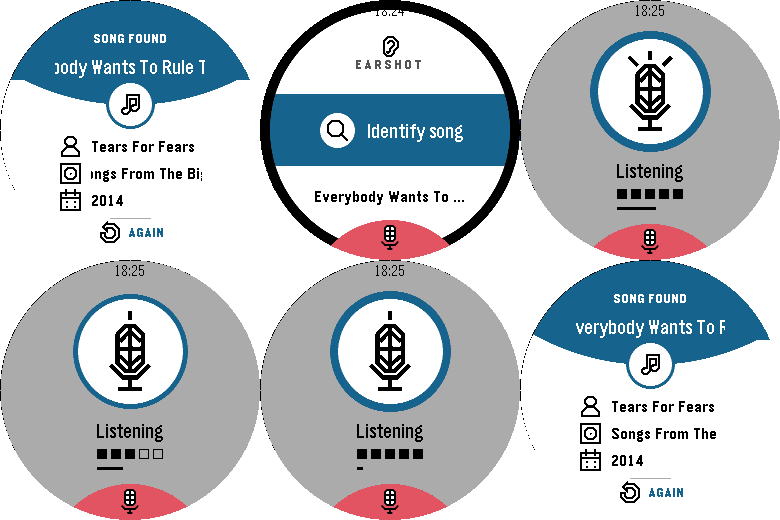
Tools & UtilitiesName the song that's playing, right from your wrist. Press the middle button, hold your Pebble near the music for ten seconds, and Earshot tells you the title, artist, album and year. - Listens through your Pebble's own microphone, no need to take out your phone - A song card with the title, artist, album and release year - Your last 10 songs are kept on the watch: scroll down to see them again - Clear messages when there's no match, the phone isn't connected or the microphone is off Before the first use, allow the Microphone for Earshot on its page in the Pebble app. Recognition needs your phone's internet connection and is powered by AudD. Earshot is not affiliated with AudD or any music service. Works on Pebble Time 2 and Pebble Round 2.
 3
Words
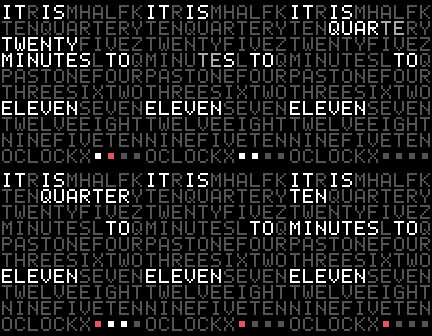
FacesA word clock in dots. A grid of letters spells the time — IT IS TWENTY MINUTES TO ELEVEN — in white, while every other letter waits in grey. - Every letter drawn in 5×7 dots, like an old LED sign - Five-minute words, from O'CLOCK through QUARTER PAST and HALF PAST to TEN MINUTES TO - The minutes in between are four little dots, the newest in red - When the time moves on, the old words dim out letter by letter and the new ones light in - On the Round 2 the letter grid follows the circle and fills the whole screen - Light or dark palette (black on white, white on black) - Watch-only: no phone app, no account, nothing to set up Works on Pebble Classic, Steel, Time, Time Steel, Pebble 2, 2 Duo, Time 2 and Round 2.
 3
Quarters
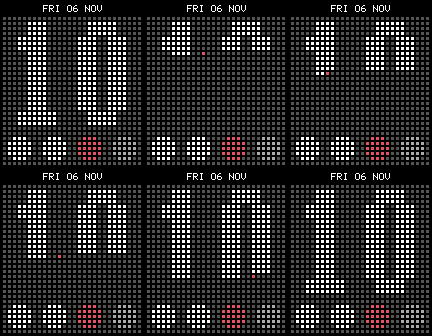
FacesJust the hour, big and bright on a board of dots, and four dots underneath that fill up as the hour goes by. No minutes to count: a glance tells you it's "about quarter to eleven". - The hour in bold dot-matrix digits that fill the screen, lit on a field of unlit grey dots like an LED board - Four quarter dots: the quarters gone by in white, the current one in red, the ones still to come dim - A quiet date line on top - On the hour the new number is rescanned with a red beam; each new quarter's dot pops in - Follows your watch's 12 or 24 hour setting - No phone needed: nothing to set up, nothing to connect Works on Pebble Classic, Steel, Time, Time Steel, Pebble 2, 2 Duo, Time 2 and Round 2.
 9
Front Panel
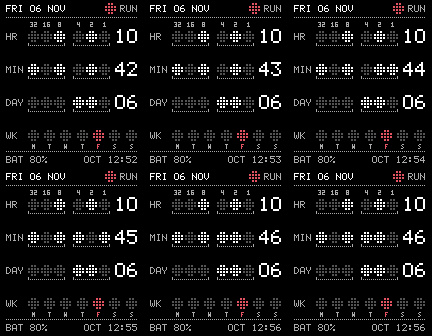
FacesThe time on the lamps of an old minicomputer console. Hours, minutes and the day of the month in binary, each row with its number spelled out at the end, so you can read it at a glance or work it out bit by bit. - Rows of round lamps on a dot-matrix panel: lit lamps in white, unlit ones in grey, read against a silkscreen of bit weights (32 16 8 4 2 1) - HR, MIN and DAY rows grouped in threes by dotted brackets, like a real octal panel, each with its decimal readout - A week row: seven lamps, Monday first, today in red - A red RUN lamp next to the date, and the battery plus the time in octal along the bottom - The lamps flicker to their new state every minute - Light or dark palette (black on white, white on black) - Watch-only: no phone app, no account, nothing to set up Works on Pebble Classic, Steel, Time, Time Steel, Pebble 2, 2 Duo, Time 2 and Round 2.
 30
Vector
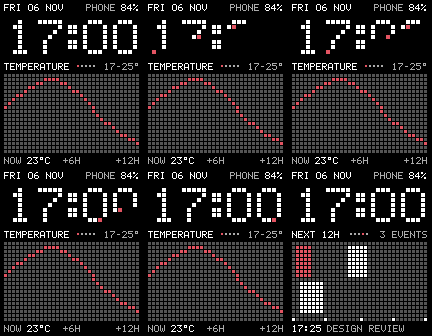
FacesAn oscilloscope on your wrist. Chunky dot-matrix digits up top, and under them a dot panel that plots what's coming: the temperature for the next twelve hours, the week ahead, the sun, your calendar and your steps. - Five pages in one face: TEMPERATURE (the next 12 hours as a red line, with the range and now), FORECAST (seven days as low–high bars, today in red), DAYLIGHT (the sun's arc over the horizon, sunrise and sunset), NEXT 12H (your calendar events as blocks on a timeline, with the next one by name) and STEPS TODAY (hour by hour, the current hour in red) - The page turns every minute, or straight away with a flick of the wrist; pages with nothing to show are skipped - Your favourite reading from the Pebble app's complications sits in the top corner, labelled ("PHONE 84%"), or the watch battery when you haven't picked any - When a digit changes it is rescanned dot by dot, a red beam running ahead of the new number - Every reading is labelled, every gap is even, and the dots are Retro Face's: grey when off, white when lit, red only where it matters - Light or dark Uses Pebble's phone plugins (preview): weather, calendar and your complications come from the Pebble app, so turn on Settings → Plugins in the app (1.16 or later). Steps come from the watch itself. Works on Pebble Classic, Steel, Time, Time Steel, Pebble 2, 2 Duo, Time 2 and Round 2.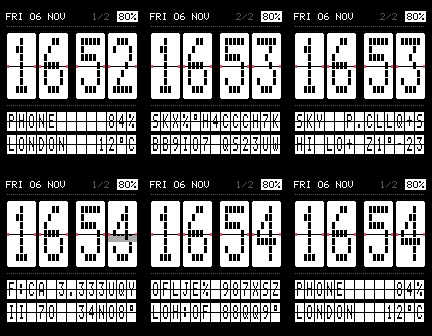 7
Split Flap
FacesA departures board on your wrist. The time sits on four big flaps that fold over at the hinge when they change, and two board rows below run through their letters to show your readings, a pair at a time. - Big white flaps with dot-matrix digits, a hinge gap and little red pins; each change folds the top half down and drops the new bottom half open - Two board rows of small flaps whose letters run through the drum to their new value, rippling left to right - The rows turn to the next pair every minute, or straight away with a flick of the wrist - Shows the readings you picked as complications in the Pebble app (phone battery, a calendar entry, anything a plugin offers), then the weather for your location: temperature, sky, high and low, next sunrise or sunset, rain chance, humidity and UV - Header with the date, the page you're on and the watch battery (red when it's low or your phone disconnects) - Uses Pebble phone plugins (preview): needs the Pebble app with plugins switched on Works on Pebble Classic, Steel, Time, Time Steel, Pebble 2, 2 Duo, Time 2 and Round 2.
 3
Slab
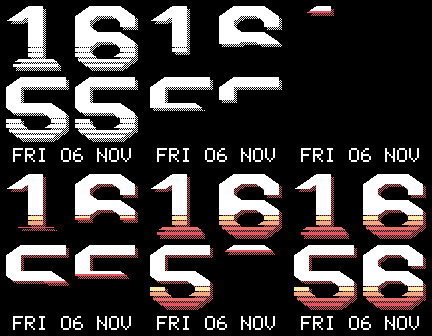
FacesThe time as a poster. Hours stacked over minutes in a chunky slab font of our own, a halftone shadow behind it and 80s speed stripes cutting through the bottom of every digit. The date sits underneath; nothing else. - Slab digits drawn on an 8×12 grid: octagonal bowls, short 45° cuts, square terminals, scaled to fill every screen - A halftone drop shadow, printed in dots, that shows through the gaps in the stripes - Speed stripes in the lower third of each digit, thickening towards the bottom - Sunset stripes on colour watches: yellow through orange and red to magenta (or keep them mono) - Dark or light palette, and the shadow can be turned off - Changed digits scan in from the top with a bright leading edge - The date line turns into a solid bar when your phone disconnects (with a vibration you can turn off) or the battery runs low - No account, no phone connection needed Works on Pebble Classic, Steel, Time, Time Steel, Pebble 2, 2 Duo, Time 2 and Round 2.
 3
Notícies
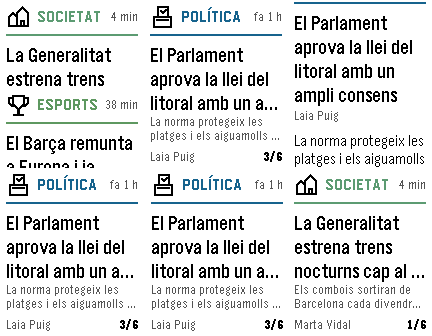
DailyCatalan news from ara.cat on your wrist. Each story is a page: the section with its own icon, how long ago it was published, the headline and the start of the article. Press down to turn the page, up to go back, and the middle button to read the full story. - Headlines from ara.cat, refreshed every 15 minutes while the app is open - 12 sections: Portada, Última hora, Política, Societat, Economia, Internacional, Esports, Cultura, Opinió, Gent, Estils and Mèdia. Hold the middle button to switch section or refresh - A distinct icon for every section: politics, society, economy, sports, culture and more - Remembers the section you read last; works offline with an edition up to a day old - Sponsored content is left out Notícies en català d'ara.cat al rellotge: una notícia per pàgina, amb el titular i l'entradeta. Prem avall per passar pàgina i el botó central per llegir la notícia sencera. Works on Pebble Time, Time Steel, Time Round, Pebble 2, 2 Duo, Time 2 and Round 2. News content belongs to ara.cat; this app is not affiliated with it.
 19
Minimal Dot
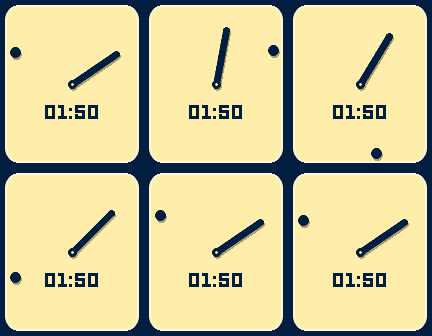
FacesA plain dial, a line and a dot. The short line is the hour; the dot is the minute, running round the edge. Nothing else, unless you ask for it. - The minute dot always runs as close to the edge as it can: round the bezel on round watches, along the sides and into the corners on rectangular ones - Day cycle: the colours follow the real sun where you are (Blush around sunrise, Sunflower, Sky, Coral, Lilac around sunset, Midnight at night), each new colour flooding across the dial as it turns - The hand and dot lift off the dial with a soft shadow - On the hour the dot runs one lap of the edge; every move ends on a little spring - An optional case ring: a dark band with a light inner rim, like the watch it comes from - 12 colour presets plus the day cycle: Sunflower, Midnight, Coral, Mint, Sky, Blush, Noir, Snow, Olive, Cherry, Lilac, Ocean (black & white watches get light or dark to match) - One small extra reading in Pebble's LECO digits, always in the half of the dial the hour hand leaves free: digital time, steps, temperature, the next sunrise or sunset, or heart rate (when your watch has a sensor). Pick several and they take turns every 5 minutes - The hands sweep into place when the face opens - Timeline Quick View aware; temperature and sun times from Open-Meteo, no account needed Works on Pebble Classic, Steel, Time, Time Steel, Time Round, Pebble 2, 2 Duo, Time 2 and Round 2.
 77
Tube Time
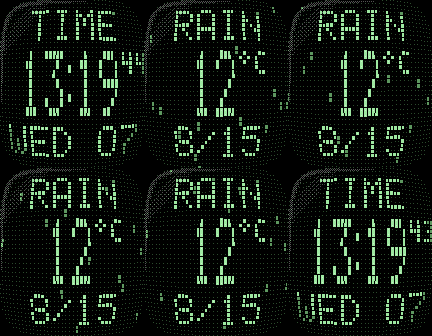
FacesAn early-80s TV watch on your wrist. The time sits on a dot-matrix LCD behind a bulging glass tube: rows curve with the glass, dots shrink and dim towards the rim, and a reflection catches the corner — all set in a case that matches your Pebble. On Pebble Round 2 the tube becomes a round porthole, the whole dot grid wrapped onto the glass like a fisheye. - TIME, big HH:MM with tiny seconds, and the day and date, laid out like the original - Round porthole on Pebble Round 2: rows and columns bow all the way round the circular glass - Shake for the weather: condition, temperature and today's low/high, with rain, snow, fog and lightning playing behind the reading - CRT power-on when the face opens; digits roll when the minute changes - Phosphor colours: green, amber, cyan, white, red LED - Case colours matching Pebble's real finishes: silver, black, gunmetal, gold, rose gold, and the classic plastic colours - Glass bulge (subtle / normal / strong) and reflection on/off - 12/24 h, °C/°F, optional seconds, battery gauge and Bluetooth lamp on the case - Weather from Open-Meteo (no account or API key) Works on Pebble Classic, Steel, Time, Time Steel, Pebble 2, 2 Duo, Time 2 and Round 2.
 366
Retro Face
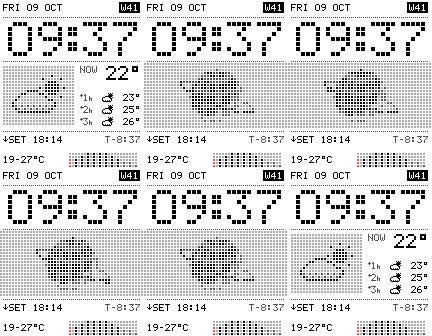
FacesAn 80s instrument for your wrist: chunky LED time, a dot-matrix weather panel, the next hours of forecast and the next sunrise/sunset. Below it, a dot-matrix instrument of your choice: the next 12 hours of weather as LED bars, a step counter racing a goal you set, a beating heart with your pulse (Pebble Time 2) or a battery gauge. Pick several and they take turns every 5 minutes. Black on white or white on black. Wrist-flick shows: orbiting globe, 3D cube, warp, code rain, invaders, Pac-Man, Life, equalizer and an LED marquee. Weather from Open-Meteo, no account needed.
 34
Tasks
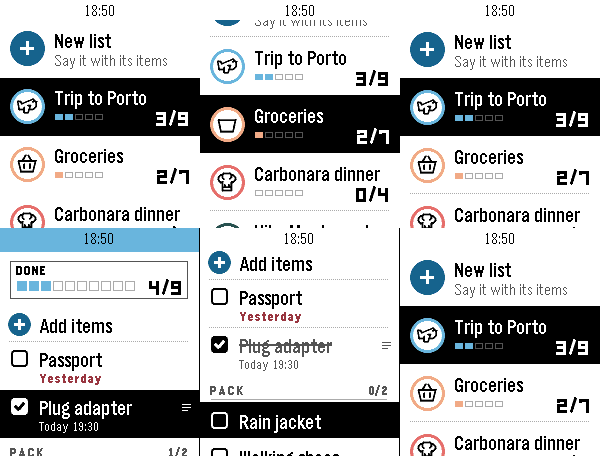
DailyYour lists on your wrist. Tasks is the Pebble companion of the Tasks for Pebble iPhone app (Android coming soon): the same lists on both, in sync within seconds. The watch app requires the mobile app to work. This watch app includes automatic list generation and item addition from your watch which means server costs are there and will require a PRO subscription. If you want to enjoy the app and can't pay for the fees, write an email at hello@ovvio.studio and I will send you a yearly code. • Say a list: choose "+ New list" and say something like "packing list for a weekend in Lisbon". Tasks writes the list with its items. • Add to any list by voice from "+ Add items". • Check items off with SELECT; the iPhone sees it right away. • Each list shows its icon, colour and a progress row, with animations in the watch's own style. • Hold SELECT on a list to change its icon or colour, clear checked items or delete it. Hold SELECT on your lists to re-sync. • Works offline: your lists stay on the watch, and checks you make offline sync when the phone is back. How to start: install Tasks for Pebble on your iPhone, open Tasks on the watch, press SELECT for a 6-character code and type it in the iPhone app under Settings › Pebble. The watch app needs Tasks Pro, a subscription in the iPhone app with a free trial. Lists on the iPhone are free. Works on Pebble Time 2, Pebble 2 Duo and Pebble Round 2.
 58
Pomodoro Face
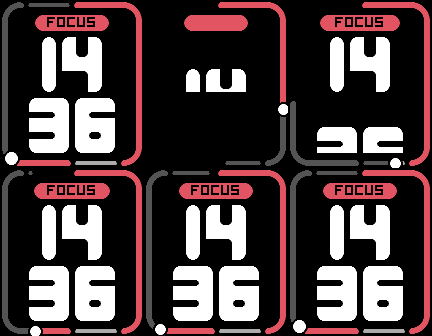
FacesYour hour as two pomodoros. The edge of the screen is a dial split into the hour's four sessions — focus 25, rest 5, focus 25, rest 5 — and it fills as the hour goes by, a bright head marking now. A FOCUS or REST pill tells you where you are, with big rounded hours stacked over the minutes. - The whole edge is the dial: round the bezel on round watches, round the screen on rectangular ones - Focus sessions in the accent colour, rest sessions as a thinner band, the rest of the hour a faint track - Opens with a sweep: the dial runs round, the pill pops open, the digits rise into place - When a session starts the pill wipes to its colour, with an optional vibration (one pulse for focus, two for rest) - Live seconds: the dial creeps on and its head beats - 11 colour themes, pill or text label, 12/24 h - Timeline peek aware: the dial shrinks into the space above Quick View Works on Pebble Classic, Steel, Time, Time Steel, Time Round, Pebble 2, 2 Duo, Time 2 and Round 2.
 76
Offset Face
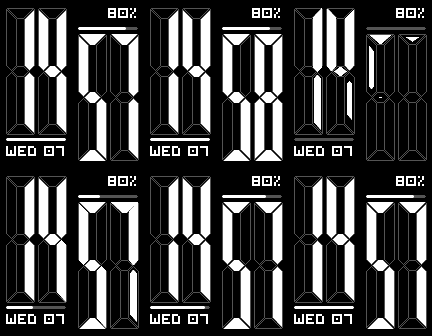
FacesTall seven-segment digits with a twist: the minutes sit lower than the hours. The offset leaves two pockets, and that is where everything else lives — the date under the hours, the battery above the minutes, each with a thin bar. - Real display segments: mitred bars with a hairline between them, the unlit ones etched faintly behind like an LED display - Every minute the digits morph: segments that go out shrink away, new ones spring in - Opens with a power-on sweep along the diagonal - Info pockets: date, battery, steps or weather (Open-Meteo, no account needed), plus the week number where there is room - The bar above the minutes shows battery or seconds (a ring round the bezel on round watches); the bar under the hours stays lit while your phone is connected - 11 colour themes, 12/24 h, °C/°F, vibration on disconnect - Timeline peek aware: the time scales into the space above Quick View Works on Pebble Classic, Steel, Time, Time Steel, Time Round, Pebble 2, 2 Duo, Time 2 and Round 2. Inspired by an old watchface: if you are its creator, get in touch and I'll send you the updated code!
 47
F1 Calendar
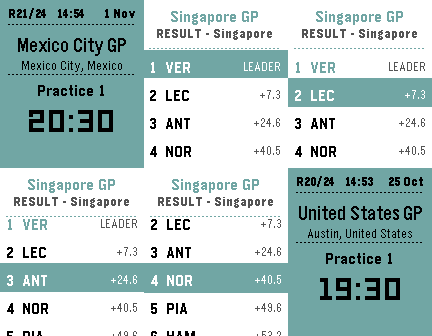
Tools & UtilitiesBecause checking your phone during a race is basically a time penalty. F1 Calendar shows the full season on your wrist — upcoming sessions with countdown times, live positions and gaps when the lights go out, and podium results the moment the chequered flag drops. Cancelled races get the CNCL badge of shame. No login. No API key. No excuses for missing the start. Up/Down to scroll races. Select for details. Long-press Select to refresh.
 36
Tide
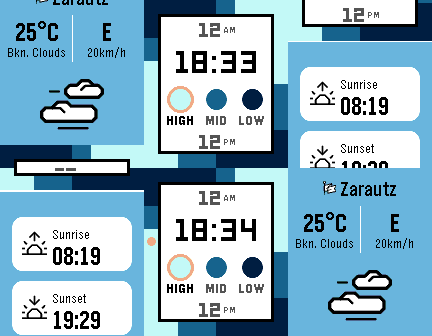
Tools & UtilitiesAn offline surf spot information app for Pebble smartwatch. Browse 194 surf spots across 5 regions and 52 countries to view spot details including best tide conditions, swell direction, wave type, bottom type, skill level, and a 24-hour tide ring visualization with sunrise/sunset times — all calculated offline directly on the watch. The design of the tide screen is based on the Watchface "Halcyon". The overall thinking of having an app like this is to replace my old Nixon watch which had this information.
 417
Flights
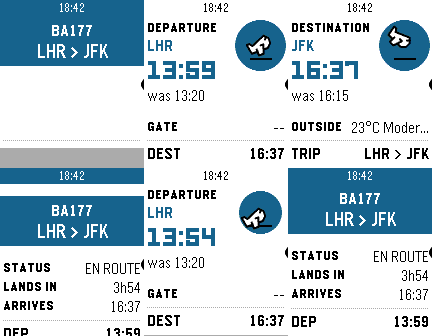
DailyNever miss a flight update from your wrist. Pebble Flights lets you track any flight in real time — just enter a flight code and get departure and arrival times, gates, terminals, aircraft details, delay predictions, destination weather, and more, right on your Pebble. The app is a premium app, and to continue the development of it we made it premium. It has 12h free trial and the cost afterwards will be $5.99. If you have any inquiry please contact at hello@ovvio.studio. Thanks for supporting ♥️. Features: - Real-time flight tracking with smart auto-refresh that speeds up near departure time. - Aircraft details: model, registration, seats, engine type, and more. - Airport delay predictions for departure and arrival. - Route distance and estimated flight time between airports. - GPS distance to your departure airport. - Destination weather: current temperature and conditions at your arrival city. - Live countdown to departure with context-aware tips. - Offline mode: view your last tracked flight without connectivity. - App settings: set your flight code, units (metric/imperial), and time format from your phone. - Timeline pins: add your flight to the Pebble timeline from the options menu. - Multi-flight: Up to 3 flights stored to check on their status How it works: 1. Enter a flight code on the watch or set it from the phone settings. 2. The app fetches live data through your phone and displays it across multiple pages (route, times, aircraft, delays, weather and countdown). 3. Data refreshes automatically
 28
Tennis Score
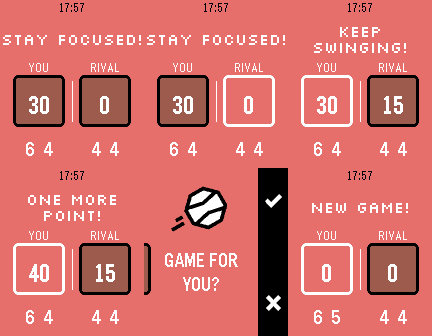
Tools & UtilitiesNever lose track of the score again. Tennis turns your Pebble into a sleek courtside scoreboard that keeps up with every rally. How to play: - Press UP to select your score, press DOWN to select your rival's - Tap SELECT to add a point - Long-press SELECT to undo a point - Confirm each game with a tap -- sets are tracked automatically Full scoring built in: Standard tennis scoring (0, 15, 30, 40, AD), tiebreaks at 6-6, and set history across the match. Stay pumped with pixel-art messages: Your watch cheers you on! See "GAME ON!" at the start, "ONE MORE POINT!" when you're close, "DEUCE! DIG IN!" when it's tight, and "FINISH THEM!" at match point. Your rival leading? "STAY ALIVE!" — you got this. Make it yours: Open Settings on your phone to pick your court color — classic Orange clay, lush Green grass, bold Blue hard court, or cool Teal for the stylish player. Works on every Pebble, designed for all platforms! Game on!
 359
Pomodoro
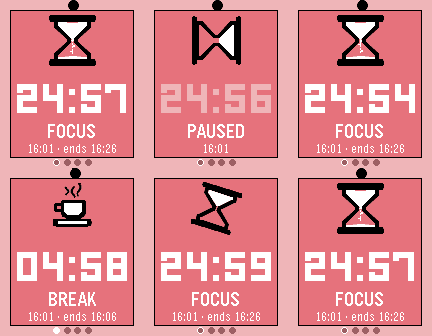
Tools & UtilitiesStay focused, one tomato at a time! Pomodoro turns your Pebble into a tiny productivity coach. Work for 25 minutes (or set the time you prefer), earn your break, and repeat until you've crushed your to-do list. A satisfying progress ring fills up as you go, gentle vibes every 4 minutes keep you on track, and the whole thing runs right on your wrist with zero phone needed. Adjust your session length, pause when life interrupts, and always know what time it is. Works on every Pebble ever made. Now stop scrolling and go focus!
 310
FlipCoin
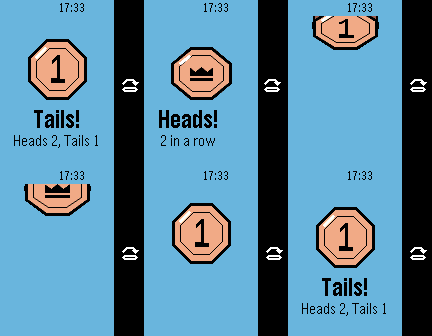
Tools & UtilitiesCan't decide? Let your wrist handle it. Press SELECT, or just shake your wrist, and the coin crouches, launches, tumbles end over end and lands with a thud you can feel. - Looks like it came with your Pebble: status bar, action bar, Gothic type and an octagonal coin drawn in the PebbleOS illustration style - The coin spins in 3D, rises towards you, slips under the status bar at the top of its arc and is caught with a squash and a burst - The result slides in from under the action bar, like the system's own screens - Shake to flip, or press SELECT; long-press SELECT to reset the counts - Streaks ("3 in a row") and your heads/tails totals, kept between launches - Haptics: a tick on the toss, ticks as it spins, a thud on the catch Works on Pebble Classic, Steel, Time, Time Steel, Time Round, Pebble 2, 2 Duo, Time 2 and Round 2.