 12
12Zzz..
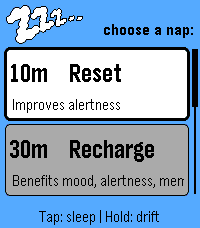
Health & FitnessZzz.. Make time for a little rest. A simple nap companion for Pebble Time 2. Choose your nap, settle in, and let Zzz.. guide you gently back to your day. Pick Reset (10 minutes), Recharge (30), Recover (50), Deep Rest (90), or set your own duration from 5 to 180 minutes. Tap Select to begin settling, or hold it for a calming two-minute breathing exercise with softly building Zzz.. lettering. A movement-based settling period gives you time to get comfortable before the nap countdown begins. It lasts up to six minutes, and you can start the timer immediately with Select. Wake gradually with staged vibrations, a rising sun, and a soothing harp melody that loops and gradually increases in volume in the final wake stage. Need a little longer? Snooze for five minutes. Afterward, record how you feel and see your timed rest, logged naps, and accumulated rest time, with a little encouragement for the rest of your day. Simple controls. A quiet design. A little time for you.
 96
96PebbleNTN - Maps Nav Notification To Nav
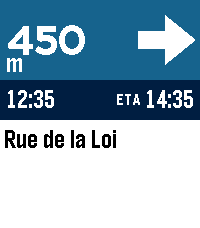
Tools & UtilitiesTurn-by-turn directions from your phone's nav app, on your pebble. PebbleNTN reads your navigation app's notifications and shows the next turn, distance, road, and ETA on your Pebble. No need to reach for your phone! - Google Maps supported now, more coming soon - Accent colours, light/dark, and three arrow styles - Backlight (with RGB support) and vibration options - Metric/imperial, left- or right-hand arrow - Write your own rules, or share logs to help add new apps Requires the companion Android app with notification access. Something not working or have a feature request? Use the 'Contact Developer' option from the Pebble app or create an issue at https://github.com/optio/PebbleNTN/issues
 1
1emstime
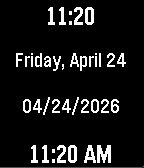
Tools & UtilitiesRapid-reference time and date dashboard for EMS. Track 12h/24h time and critical date metrics instantly at a glance
 5
5Pebble Buy
DailyBESCHREIBUNG DEUTSCH ---------------------------------------------------------------- Pebble Buy – die Einkaufsliste am Handgelenk. Leg dir eine Liste je Laden an – Aldi, Edeka, Baumarkt, Drogerie – und ruf im Laden einfach die passende auf. Abhaken geht mit einem Druck oder Tipp; der nächste Artikel rutscht direkt unter die Markierung. Erledigtes wandert durchgestrichen nach unten. Neue Artikel auf der Uhr: • Diktieren: „Milch, Eier und zwei Kilo Äpfel“ wird zu drei Artikeln – mit Menge • Anfangsbuchstaben wählen, dann aus Vorschlägen tippen (rund 300 Begriffe + deine eigenen) • „Häufig“: deine üblichen Artikel, was bald wieder fällig ist, steht oben Kategorien werden automatisch erkannt und farbig markiert. Funktioniert auch ohne Netz im Laden – Änderungen werden nachgeschickt. Bequem am Computer pflegen: pebble.ni3d.de/buy (Web-App mit Hell/Dunkel-Modus) – drei Tage gratis testen, mit Pro unbegrenzt. Gratis: 2 Listen, Web-App 3 Tage zum Testen. Pebble Buy Pro (einmalig 2.99 USD zzgl. MwSt.): Web-App unbegrenzt, bis zu 20 Listen, Listen mit dem Haushalt teilen (live abgeglichen – wer eingeladen wird, braucht kein Pro) und Statistik mit Kaufrhythmus und „bald wieder fällig“. Freischalten direkt auf der Uhr. Datenschutz: Konto mit E-Mail, gespeichert auf ni3d.de in Deutschland. Keine Werbung, keine Weitergabe; eine anonyme Artikel-Statistik gibt es nur, wenn du sie einschaltest. BESCHREIBUNG ENGLISCH ---------------------------------------------------------------- Pebble Buy – your shopping list on your wrist. Create one list per store and open the right one when you get there. Tick items off with one press or tap; the next item slides right under the cursor. Done items move to the bottom. Add items on the watch: • Dictate: "milk, eggs and two kilos of apples" becomes three items – with quantities • Pick the first letters, then choose from suggestions (built-in + your own items) • "Frequent": your usual items, the ones due soon on top Categories are detected automatically and color-coded. Works offline in the store – changes sync when you're back online. Edit on your computer at pebble.ni3d.de/buy (web app with light/dark mode) – free for three days, unlimited with Pro. Note: the built-in word list and dictation splitting are German-first. Free: 2 lists, web app for 3 days. Pebble Buy Pro (one-time 2.99 USD + VAT): unlimited web app, up to 20 lists, share lists with your household (live sync – invited people don't need Pro) and statistics with buying rhythm and "due soon". Unlock right on the watch. Privacy: account with e-mail, stored at ni3d.de in Germany. No ads, no data sharing; anonymous item statistics only if you opt in.
 8
8WatchieTalkie2
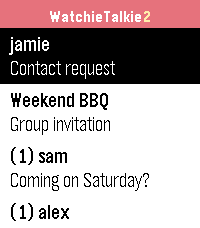
DailyWalkie-talkie for your Pebble – with text. Pick a friend, press SELECT, speak: your words arrive as a text message on their watch. End-to-end encrypted, open source, and you can run your own server. WatchieTalkie2 continues the original Watchie-Talkie app, which has been offline for years. It is a free hobby project: a just-for-fun chat with your friends, right from your wrist. • Speech to text via Pebble dictation (watches with microphone) • Quick replies you define yourself (also for watches without microphone) • Usernames, invitations, blocking • Direct chats and groups (up to 20 people) • History: last 50 messages per chat, kept for 30 days • End-to-end encryption (NaCl): the server operator cannot read your messages • Optional: notifications even when the app is closed, via ntfy (free, also your own server), your own Telegram bot or Pushover – see below • Radio beep on new messages on watches with speaker (Time 2, Pebble 2 Duo, Round 2) – silent during Quiet Time, hold SELECT in the list to mute • Respects Quiet Time: no vibration, no beep • Battery-friendly: long polling only while the app is open, no background activity • Every Pebble: Pebble/Steel, Time, Time Steel, Time Round, Pebble 2, Time 2, Pebble 2 Duo, Round 2 • Open source (MIT) – host your own server with Node.js, no database needed Getting started: open the app settings in the Pebble app, choose a username and invite friends by their username. On the watch: SELECT = speak, long SELECT = quick reply. Why an extra app? A watch app cannot listen for messages while it is closed, and the new Pebble app does not deliver timeline notifications from servers. So a buzz with the app closed needs a normal phone notification, which the Pebble app forwards to your watch. You choose ntfy, Telegram or Pushover; it only gets "New message: <sender>", never the text. Totally optional: without it, messages arrive whenever the app is open. Set it up in the app settings. Beta: use at your own risk, no guarantee of availability or delivery. Not for emergencies. Ideas, feature requests and bug reports are very welcome: https://github.com/sgitaize/Pebble-WatchieTalkie/issues Source code & self-hosting: https://github.com/sgitaize/Pebble-WatchieTalkie Like it? Buy me a Spezi 🥤 to support the server and hosting: https://www.paypal.com/donate/?hosted_button_id=LGAZB9PR4YV5L
 9
9Pebble Arcade
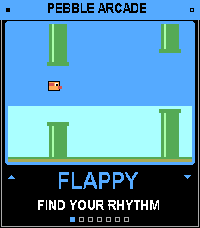
GamesSix retro arcade games in one app, playable with just your watch buttons. Pick a game from the menu, play a quick round, and hit SELECT to retry. Games Flappy: tap to flap through the pipes. Snake: turn left and right to grow the snake. Stack: time each drop to build the tallest tower. Pong: keep the ball alive against the wall. Breakout: smash the bricks, then clear each level. Helicopter: hold to rise, release to fall, and thread the cave.
 1
1Disc Golf
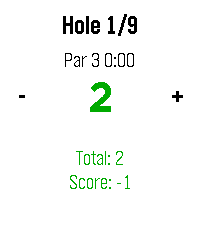
Health & FitnessSimple app to track basic disc golf round stats.
 0
0JustText
Tools & UtilitiesFor learning
 6
6Tasks
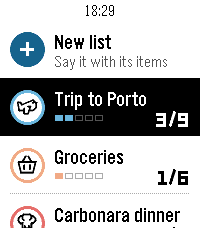
DailyYour lists on your wrist. Tasks is the Pebble companion of the Tasks for Pebble iPhone app (Android coming soon): the same lists on both, in sync within seconds. The watch app requires the mobile app to work. This watch app includes automatic list generation and item addition from your watch which means server costs are there and will require a PRO subscription. If you want to enjoy the app and can't pay for the fees, write an email at hello@ovvio.studio and I will send you a yearly code. • Say a list: choose "+ New list" and say something like "packing list for a weekend in Lisbon". Tasks writes the list with its items. • Add to any list by voice from "+ Add items". • Check items off with SELECT; the iPhone sees it right away. • Each list shows its icon, colour and a progress row, with animations in the watch's own style. • Hold SELECT on a list to change its icon or colour, clear checked items or delete it. Hold SELECT on your lists to re-sync. • Works offline: your lists stay on the watch, and checks you make offline sync when the phone is back. How to start: install Tasks for Pebble on your iPhone, open Tasks on the watch, press SELECT for a 6-character code and type it in the iPhone app under Settings › Pebble. The watch app needs Tasks Pro, a subscription in the iPhone app with a free trial. Lists on the iPhone are free. Works on Pebble Time 2, Pebble 2 Duo and Pebble Round 2.
 398
398Member card
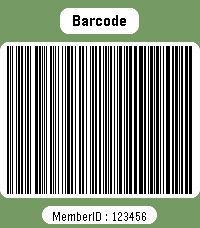
DailyWear your membership cards on your wrist. Works with linear and 2D barcodes: CODE128, CODE39, CODE93, EAN8, EAN13, UPC-A, CODABAR, ITF, Data Matrix, PDF417, Aztec and QR Code. QR Code helpers are included for vCard contact cards and Wi-Fi network sharing. You can also add memo cards for short notes, IDs, locker codes, or any text you want to keep on your watch. Select cards with the up/down buttons. Press select to enter scan mode with forced backlight and a wider display area. Cards are stored on the watch, so no phone is needed to display them. Storage is limited by Pebble's persistent storage: the app uses up to about 4 KB for saved cards. The exact number of cards depends on barcode type and content size.
 11
11Roon Remote for Pebble
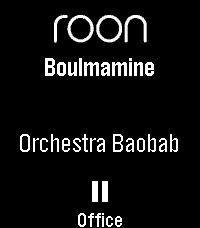
RemotesRoon Remote is a Pebble app that connects seamlessly to your Roon Core, letting you manage your audiophile endpoints without ever reaching for your phone. KEY FEATURES - Complete Playback Control: Play, pause, and skip tracks with ease. - Instant Volume Adjustments: Use your physical buttons to quickly dial in the perfect volume, complete with a sleek visual overlay and fixed-volume endpoint detection. - Zone Management: Seamlessly cycle through and control all of your active Roon audio zones on the fly. - Live Metadata: See the current track, artist, and zone name updating in real-time on your watchface. - Touch Enabled: Fully supports tap-to-play/pause, skip tracks, and adjust volume on modern capacitive touch screens (Pebble Time 2 / Pebble Round 2): Tap: play/pause Swipe Left/Right: change tracks Swipe Up/Down: change zone Hold-and-swipe Up/Down: adjust volume Tap-and-hold: pause all zones - Highly Customizable: Tweak font sizes, enable marquee or multi-line wrapping scrolling for long track names, and set smart battery-saving inactivity timeouts via the companion settings page. REQUIREMENTS (Companion App) To connect your watch to your Roon Core, this app requires a lightweight Node.js bridge extension running on your local network (easily deployed via Docker, a NAS, or a local PC). Detailed setup instructions and the open-source bridge code are available at the project's GitHub repository. Watchface version available as well, see the Roon Community posting for more details.
 18
18Dad Jokes
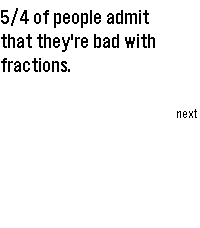
DailyGet ready to roll your eyes and groan. Dad Jokes delivers over 1100 of the finest, most agonizingly punny dad jokes right to your wrist. Built from the ground up for the 2026 Core Devices Pebble lineup but also backwards compatible, this app doesn't just display text—it performs. Whether you are waiting in line at the grocery store or just need some fresh material to test out on your seven-year-old, this app guarantees an audible reaction. It features a custom, bare-metal PCM synthesizer that plays custom audio stingers directly from your watch's physical speaker. Nail the punchline with a perfectly timed "Ba-Dum-Tss!" rimshot, a descending circus march, a vintage digital watch beep, or a classic flatulence sound. Key Features: - Massive Growing Library: Over 1100 classic dad jokes loaded dynamically. - Custom jokes integration through settings - Custom Audio Engine: Synthesized percussion and melodies that utilize exact hardware timing for crisp, staccato sound effects. - Smart Scheduling: Configure jokes to appear at a specific time of day or at random intervals within a set window. - Tailored UI: High-contrast (light and dark modes), easily readable text with native scroll indicators mapped directly to the physical buttons, as well as touch scrollable (where applicable).
 4
4PebbleRain
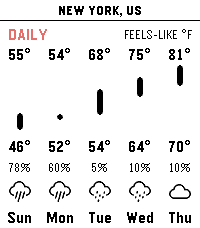
Tools & UtilitiesPebbleRain brings comprehensive real-time weather forecasts directly to your Pebble watch. Powered by Open-Meteo, you can track local current conditions and extended forecasts without any paid subscriptions. [FEATURES] - Simple Three Pages: Press UP/DOWN to cycle between current conditions, a 24-hour hourly forecast, and a 7-day daily outlook. - Multi-Location Support: Long-press UP/DOWN to cycle between current GPS and your custom locations. - Actual vs. Feels-Like Toggle: Press SELECT to instantly switch between actual and apparent temperatures across all pages. - Metric & Imperial Units: Long-press SELECT to toggle between metric (°C, km/h) and imperial (°F, mph). - Touch Navigation: Full support for horizontal touch scrolling to view timeline chart. - Configurable Settings: Use the app settings to toggle live GPS, add cities or custom coordinates, and manage saved locations. [REQUIREMENTS] Requires an active internet connection on paired phone. No API keys required.
 0
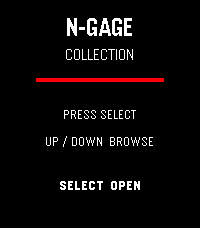
0N-Gage Collection Deck
Tools & UtilitiesN-Gage Collection Deck A visual checklist for Nokia N-Gage collectors. Track Release Games, G3.0, G2.0, G1.5 and Not For Sale cards with individual collection status.
 3
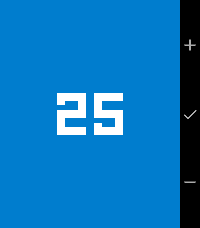
3SprinkleDo Timer
Tools & UtilitiesA simple, colorful multi-timer for Pebble. Create several countdown timers at once, each tracked independently and running even while backgrounded. Big monospaced digits, one-tap creation, and a full-screen alarm that keeps buzzing until you dismiss it.