 6
6ReVolver
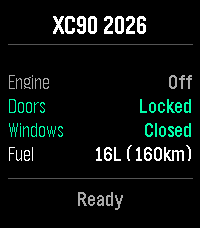
RemotesRemote control your Volvo car from your wrist. ReVolver — Remote Volvo controller. Also "volver" (Spanish): "to return/come back" to your car. Control your Volvo from your Pebble watch via the official Volvo Connected Vehicle API. Monitor: Engine, Doors, Windows, Fuel & Range Commands: Flash, Honk, Lock/Unlock, Engine Start/Stop, Climate Start/Stop Highlights: - Dynamic menu based on your car's capabilities - Confirmation for sensitive actions - Vibration feedback - Auto token refresh Setup: Enter VIN > Log in with Volvo ID > Done. Privacy: Tokens stay on your phone. Open-source auth proxy — no data stored server-side.
 11
11AI Assistant
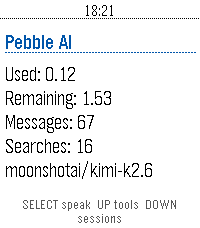
Tools & Utilities**THIS IS A VIBE CODED PROJECT, THERE IS BUGS AND ROUGH EDGES.** **THIS HAS ONLY BEEN TESTED ON THE Pebble Time 2, AND HAS BEEN OPENED ON THE Pebble Time.** # Info I would probably recommend you to just use Bobby or Wrist AI. Unless you have tried them and don't vibe with them. Also the code for this is on GitHub, if you want to modify or critique my (GPT-5.6-sol's) code. You are also free to contact me on either GitHub though and issue or by pressing the `CONTACT DEVELOPER` button at the bottom of this page. I may be a bit slow when it comes to answering, sorry in advance. If you want to know everything about the app and what tools it has, where data is send, stuff like that, head over to the GitHub (`SOURCE LINK` at the bottom of the page) and check out the README.md. # Controls ## Home Screen - SELECT: Start voice dictation. - UP: Open tool settings. - DOWN: Open saved sessions. - BACK: Exit the app. - Hold SELECT: Clear the current conversation. - Hold UP: Open tool settings from any screen except a choice prompt. - Hold DOWN: Open saved sessions from any screen except a choice prompt. ## Conversation Screen - UP / DOWN: Scroll through the conversation. - SELECT: Dictate another prompt. - BACK: Cancel an active request. If no request is active, return to the home screen. - Hold SELECT: Clear the conversation and start a new session. ## Tool Settings - UP / DOWN: Move between tools. - SELECT: Enable or disable the selected tool. - BACK: Return to the previous screen. ## Saved Sessions - UP / DOWN: Scroll through saved conversations. - SELECT: Start a new dictated prompt. - BACK: Return to the previous screen. ## Choice Prompts - UP / DOWN: Move between choices. - SELECT: Confirm the highlighted choice. - Select Say your own: Dictate a custom answer. - BACK: Cancel the choice prompt. ## Touchscreen Models - Swipe vertically: Scroll through the current screen. # Vibrations ## Short Pulse - When the first text of an assistant response arrives. - When you clear the current conversation. - When a tool setting is successfully toggled on or off. ## Double Pulse - When an assistant response finishes. - When the phone reports an error. - When a prompt, choice answer, cancellation, or other AppMessage fails to send. - When an incoming message is dropped during an active request. ## Normal (if things go well) 1. A short pulse when the answer begins arriving. (You can now begin reading) 2. A double pulse when the complete answer has arrived.
 1
1unWatch
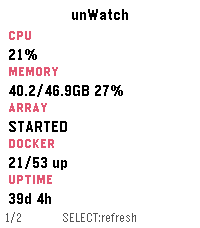
Tools & UtilitiesMonitor your unRAID server directly - nobody else sees your data! A Pebble Time 2 watchapp that shows live stats from an unRAID server on your local network, spread across several pages you can enable/disable in settings. Press SELECT to refresh, swipe or press UP/DOWN to change pages. Everything happens over your LAN. Your phone talks to the watch over Bluetooth, and the phone talks to Unraid's GraphQL API directly over Wi-Fi. Nothing goes over the internet. You can connect remotely using a service like Tailscale or other VPN. Pages Stats - CPU/memory %, array state, Docker running/total, uptime. Temperatures - CPU temp and the 3 hottest disks. Array - capacity (used/free/total in TB) and parity check status. Virtual machines - running/total count and up to 3 running VM names. UPS - status, battery %, load %, estimated runtime. Alerts - unread warning/alert/total counts from Unraid's notification center. Pages can be disabled as desired.
 43
43Hacker News Reader
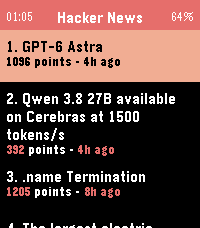
DailyBrowse Hacker News and read full articles directly on your wrist. The app fetches the top stories from Hacker News, with more available at the tap of a button, and lets you read the full article content by scrolling with the Up/Down buttons or your finger on the touchscreen. Press Select to switch between light and dark themes, and Back to return to the story list. Requires a phone connection to fetch content.
 508
508Touchy Weather - Weather App
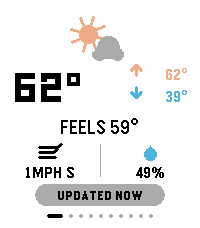
DailyTouchyWeather is a playful, card-based weather app for Pebble that mixes useful forecast data with personality for touchscreen Pebble Watches. It is the most feature complete weather application for the Pebble Platform. It’s designed around fast swipes, quick glances, and weather advice that is very practical. Keywords: weather, forecast, pebble, smartwatch, touch, swipe, current conditions, temperature, feels-like, wind, humidity, hourly forecast, 6-hour outlook, week ahead, 4-day forecast, precipitation, rain probability, UV index, air quality, AQI, sunrise, sunset, sun cycle, moon phase, night sky, golden hour, blue hour, weather radar, meteorology, climate, real-time, touch-first, wearable, glance-first, weather app, widget, interactive, customizable, weather cards, location-based, atmospheric, radial gauge, dynamic guidance. Included Features: ✓ Real-time current conditions (temperature, feels-like, high/low) ✓ Wind speed & direction display ✓ Humidity tracking ✓ 6-hour hourly forecast ✓ 4-day week-ahead view ✓ Precipitation probability charts & alerts ✓ UV index gauge with risk classification ✓ Air Quality Index (AQI) with health context ✓ Sunrise & sunset times ✓ Moon phase & illumination percentage ✓ Golden hour & blue hour timing (for photographers) ✓ Live weather radar imagery ✓ Touch-gesture controls (swipe, pull-to-refresh) ✓ Personality-driven weather advice ("Touch & Go" card) ✓ Fully customizable card layout ✓ Multi-platform support (rectangular & round displays) ✓ Location-aware weather data ✓ Celsius & Fahrenheit support ✓ Dark mode / theme options Device Compatibility: Pebble Time Round, Pebble Time 2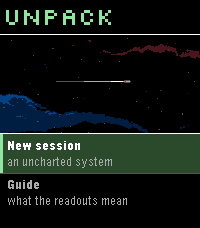 20
20Unpack
GamesA von Neumann probe game for Pebble. You arrive in an uncharted system with a seed payload and no infrastructure. Unpack yourself into power and extraction, work the bodies you find, and build what the colonists will arrive to -- factories, colony frames, and finally the orbital ring you leave through. The system keeps interrupting with decisions that have no clean answer, and the clock never stops for them. A run takes 2-4 minutes, start to departure or failure.
 3
3Trains France
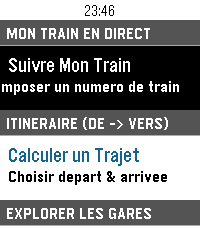
DailyApplication non officielle pour suivre vos trains sur le réseau ferré français. Fonctionnalités : Suivi de train en direct avec itinéraire complet, arrêts intermédiaires et retards en temps réel (TGV INOUI, OUIGO, TER, Intercités, Transilien, RER) Calculateur d'itinéraire entre deux gares avec sélection rapide du départ (immédiat, plus tard, le lendemain) Recherche rapide de gare via clavier intégré sans défilement Gares à proximité par localisation GPS avec distance affichée Info Trafic en direct (détection des perturbations et alertes sur la ligne) Interface optimisée pour Pebble Time 2 (Emery) : écran couleur 200×228, support tactile et boutons Prêt à l'emploi : fonctionne immédiatement sans configuration mobile préalable Mentions légales : Données fournies par SNCF Open Data. Projet open-source indépendant développé par 3DTero, non affilié, approuvé ni associé à SNCF Voyageurs, SNCF Réseau ou au groupe SNCF.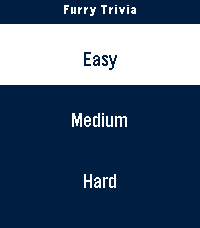 6
6Furry Trivia
GamesA simple trivia game pertaining to the furry fandom! Play it alone or with friends and test your knowledge. I've tested the ability to play this on round screens and I believe I've done a good job based on the online emulator. Any issues or concerns feel free to reach out through the app store or on any IM under @furchee
 11
11Catholic Rosary
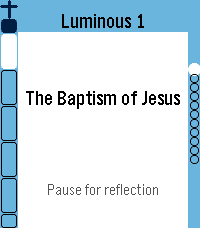
Tools & UtilitiesUPDATE: Now in English, Spanish, German, Italian and French. Quiet, reliable prayer companion. It walks you bead by bead through the entire Holy Rosary with gentle haptic feedback marking each bead as you go. Simple, reverent, and built to get out of your way — so you can focus on the prayer, not the app. ★ Full Rosary Tracker — a bead ring (round watches) or bead column & strip (rectangular watches) shows exactly where you are at a glance, with the current bead always highlighted. ★ Two Ways to Pray — Traditional mode advances one physical bead per button press, just like praying with beads in hand. Complete mode gives every single prayer its own screen — great for praying slowly, word by word, or learning the Rosary for the first time. ★ All Four Mysteries — Joyful, Sorrowful, Glorious, and Luminous, with "Today's Mystery" auto-selected by the day of the week, plus jump-to-section and resume support if you're interrupted. ★ Full Prayer Text — read every prayer right on your wrist, with adjustable text size and a scrollable reader that auto-advances as you finish each one. ★ Daily Mass Readings — today's readings (and up to a week ahead), fetched from Evangelizo straight to your watch. ★ Prayer Drawer — look up any Rosary prayer on demand, without starting a full Rosary. Note: on the original Pebble (Aplite), the Rosary Tracker runs fully; the prayer text reader, Daily Readings, and Prayer Drawer aren't available due to hardware limitations.
 0
0Bus/Tram Strasbourg
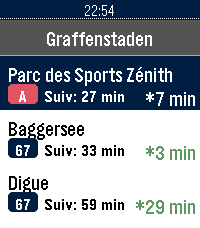
DailyApplication non officielle pour le réseau de transport de Strasbourg (CTS). Fonctionnalités : Horaires en temps réel (SIRI) avec rafraîchissement automatique et décompte à la minute Secours 100% hors-ligne avec horaires théoriques complets (GTFS) : Tram A–F, Bus G, H, C1–C9, 10–76 Recherche rapide d'arrêt avec clavier tactile T9 Arrêts à proximité par localisation GPS et favoris enregistrés sur la montre Info Trafic en direct (perturbations et alertes du réseau) Disponibilité en temps réel des Parkings Relais (P+R) et guide des tarifs Mentions légales : Données fournies par la CTS et l'Eurométropole de Strasbourg sous Licence Ouverte 2.0 (Etalab). Projet indépendant, non affilié ni approuvé par la Compagnie des Transports Strasbourgeois (CTS).
 7
7BPM Tapper
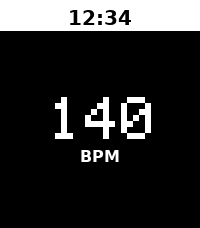
Tools & UtilitiesTap to detect BPM Metronome start after 2 beat no input You can adjust BPM with upper/lower button to match your music Long press middle button to setting
 51
51Sae Weather Graph
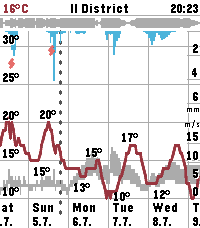
DailyHighly informative weather forecast graph for Pebble Time 2. The only weather app you'll ever need! Sää [ˈs̠æː] is Finnish for weather. Sae is Finnish for rain. The app works globally. Displays 10 days of hourly values for: - Temperature, day's min/max - Precipitation - Thunder - Wind speed, gust speed, direction - Cloud cover level - Relative humidity - Air pressure - UV index - Sunrise/sunset times - Golden hours - Dark hours App controls: - Step forward/backward: press down/up - Toggle zoom: press select - Select location: long press select - View hourly values: touch the screen Data sources: - The Finnish Meteorological Institute (FMI) if you're in Finland or nearby - Open-Meteo elsewhere - Possibly others in the future Configuration options: - Units & formats - Data selection - Preset locations Open source. Or open slop. The app is 99% vibe coded.
 0
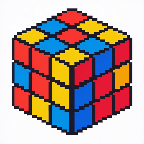
0PebbleCube
Tools & UtilitiesSimple speedcubing app.
 66
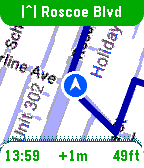
66MirrorMap
Tools & UtilitiesSee it in action: https://x.com/MirrorMapNav/status/2057143831699796173 *Pebble app needs it's BATTERY set to UNRESTRICTED to reliably send GPS* A navigation watchapp showing live directions on a smoothly rendered map with rerouting and travel modes. This is Pebble's nav app we've been missing! MirrorMap uses the Gmaps API for the best routing available. It can mirror a trip from your phone — share the destination from Gmaps , and it syncs the same trip on your wrist, or just select one of the saved addresses for a standalone trip! Three ways to use MirrorMap: THE MAP: Get the free watch app to explore at 30fps and see your real-time position. ROUTES (subscription): Save *home*, *work*, and *custom* addresses. Start navigating from the watch or even the Pebble settings page. Miss a turn? Shake to reroute! DASH (Play Store app): Besides having it's own Routes subscription, Dash can receive destination shares from any app with a share button-- watch instantly navigates there. Also, share a location from google maps, and both the phone and watch navigate together, in sync, so you can pay attention to either. For prices and more info go to: https://Mirrormap.app (click website link below) Android only: iOS Pebble app lacks the browser APIs that MirrorMap depends on.
 35
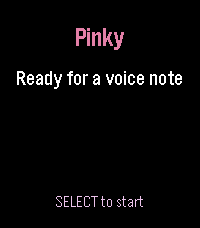
35Pinky
Tools & UtilitiesPinky turns your microphone-equipped Pebble into a one-button voice notebook. Assign it to Quick Launch, long-press from the watchface, speak, and Pinky opens native dictation. The transcription is saved to a searchable library on your paired phone before the watch app closes—no server required. In Pinky's companion settings, browse, search, copy, research, or delete notes and export the library, including research results, as CSV. Optional AI research uses your own OpenRouter API key. Choose a model and hotword (default: “research”), then begin a note with it to generate a research brief. Results and sources stay attached to the note. Optional web search can ground answers in current public sources. Optional email can send new notes, research results, and launch-driven daily or weekly digests. Choose the shared Pinky Mail beta, your own EmailJS account, or a private HTTPS relay. Personal routes never fall back to the shared service; email and AI are off by default. Features: • Immediate native Pebble dictation • Phone-local searchable note library • Copy, delete, and CSV export • Configurable OpenRouter research and web search • Shared, personal EmailJS, or private-relay email Supports Pebble Time/Steel/Round, Pebble 2 SE/HR/Duo, Pebble Time 2, and Pebble Round 2. Requires a paired phone, Internet, and working Pebble voice transcription. Stores text, not raw audio. Pinky is an independent community project and is not affiliated with Pebble.