 2
2Step Goals Plus
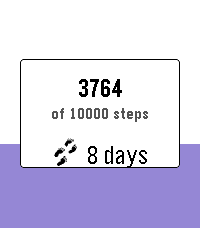
Health & FitnessTrack daily steps with a live progress fill, streak counting, bonus goals, and mid-goal encouragements — built for Pebble Time, Time Round, and Pebble Time 2 (Emery). Open the app to see today’s steps fill the screen from the bottom up. Press Select for settings: - Main daily goal (2k–20k) - Optional bonus goal on top of your main target - Streak count and best streak - Vibrate at 50% / 75% of your goal - Theme colors (purple, blue, green, red) On Pebble Time 2 you can optionally show your current streak on the progress screen. Works across restarts - you still get a celebration when you hit your goal. Credits: original Step Goals by Travis La Marr; Step Goals Plus UI by dauletle; maintenance and streak fixes by Yaron Sheffer.
 453
453Home Assistant WS
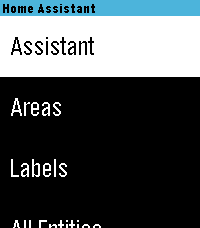
RemotesHome Assistant control with real-time updates, voice commands, entity history, calendars, and support for a wide range of devices and helpers. Control your Home Assistant smart home directly from your watch. Browse and control entities, check live states, view history graphs, view and edit calendars, manage To-Do lists, control media, and use voice commands with Home Assistant Assist, ChatGPT, and other conversation agents. * Real-time Home Assistant status updates and control via WebSocket * Browse entities by area, type, or favorites * Control lights, switches, fans, covers, climate devices, alarms, timers, media players, and much more * Voice commands with multiple Home Assistant conversation agents * View entity history with graphs and recent state changes * View and edit Home Assistant calendars and events * Full media controls including volume, seek, source, shuffle, repeat, and speaker grouping * Manage Home Assistant To-Do lists * Edit helpers including numbers, selects, text, dates, and times * Touchscreen support on compatible watches * Support for all Pebble screen sizes, including round watches and Pebble Time 2 Home Assistant WS connects directly to your Home Assistant instance and does not require a separate cloud service. iOS Compatibility Note: This app requires the new Core Devices Pebble app for iOS. The older legacy Pebble app uses an outdated JavaScript engine and is not compatible.
 8
8Subtitles
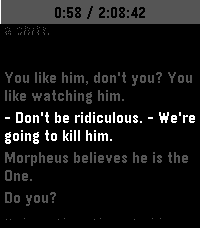
Tools & UtilitiesThis is an app to see the subtitles of a movie or show on your watch :)
 1
1Rubik's Cube
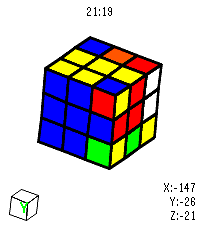
GamesVirtual Rubik's Cube for Pebble Time 2. I got close to solving it but messed up on the last layer 😭 Open source so yall can fork and make it better. Made using Claude.
 4
4CoasterWatch
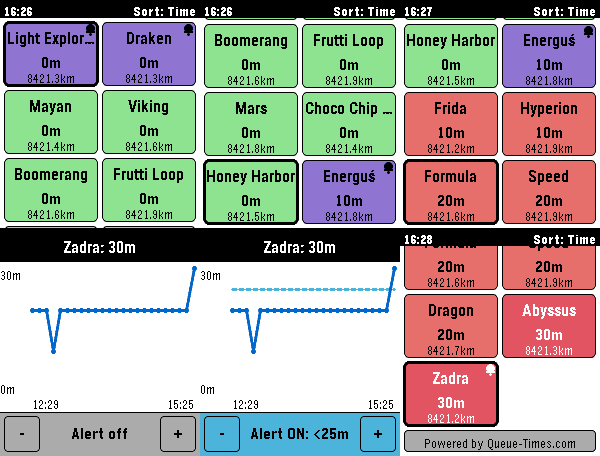
Tools & UtilitiesCoasterWatch brings live theme park queue times and wait-time trends right to your wrist, powered by Queue-Times.com. Yes, it is vide-coded - sorry-not-sorry 🙂. The app needs to stay open on your watch for queue times to keep updating and for alerts to fire. I made this app as I'm off to Energylandia next week - hopefully it won't rinse the battery but as of yet it's not been tested on a proper trip. Supported Parks: • Energylandia (Poland) • Thorpe Park (UK) • Do feel free to send a message (or an issue/PR on Github) if you want a particular park adding. Features: • 🎢 Live Queue Times: With customizable colour thresholds (Short, Medium, Long). • 📍 Distance-Aware Sorting: Sort rides by proximity or shortest wait times. • 📈 Wait Time History Graphs: Click into any ride to see a graph of today's queue trends. • 🔔 Proximity & Threshold Alerts: Set target wait-time alerts on your favourite coaster and get buzzed when lines drop. • 👆 Touch Navigation: Full touch support for Pebble Time 2 & Round 2 — tap to inspect, fluid inertial flick scrolling, pull-down to refresh with elastic spring bounce, and swipe-to-dismiss. • 🔒 Touch Lock Mode: Double-click the SELECT button to lock the touchscreen and prevent phantom touches on water rides or in the rain. • 🔋 All-Day Battery Efficiency: Intelligent Bluetooth diffing, 5-minute GPS caching, and adaptive battery scaling ensure your watch easily lasts a 12+ hour park visit. • ⚙️ Full Clay Configuration: Reorder favourite rides, customize wait-time colours, and pick custom vibration alert patterns from your phone.
 18
18PebbleRecorder
Tools & UtilitiesTurn your Pebble watch into a remote start/stop trigger for audio recording on your phone. Press a button on the watch, and a companion Android app records straight to a folder you choose — no need to touch your phone. You will need the companion android app from https://github.com/BigWebstas/PebbleRecorder/releases Or find it on the F-Droid App Store
 5
5Verse
DailySimple app to get a verse of the day Powered by ourmanna.com API
 161
161What time is it?
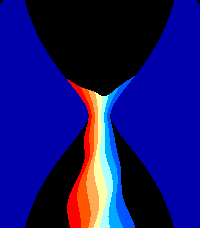
Tools & UtilitiesMusic and visuals demo designed for Pebble Time 2. It was presented at Xenium 2026 in Poland. Press select to toggle light on/off Press down to toggle loud music / higher audio quality https://youtu.be/r3HWmCo4JLY Read more about the demo scene computer art subculture: https://en.wikipedia.org/wiki/Demoscene
 2
2Mi T03
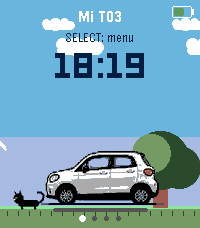
Tools & UtilitiesMi T03 connects your Pebble watch to your Leapmotor T03 through Home Assistant (leapmotor-ha integration) — no custom servers or MQTT bridges needed. From your wrist you can: - Check battery level, estimated range, and charging status at a glance. - See whether the car is parked, driving, or charging, with large, clear icons — including estimated charge-end time, charging power, and current speed while driving. - View all 4 tire pressures on a top-down car diagram. On touch-capable models, tap a wheel to highlight it and see its exact pressure. Any tire at 2 bar or below turns red automatically, with a one-time Timeline alert. - See at a glance whether the car is locked, via a color-coded lock icon next to the battery indicator. - Check the state of all 4 windows on a car diagram, same style as the tire page. - Trigger fast cooling, fast heating, or turn off climate control, with on-watch confirmation. - Open or close the sunshade. - Lock or unlock the car. - Feel a distinct vibration for successful vs. failed actions, without looking at the screen. - Get a Timeline notification when charging stops, a tire is low, a window is left open while parked, or the car is left parked and unlocked. - Pick your car's display color (white, black, or light blue). - Refresh manually, or let it auto-refresh every 15/30/60 seconds while the app is open (configurable, battery-friendly by design). Requires your own Home Assistant instance with the Leapmotor T03 already set up via leapmotor-ha (github.com/kerniger/leapmotor-ha), reachable from your phone (LAN, VPN, or public domain), and a Home Assistant long-lived access token. Everything is configured from the watch — nothing to set up outside of it.
 1
1Soccer Timer
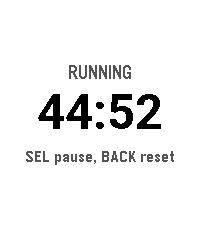
Tools & UtilitiesSoccer match timer with vibration alerts at 2 minutes, 30 seconds, and full time. Keeps counting past zero so you can track stoppage time."
 0
0Ref Match
Tools & UtilitiesApp to record time, goals, cards as a soccer referee
 16
16Pikkleball
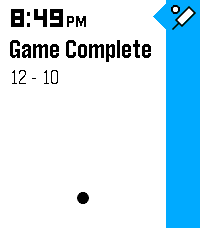
Health & FitnessTrack your Pickleball match scores! - 🎯 Supports 3 modes, Standard (11 pt. match) and Rally scoring (15 or 21 pt. matches) - 💾 Saves/Restores during exits - 😎 Automatically tracks serves on Standard matches while scoring - ✌️ Automatically adjusts scoring goal to assert wins by 2 points (in both modes) - 👆 Supports touch (tap) to bump scores Controls - [Back] - Exits - [Select] Change modes (Start screen) | Mark self as starting server (on game start) | Hold for 3s to reset score (mid game) | Back to menu (on game end) - [Up/Down] Select starting side | Mark which side scored
 3
3Stibble
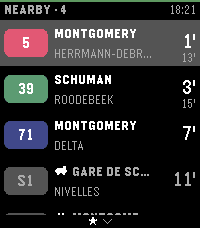
DailyStibble shows live STIB-MIVB departures on your Pebble Time 2. It covers the bus, tram, and metro network of Brussels. The app finds the stops nearest to you. Each stop shows its lines. Each line shows a badge in its official color and the wait in minutes. The board refreshes every 30 seconds. You can pin favorite stops. Favorite stops always stay on the board. Hold the select button to open the favorites list. Configure the app from your phone. Search for stops, pin favorites, and turn the arrival vibration on or off. The interface speaks English, French, and Dutch. Stop names show in French or Dutch. The status bar color shows the app state at a glance. Green means live data. Other colors show a lost phone, a lost network, or old data. Stibble continues the work of Aurélien Ooms, who made the original pebble-stib-mivb app. Data source: STIB-MIVB – Open Data (CC BY 4.0)
 4
4Moon Phase
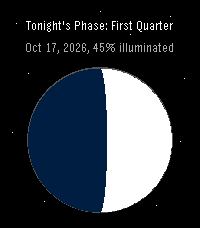
DailyPebble app to show tonight's moon phase
 0
0Osteo Recall
Tools & UtilitiesRecall app for osteo students