 6
6Omni Scorer 2
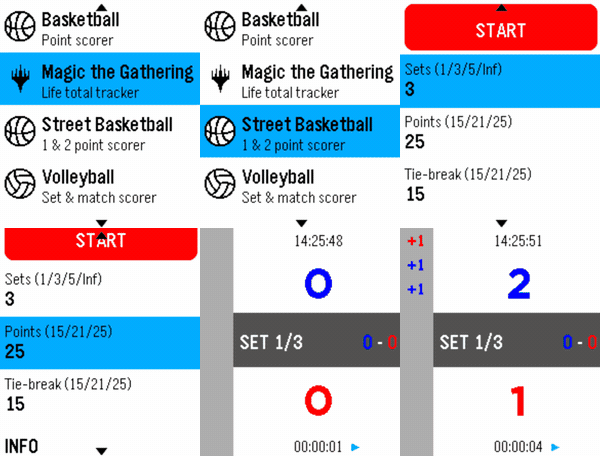
Tools & UtilitiesOmni Scorer 2 is a multi-sport scorekeeper built for Pebble smartwatches, designed to be fast and effortless to use during play — score a point with a single button press, without needing to stare at the screen. Currently supported activities: -Volleyball -Basketball -Street Basketball -Magic: The Gathering -Tennis -Padel Each scorer keeps a scrolling, color-coded history of the match so you can always check what just happened, and the app remembers exactly where you left off — it reopens on the same screen you last used. New sports and activities will keep being added over time. If there's a specific sport or scoring format you'd like to see supported, feel free to reach out — requests are welcome! Omni Scorer 2 is free to use. If you'd like to support its development: https://ko-fi.com/eh003
 12
12Velo
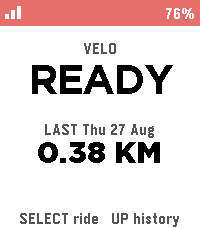
Health & FitnessBiking/Cycling Companion for your Pebble, local to your pebble. Download the companion app for your phone and click select to start tracking, currently tracks the following metrics: -Current speed -Distance -Ascent -Ride History Works natively on your phone and watch with no accounts required, no cloud needed.
 6
6Routines
Tools & UtilitiesConfigure up to 10 custom routines with up to 10 tasks each.
 1
1TimeReader
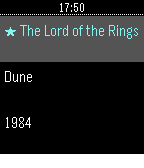
Tools & UtilitiesReading stopwatch: time each session, track pages/hour and ETA.
 9
9TSUBUTEGOE
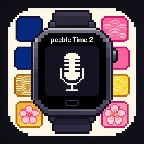
Tools & UtilitiesTSUBUTEGOEは、日本の伝統色を使った、日本人向けのシンプルな音声メモアプリです。Pebble Time 2用に作られています。 時計の内蔵マイクとDictation機能を使って、タイトルと短いメモを声で入力できます——読み返すのにスマホ用アプリは必要ありません。メモは時計本体に直接保存され、日付順に並び、手首の上でそのまま確認・削除できます。画面には藍色・桃色・山吹色・桜色といった日本の伝統色をあしらい、落ち着いた和の雰囲気を演出しています。 なお、音声認識自体は時計に搭載されているDictation機能(音声認識エンジン)を利用しているため、対応していれば日本語以外の言語でも音声入力は可能です。アプリのインターフェース(画面表示)自体が日本語という位置づけです。 主な機能: タイトルと本文の2段階で音声入力できるメモ機能 自動的に新しい順で並び替え 確認ステップ付きでメモを選択・削除 日本の伝統色を使ったインターフェース ちょっとしたリマインダーや買い物リスト、忘れたくない思いつきのアイデアに——タイピングは一切不要です。 TSUBUTEGOE is a simple, Japan-inspired voice memo app for Pebble Time 2 — made with Japanese speakers in mind. Speak a title and a short note using your watch's built-in microphone and Dictation feature — no phone app required to read them back. Memos are saved directly on the watch, sorted by date, and can be reviewed or deleted right from your wrist. The interface uses a palette of traditional Japanese colors — indigo, pink, golden yellow, and cherry blossom — for a calm, distinctly Japanese feel. Since dictation is powered by your watch's built-in speech engine, you can actually speak in any language it supports — only the app's interface itself is in Japanese. Features: - Voice-to-text memos in two parts: title and body - Automatically sorted, newest first - Select and delete memos with a confirmation step - Interface styled with traditional Japanese colors Perfect for quick reminders, shopping lists, or fleeting ideas you don't want to lose — no typing required.
 0
0TrackGlance
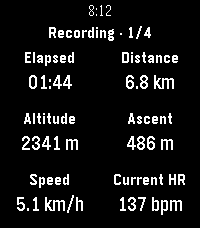
Health & FitnessView and control Locus Map track recordings from a Pebble Time 2 or Pebble Round 2. TrackGlance brings an active Locus Map track recording to your wrist. Choose the metrics shown for each Locus activity, switch between up to four pages, pause or resume recording, stop and save, and add waypoints. Pebble Time 2 also supports dictated waypoint notes and can send watch heart-rate readings to Locus. ⚠️ Important Setup Information: This watchapp requires both the Locus Map app and the TrackGlance Android Bridge companion app to function. Currently, the Android Bridge is not available on the Google Play Store and must be sideloaded manually. You can download the latest Bridge APK directly from the GitHub releases page here: https://github.com/ChristianHerget/trackglance/releases/latest
 29
29Rain Map
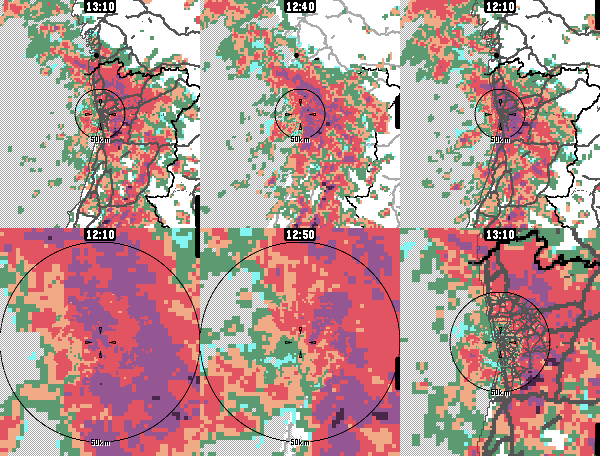
DailyApp for viewing recent rain radar data. For the most accurate near-future rain forecast. The app features proximity-based resolution, to give you the most detailed data closest to your location. Radar data sources: - Rainviewer, https://www.rainviewer.com/ - Finnish Meteorological Institute, https://en.ilmatieteenlaitos.fi/open-data-manual-radar-data - Maybe others in the future Map data sources: - Geoapify for live raster tiles - OpenStreetMap & Natural Earth for static vector maps App controls: - Select timestep: Press up/down or touch the screen - Switch zoom level: Press select/back - Highlight map features: Long-press select - Show legend: Zoom too much Configure units, (free) Geoapify API keys etc. from the app's phone-side settings page.
 3
3Can's HR Sender for Pebble
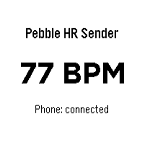
Health & FitnessCan's HR Sender for Pebble is a Pebble watch app that reads live heart-rate data from the watch and sends it to the Android companion app Can's Pebbleton HR Bridge. Together, the two apps make the Pebble heart-rate sensor available as a standard Bluetooth Low Energy Heart Rate Service for compatible fitness equipment and apps. Support the project This project is free to use. If it works well for you and you would like to support future development, you can buy me a coffee: ☕ https://buymeacoffee.com/koprulucan Companion App (NEEDED): Can's Pebbleton HR Bridge is currently going through the Google Play testing process. Until the public Google Play release is available, download the latest Android APK from GitHub Releases: https://github.com/koprulucan/Cans_Pebbleton_HR_Bridge/releases Android project repository: https://github.com/koprulucan/Cans_Pebbleton_HR_Bridge The current Android application ID is: de.cankoprulu.pebbletonhrbridge
 2
2Trinary Timer
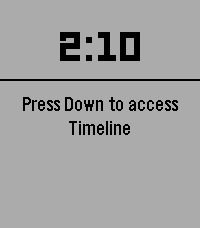
Tools & UtilitiesTimer with Trinary Selection option for up to 27 custom timers. You can select any of these timers within 3 button presses by tapping Up, Select, and Down. Hold Up to add a new timer and Hold Down to select a timer to delete. Quick Launching also exits after 3 seconds so you can set and forget.
 37
37Fish-N-Time
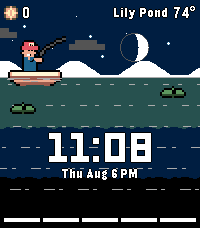
GamesInspired by Cast-N-Chill, welcome your new watchface, Fish-N-Time! A one button fishing game and watch face! Features: Time Date Local temperature display Discreet battery indicator near the bottom Accurate scrolling moon phase and day/night cycle, timed with sunrise/sunset Character customization Upgrades Fish log Pauses when not being played to display as a watchface
 1
1Good Egg
GamesGatchi like game where you raise a small ugly child
 358
358Night Sky
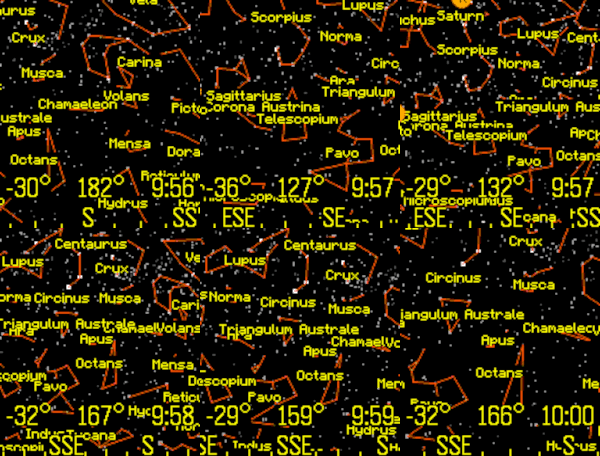
Tools & UtilitiesView the stars, constellations, and planets of the night sky. The up and down buttons change the field of view. Click the middle button for custom settings, selecting planets, or choosing a constellation. The orientation can be set by compass, tilting the Pebble, or can be locked to a specific heading. Latest Pebble models can use touch to pan the display. Memory is tight, so only 1,000 stars are in the original Pebble and 4,000 stars for the newer Pebbles. Voice dictation is supported for newer watches. To use this feature, select "Voice" from the menu, and clearly state the name of a planet or constellation. Some sample terms to try are "Moon" and "Aquarius". This app has been updated for the newest Pebble Time 2 and Pebble Round 2 apps.
 4
4Storyline
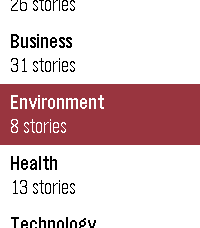
DailyShows what news outlets are reporting, grouped by event rather than by publisher. When several papers cover the same story you get one card, not eight near-identical headlines. When a story runs for days the watch keeps the thread: press SELECT on a card marked "N updates" to walk back through how it developed, one day at a time. - Eleven publishers, refreshed daily - Stories grouped by event, not repeated per outlet - Multi-day timelines for stories that keep running - Browse by category: world, politics, sport, culture, business, technology, science, health, education, environment and UK - Works on every Pebble, from the original through to Pebble Time 2 Where sources disagree on the facts or the framing, cards are marked so you know the story is contested. A fuller explanation of how they differ is coming to the web. Coverage is currently UK publishers, with other regions planned. Collects anonymous usage statistics: how often the app is opened, which categories are read, how far down the feed you scroll, and whether story timelines are opened. This includes your country and a random per-watch identifier so repeat use can be counted. It does not include your name, your location beyond country, your IP address, or which individual stories you read. Not affiliated with, endorsed by, or a publication of any news organisation. Headlines and summaries are generated from publicly available RSS feeds.
 5
5Bring!
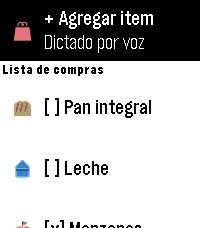
Tools & UtilitiesSync your Bring! shopping list directly to your Pebble. Now with touch control! View pending items on your list, featuring category-specific icons (bread, dairy, fruits, vegetables, meat, beverages, cleaning supplies). Select an item to mark it as bought (and select it again to reactivate it) — it syncs instantly with the Bring! app. Add new items using voice dictation, without taking out your phone. Simple setup: log in with your Bring! account just once from your phone and choose which list you want to sync. Bring! does not offer an official public API. This app uses the same undocumented REST API utilized by the Home Assistant integration, so it may stop working if Bring! changes its backend without prior notice.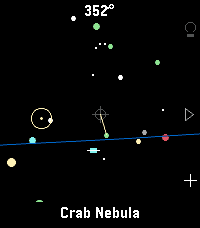 22
22Star Watch
Tools & UtilitiesA tool for finding and identifying objects in the night sky. Just hold your wrist up to the sky and discover what's up there! Features include: - Manual targeting (point the crosshair at sky objects for names) - Object targeting (pick from several lists of objects to be pointed to where they are currently in the sky) - Backlight on/off (all) as well as a red backlight mode (currently Emery only) for easy nighttime viewing. - Zodiac view mode - All stick figures (constellations) mode - Heading, horizon, ecliptic options - Touch screen mode available Tilting up and down is smooth thanks to a dedicated tilt sensor in the watch; unfortunately, the watch's compass azimuth updates (left & right movements) can be poor at times. I've added software filters to help smooth it out for now. Once gyro access is added to the Time 2 and Round 2 firmware, I'll update this app for a smoother, more responsive sky-scanning experience. Built for Pebble Time 2. Your mileage may vary on Pebble Round 2 and Pebble 2 Duo. If you find a bug or have a suggestion, let me know!