 30
30Breathing Meditation
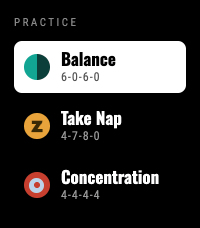
Health & Fitness3 Breathing Patterns: Balance (6-0-6-0), Take Nap (4-7-8-0), and Concentration (4-4-4-4). Now supports touch Press Heart ❤️ if you like it Features: Flexible Timers: Choose session length from 1 to 30 minutes. Fluid Visuals: Water level gently rises and falls with your natural breath. Haptic Feedback: Short vibrations guide your inhale and exhale so you can practice with closed eyes. Select a practice, set your minutes, and follow the flow to start breathing.
 17
17Alarm Rock
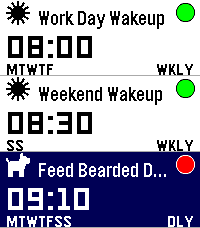
Tools & UtilitiesI was tired of not having a seamless integration between alarms and smart watches on Android. I discovered that unless you had a phone and watch of a matching brand, it seems alarms were either set on the watch or on the phone, and there was no way to control one from the other. I got tired of this, so I built me a better way: Pebble's openness means I can now set and manage my alarms on the Android app published on GitHub (and Obtanium compatible), and control them at ringing time either on either my pebble watch, or on my phone. The pebble watch app is colour, touch and sound enabled (tested on Pebble Time 2) and also made and tested on pebble 2 Duo (minus the touch, obviously)
 2.3K
2.3KMaptastic
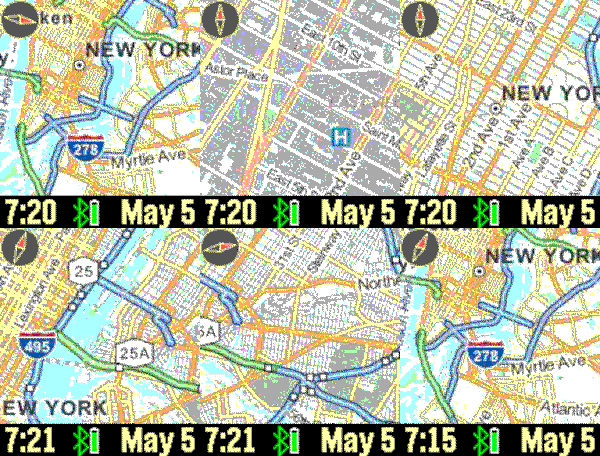
DailyImagine a map displayed on your wrist. Pans, zooms, and tracks your location. Customizable features include the mapping service, date, screen, vibration, connectivity, map labels, distance units, and more. Top button: backlight; bottom button: pans map based on watch tilt; flick/tap: distance; shake watch: refresh map. Tracking enabled until map is manually panned. New: long up button press for your current location address. Drag on screen to pan map. Mapping tiles Copyright and courtesy of OpenStreetMap, OpenStreetMap contributors, Google Maps, ESRI ArcGIS, and Stamen. Stamen data by Stamen Design (https://stamen.com); OpenStreetMap (https://openstreetmap.org) mapping tiles under Creative Commons licenses. See the instructional video for a demonstration of the Maptastic features.
 1
1Audio Cues 4 Pebble
RemotesWatch app for Pebble time 2 to control Audio Cues Andriod App. Used for controlling music for stage shows. You will need to install the android audio cues bridge apk in order for this app to work.
 0
0Audio Cues Remote
Tools & UtilitiesApp to control Audio Cues
 1
1Meditation Timer
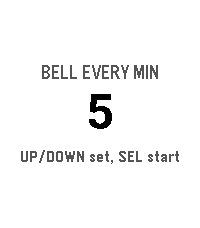
Health & FitnessA meditation timer with interval bells, entirely on the watch.
 7
7Hit and Blow
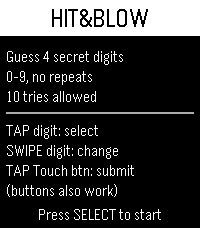
GamesThis is the first game I’ve ever made! I’m going to keep polishing it and take it in an even better direction, so I’d love your support! I’ve always loved this game, Hit & Blow, and I used to think, “Wouldn’t it be awesome if I could play it on my Pebble Time 2 whenever I have a little time to kill?” Surely I’m not the only one who loves it, right? 😄 Hope you enjoy!
 2
2Spectrum Torch
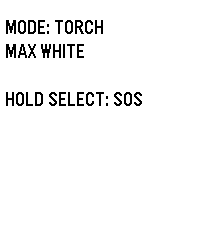
Tools & UtilitiesSpectrum: The Ultimate RGB Torch for Pebble Time 2 Transform your Pebble Time 2 into a versatile, wrist-worn torch. Engineered by Atomlabor, Spectrum leverages the exclusive hardware of the Emery platform to deliver genuine RGB backlight control. Spectrum is designed to be the perfect, instantly accessible companion in the dark. Key Features: Torch Mode: Need pure visibility? Start with maximum white light. Use the UP and DOWN buttons to dim the brightness in 10% increments to perfectly suit your environment. Gravity Colour Shift: Enter Gravity Mode and let physics take control. Tilt and rotate your wrist to seamlessly transition through fully saturated, true-colour RGB hues using the built-in accelerometer. The manual dimming function works flawlessly here, too. Emergency SOS: A long press of the SELECT button instantly overrides all settings, activating a high-intensity, flashing red SOS Morse code signal to ensure you are seen when it matters most. Clean UI & Luminance: To ensure the memory LCD does not block the LED hardware, the display intelligently adapts its background colour to match the backlight. All on-screen text automatically vanishes after five seconds, transforming the entire watch face into an unobstructed, pure light source.
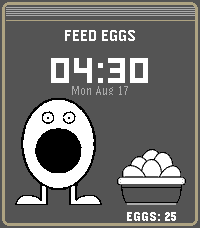 15
15FEED EGGS
GamesDo Not Play this at work, at school, or anywhere you could be accused of looking at stuff that you should not!!!! (You should be allowed to look a LITTLE BIT though) Drag eggs to feed Press "Select" button to enable NSFW big boy
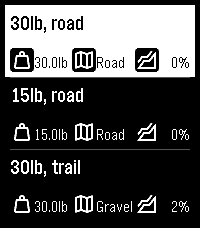 13
13RuckPebble
Health & FitnessCalculates calories expended during a ruck (aka moving quickly with a heavy pack on your back) using a modified version of the Pandolf equation which calculates based on weight, terrain and gradient. The images on the github page explain how to set up and use the app - please raise an issue there if you have questions or suggestions for improvement.
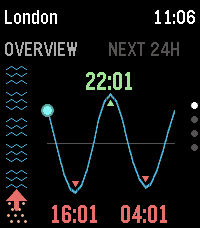 18
18TidePebble
Tools & UtilitiesTidePebble puts the local tide forecast on your wrist. It uses your phone’s location to find the nearest available marine forecast and displays the next 24 hours as a clear tide-height chart on your Pebble. See how much beach is there right now with the "beachometer" on the overview and now pages. See the current tide level and direction at a glance, check the next high and low tides, and browse the full daily curve directly from the watch. TidePebble also shows current swell height and sea temperature, using Metric or Imperial as appropriate. Prefer another spot? Open the settings page to search for a location manually or switch back to phone GPS at any time. Forecast data is provided by Open-Meteo. TidePebble is intended for general planning and should not replace official local tide tables or safety information.
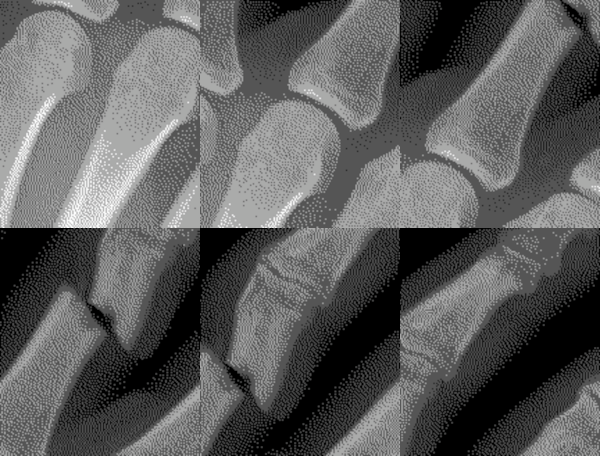 62
62X-Ray
GamesPlace your Pebble above your left hand and start the x-ray scan. If you move your hand as you tilt your Pebble watch, it will appear as if you are viewing an x-ray. The up button starts the calibration or pauses the x-ray scan. The middle button shows the custom settings. Use the bottom button to exit the x-ray scan and return to the home screen. Custom settings include keeping backlight on and whether or not you find a fracture in your finger!
 39
39Mad Eye Moody
GamesApp that displays an eyeball that moves and blinks. Put it on a head strap for a fun costume prop! Top button: start animation Middle button: light on/off Bottom button: pause/resume Open Pebble Settings to customize eye color, tap behavior, default light setting.
 108
108Big Stopwatch
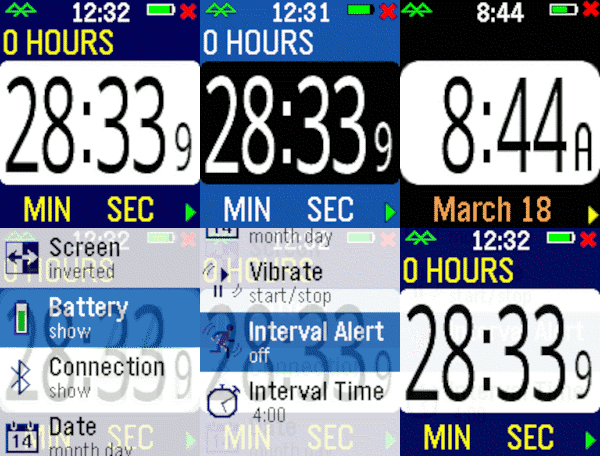
Health & FitnessHaving trouble seeing those small numbers while exercising? Try the Big Number Stopwatch and be able to check the elapsed time quickly. Press the bottom bottom for start/stop and the top button to reset the time. Pressing the middle button momentarily shows the current time, and a long press raises the settings menu. Customizable settings are available, plus the time is restored if you briefly switch apps.
 36
36Big Timer
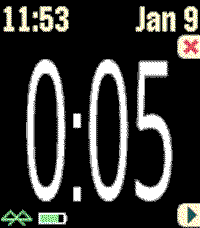
Health & FitnessThis timer features BIG numbers, settable start times, vibration alerts, and other custom settings. This app was originally developed for Chris Conley, a grade school teacher, who uses this countdown timer for reading studies and student contests.