 20
20MLB Scores
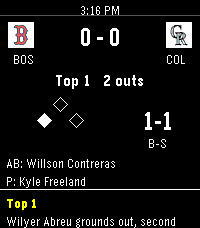
DailyMLB Gameday on your wrist. See all games, their current inning, and their scores. Drill into any game to see the pitcher, active hitter, and their count down to the current balls and strikes. See all scoring plays so you can keep track of the game at a glance. Set a favorite team so they are always top of mind. Uses the latest MLB API in 2026 so you can always feel the rush of "In play, run(s)!".
 28
28Pebble Pilot
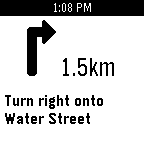
Tools & UtilitiesA minimal turn-by-turn navigation app. Features - Configurable destination with location auto-complete - Automatic manuever detection - Shows the distance to manuever Setup 1. Setup an openrouteservice account and get a free API key (https://openrouteservice.org/) 2. In the Pebble app, open Pebble Pilot settings to configure your API key and destination 3. Start using Pebble Pilot! Usage - Configure your destination in the settings through the pebble app. - The "up" and "down" buttons cycle through previous and next navigation steps. - The "select" button restarts the navigation from your current location (great if you veer of course). Note: Pebble Pilot currently only supports a single configured destination, support for multiple destinations is on the roadmap. Pebble Pilot is open source! Contribute, request features or report bugs on github https://github.com/matteomiceli/pebble-pilot
 1
1One More Minute
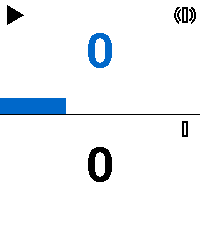
Tools & UtilitiesA count-up timer app for the Pebble smartwatch. Run two independent stopwatches displayed in stacked zones, each with a seconds progress bar and play/pause indicator. Assign vibration feedback to either timer and feel elapsed minutes as Roman numeral patterns (I, IV, V, IX, X…) directly on your wrist — perfect for cooking, focus sprints, or any task where glancing at a screen isn't enough.
 15
15Breathing
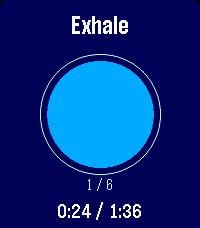
Health & FitnessGuided breathing for Pebble: follow an animated circle through inhale/hold/exhale with per-phase vibrations. Choose a rhythm (Box, 4-7-8, Coherent…) and the number of cycles, see the time it takes, and track cycles and elapsed/total time. Add your ime. Add yourown rhythms from thenguages.
 23
23Israel Bus
DailyShowing incoming buses to your nearby station (using Israeli API) This app comes from my long time need to keep my phone in my pocket while I wait for the bus. * Now requires APK app that refresh the token and able to change the location of the selected station using a map https://gofile.io/d/4SWxwU CONTROLS: UP: previous nearby stop DOWN: next nearby stop MIDDLE (short press): refresh arrivals for current stop MIDDLE (short hold): force GPS re-locate
 27
27Dice Roller
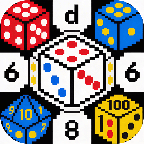
Tools & UtilitiesAn app that lets you cycle through then roll a d2, d3, d4, d6, d8, d10, d12, d20, d100. can be used as a companion to DnD or if you just need to roll a dice
 3
3Insignia Live
DailyInsigniaLive shows you who's playing original Xbox games online right now, straight from your wrist. - See active games on Insignia's Xbox Live replacement - View online, in-game, and in-match player counts Built for Pebble Time 2. --- - Comet Designs creates fun content for the Pebble platform. - For any bug reports, send them to us at cometdesignspebble@gmail.com. - Buy me a coffee → https://ko-fi.com/cometdesigns *This app is not affiliated with, endorsed by, or connected to Insignia or Microsoft Xbox in any way.*
 51
51Maps Nav
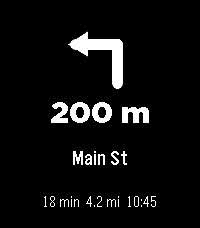
Tools & UtilitiesONLY ON ANDROID I wanted a nice & simple nav app that starts when I get directions in Google Maps. Totally open-source, and simple. Check the github for more complete directions (requires companion app.)
 41
41Thinking of You
NotificationsSmall little app for making your long distance partner feel not so far away. Send a little ping to let them know you're thinking of them. REQUIRES THE WATCHFACE FOR FULL FUNCTIONALITY! (I can integrate it on others later if wanted) Watchfaces available: Kickstart + Thinking of You https://apps.repebble.com/56a8c37365b34e9f90165a97 Pokétch+ Thinking of You https://apps.repebble.com/09a2026106124b0fa22a2cb2
 7
7Starlocker
Tools & UtilitiesThis is inspired by PebbleBucksE way back when but updated for modern pebble. I wanted to add touch support and larger display support. This app stores Starbucks Codes for scanning in store! Enjoy!
 63
63Hooky
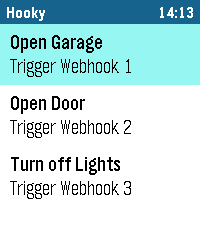
RemotesHooky lets you execute webhooks from your Pebble smartwatch with just a tap. Whether you want to control smart home devices, send notifications, or integrate with your favorite services, Hooky makes it simple and fast. Key Features: - Trigger up to 5 custom webhooks directly from your watch. - Customizable names for each webhook for easy identification. - Cloudflare Service Tokens support for secure webhook calls. - Receive status feedback on your watch (success, error, timeout, or disabled). How it works: - Configure your webhook URLs and credentials in the Pebble app settings. - Enable the webhooks you want to use. - Open the Hooky app on your Pebble, select a webhook and trigger it. - Receive status updates instantly on your watch. Note: - Requires an active internet connection via your smartphone. - Webhooks must be reachable over HTTPS. Disclaimer: - This App is 100% built with Gemini AI. I've focused on keeping it secure and efficient, but there's always room to grow. Got ideas or feedback? Let me know.
 123
123QuickTimer
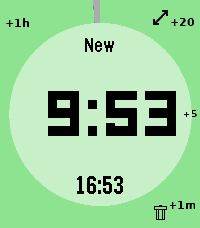
Tools & Utilities# pebble-timer-quick QuickTimer is a timer app for the Pebble Smartwatch, intended to be the fastest way to start a timer or stopwatch. Made for people that think needing 5 seconds to set a countdown timer or stopwatch is far too long. With QuickTimer, rest assured that you are not fiddling away precious moments of your life. QuickTimer starts counting as soon as you open the app. First press the button, then think how long the timer needs to be. If you want a timer for 1 minute and it takes you 6 seconds to start the timer, then your timer will be off by 10%, and that can be life or death. If you like your soft boiled eggs cooked for exactly 6 minutes and 20 seconds, QuickTimer will help you get the gooey texture you desire. QuickTimer works by pressing buttons to increment the countdown timer by set amounts (1, 5, 20, 60). Once you get used to this, you can set a timer without even looking at your watch. Here's how it works: - Open the app - You enter new timer mode where each button press adds a given amount of minutes to the total countdown time - After 3 seconds of inactivity your timer is set - If you don't press anything, QuickTimer goes into stopwatch mode instead - Once you are in counting mode, you can edit your timer, restart your timer, or you can enable repeat timers - Timers that are in alarm can be repeated, snoozed for 5 minutes, or silenced to become post timer stopwatches. ## Features ### Run several timers at once Need to track more than one thing? Turn on **Multiple Timers** in the settings and QuickTimer can keep up to five timers and stopwatches running at the same time. When you open the app it shows a list of everything that's running — scroll to one and select it to jump straight in, or pick **New Timer** to start another. Hold Down on a timer in the list to delete it. ### Every timer has a name — and you can speak a new one So you never lose track of which timer is which, QuickTimer automatically gives each one a short, memorable name the moment it's created. On Pebbles with a microphone, you can rename the active timer with your voice: while you're setting a timer, hold **Up** first and then press **Back**, then just say the new name. (Requires the **Voice naming** setting to be enabled and a connected phone.) ### Millisecond stopwatch Timing something precise? Pause a stopwatch while it's under an hour and QuickTimer shows the milliseconds too (e.g. `1:23.456`), so you can read off an exact split. The milliseconds disappear once it passes an hour to keep the display readable, and they only ever show on stopwatches — never on countdown timers. Based on [YclepticStudios/pebble-timer-plus](https://github.com/YclepticStudios/pebble-timer-plus).   ## Buttons ### New timer mode - Back: Add 1 hour - Up: Add 20 mins - Select: Add 5 mins - Down: Add 1 min - Hold Up: Toggle reverse direction (increments become decrements) - Hold Select: Switch to EditSec mode (seconds granularity) - Hold Up then press Back: Voice rename the timer (microphone models, when Voice naming is enabled) - Hold Down: Quit app and delete timer After 3 seconds of inactivity, the timer is set and transitions to counting mode. ### EditSec mode (seconds granularity) - Back: Add 60 seconds - Up: Add 20 seconds - Select: Add 5 seconds - Down: Add 1 second - Hold Up: Toggle reverse direction - Hold Select: Switch back to New mode (minutes granularity) - Hold Up then press Back: Voice rename the timer (microphone models, when Voice naming is enabled) - Hold Down: Quit app and delete timer ### EditRepeat mode Entered by holding Up while in counting mode (countdown timers only). - Back: Reset repeat count to 0 - Up: Add 20 repeats - Select: Add 5 repeats - Down: Add 1 repeat - Hold Down: Quit app and delete timer ### Counting mode - Up: Enter edit mode - Select: Toggle play/pause - Down: Extend high-refresh display rate - Back: Quit app - Hold Up: Toggle repeat mode on/off (countdown only) - Hold Select (running): Restart timer to original length - Hold Select (paused): Reset to 0:00 and enter EditSec mode - Hold Down: Quit app and delete timer When a stopwatch is paused and under an hour, the display shows milliseconds (e.g. `1:23.456`). ### Alarm mode When a countdown timer expires, it enters alarm mode (vibrating). - Up: Silence alarm and enter edit mode - Select: Silence alarm and toggle play/pause - Down: Snooze (add 5 minutes) - Back: Silence alarm (timer continues as stopwatch) - Hold Up: Repeat timer (restart with original length) - Hold Select: Restart timer from original length (running) - Hold Down: Quit app and delete timer ## Quickness The table below compares the number of button presses required to set timers in QuickTimer versus in the default Pebble timer. ``` | Timer Amount | QuickTimer | Default Pebble Timer | |--------------|------------|----------------------| | 1 min | 2 | 5 | | 2 min | 3 | 6 | | 3 min | 4 | 7 | | 4 min | 4 | 8 | | 5 min | 2 | 5+ | | 6 min | 3 | 5+ | | 7 min | 4 | 5+ | | 8 min | 5 | 5+ | | 9 min | 5 | 5+ | | 10 min | 3 | 5+ | | 11 min | 4 | 5+ | | 12 min | 5 | 5+ | | 13 min | 6 | 5+ | | 14 min | 5 | 5+ | | 15 min | 4 | 5+ | | 16 min | 5 | 5+ | | 17 min | 6 | 5+ | | 18 min | 5 | 5+ | | 19 min | 4 | 5+ | | 20 min | 2 | 5+ | | 25 min | 3 | 5+ | | 30 min | 4 | 5+ | | 35 min | 5 | 5+ | | 40 min | 3 | 5+ | | 45 min | 4 | 5+ | | 50 min | 5 | 5+ | | 55 min | 4 | 5+ | | 59 min | 4 | 5 | | 60 min | 2 | 5 | | stopwatch | 1 | x | ```
 11
11PebbleConduct - Pebble App For Train Con
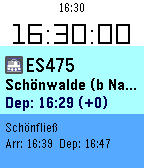
Tools & UtilitiesPebbleConduct is a Pebble watch app designed with professional train use in mind. It will provide you real time information about your train wherever you are.
 331
331You Cannot Go Back!
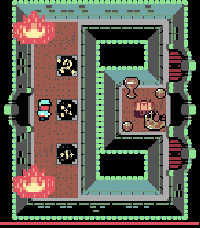
GamesA fiendish challenge awaits you, an adventure of puzzle solving, memory and skill. Just remember dungeoneer - the only way is onwards; you cannot go back! Version 2 is now out for Time 2, Round 2 and (coming for the first time) to B&W Pebbles (exc. Classic) with twice the number of dungeon chambers than the original! Asset credits: http://opengameart.org/users/buch Michele "Buch" Bucelli (tile set sponsored by Abram Connelly) Promotional Art: Frank Martinez Jr. http://opengameart.org/users/clint-bellanger http://opengameart.org/content/blocky-animated-classic-hero-edit
 304
304Nag for Pebble
Health & FitnessOnce launched and configured, Nag for Pebble exits immediately so you can keep using your watchface and other apps — but it keeps buzzing your Pebble (every hour by default) in the background. Use it to remind yourself to stand up, take a quick walk, drink water, or just to add an hourly buzz if your watchface doesn't have one. It doesn't take the Activity tracker slot, so you're free to run Misfit or other background apps alongside it. It has no watchface of its own and stays out of your way. When it buzzes, a brief "Nag!" screen with the current time shows for the length of the buzz, then your watchface returns. It just buzzes. CONFIGURABLE OPTIONS • Buzz type: Short, Long, or Double — plus themed patterns: – Super Mario – TMNT – Voltron – Final Fantasy – Star Wars – Power Rangers – James Bond – Mortal Kombat (Vibe themes by Gearside: https://gearside.com/custom-vibration-patterns-mobile-devices) • Buzz interval: 5 to 120 minutes • When to start: immediately, or on the next hour, half-hour, or 15-minute mark • Sound mode (watches with a speaker): on Pebble Time 2, Pebble 2 Duo, and Pebble Round 2 you can swap vibration for a melody version of the selected pattern, played out loud with an adjustable volume • Quiet Time (now free): stay silent whenever your Pebble's built-in Quiet Time is active — for a peaceful night with no manual scheduling (silences both vibration and sound) OTHER • The app launcher glance shows your next scheduled buzz (or "Disabled") • Suspend it any time by setting Buzz type to "Disabled"