 14
14River Depth
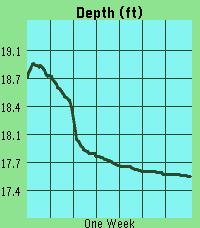
Tools & UtilitiesThis app pulls gage height from river monitoring locations tracked by USGS. It then plots the last week of data, scaling automatically to your screen. The ID will default to a location near downtown Iowa City, IA. However, you can update the ID in the settings page at any time and the graph will update once you press save. Units can also be selected between feet and meters. DISCLAIMER : This app contains code generated by Gemini. The vast majority of which is in the index.js file.
 11
11igi-Assistant
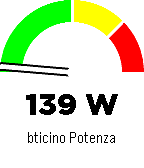
RemotesA comprehensive control interface for Home Assistant on your Pebble smartwatch. Monitor sensors, control lights, manage music, and chat with your home, all from your wrist with a high-contrast, readable interface. Key Features Sensor Monitoring: Display a specific sensor (e.g., car battery, power usage) directly on the main screen with a visual gauge and large, readable fonts. Light Control: Quick menu to toggle selected lights on and off. Home Assistant Chat: Send and receive text messages to Home Assistant (requires input_text). Supports voice dictation (on microphone-enabled models) and customizable canned messages. Music Control: Control active media players (Play/Pause, Volume, Next/Prev Track). Accessible Design: High-contrast black-on-white interface with color support for modern Pebble models (Time, Time Round, P2). Home Assistant Requirements To use all features, add the following to your configuration.yaml or create the helpers via UI: Chat: Create an input_text entity named pebble_chat. input_text: pebble_chat: name: Pebble Chat initial: "" max: 255 CORS (Important for Configuration): To allow the Pebble app configuration page to fetch your lights list, you must enable CORS: http: cors_allowed_origins: - "*" App Configuration Open the app settings within the Pebble mobile app. Enter your Home Assistant URL (e.g., https://your-home.duckdns.org or local IP if on WiFi). Enter a Long-Lived Access Token (create one in your HA User Profile -> Long-Lived Access Tokens). Enter your Nickname for the chat. Select the Lights you want to control and the Sensor to display on the home screen. Note: If the configuration page fails to load your entities, ensure CORS is correctly configured in Home Assistant (see requirements above). Controls Main Screen: UP: Open Music Control. SELECT: Open Lights Menu. DOWN: Open Chat. Lights Menu: UP/DOWN: Scroll through lights. SELECT: Toggle On/Off. SHAKE (Wrist): Toggle the currently selected light. Chat: UP/DOWN: Scroll through message history. SELECT: Open dictation or canned messages menu. Music: UP/DOWN (Click): Previous / Next Track. UP/DOWN (Long Press): Volume Up / Down. SELECT: Play / Pause.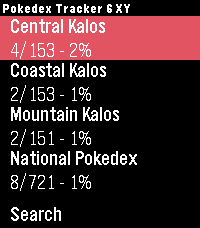 12
12Pokedex Tracker Gen 6 (X & Y)
Tools & UtilitiesKeep track of your captured Pokémon from the Generation 6 games right from your wrist. Featuring the complete set of all 721 Pokémon from the X and Y versions. Track both the Kalos region and the National Pokedex.
 7
7Viber
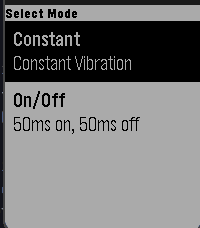
Tools & UtilitiesViber is an app that vibrates your watch! Currently there are 2 different modes: 1. Constant vibration 2. On/Off vibration that pulses in 50ms intervals Once you choose a vibration, press any button to vibrate and then press any button to pause vibration Note: This app can drain battery rather quickly
 65
65Brush teeth
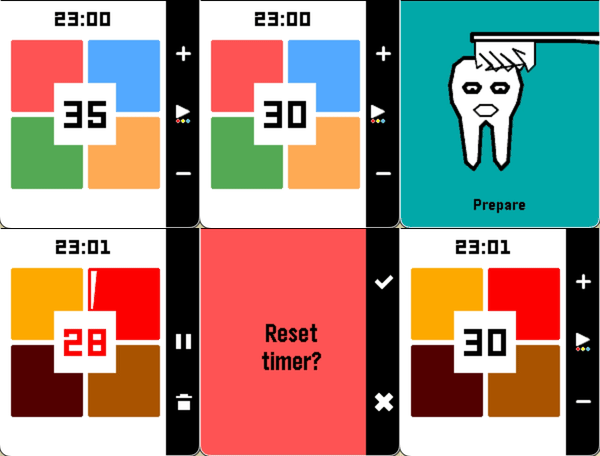
Health & FitnessA tooth-brushing timer divided into four sections — your wrist vibrates at each transition. Adjust the duration per section (up/down), swap color themes (long press select), or pause and cancel mid-brush. Supports app glances: start the timer, close the app, come back when your wrist tells you to.
 10
10STOXX Stock Tracker
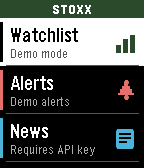
DailySTOXX Stock Tracker lets you track prices, set alerts, as well as track entries and P/L. You can even set a target price to monitor. Instructions in the app and watch. Requires a free API key from finnhub.io, paste your API key in the Settings page to use the app.
 86
86Cobble
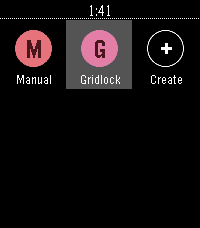
DailyCobble is a Pebble app that writes Pebble apps. Talk to your watch, get a bespoke app — stopwatch, dice, compass, whatever. Generated on demand, lives in your launcher, disappears when you're done with it.
 5
5Signet
Tools & UtilitiesSignet is a web3 authenticator for Antelope networks, created by AtomicHub. Log in to atomichub.io using Signet as your seal. Currently supporting WAX and XPR Network. Vaulta, EVM, and Bitcoin versions coming soon. Any app can integrate using the Signet Wharfkit plugin! Secrets are generated on your watch, and password-protected with encryption, in case you lose it. With Signet, you can access an ecosystem of art, games, and more. Unleash your creativity! This is an Alpha release. Please do not use this wallet to store valuable assets (yet).
 6
6Plinker
GamesTap to see drops in a pond.
 24
24Golf with Pebble
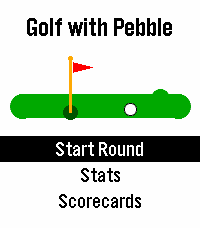
Health & FitnessGolf with Pebble is a golf scorekeeping app for Pebble watches. Track strokes and putts on every hole, with par and tee-box yardage shown when available. Nearby courses are found using GPS, and you can switch to ZIP code or city/state search at any time. The app supports limited offline use, so you can keep scoring even when your phone is disconnected. Your scorecards sync automatically when your phone reconnects. Course data comes from GolfCourseAPI and OpenStreetMap. GolfCourseAPI is prioritized for richer tee-box details, including men’s and women’s tees. If course data is missing, Golf with Pebble attempts to reconstruct hole information from OpenStreetMap, including par and yardage when available. Built for golfers everywhere, worldwide, prestige style!
 5
5Hydration Pebble
Daily# hydration-pebble A pebble app to track water intake on a daily basis. It features quick select amounts that can be configured in companion app or on the watch. It also includes statistics and plots storing information of the past two weeks.
 36
36After Credits
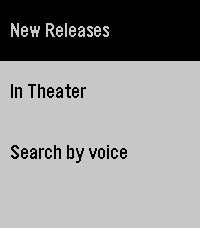
DailyAfter Credits helps you decide whether to stay after a movie ends. Search by title and instantly see if there are post-credit scenes, how many there are, and whether they appear during or after the credits. Get spoiler-light guidance so you can choose to wait (or leave) without ruining surprises. Fast, simple, and made for movie nights. It saves locally the last search if you lose internet/phone connection. Note: I don't own the movie database, it comes from https://aftercreditsapp.com
 3
3Pest Stop
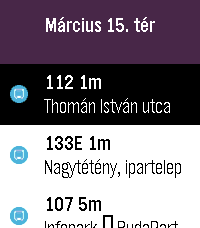
DailyYour wrist-sized companion for the Budapest Transit system Data source: BKK Zrt., CC BY 4.0 The full license text is available here: https://creativecommons.org/licenses/by/4.0/deed.en
 31
31Pebble Pinball
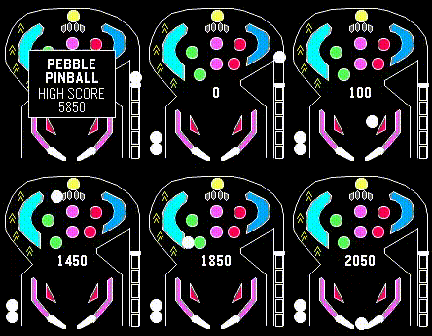
GamesA classic Pinball blast for your wrist. One-button flipper flicking fun.
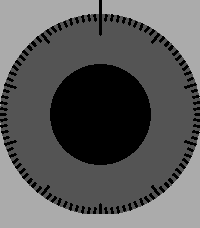 9
9Safe Game
GamesThis is a simple game where you are trying to unlock a safe, but you don't know the combination... The combination is always 3 random numbers (0-99). Rotate the dial until the watch vibrates. Up for Counter-clockwise. Down for Clockwise. After you entered the combination press the middle button (Select). 1. Start rotating Counter-clockwise until the watch vibrates. 2. Do a full rotation Clockwise. 3. Start rotating Clockwise until the watch vibrates. 4. For the final number rotate Counter-clockwise until the watch vibrates. 5. Press the middle button (Select), if the combination is correct the watch will tell you otherwise it will vibrate twice. (if the combination is wrong rotate Counter-clockwise at least 3 times and try again or simply restart the app). 6. If you already won press the middle button (Select) again to play again.