 19
19ClawPet
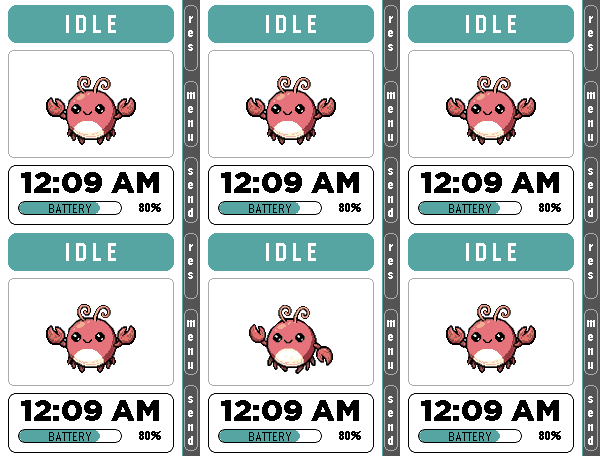
Tools & UtilitiesClawPet 🦞 x Pomodoro 🍅 ClawPet is a Pebble companion app that brings OpenClaw-inspired interactions to your wrist through a playful pixel pet interface. Features: • A pixel pet that reflects system states such as idle, thinking, working, happy, and error • Fully functional Pomodoro timer with lightweight animations for focused work sessions • Voice command interface using microphone (speech-to-text → OpenClaw interaction, currently simulated) • Clean UI designed for Pebble Time 2 OpenClaw Integration: • Currently uses simulated responses and emulator-based interactions • Designed as a preview of future AI-powered companion features Note: Some advanced features are under development and may be represented through mock interactions. Built for productivity, experimentation, and fun.
 449
449Pebbal - Miniature Pinball
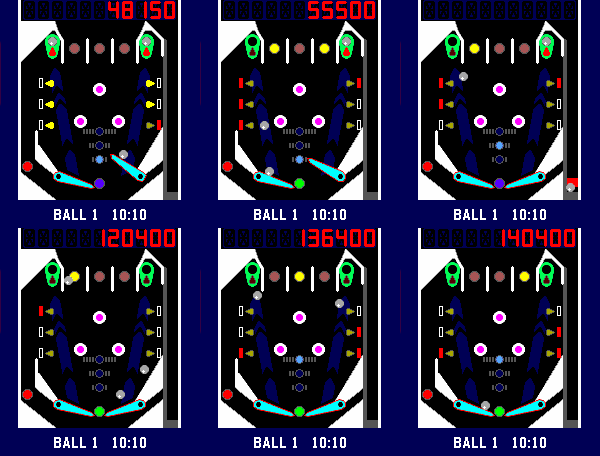
GamesPebbal is a miniature pinball machine that you can play on your wrist* wherever you go! It features all the classic pinball mechanics you love: skill shots, bumpers, through lanes that act as bonus multipliers, a rechargeable kickback, and of course MULTIBALL, complete with jackpots that let you chase even higher scores. To start the 3 ball multiball mode you will need to lock a ball on both the top left and right side in the green lock zone, and then hit all the red drop targets. Once multiball starts, lock them again to collect the jackpot! Default controls in horizontal mode: - Up button controls the right flipper - Down button controls the left flipper - Select button starts and pulls the plunger when held Default controls in vertical mode: - Select button starts and controls the right flipper - Down button controls the left flipper - Up button pulls the plunger when held Bindings in either layout: - Back button pauses the game, when held it exits the game. - Holding the up button when paused or in attract mode toggles haptic vibrations. - Holding the down button when paused or in attract mode toggles between the vertical and horizontal layout. * You might want to take it off your wrist to play it though, that way you can rotate your pebble 90 degrees clockwise for a better button and screen layout. However you can play in vertical layout too, either change it in the settings or hold the left button in the games attract mode.
 143
143Pebbles on the Street
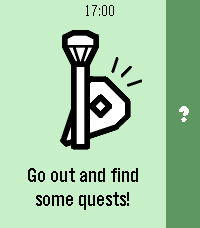
DailyThe Pebble version of a popular on-the-go editor for OpenStreetMap — StreetComplete! Not affiliated with StreetComplete itself (yet 😛). This app lets you improve public maps by completing quick and simple quests right from your Pebble. For example: - How many levels does this building have? - Does this pedestrian crossing have audible signals for accessibility? - What road surface does this road have? How it works: 1. Start the app on your Pebble and go for a walk! 2. When you come across a quest nearby, your Pebble will vibrate and point you towards it. 3. When you're at the quest location, you can answer the question from your watch. 4. If you don't feel like answering, you can back out of the quest and search for another one. 5. If something isn't clear in the quest situation, you can dictate a note for other mappers to review later. This app has been developed for the Pebble Spring app contest with no access to actual hardware. Once I get ahold of my Pebble, I will probably significantly revamp the application and polish the experience further.
 13
13QR Image
Tools & UtilitiesDisplay a QR code or image on your Pebble watch. Load any image from a URL through the app settings — it's automatically scaled and converted to fit your watch screen. The image is saved on the watch so it's ready instantly next time you open the app. Perfect for loyalty cards, boarding passes, or any QR code you need quick access to.
 13
13Gin Rummy
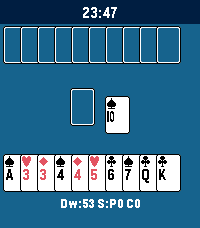
GamesA Gin Rummy game built with Gemini. Great for a quick break. Some rules may vary from the original. Thanks for understanding. This app was built by Gemini.
 35
35PeReader
Tools & UtilitiesWelcome to PeReader! A super simple .TXT reader for all your reading on the go! Is the ol' 9-5 sucking your life away? Throw your favorite novel in here and disappear for awhile! Have several E-Readers back home and want to sync your reading? - Use the percentage skip option! Sneakily reading some smut in the dark? - Enable the backlight for your goblin needs! That's pretty much it... Just upload your TXT file into the app settings page and upload. You may need to adjust the page character count in the settings if on a larger device like the Time 2. Up button - previous page Down button - next page Select button - options menu - Lightbulb toggles between backlight on and auto - Skip button opens skip menu to jump forward or back Hope you enjoy! Side note: If a txt fails to upload, you may need to split it into chunks or it could be an issue with funky characters or formatting in the document. Still gotta iron that out.
 19
19UnlockThePlock
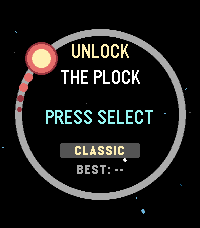
GamesA clone of the game "Pop The Lock" For pebbles, this time it's kinda more space themed.
 46
46Time Eye-Opener
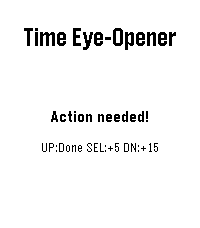
NotificationsTime Eye-Opener: The notification that doesn't take "no" for an answer. You’re in a meeting and a crucial text comes in. You can’t reply right now, but if you swipe it away, you know you’ll forget it exists. Standard smartwatches let tasks vanish into the void. Time Eye-Opener is different. With a couple of clicks, set a 5 or 15-minute persistent reminder that stays glued to your screen and escalating its vibrations until you actually mark it "Done." Stop relying on your memory; rely on your wrist. This is also very helpful for people with busy lives, or ADHD- push away the cognitive demand for later. Deal with time blindness- open your eye to more time now, in exchange for some time later!
 15
15MicroKnit
GamesRelax and knit away your stress on your Pebble! Select to knit a stitch Back to undo a stitch Up and Down to cycle yarn color in your basket Longpress for background, yarn basket, and reset All progress is saved for your next knitting session (usually)
 14
14ptcgwiki
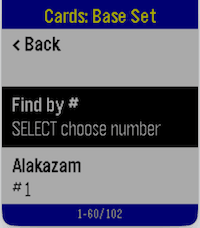
GamesPTCG Wiki for Pebble lets you browse Pokémon TCG data directly from your watch. Navigate from Series → Sets → Cards, open a card, and view key stats, effects, and market pricing in a fast, watch-friendly format. Core Functionalities Browse full Pokémon TCG catalog in hierarchy: Series list Set list per series Card list per set Automatic burst/paged loading while scrolling (supports large sets without loading everything at once) Card detail view includes: HP, Stage, Regulation Mark, Type, Rarity Weakness, Retreat cost Ability + Ability Effect Attack + Attack Effect Cardmarket prices from API (low, avg, trend) with currency unit “Find by #” in card lists (supported platforms) to jump to a card number quickly Stable back-navigation across hierarchy levels Platform Limitations Aplite (Gen1, monochrome, low memory) No image preview support “Find by #” is disabled Card detail text is shortened to fit memory/message limits Smaller in-memory page sizes for reliability Basalt / Chalk / Diorite / Flint Text-first experience (no image preview) “Find by #” available (dictation-first, fallback to manual picker) Emery / Gabbro Full text experience plus image preview support “Find by #” available (dictation-first, fallback to manual picker) Network / Data Notes Requires phone connection and internet access Uses TCGDex API data; availability and fields depend on upstream card metadata
 18
18QuickHue
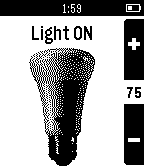
RemotesPebble app to facilitate quick control of a Philips Hue light bulb. It will toggle the preselected light ON or OFF as soon as the app loads, so it is designed to be registered as a button shortcut for quick light control. When the app is already open the Up and down will also change the light brightness. Automatic pairing with the bridge has been added. Any questions or bugs can be reported in the "source link" below.
 31
31Flipstone
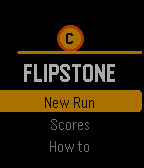
GamesFlipstone is a roguelike built for the Pebble Time smartwatch, where every combat turn resolves with a coin flip. Heads deals damage, tails misses, and a rare edge landing crits for double. Sessions last 5–15 minutes for a full 20-floor run. After every kill you pick a sticker that modifies your coin's behaviour — making heads hit harder, turning tails into something useful, or boosting the rare edge crit. Stickers stack, so over a run you build synergies that transform how the game plays. One run you're a poison tank; the next, a glass cannon fishing for edge crits. Choose between three combat stances each turn: Aggressive (+50% damage, no shield), Balanced (normal), or Defensive (half damage, extra shield). Consecutive heads build a combo streak that multiplies damage. Two reflips per floor let you reroll bad outcomes. Fight through 20 floors of increasingly difficult enemies across 4 enemy pools. Face 4 unique bosses every 5 floors: The Gambler (flips twice), Two-Faced (can't miss), The House (steals your stickers on edge), and Final Flip (all outcomes deal damage). After floor 20, continue into endless mode for leaderboard competition. Features: 24 stickers across 5 categories, gold economy with shops, event floors (rest, mystery box, shrine, fountain), persistent leaderboard, save and resume mid-run, and animated coin flips with haptic feedback
 6
6Decompress Dive Log
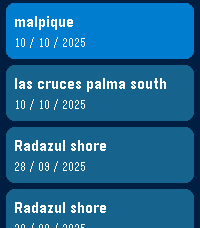
DailyA simple dive log on your watch. Syncs with PADI Logbook, requires an account with PADI previous to any use. Use voice dictation and intuitive menus to record easy to forget data just as you hop on the boat or arrive at the dive center, instead of fiddling with your phone! I've found over the years of diving I kept forgetting key details (dive site, bottle size, nitrogen mix, etc...) after coming out of the water and was not recording this data anywhere. Dictate what you saw, how the dive went and anything you might want to remember later in the notes for the dive. App shows the last 5 dives in your account, this is also useful as I never remember which weights were good for different oceans/seas, and which combination of bottle/weight was best. Click on a dive to see the details. Last menu item to add a new dive, will prompt for key details: - Dive Title - Dive Site - Type of Dive - Max Depth - Bottom time - Notes: dictate using microphone - Water Type - Weather - Air Temp/Surface temp/Bottom temp - Visibility - Weights used - Start/end pressure Then you can check all details later (and edit them) on the PADI Logbook app on your phone or on the PADI website.
 50
50Focus
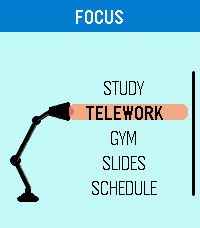
DailyFocus is designed around the essence of Pebble: extracting the greatest beauty and utility from simplicity. It is a flexible time management app built to help you stay on track and always know what comes next, with dedicated modes for Study, Telework, Gym, Slides, and Schedule. Use Focus to run structured study blocks, work timers, workout routines, slide-based sessions, or weekly schedules that follow real time automatically. Slides mode lets you configure and save custom decks, while Schedule mode lets you plan tasks by day and time so the app can guide you through your routine. Focus has been carefully adapted for multiple Pebble models, including round and rectangular displays, with platform-specific layout tuning for better readability and usability. Any feedback? https://forms.gle/ha6sMDPRn2WN4JHp7
 7
7Easter Egg
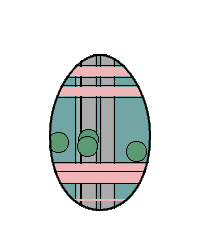
GamesMeet Eggy, the Easter Egg! 🥚 What starts as a plain white egg won’t stay that way for long. As you move, rest, and go about your day, Eggy evolves—unlocking new features and surprises along the way. Its appearance is driven by a touch of mysterious randomness—almost like black magic. However, you can still influence its evolution using the up and down buttons.