 19
19W&L: Amino Acids App
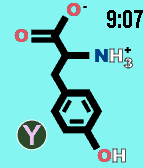
Tools & UtilitiesWatch & Learn Flashcards show the structures of the 20 common amino acids on the front. Pressing "select" turns the card to the back, showing the name and chemical characteristics. Amino acids change every 15 minutes or when down button is pressed. Up button = science time! *This watchapp is meant solely for studying and not for cheating*
 19
19Navigation / Geocaching for Pebble
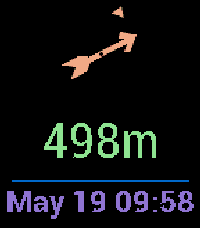
Tools & UtilitiesThis app shows you distance and direction to the navigation point or geocache on your pebble! It supports Pebble compass! It is based on https://apps.repebble.com/navigation-geocaching-for-pebble_52cb3d92b13828a9e4000090 but updated for the new Android Pebble app. You must also install the Android companion app on your phone, then you can use C:Geo / Geocaching / Locus app to select the location or geocache you want! Get the Android App from https://github.com/caco3/pebble-navigation/releases
 19
19Tuned Stone
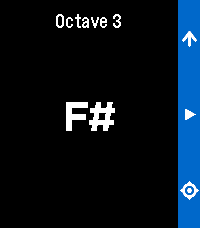
Tools & UtilitiesRefreshed app called Pitch Pipe. A chromatic pitch-pipe on your wrist. Play any note instantly. Cycle through all twelve chromatic tones with the Up button then press and hold Select to sound the note for as long as you need. It runs entirely on your Pebble.
![Check-in with Foursquare [Pebble Rocker]](https://assets.repebble.com/screenshots/52e1ac5a9d19018dd800009a-0.png) 19
19Check-in with Foursquare [Pebble Rocker]
Daily- Find nearby venues based on your current location. - Check in directly from your watch. - Check in options: private, public, Facebook, & Twitter. IMPORTANT: This watch app requires the Pebble Rocker companion app available via the Google Play store.
 19
19Price Charts
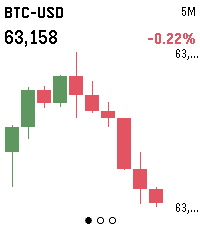
DailyLive candlestick charts for stocks, futures, crypto and FX, right on your wrist. Three screens — 5-minute, 1-hour and 1-day intervals — each showing the last 10 candles, auto-scaled to fit the display. Build a watchlist of any Yahoo Finance symbols (AAPL, ES=F, BTC-USD, EURUSD=X) in Settings, then press SELECT to flip between them and UP/DOWN to change the timeframe. Hold SELECT to refresh. Crypto data comes from Binance; stocks, futures and FX from Yahoo Finance. No account or API key required.
 19
19ClawPet
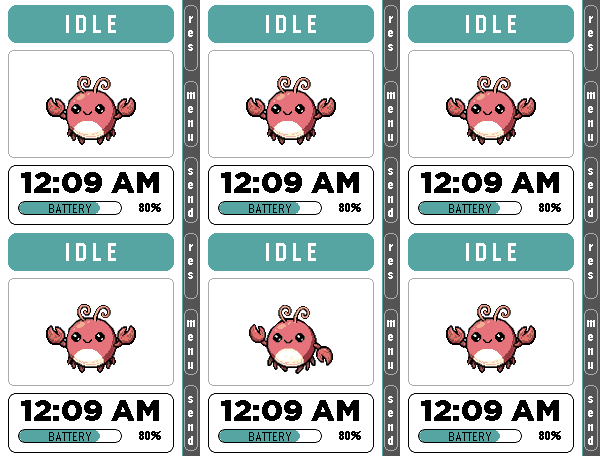
Tools & UtilitiesClawPet 🦞 x Pomodoro 🍅 ClawPet is a Pebble companion app that brings OpenClaw-inspired interactions to your wrist through a playful pixel pet interface. Features: • A pixel pet that reflects system states such as idle, thinking, working, happy, and error • Fully functional Pomodoro timer with lightweight animations for focused work sessions • Voice command interface using microphone (speech-to-text → OpenClaw interaction, currently simulated) • Clean UI designed for Pebble Time 2 OpenClaw Integration: • Currently uses simulated responses and emulator-based interactions • Designed as a preview of future AI-powered companion features Note: Some advanced features are under development and may be represented through mock interactions. Built for productivity, experimentation, and fun.
 19
19Floe
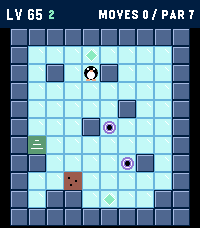
GamesFloe is an ice-slide puzzle campaign built for Pebble: one button press is one slide, and the little penguin glides until something stops him. Plan the whole route, collect the gems, and reach the stairs in as few slides as you can. 1000 LEVELS the first ten chapters each teach a trick: - Gems that gate the exit - Gravel that stops you mid-slide - Thin ice that collapses behind you - Keys and colored doors - Force arrows that bend your slide - Warp portals - Switches and toggle walls - Patrolling critters that follow the beat of your moves - A gauntlet that mixes everything EARN YOUR GEMS - every level has a par (the proven optimal solution). Match it for 3 gems, 100 points per gem. WATCH-NATIVE CONTROLS: - UP / DOWN slide up and down - SELECT and BACK slide left and right - Flip them from the menu to match how you wear your watch (HAND: LEFT / RIGHT) - Hold SELECT to pause (undo, retry, menu) - Hold UP/DOWN in level select to fast-scroll Levels 1 and 2 teach you everything you need. Good luck on level 1000.
 19
19Hourguard
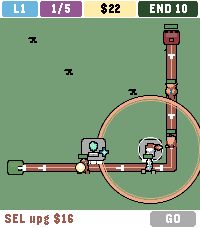
GamesHOURGUARD is lane tower defence for Pebble Time 2. Creeps walk a unique path each level. Green IN. Red END with 10 HP. Ten leaks and the gate falls. 50 levels. 5 waves each. Wave 5 is a crowned boss — 25 different looks. Level 50 wave 5 is the titan. Odd levels are day. Even levels are night. Two pads on level 1. Six on level 50. Gold is tight: place the right type and upgrade, or later lanes will leak. Your two strongest towers ride to the next map. END heals each new level. CONTROLS - Up / Down cycle pads and GO - SEL empty pad pick a type, SEL again to place - SEL tower upgrade - Hold SEL sell half (build) or 2x (wave) - SEL GO in a wave zap $10 TYPES (all six on every map) - SHOOT $10 bolt - SLOW $14 freeze - FIRE $16 splash - BEAM $12 two in a row - NOVA $16 hits all in range - HEX $18 heavy hit plus slow
 19
19Polly
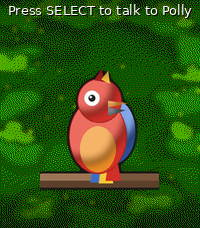
Tools & UtilitiesPolly — your talking parrot Polly is a colourful parrot for your Pebble Time 2 that actually talks out loud through the watch speaker. - **SELECT** — dictate a sentence and Polly speaks it back. - **UP** — ask a question and Polly answers in a sentence or two, powered by Google Gemini's free tier. - **DOWN** — pick one of your own preset "quick phrases" and say it instantly. Speech is generated by Google Cloud Text-to-Speech, with dozens of languages and voices to choose from. Between chats the parrot blinks, tilts its head, steps, hops and flaps on its branch. Requires a Pebble Time 2 (speaker + microphone). Bring your own free Google API keys — Cloud Text-to-Speech for the voice, and an AI Studio (Gemini) key for the optional ask-AI button. Both are entered in the app settings and stay on your phone. Voice, language, volume, animation frequency and quick phrases are all configurable.
 19
19BigWeather
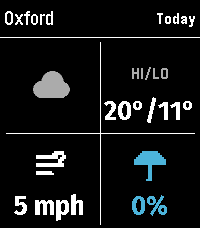
DailyMy eyesight isn't as great as it used to be when I bought the first Pebble watch many moons ago (pesky ageing.......) Anyway it seems like all the weather apps are trying to cram loads of information onto one small screen using tiny icons and small text, so Ive created this app with bigger text which is more suitable for a watch. BigWeather shows current conditions for your location and also any town or city via search, with today, tomorrow, hourly, now/next (+2 hours) and 5-day forecasts with rain, temperature, wind data screens using Open-Meteo (no sign-up, no API key). Features (as of Version 2.0 - August 2026) - Current location, stored and auto-refreshed on open - Improved search with ability to filter preferred location (Phone Settings), - Search any town/city worldwide - Add locations to Favourites - Customisable Today/Tomorrow screens, select which information you want to see (in Phone settings) - Hourly screens (Rain, Temperature, Wind - viewable by pressing Hourly and select to cycle through screens) - 5-day forecasts, per-day detail - Rain forecast (Now/Next) shows next rain, amount and intensity over the daytime, not just the peak % - No API key needed (Open-Meteo); optional OpenWeather with your own key - Units your way: °C/°F, mph/km/h, mm/in, 12/24-hour; large-text mode - Built for the Pebble Time 2 and classic Pebble models If you like this app please heart it, and if you want to buy me a coffee on Ko-Fi you can say thanks here https://ko-fi.com/ben839721
 19
19Keep Score
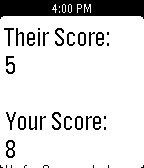
Tools & UtilitiesA simple app to keep the score, whether you're playing golf with a buddy, ping-pong with some friends, or watching your daughter's soccer tournament, "Keep Score" will keep the score for you, so you can focus on the game, stress free!!! New update: Allows you to decrease score by holding down the respective button, and a new home screen.
 19
19UptimeRobot
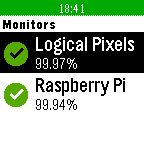
DailyUptimeRobot for Pebble lets you quickly view the status of your UptimeRobot monitors. Glance from your wrist to ensure that all of your servers are up and running. UptimeRobot for Pebble requires an account at http://uptimerobot.com and is not affiliated with UptimeRobot.
 19
19DSN Now
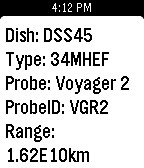
DailyThe Deep Space Network on your Pebble. Displays the dishes at various stations that are currently communicating with our deep space probes and the type of link (uplink/downlink). Cards also contain additional info about the dish and probe. Example: the second sreenshot shows dish DSS55 at Madrid, ES is currently uplinking to New Horizons.
 19
19Death Clock
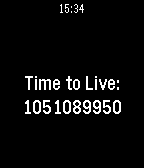
Tools & UtilitiesThe Death Clock provides a countdown of how many seconds you have left to live.
 19
19Deck of Cards Workout
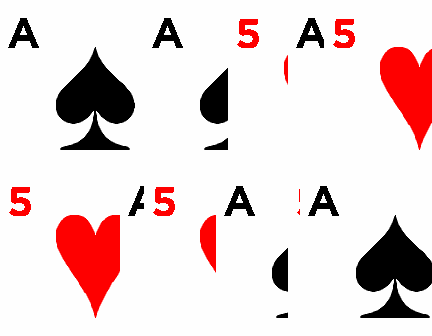
Health & FitnessChallenge yourself to be more fit with the Deck of Cards Workout. Assign an exercise to each of the four suits and then do the number shown on each card, with face cards representing 10 (or higher if you prefer a stronger challenge). After each set of eight cards, you'll be prompted to alternate exercises, at which point you can also insert additional exercises as you see fit. As the cards are random, each workout is slightly different. Example workout: ------------------------ Spades: Push-ups Clubs: Leg Lifts Diamonds: Burpees Hearts: Squats Interval Exercise: 200 yd. Dash. (Optional) Even-numbered sets: Spades: Crunches Clubs: Planks (10 seconds x number on card) Diamonds: Standing Lunges Hearts: Ab Twists