 310
310Pebble My Tracks
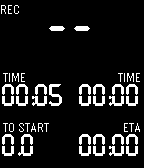
Health & FitnessThis watchapp puts Google MyTracks on your wrist. View sensordata (speed, distance, heartrate, and much more) and control track recording without touching your phone. This app requires a companion app from the Google play store.
 307
307Next Train
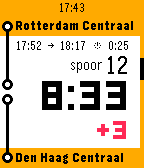
DailyTrain planner for The Netherlands and Belgium. The fastest way to see when your train leaves! Immediately see the time counting down to the next departure, on which platform and if it is delayed. With just one button press you see the next departure times. Or you can select quickly from the nearest stations, your favorites or any other available railway station. Nederlands De snelste manier om te zien wanneer je trein vertrekt! Zie direct de tijd aftellen tot je volgende vertrek, op welk spoor en of er vertraging is. Met één druk op de knop zie je de volgende vertrektijden. Of kan je snel kiezen uit de dichtsbijzijnde stations, je favorieten of alle andere stations. Français Le moyen le plus rapide pour voir quand votre train part! Voyez immédiatement le compte à rebours jusqu'à le prochain départ, de quel quai et si elle est retardée. Par une simple pression de bouton, vous voyez les prochaines heures de départ. Ou vous pouvez rapidement sélectionner des gares les plus proches, vos favoris ou toutes les autres gares disponibles.
 304
304Nag for Pebble
Health & FitnessOnce launched and configured, Nag for Pebble exits immediately so you can keep using your watchface and other apps — but it keeps buzzing your Pebble (every hour by default) in the background. Use it to remind yourself to stand up, take a quick walk, drink water, or just to add an hourly buzz if your watchface doesn't have one. It doesn't take the Activity tracker slot, so you're free to run Misfit or other background apps alongside it. It has no watchface of its own and stays out of your way. When it buzzes, a brief "Nag!" screen with the current time shows for the length of the buzz, then your watchface returns. It just buzzes. CONFIGURABLE OPTIONS • Buzz type: Short, Long, or Double — plus themed patterns: – Super Mario – TMNT – Voltron – Final Fantasy – Star Wars – Power Rangers – James Bond – Mortal Kombat (Vibe themes by Gearside: https://gearside.com/custom-vibration-patterns-mobile-devices) • Buzz interval: 5 to 120 minutes • When to start: immediately, or on the next hour, half-hour, or 15-minute mark • Sound mode (watches with a speaker): on Pebble Time 2, Pebble 2 Duo, and Pebble Round 2 you can swap vibration for a melody version of the selected pattern, played out loud with an adjustable volume • Quiet Time (now free): stay silent whenever your Pebble's built-in Quiet Time is active — for a peaceful night with no manual scheduling (silences both vibration and sound) OTHER • The app launcher glance shows your next scheduled buzz (or "Disabled") • Suspend it any time by setting Buzz type to "Disabled"
 304
304Gallon Challenge
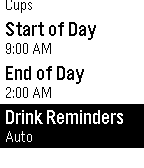
Health & FitnessChallenge yourself to drink more water for better health! Health experts recommend drinking at least a half gallon (8 cups) of water every day. Drinking enough water can help you lose weight by controlling your appetite, boosting your metabolism, and aiding your digestion. Is 8 cups a day too easy for you? Aim for a whole gallon of water! In the 30-day water challenge, you challenge yourself to drink a gallon of water every day for 30 days straight. People who have completed this challenge report a wide range of beneficial results, such as weight loss, more energy, less headaches, better mood, softer hair, and healthier looking skin. With Gallon Challenge, you can help yourself drink more water by keeping count of how much water you drink each day, and how many days in a row you've met your goal. The app also keeps track of statistics such as the total amount of water you've recorded consuming and the length of your longest streak. You can customize your drinking goal to be either a half gallon or whole gallon of water each day. The unit that you drink in can be customized to either ounces, cups, pints, or quarts. You can change the hour that your day starts at in case you have an irregular schedule. New in version 2! Set reminders to drink water. You can either choose how often you want to be reminded, or use Auto reminders to let the app evenly space them out throughout the day to keep you on track for reaching your goal. These reminders won't bother you while you sleep, because it uses your "End of Day" setting to know approximately what time you are asleep.
 299
299AutoApp for Pebble
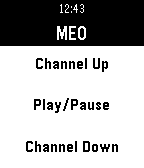
Tools & UtilitiesAutomate your Pebble with Tasker. Set customized lists that let you browse anything you want from your Pebble, like contacts, apps or even your home automation devices. You can set actions for selecting, long-selecting and even for twisting your wrist. Do any action you like, easily! Send notifications to your pebble, complete with full blown buttons and actions.
 299
299Calculator
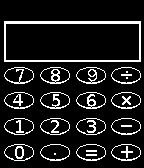
Tools & UtilitiesA simple 4-function calculator for your wrist.
 295
295Snakey
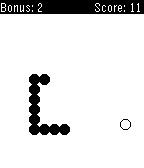
GamesPlay the classic game of snake with a twist on your Pebble! *Updated* The faster you eat the apple, the more points you get. Play it in the rain, on a train, on a plane, in a house, in a car, in a tree, in a box, in a boat. Open sourced.
 293
293Pebble Pillage
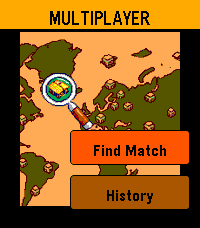
GamesIntroducing Pebble Pillage, a charming castle defence game for Pebble! Navigation: explore with touchscreen, zoom with up & down buttons, 'select' to select. 704 x 704 isometric grid - fully customisable, lay out your base how you see fit Online multiplayer raids - real opponents matched in real time, cycle through your troops with the 'up & down' buttons, and deploy them on enemy bases Push-notifications - get pinged the moment someone raids you! notification includes the players name, and how well they did against your base Raid history - in the multiplayer menu, you can track your progress in your most recent raids The world comes to life with a full day → evening → night cycle, giving your base golden hour & fireflies during the dusk and early morning, as well as a vignette gloom and animated woodland at night. Tap to collect elixer from troops' gravestones, and flick your wrist to snap the camera back to the town hall. explore the shop to buy buildings and defences. Pebble Pillage — a whole strategy game on your wrist!
 292
292iTunesify Remote
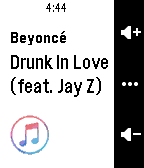
RemotesControl iTunes and Spotify on your Mac using your Pebble, just like the Music app! You'll need to run 'iTunesify Remote for Pebble' on your Mac. On your Mac, go to bit.ly/pebble-itunes-mac and follow the instructions for setup (no longer than 2 minutes!) You can currently play/pause any song, go to the previous/next song, view the current track's name and artist and control the Mac's volume!
 290
290eNotify
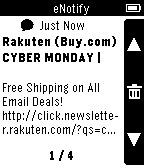
NotificationseNotify provides filtered email alerts and, on Android, SMS notifications. Highly configurable, eNotify supports rules with custom alert sounds for different accounts, senders, subjects, recipient addresses, phone numbers and more. Easily silence day-to-day background noise and stay aware of priority e-mails and SMS messages. NOTE: If you're an Android user, you will likely prefer to use the Android Wear eNotify features, instead of this watch app.
 285
285FlipCoin
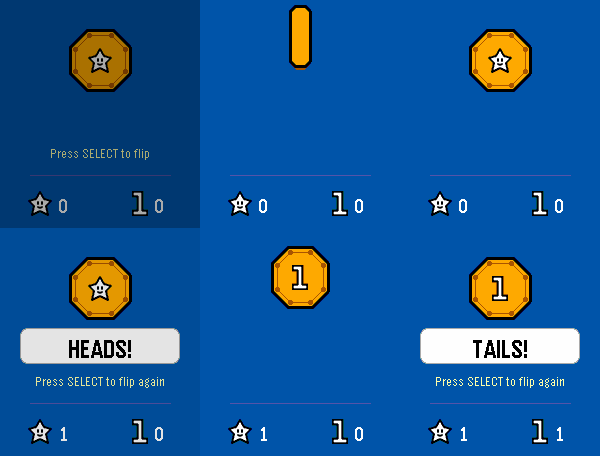
Tools & UtilitiesCan't decide? Let your wrist handle it. Press SELECT and watch a coin launch into the air, tumble through five dramatic half-rotations, and land with a satisfying buzz. Heads or Tails — no real coins required, no fumbling in your pockets, and zero chance of losing one down a drain. Works on every Pebble watch.
 285
285Flinch — Random Nudges
Health & FitnessYour wrist doesn't nag on a schedule. Flinch uses random-interval nudges — the same psychology behind slot machines — to build habits that actually stick. No streaks. No gamification. Just a sharp little reminder when you least expect it. Variable-ratio reinforcement is the most effective conditioning schedule in behavioral psychology. Flinch puts it on your wrist. Features: • Define custom habits with personalized nudge text • Random-interval wakeups throughout the day — never predictable • Per-habit active hours, frequency range, and vibration pattern • 5 vibration patterns: Gentle, Normal, Strong, Double Tap, Triple Tap • Quick mute: long-press SELECT to silence all nudges for 30 minutes • Mute status visible per-habit with countdown • Optional acknowledgment tracking (tap SELECT = "I did the thing") • Daily acknowledgment count per habit • Dark-themed config page with clean card-based UI • Zero backend, zero cloud, zero accounts — everything on watch + phone • Survives watch reboots (uses Pebble wakeup API) Build a habit. Break a habit. Flinch doesn't care which — it just nudges.
 283
283GymTimer
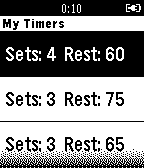
Health & FitnessGymTimer is an app for healthy life and fitness enthusiasts. This app lets you keep track of routines of all kind of exercises by configuring number of sets and rest periods so you can boost your performance and improve your time. Don’t wait and go try this out at the gym! Features: Quick Start My Timers - More coming up soon! Twitter: @GymTimer
 282
282YaNC - Notification Center
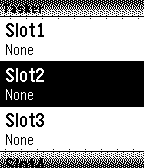
NotificationsYet another Notification Center YOU HAVE TO DOWNLOAD THE COMPANION APP FROM THE "WEBSITE LINK" (Only Android >= 4.3) YaNC is another way to send notifications from your phone directly to your wrist. Now your watch can display Emoji and language specific characters without problems. (Ex: Unicode, Chinese..) It has a lot of features. See the Url below to discover the button functions etc..
 281
281Timer
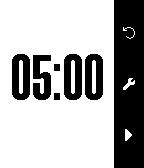
Tools & UtilitiesA simple and easy to use Timer application. By pressing select you set minutes and seconds. Press down (start) to start the timer, press down (stop) when the timer is running, to pause. Press up (reset) to reset the timer to it's start-value. Press select long to enter a small setup screen.