 2
2Timer / Chrono
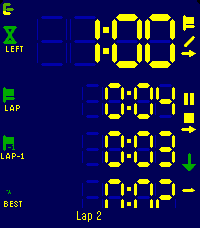
Tools & UtilitiesModes ----- Count up, count down for a duration, or count down until a clock time. The three are distinguishable modes, each with its own screen layout, colours and alarms. Flexible layout --------------- You decide what every line shows. Up to four lines per mode, each one picked from: total time, remaining, current lap, prior lap, fastest, average, the gap between the current lap and any of those, the end time, or the lap count. Pick a size per line: XL, L, M or S. The LCD digits fill whatever space is left. Laps ---- Laps work in both directions and exclude paused time. The lap list shows each lap against the one before, with the fastest marked. Alarms ------ Alarms fire at the end, before the end, at intervals, or when a lap reaches a reference lap. Each one can vibrate, sound, or both. Alarms still fire with the app closed. Buttons ------- Every button shows what a short press and a long press will do, and how far a hold has got. Touch ----- Setup, changing start/end times etc. can be done with gestures too: Click a field and use clockwise to increment, counter clockwise to decrement. Watch/Phone ----------- Everything runs on the watch. Layouts and colours are edited on the phone, where there's room for it, which is a single-setup most of the times. Ready for Pebble Time 2, Pebble Time and Pebble 2. 2
2Design Jobs Wales
DailyDisplays the latest jobs from Design Jobs Wales
 2
2Exchange Bitcoin (BTC)
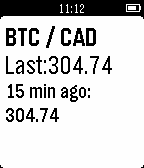
Tools & UtilitiesExchange BTC vs the most famous currencies
 2
2PyGrunn 2015
Tools & UtilitiesThe schedule for PyGrunn 2015 on your wrist!
 2
2Revolution UC Schedule
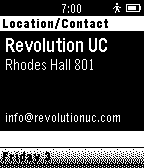
DailyUniversity of Cincinnati - Revolution UC #Hackathon Schedule for 14 November 2014 - 16 November 2014. Sponsored by Strap! (straphq.com / @getStrap)
 2
2DeskLights128
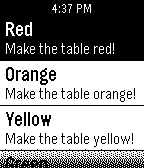
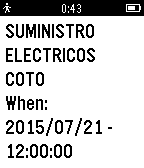
RemotesControls a DeskLights 2.0 table with custom commands.
 2
2FLAG Savia for Pebble
Tools & UtilitiesCon un solo giro de muñeca, consulta la agenda de tu FLAG Savia, el sistema de gestión unificada en la nube. Si no eres usuario de FLAG Savia aún, comienza a usarlo 30 días gratis en http://flagsavia.net/
 2
210-20-30
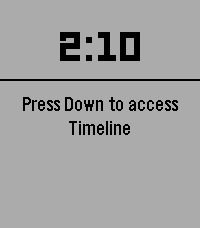
Health & Fitness10-20-30 is a way to spice up your running giving you good results. This app tracks an entire run.
 2
2Trinary Timer
Tools & UtilitiesTimer with Trinary Selection option for up to 27 custom timers. You can select any of these timers within 3 button presses by tapping Up, Select, and Down. Hold Up to add a new timer and Hold Down to select a timer to delete. Quick Launching also exits after 3 seconds so you can set and forget.
 2
2Whistling Pigs
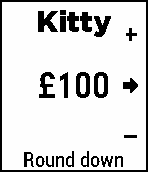
Tools & UtilitiesRestaurant bill calculator. Unshared items (usually drinks) are paid into the kitty when ordered, The rest of the bill, including tip, is then split between all present.
 2
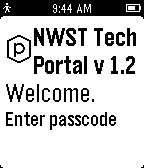
2NWST TECH
Tools & UtilitiesOfficial NWST TECH app
 2
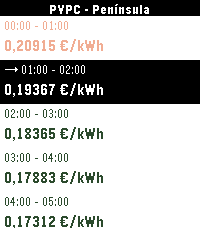
2Precio Luz PVPC
Tools & UtilitiesConsulta el precio de la luz (PVPC*) en España desde tu muñeca. - Los 24 precios del día en €/kWh o €/MWh - Precios de mañana en cuanto los publica REE (sobre las 20:00 h) - Hora en vigor marcada con → - Colores según precio: verde = barato, naranja = medio, rojo = caro (iconos ▼ ◇ ▲ en relojes b/n) - Zona configurable: Península, Canarias, Baleares, Ceuta y Melilla - Compatible con todos los Pebble: del clásico al Pebble Time, Pebble 2 y Core Devices Datos de Red Eléctrica de España (REE). *PVPC: Precio Voluntario para el Pequeño Consumidor. Es la tarifa eléctrica regulada por el Gobierno de España. ----- EN ----- Check Spain's electricity price (PVPC*) right from your wrist. - All 24 hourly prices in €/kWh or €/MWh - Tomorrow's prices as soon as REE publishes them (around 20:00) - Current hour highlighted with → - Color-coded by price: green = cheap, orange = mid, red = expensive (▼ ◇ ▲ icons on B&W watches) - Configurable zone: Península, Canary Islands, Balearic Islands, Ceuta and Melilla - Works with every Pebble: from the original to Pebble Time, Pebble 2 and Core Devices Data from Red Eléctrica de España (REE). *PVPC: Voluntary Tariff for Small Consumers. This is the electricity tariff regulated by the Spanish Government.
 2
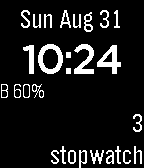
22015 FTC Referee
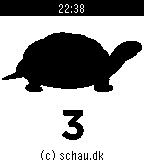
Tools & UtilitiesTime, stopwatch, 3-sided die and state of charge.
 2
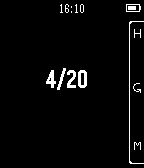
2Accuracy measurer
Tools & UtilitiesA simple Watchapp to keep track of your success/tries, hits/shots, in short: accuracy. Controls: - Top: Hit - Bottom: Miss - Middle: Reset
 2
2RESTForge
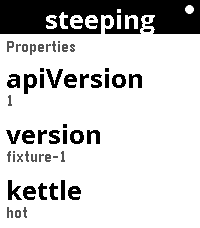
Tools & UtilitiesRESTForge — control any Siren API from your wrist RESTForge turns your Pebble into a remote control for any web API that speaks Siren — a standard way for a server to describe itself. You don't tell the app what buttons to show. The server does. RESTForge just reads what the server offers — links to follow, fields to fill in, actions to press — and puts it on the watch screen. That means one watchapp works with many different backends, and new ones can be added without changing the app at all: - It already works with f3sctl, a real server for running a small homelab rack (switching hosts on and off, watching jobs). - The full, plain-English contract a backend must follow is in the project's docs/ folder, so anyone can read it and wire up their own server — a home automation system, a build server, a status dashboard, anything. - Point RESTForge at your server's base URL, paste in a secret key, and browse what it offers from the watch: scroll lists, open details, follow links, fill in a field and confirm an action. Long-running jobs are watched until they finish, and the watch shows you the result. Nothing about any one server is baked into the app — that's the whole point, and it's enforced by the build, so the watchapp stays generic as more backends appear. Works on Pebble Time 2 and Pebble Round 2. Set up your backends in the phone settings page; the secret stays on the phone, never in a URL.