 2
2petar
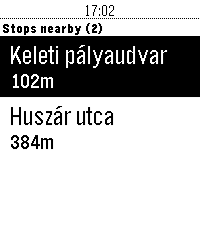
DailyThis app will show you the nearest public transport stops and realtime departure times in Budapest, Hungary.
 2
2Austin Metro
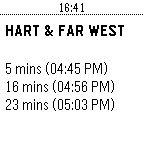
DailyThis application will display the estimated arrival times of the next three buses at bus stops in Austin, Texas. Add any number of StopIDs in order to be able to view upcoming bus arrivals. While focused on a stop, Up/Down will cycle between saved stops. Select enters a menu of your saved StopIDs, where you can also save additional StopIDs. A "long press" on a stop in the menu will allow you to delete it.
 2
2Wiz Light Control (test)
Tools & UtilitiesCurrently in progress
 2
2SC Offen
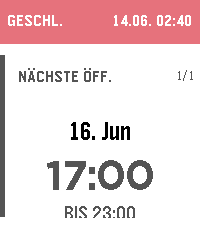
DailyPebble-Watchapp fuer die aktuellen und kommenden Öffnungszeiten des Schwarzen Cafes in Reutlingen. Die App zeigt auf der Uhr sofort, ob gerade offen ist und bis wann. Darunter steht der naechste offene Termin; weitere Termine lassen sich mit UP/DOWN durchblättern.
 2
2Pebble Golf Live
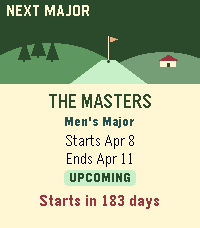
Health & FitnessFollow live pro golf, leaderboards and player scores right from your wrist. ⛳ Pebble Golf Live brings tournament leaderboards, player scores, schedules and scorecards to your Pebble. Highlights: • Live professional tournament leaderboards • Player round summaries and hole-by-hole scorecards • Upcoming tournament schedules • Historical results • Timeline support
 2
2Metro Tenerife
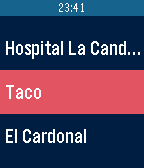
DailyMetro Tenerife te permite visualizar los próximos tranvías que se acercan a la estación que elijas. Para más ayuda, visita la wiki en Github
 2
2Should I Run?
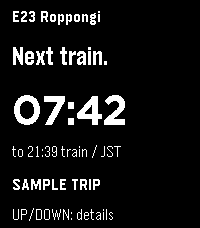
DailyYour next Tokyo-area train, at a glance. Should I Run mirrors your selected station, direction, departure countdown, estimated outdoor distance and pace to Pebble Time 2. Supported lines include Toei, Tokyo Metro, JR East and Tokyu. Requires the Should I Run phone or web app and an internet connection. Open https://should-i-run.yoroshi.workers.dev on your phone, select your trip, then copy the watch connection into this app’s Settings. Keep the phone app open while syncing. Select refreshes the trip; Up or Down shows details. Live reports and scheduled estimates are labeled. Pace advice expires after 30 seconds without fresh data; the last countdown continues with a STALE label. Walk inside stations; distance and pace are estimates. Screenshots show fictional sample trips.
 2
2Pokedex Tracker Gen 5 (Black & White)
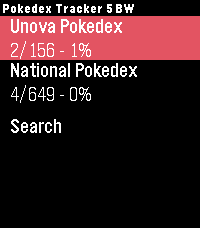
Tools & UtilitiesKeep track of your captured Pokémon from the Generation 5 games right from your wrist. Featuring the complete set of all 649 Pokémon from the Black and White versions. Track both the Unova region and the National Pokedex.
 1
1polltogo poll voter
DailyGive your opinion from your wrist! This app lets you find and participate in open, public polls that have been geolocalized near you. Note: This app is only meant for voting in polls. To create your own "findable" polls you need to use the polltogo web-app (polltogo.com) or mobile app on iOS or Android.
 1
1WLmonitor
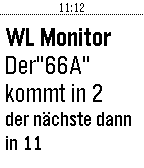
Tools & UtilitiesApp zeigt die kommenden beiden Abfahrten der Wiener Linien Bus: 66A in der Station Alterlaa Richtung Reumannplatz an. Weitere Entwicklungen kommen.
 1
1BART Times
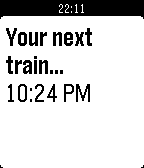
DailyEver scramble in a hurry, wondering if you're late for the next BART? That's history - now, your watch will show when the next train arrives. You can configure the origin and destination stations in the configuration menu.
 1
1Binary Time
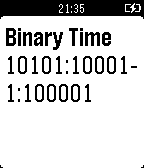
DailyChannel your inner geek and show the current time in binary!
 1
1D219 IRC Capacity
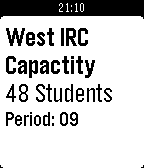
DailyA WatchApp that displays the Information Resource Center capacity data for District 219 high schools, North and West. On the title screen press the up button to get Niles North's information, or press down to get Niles West's information. On either of the information pages press the center button to refresh the information show, and press back to return to the title screen.
 1
1Straight Line
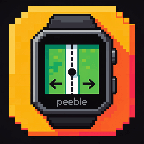
Health & Fitnessfor walking/hiking in a straight line. buzzes twice when deviating to the left and once when deviating to the right. ## Settings Open the app's settings (gear icon) in the Pebble phone app: - **Line coordinates**: paste from the KML (see above). - **Buzz when off the line by**: default 5 m. Phone GPS wanders by 2 to 5 m, so 5 m gives a few false buzzes per 10 minutes; 8 m is calmer. - **Repeat buzz every**: default 10 s. Repeats stop while you are already walking back towards the line. - **Ignore GPS worse than**: default 20 m. Weaker fixes show "WEAK GPS" and never buzz. - **Walk in reverse**: tick this if you walk from the path's last point to its first. Otherwise left and right are swapped. You can also paste the coordinates into `BUILTIN_COORDS` at the top of `src/pkjs/index.js` before building and skip the settings page. ## On the watch - Top: ON LINE / LEFT / RIGHT, then the offset in metres. - Middle: the vertical bar is the line, the dot is you, the ticks mark the alert threshold. Hollow dot = weak GPS. - Bottom: metres to the end of the line and current GPS accuracy. - Screen turns red (black on black-and-white watches) while you are off the line. - SELECT: mute / unmute. UP: demo the "left" buzz. DOWN: demo the "right" buzz. - "NO PHONE" means no update for 20 s. "ARRIVED" within 10 m of the end. ## Things to know - The phone does the GPS work. Keep the app open on the watch, and give the Pebble phone app "Allow all the time" location permission on Android so it keeps working with the phone screen off. Exempt it from battery optimisation if updates stop. - The offset is averaged over the last 3 GPS fixes, so it lags a few seconds.