 78
Sleepy Face
Tools & UtilitiesA basic app meant to save battery at night by simply not updating the screen Beware that the time is only updated when watch is shaken!
 78
IP Cam Remote
RemotesIP Cam Remote Control and view your IP Cam from your wrist! Controls: Select: Refresh Image Up: Pan camera up/left Down: Pan camera down/right Double Click Select: Toggle auto refresh Long Press Select: Toggle Vertical/Horizontal panning Enter IP Cam connection details in the config page.
 78
Notification Sync
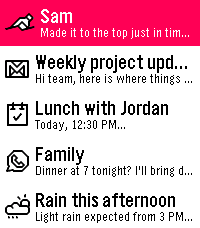
NotificationsHave you ever been annoyed that your watch notifications were a separate storage bucket of stale notices you may have already seen on your phone? Ever swap to an Android watch and miss the notification unification? Well Notification Center 2 (https://github.com/matejdro/PebbleNotificationCenter2) was great, but I forked it and really went nuts merging code from the now open source PebbleOS. This is a complete duplication of the stock notification system, enhanced, and most importantly, a full sync to your phone's notification shade. Dismiss a notification on one, it poofs from the other, either in real time or the next time you check the app. You can use this app to replace the stock notifications, or you can keep stock ones on and use this to check notifications. If you use this app for notifications, you can set it to interrupt your active watch app, or wait for a watch face so it doesn't kill your open app (a choice based on a limitation of PebbleOS). You can set it to not notify your watch if your phone is unlocked since you'll see the notification there anyway. There are tons of other settings too!
 78
Pebble TaskWatch
Tools & UtilitiesPebble TaskWatch is a set of Pebble SDK 2 watchfaces customizable through Tasker You can associate any Tasker task with Top/Middle/Bottom Button Click/Double Click/Long Click You can add to the watchfaces icons and custom text layers editable from Tasker plugin Through the Tasker plugin you can: - Change Watch Face - Change icons and text of the text layers - Send an alert to Pebble - more...
 78
Stopwatch+
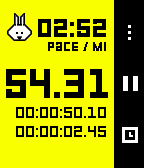
Health & FitnessAn updated Stopwatch that tracks your running stats. Measure and track Distance and Pace - all without a companion app on your phone.
 78
Galaxy Gunner
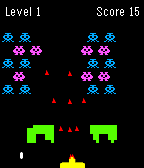
GamesGalaxy Gunner is a space shooter game. Tilt left and right to move the auto-shooting gunner. The galaxy monsters will shoot bullets and gradually move down. Your goal is to destroy all of them before they reach you to move onto the next more difficult level. Shooting the red monster will give you a powerup.
 78
Avex - Innovative Personal Assistant for
DailyAvexAI - Developer Preview Release 1.0 Say hello to Avex, the most powerful AI virtual assistant for Pebble. Avex is the most powerful virtual assistant app for Pebble. Avex is the ultimate voice-controlled interface to your Pebble and to the world around you. Avex is capable of setting reminders & timers, answering questions using Wolfram|Alpha, and hanging out. The app is always available from your wrist, whether you need a question answered or just want to say "Hey" and chat.
 78
BringMeHome
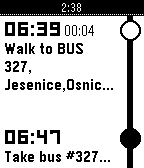
DailyGet directions for public transit to user defined places (using Google Maps service) into TimeLine. Have you ever needed to go somewhere and find directions fast, without getting a map? Can't remember bus and train schedule? Well, now finding those directions is easier than ever with BringMeHome! You will never miss the last bus with BringMeHome notifications. Note: BringMeHome uses Google Maps API to build transit routes. Public transit coverage: https://maps.google.com/landing/transit/cities/index.html
 78
Notes To Self
Tools & UtilitiesNotes To Self has a whole new main menu screen to view your notes or upcoming reminders. An updated version of Note To Self by Turner Yey. Places pins in the Pebble Timeline corresponding to a reminder or a note. Notes are the default, and will be pinned at the current time. For a reminder later in the timeline say, “remind me at (time)” or a similar phrase.
 78
Tic Tac Toe
GamesA local two player tic tac toe game for your pebble. Burn time by passing your watch and enjoying this classic game!
 78
LibreHealth
Health & Fitness# Libre Health Pebble companion app for Libre Health, the open-source, local-only health tracker for Android. Warning: Requires the LibreHealth Android companion app. There you can connect to pebble by clicking the upper right dots, then "Pebble". Automatically syncs your Pebble health data — heart rate, step counts (broken down by hour), and sleep — to the Libre Health app on your phone. Enable automatic mode and the app wakes up every 30 minutes to send your latest stats, no manual intervention needed. ## Features - Hourly step tracking with 24-hour breakdown - Heart rate and sleep data sync - Automatic background sync every 30 minutes - Manual send with one button press - Works on all Pebble platforms (Aplite, Basalt, Chalk, Diorite, Emery) **Your data stays yours.** All data is sent directly to Libre Health on your phone — no cloud, no accounts, no third parties. ## Controls - **UP:** Enable automatic sync - **SELECT:** Send data now - **DOWN:** Disable automatic sync ## Coffee If you like the app and want to buy me a coffee (or simply click the website button): https://www.paypal.com/donate/?hosted_button_id=Y4PDJU84LC3N2
 77
Block Breaker
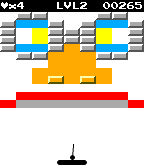
GamesIt all started when Steve Wozniak created Breakout, a single player version of Pong. Since then many games have been created with the same style (Arkanoid, Brick Breaker, etc.). Block Breaker brings all of the excitement and skill of the classic Breakout arcade game to the Pebble smartwatch. Use the paddle to bounce the ball and break the bricks. Collect power-ups and finish levels to collect points. Compare high scores with your friends. Available for the original Pebble and in glorious technicolour for the Pebble Time! Hours of mindless fun! Set high scores! New levels are being created all the time!
 77
Codex Pigeon
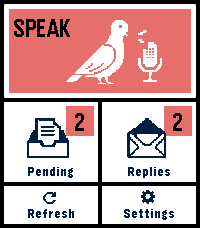
Tools & UtilitiesCodex Pigeon turns a Pebble Time 2 into a small voice mailbox for GitHub and Obsidian. Dictate a note on the watch, review it, and send it to a private GitHub repository as a Markdown file. Later, refresh the app to read replies or dictate a follow-up in the same conversation. Touch controls and the physical buttons both work throughout the app. Codex Pigeon is a transport tool, not a hosted AI service. It moves messages between the watch and a repository you control. What happens on the home computer is entirely your choice. You can use Codex, Claude, another model, a local model, a simple script, or no model at all. The Codex workflow is the only model-based setup tested end to end for this release. HOW IT WORKS The watch sends each request as a separate file in the repository's inbox folder. A process on your computer can read the request and create a matching file in the replies folder. GitHub carries the files between devices, while Obsidian presents them as ordinary local notes. The file-per-message design keeps the mailbox append-only and reduces merge conflicts. Dismissing a reply hides it on the phone and watch only. It does not delete the GitHub or Obsidian copy. SETUP 1. Create a dedicated private GitHub repository. For example, create a private repository named pebble-mailbox under the fictional account example-user. Inside it, create folders named inbox and replies, plus a file named Conversation.md. Commit and push the initial structure. 2. Create a restricted GitHub token. In GitHub, open Settings, Developer settings, Personal access tokens, Fine-grained tokens, then Generate new token. Limit repository access to the single mailbox repository. Grant only Contents: Read and write. No administration, workflow, issue, pull-request, organization, or account permissions are required. Use an expiration date and store the token safely. github_pat_EXAMPLE_NOT_A_REAL_TOKEN is a fake example and must not be used. Never put a real token in source code, documentation, screenshots, Obsidian notes, or chat. 3. Connect the repository to Obsidian. Clone the mailbox repository onto the home computer. You can open that folder as a dedicated Obsidian vault, or clone it as a folder inside an existing vault. Git performs the synchronization; Obsidian does not need a Git plugin unless you independently want one. 4. Configure Codex Pigeon. In the Pebble phone app, open Codex Pigeon settings and enter the repository owner, repository name, branch, and fine-grained token. Example values are example-user, pebble-mailbox, and main. Test the connection, then save. 5. Choose what processes incoming notes. A local worker can periodically pull the repository, find inbox files without matching replies, perform the requested work, write the response to replies using the same message ID, optionally update Conversation.md, then commit and push. Codex Pigeon deliberately does not install that worker or decide what it may access. Configure your local tool with the permissions and project boundaries you consider appropriate. Watch messages should be treated as untrusted input, not as automatic permission to access unrelated files or services. NO-AI USE AI is optional. Codex Pigeon can be used as a voice-to-Markdown inbox, an append-only remote notebook, an input for a rules-based script, or a way to capture notes for manual review in Obsidian. Without a local worker, requests still reach the repository; replies simply remain manual. PRIVACY AND LIMITATIONS Use a private repository dedicated to this mailbox. Do not dictate passwords, API keys, payment information, clinical identifiers, or other highly sensitive material. The GitHub token is stored in the Pebble phone app's app-specific local storage. This is not equivalent to the iOS Keychain. Revoke the token if the phone is lost, and use Erase credentials before transferring the device. The paired phone must be connected over Bluetooth and the Pebble phone app must be available. If iOS has force-quit the companion app, reopen it before refreshing. Version 0.4 supports Pebble Time 2, Round 2 platform. Tested on Time 2, stable battery and function. This is a beta of a small project, things can go wrong, or, just not be as good as you want them to be. Feel free to write me about any problem, or any idea.
 77
Pushbutton
DailyIFTTT for your Pebble, at long last! Works with any IFTTT Do Button action, so you can send emails, post tweets, record your location & more - all from your wrist. NOTE: This app is not an official product of IFTTT. "IFTTT" and "Do Button" are trademarks of IFTTT Inc.
 77
Seoul Subway
Tools & Utilities서울 및 수도권 지역의 실시간 도착 정보만 볼 수 있는 앱입니다. 설치 후 설정에서 먼저 정보를 입력해야 사용 가능합니다. 정보를 새로고침을 하려면 Select 버튼을 눌러주세요. 도착 정보를 보는 도중에 Up / Down 버튼으로 저장한 리스트의 다음 역으로 넘어갈 수 있습니다. 안되는 점이나 개선 점 등 의견이 있으시면 이메일로 보내주시기 바랍니다.