 71
71NU.nl
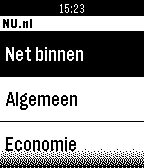
DailyMet de NU.nl app voor Pebble, blijf je ook via het kleinste scherm op de hoogte van het laatste nieuws. Kies voor de rubrieken Net binnen, Algemeen, Economie, Tech, Sport, Entertainment en Overig, en klik op een titel van een artikel om het te openen. Klik op de knoppen aan de zijkant om naar beneden te navigeren.
 71
71SJCAM Qumox Remote
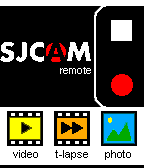
RemotesRemote Video Controller for SJCAM/ Qumox SJCAMERA action camera. INFO: 1) connect you phone to the wifi cam network 2) use JSCAM Remote without limitation Note: jscam5000 and later NOT SUPPORTED
 71
71Opus - A Kodi Remote
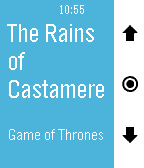
RemotesA free, beautiful remote for Kodi. Take control of your media center from your wrist. Adjust your Kodi's volume by short pressing up and down buttons, skip to previous and next tracks or playlist items by long pressing them. Switch to skipping and menu navigation by long pressing select and navigate Kodi's on screen menus up, down, left (long press up), right (long press down), select and back (double press select). Shake your watch to update the screen. A battery-friendly alternative to regularly polling Kodi in the background. In the host selector you can choose your active Kodi host from a list of IPs that is definable in the Settings phone app. Opus supports multiple hosts with password protection. Opus will always be free. If you like this app, please give it a heart in the app store so that others can find it. If you love this app, donations are great for motivation. Kodi used to be called XBMC.
 71
71World Clock
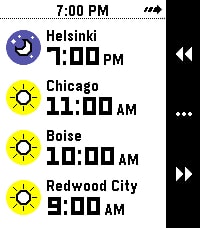
Tools & UtilitiesWhat's the current time in Helsinki, Boise, and Redwood City? When it's 4 PM in Amsterdam, what time will it be Sydney? Instantly answer questions like these right on your wrist with World Clock! With World Clock, you can choose up to 8 timezones to display at your wrist. You can also use Time Travel to scrub forward and backwards in 30-minute increments, so you can compare different timezones. To use it, open the Settings app on your phone and select cities to add to the list. World Clock will automatically populate the name field with the name of the city, but you can change it to whatever you like. You can also quickly enable and disable timezones, too. Time offsets are calculated by the phone, and synchronized to the watch. The watch caches all of the cities and time offsets, so if your phone isn't nearby, you can still use World Clock. Your phone will check on all of the timezones whenever World Clock starts, just in case something like Daylight Savings Time has happened recently (and you'll see a small "X" if the watch wasn't able to sync with the phone). If you like to switch Pebbles, no problem! The timezone list is saved on the phone, and automatically synchronized to whatever Pebble you are wearing. Pebble Round 2 support coming as soon as it arrives!
 71
71PebBeep
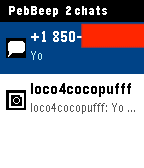
NotificationsPebBeep — Messages on Your Pebble Read and reply to your iMessage, Slack, WhatsApp, Signal, Telegram, Discord, Messenger, Instagram, Google Chat, Google Messages, Matrix, X (Twitter), and LinkedIn messages right from your wrist. PebBeep bridges your conversations from Beeper Desktop on your Mac to your Pebble in real time, end-to-end encrypted with NaCl. Tap a chat to read recent messages, long-press to reply with a custom quick-reply or by voice (on Pebble Time and later). Features Unified inbox across 13+ messaging services (powered by Beeper) Service icons so you know at a glance who's messaging Quick replies — voice dictation + 4 custom canned responses End-to-end encrypted between desktop and watch Vibration + notification banners for new messages Persistent message history on the watch Works on all Pebble models (Aplite, Basalt, Chalk, Diorite) Setup PebBeep needs the companion PebBeep desktop app and Beeper Desktop running on your Mac to bridge your messages. Install Beeper Desktop and sign in to your messaging accounts: https://www.beeper.com Install the PebBeep desktop app: https://pebbeep.web.app Launch PebBeep desktop, sign in / sign up with your email, and link it to Beeper Desktop Install PebBeep on your Pebble from the app store Open PebBeep settings in the Pebble app and sign in with the same email account You're done — messages will start appearing on your watch Configuration The settings page (Pebble app → PebBeep → Settings) lets you: Set 4 custom quick-reply phrases Toggle vibration on new messages Toggle notification banners Adjust polling interval Privacy All messages are encrypted end-to-end between your desktop and watch using NaCl public-key cryptography. The PebBeep relay server only sees ciphertext — it cannot read your messages. Disclaimer PebBeep is an independent third-party app. It is not affiliated with, endorsed by, or sponsored by Pebble, Rebble, Beeper, or Automattic. "Pebble" and "Beeper" are trademarks of their respective owners and are used here for descriptive purposes only. PebBeep requires a separate Beeper account and Beeper Desktop installation, which are subject to Beeper's own terms of service. © 2026 PebBeep. All rights reserved.
 70
70Vera Scenes
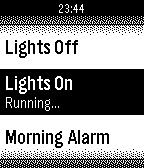
RemotesControl your micasaverde Vera unit from your Pebble Watch! This allows you to browse through all Vera scenes as well as run them.
 70
70Device status
Tools & UtilitiesShow 5 sec. pop-up notifications, phone connection and battery state: - battery icon, by wrist; - phone connection icon, by change state. Runs in the background and do not depend on others running apps and faces. Takes one apps slot, require activation in "Activity" menu.
 69
69Rogue Watch
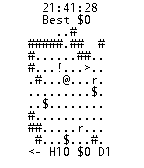
GamesA roguelike on your watch! H is health, D is Depth, and $ is your gold. Get as much as you can before you die!
 69
69Magic Button
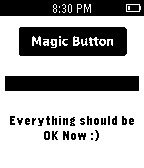
Tools & UtilitiesA magic button that makes everything OK. Insprired by http://make-everything-ok.com
 69
69Timer
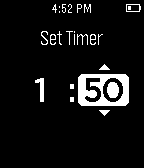
Tools & UtilitiesVERSION 2.0: Completely rebuilt from the ground up. With an intuitive new UI, background support, and smooth animations, Timer 2.0 is more functional and beautiful than ever. A simple countdown timer with minutes and seconds. On completion, the watch vibrates. Please email me any bugs you find at jwhamilton99@icloud.com.
 69
69MeditationTimer
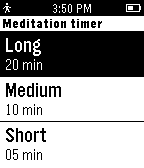
Health & FitnessA simple meditation timer. Preparation time - relax and prepare mind for meditation Meditation time - focus mind in breathing or in the entire body Finalization time - slowly prepare mind to return to rotin Version 1.1 -------------------- - Turn the backlight on when event is finished; - New screen on end of meditation
 69
69Music
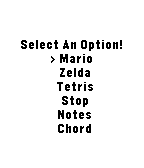
Tools & UtilitiesPlay music out of your phone with no companion app. Only works on (most) Android phones. Play Mario or Zelda or Tetris music, as well as some simple beeps.
 68
68Timeline Tag!
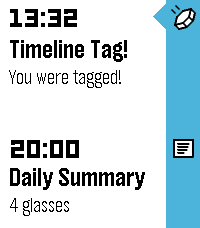
GamesTimeline Tag is a multiplayer game, played entirely within the Pebble Timeline! To join the game, simply open the app. Shortly after starting, you will receive your first tag within your timeline. This first tag will be easy to find, the subsequent ones slightly less so.... The tag will report your current score and rank. When you receive it, it will give you a selection of recipients to send the tag to. When you select a recipient, the tag will be sent to them, and you will be awarded the points value of the tag. Tags start out worth 1 point, and their points value increments each time the tag is sent to a recipient. The more a tag is forwarded on, the higher it's points value, so make sure you keep forwarding them on! The tags will arrive silently to some point on the timeline, so you'll have to keep an eye out to make sure you don't miss any. Any tags that drop off your timeline without being forwarded on will die. Hint: Look out for your own ID in the recipients list for the tag - you could get more points by sending it back to yourself to do it all again! IMPORTANT: Timeline Tag requires an active internet connection, so if you do not receive your starting tag, ensure that you open the app when you have a good internet connection and wait until the first tag arrives.
 68
68Rudd
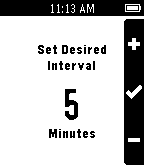
Tools & UtilitiesRudd is an app for Pebble that helps you manage time by vibrating on a set interval. When you're working out for a given interval, don't keep checking your watch, set Rudd for 1-2 minutes. Time flies when you're having fun, but drags on when you're bored, so set Rudd to 5-15 minutes to give your mind a new perception of time. Set Rudd for 30-60 minutes to remind yourself to take a study break.
 68
68Cocktails
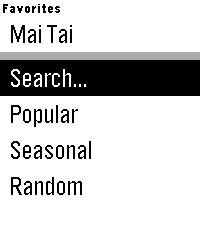
Tools & UtilitiesHaving people over and want to show off your minibar? Training to become a bartender? Cocktails gives you access to over 3000 drink recipes right on your wrist. Features: - Search for drink recipes by name or ingredient using voice dictation - Browse curated lists of popular or seasonal drinks - Save your favorite recipes in the main menu for quick access Cocktails is powered by TheCocktailDB. www.thecocktaildb.com