 68
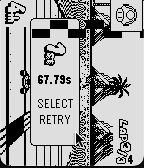
68Core Kart
Gamesan adaption of yoshi falls from the DS play as you would mario kart with a single sideways joycon
 68
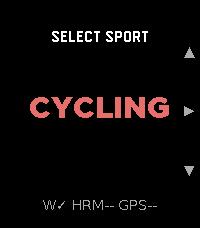
68Strava GPX
Health & FitnessStrava GPX turns your Pebble Time 2 into a standalone GPX workout recorder for cycling, running, and walking. It captures GPS distance, speed/pace, and heart rate, and saves a GPX file directly to your phone's Downloads folder when you stop. No account, no subscription, no cloud dependency — the file is yours immediately. Import the .gpx into Strava, Komoot, Garmin Connect, or any platform that accepts the format. For users who want automatic delivery, an optional Cloudflare Worker can email the file to you the moment the workout ends. What it records: elapsed time (pause/resume), GPS distance, speed/pace (km/h or mph / min/km or min/mi), heart rate embedded at every track point. Sports: Cycling (speed), Running, Walking (pace), each with independent HR sampling interval. Settings: HR interval 1–30 s per sport · GPS accuracy filter · metric or imperial · optional download subfolder · optional Worker for email delivery.
 68
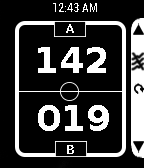
68ScoreKeeper
Tools & UtilitiesScoreKeeper is a simple app to keep track of scores of any two teams and any Game. Simple to use: Up Key - Increment the score of Team A by 1 Up Key (Long press)- Decrement the score of Team A by 1 Down Key - Increment the score of Team B by 1 Down Key (Long press)- Decrement the score of Team B by 1 Select Key (Long press)-Reset the sco
 68
68Light
Tools & UtilitiesThis is simple application, it can use a back light long time.
 68
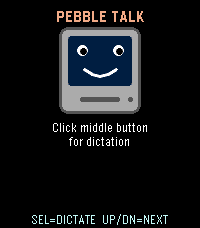
68PebbleTalk
Tools & UtilitiesA tiny retro speech synthesizer that talks through the Pebble Time 2 speaker. Fully algorithmic MacinTalk-style formant synthesis: no samples, no internet, just math. Press Select to hear the classic greeting, or use dictation to make it say anything you want in a charming 1984 robot voice.
 67
67Pebble Controller
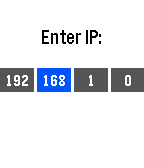
RemotesThis watch app allows you to transmit button presses from your Pebble to a computer and perform actions there. See the github page at https://github.com/andars/pebble-controller (linked below) for instructions to set up the server on your computer.
 67
67Watch Messenger Pro
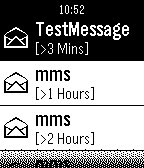
NotificationsCombine notification and call notify. With history list; Three scales chars display; Reading notifications; Remote control call function; Send SMS...
 67
67Tesla Time
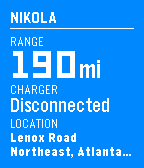
RemotesMonitor and control your Tesla Model S from your wrist. **IMPORTANT** Make sure you visit the settings from your Pebble or Pebble Time app first. The app won't work without it! - Check your range and charge status - Remember where you parked - Forgot your key? Unlock and remote start. - Too cold? Too hot? Turn on the AC or heat to prep your car. Log in to your Tesla account via the Settings.
 67
67Prubble
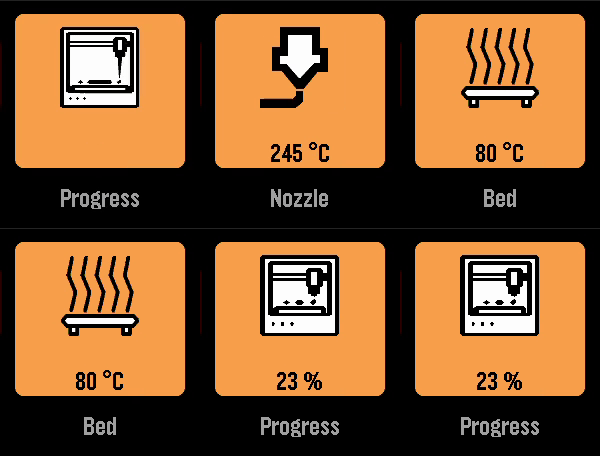
Tools & UtilitiesA Pebble app to check the status of your Prusa printer. To use it, you need to enable PrusaLink on your printer and enter the printer’s IP address and PrusaLink API key. Currently, the app only works when your Phone is on the same network as your printer. I am working on support for Prusa Connect.
 67
67ChinaBus
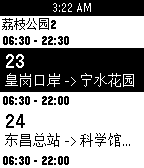
Tools & Utilities可实时获取附近公交到站时间 可在公交详细页按选择键收藏,用以加入快捷菜单(即启动app第一屏列表中)快捷打开常用公交 目前只是测试了pebble time 第一版本暂没有提供清除数据的功能 大家有建议或者有发现问题请联系 注: (请打开gps!!) QQ: 1534760747 Email: jiangege47@gmail.com
 66
66Find Cache - geocaching
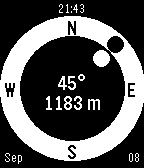
Tools & UtilitiesGeocache companion for Pebble! Configure to set multiple cache locations. Use a simple menu to choose a cache and follow easy directions to find it. Your heading (the white dot) is estimated from the movement of your phone. Align it with the target direction (black dot).
 66
66kijete
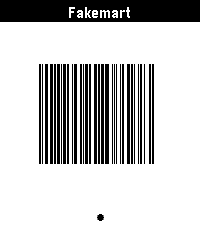
Tools & Utilitieskijete is an app for Pebble that allows you to display Code 128, Aztec, Data Matrix, PDF417, and QR codes on your wrist. It is a fork of Skunk by Harley Watson, and is so named because in toki pona, a skunk would be described by the word kijetesantakalu, or for short, kijete or kije. It swaps out a ruby web app for config and barcode generation for a fully client-side JS application. Its Aztec code support actually works, and it generates codes that are identical to those in my Google Wallet, which is generally a desirable trait. It is using the 2D-Barcode library.
 66
66MyTodoist
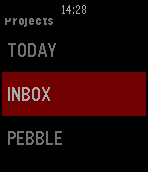
DailyThis app displays your Todoist's task list and allows you to complete or uncomplete tasks. It is basic but it does the work. You need your api key to use it. Go in the settings of the Todoist website, in the "Account" tab. You can use one of my app to copy paste it on your phone : http://www.filesdnd.com
 66
66Micro Deckbuilder
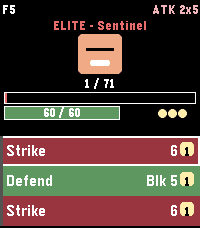
GamesRoguelike deckbuilder: 30 floors, 52 cards, 21 enemies, 8 relics, Fight/Event forks. Time 2. Controls UP / DOWN — scroll the hand / menu SELECT — play highlighted card (spends energy) Long‑press SELECT — end turn (enemy acts, new hand drawn) Long‑press UP — open the potion menu Long-press DOWN in combat opens the deck BACK — return to main menu (autosaves run if still alive) Main menu New Run — fresh starter deck, random seed Continue — resume a saved mid‑battle run (persistent flash) Daily — everyone gets the same dungeon today (RTC‑seeded) Ascension — cycle through unlocked difficulty levels (A0–A2) Class — Knight / Rogue (Rogue unlocks on first victory) How to Play — 11‑page paged tutorial (keywords, forks, modifiers) Deck — inspect every card in your current deck (with "+" flags) Settings — vibration toggle, reset run save, reset scores Achievements — 8 achievements with earn state High Scores — best floor, daily best, max ascension, top 5 Mechanics Cards: Attack (red), Skill (green), Power (blue). Damage, block, poison, strength, weak, vulnerable. Each has a "+" upgraded variant with bonus effects. Damage math: (base + strength) × (vuln ? 1.5 : 1) × (weak ? 0.75 : 1), truncated integer; block absorbs before HP. Enemies (21 total): Slime, Wolf, Skeleton, Imp, Goblin, Ghoul, Sentinel (elite), Shadow Lord (boss), Ancient (final boss), Lich (boss, poison‑on‑attack), Dragon (boss, big single hits + breath), Bat, Spider (bleed‑on‑attack), Orc, Witch (weak‑on‑attack), Zombie (rage on hit), Wraith (big block), Harpy (multi‑hit), Vampire (lifesteal), Mimic, Archer. Enemy quirks: poison‑on‑attack, weak‑on‑attack, lifesteal, rage, heavy block, multi‑hit — quirks modify how normal enemies threaten you. Relics (8 passive artifacts, belt of 6): earned on boss kills. Bronze Scales — 3 thorns at combat start Vajra — +1 strength at combat start Anchor — 10 block at combat start Magic Flower — +50% healing from cards and rest sites Pocket Watch — draw +1 at turn start when hand ≤ 2 cards Torii — incoming hits ≥10 take −3; hits 5–9 take −1 Lens — Skills cost 1 less (min 0) Charcoal — on Exhaust, +1 energy Thorns / Frail: new status effects; thorns retaliates on hit, frail reduces block gain by 25%. Ascension: A0 = standard, A1 adds +10% enemy HP, A2 adds +20% HP and +4 enemy strength. Unlocked by clearing the Ancient. Rest sites: after every non‑final boss kill, choose Rest (heal 50% max HP) or Upgrade (add "+" to a non‑upgraded deck card). Victory: killing the Ancient on floor 30 shows the VICTORY! overlay and tags your top‑5 entry with WIN + ascension level. Tips Block resets at the start of your turn — spend it or lose it. Vulnerable stacks from Bash are the fastest way to burst a boss. Upgrade Strike+ early — every run is carried by your basic attacks. Anchor + Vajra together make turn 1 absurd. Draft Strike‑heavy. Torii softens Dragon / Ancient big hits (−3 on swings ≥10). Watch tops up draws when your hand is thin (≤2 cards). Save rest‑site heals for the Ancient fight unless you're about to die. Bronze Scales + Thorns buff snowballs against multi‑hit enemies. Daily has the same opening hand every time; memorise the optimal line.
 66
66MirrorMap
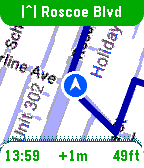
Tools & UtilitiesSee it in action: https://x.com/MirrorMapNav/status/2057143831699796173 *Pebble app needs it's BATTERY set to UNRESTRICTED to reliably send GPS* A navigation watchapp showing live directions on a smoothly rendered map with rerouting and travel modes. This is Pebble's nav app we've been missing! MirrorMap uses the Gmaps API for the best routing available. It can mirror a trip from your phone — share the destination from Gmaps , and it syncs the same trip on your wrist, or just select one of the saved addresses for a standalone trip! Three ways to use MirrorMap: THE MAP: Get the free watch app to explore at 30fps and see your real-time position. ROUTES (subscription): Save *home*, *work*, and *custom* addresses. Start navigating from the watch or even the Pebble settings page. Miss a turn? Shake to reroute! DASH (Play Store app): Besides having it's own Routes subscription, Dash can receive destination shares from any app with a share button-- watch instantly navigates there. Also, share a location from google maps, and both the phone and watch navigate together, in sync, so you can pay attention to either. For prices and more info go to: https://Mirrormap.app (click website link below) Android only: iOS Pebble app lacks the browser APIs that MirrorMap depends on.