 926
Compass
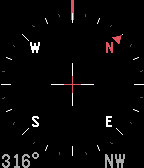
Tools & UtilitiesCompass app elegantly animates between two different modes: A compass rose when you look down at your Pebble and a heading indicator when hold the watch in front of the horizon. A spirit level is included with exact degrees for where you're heading and smooth animations make this the perfect companion for any outdoor activity. And, even works under water!
 835
Timer+
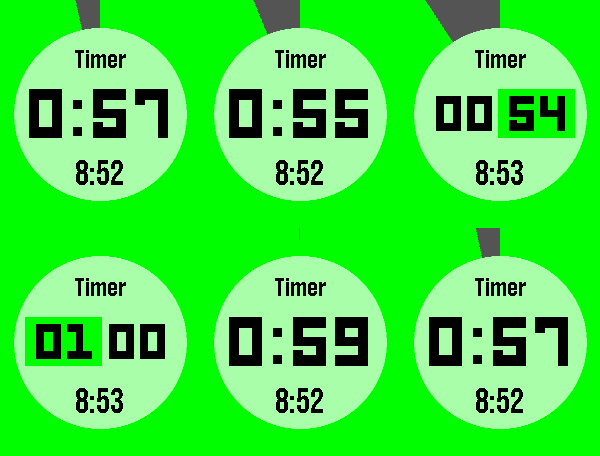
Tools & UtilitiesTimer+ is a beautifully animated, simple timer and stopwatch for your Pebble! It keeps track of your timer even after you close the app and will open the app when the timer has elapsed. Some Features: - Hold "Select" to reset. - Start a 0:00 timer for a stopwatch. - The end time is shown when paused. Like this app? Give it a heart!
 830
Muninn - Battery Wisdom
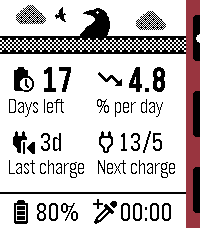
Tools & UtilitiesMuninn is an extremely lightweight battery tracking and prediction app. It uses the Wakeup API (every 6 hours) instead of the Background Worker to monitor trends and provide insight without negatively affecting battery life, using a moving average of readings over time to estimate days left, rate of discharge, next charge date, and more! Note: the Settings page is used for web stats, available after a few days of samples have been collected. Features: - Negligible battery impact - Days remaining and drain rate estimation - Last observed charge and predicted next charge date - Graph log of recent samples, up to 4 days - Sync up to 120 days of data to the phone for long-term insights - Upload and view all your data in web config page - Set an AppGlance to show estimate in the launcher menu - View general battery tips Options: - Custom low battery threshold notification (50%/20%/10%) - Timeline pin at noon on the last day remaining - High (above average) rate of drain notification - One day left notification - Auto-update of web config page stats (noon daily) Important notes: - If the watch is off at the next sample time, the app must be launched to allow wakeups to be resumed. - The initial estimate may be an overestimate but will smooth out soon after.
 765
Timer
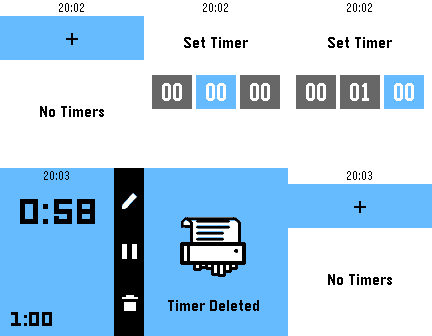
Tools & UtilitiesPebble's first official timer! Set up to eight different timers and watch them run down. Timers longer than fifteen minutes also push a pin to your timeline.
 694
Calculator
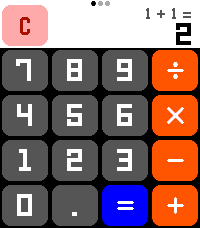
Tools & UtilitiesA calculator! On a watch! No one has ever thought of this before! Now that the Pebble Time 2's touchscreen is enabled, let's CALCULATE! New for summer 2026: Scientific Functions! All the math functionality you could ever want! (Press the center button or swipe on the screen to change pages!) Features: - Add, subtract, multiply, divide! All your favorite basic operations are here! - Behold the power of science! Includes all standard scientific calculator functionality, including trig functions, square roots, logarithms, and more! - Touch targets optimized to be as large as possible for Time 2 screen, including full support for drag-away touch cancellation, ensuring that you are able to press the numbers you want! - Automatically switches numeric display between a large font, a small font, and scientific notation to allow you to do math with unreasonably large numbers! - Smaller secondary numeric display shows last performed calculation (in standard mode) and y-register (in RPN mode) so you can remember what you doing! - Option to always enable the backlight for those grueling late-night calculation sessions **** Featuring RPN mode! **** Have you grown weary of the same old calculator layout? Well then, why not try enabling RPN mode from the settings! RPN, Reverse Polish Notation, is an alternative way of inputting calculations favored by financial professionals and other math enthusiasts for decades! Using RPN mode, you gain precise control over how and when calculations are performed! Never worry about operator precedence again! Let the calculation begin!
 655
Brain Dump (index01 for your pebble)
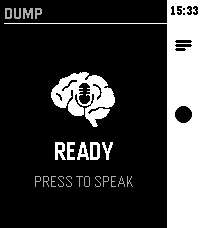
Tools & UtilitiesVoice-first brain dump app. Hit the middle button, speak your thought — it gets routed to AI, Notion, Google tasks, Todoist or saved as a local note.
 617
Music Boss
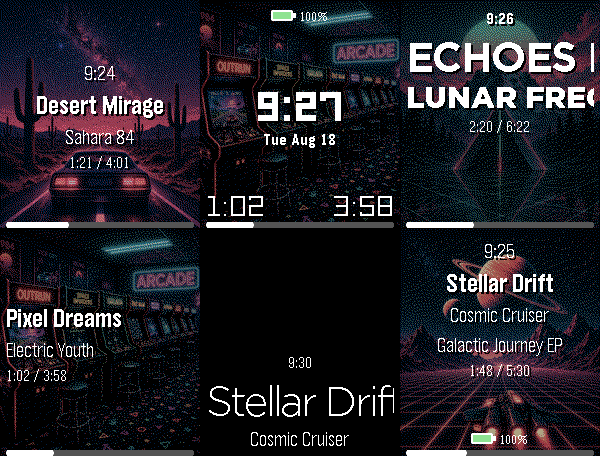
Remotes🎧 Music Boss is a powerful, customizable media controller and music library browser for your Pebble. Works with all your media/music apps*! New here? 🎁 Music Boss includes a fully-featured 3-day free trial through the Music Boss Deluxe phone app - every feature included, nothing held back! 🆕 NEW: Layout Presets - give your watch a whole new look in one tap. Choose from 20+ built-in styles - applied instantly from your phone, then fine-tune anything. Save your own looks too. (Layout Presets & the new UI are for Pebble Time 2 and Pebble Round 2. All other features are for all Pebbles!) 🎵 Play, pause, skip & seek - full media control from your wrist 🔍 Browse & play your whole library - PowerAmp, Podcast Addict, Spotify, Musicolet, GoneMAD, VLC & more 🔄 Switch and launch media apps right from the watch 🔊 Volume on phone, Bluetooth, or while casting 👍 Rate songs - Spotify, YouTube Music, YouTube (more in testing) 📺 Cast control - drive apps sending audio/video to TVs & speakers (Netflix, most music apps) ⚡ Custom per-app controls (e.g. Spotify DJ X) + full Tasker automation ℹ️ Album art, track info & live progress at a glance 🎨 Dynamic art themes that adapt to your cover (colour Pebbles & Pebble 2/2 DUO) 🖼️ Instant album art preview the moment the app opens (no more blank screen!) 🎚️ Image Quality control - Auto / 1 / 4 / 8-bit, plus a custom 1-bit colour theme ⬛ Album-art darkening for crisp text over busy covers ⚙️ Redesigned tabbed phone settings, tailored to your watch 👀 New perk - the new Music Boss watch face preset in Face Boss ✨ Pebble Time 2 & Round 2: 🆕 Brand-new Modern UI - Retro+, Classic & Time layouts in one app, full touch with seek & volume overlays, mix and match to taste 🎨 One-tap Layout Presets - 20+ styles, swap looks instantly, save your own 🎛️ Fully customizable layouts - fonts, colours, sizes, art modes, drop shadow, progress ring & optional solid text backdrops 👋 Wrist-flick gestures - flick forward/back for play, volume, rating & more (adjustable sensitivity; single, double or triple) 🕒 Big-clock display with 9 large fonts 🔒 Quick & Persistent screen lock - double-press BACK 📱 Watch Compatibility - Every Pebble Supported • Pebble Time 2 & Pebble Round 2 • Pebble Time, Pebble Time Steel • Pebble Time Round • Pebble 2 / 2HR / 2 DUO Original Models: • Original Pebble • Pebble Steel Support the Classic UI layout only (no album art). Manual Seek Mode not supported on the original models. For album art on the OG models, please check out "Music Boss Time" on the appstore. Pebble Companion App Compatibility: • Classic Pebble App / Rebble • Core Pebble App • microPebble • Any companion app that supports PebbleKit Classic Thank you for your support - whether you've been with Music Boss since the early days or you're just discovering it now! *Media Browsing/Playback has been tested with: PowerAmp, Podcast Addict, Spotify, Musicolet, GoneMAD and VLC. Works with any app that supports Android Media Browsing. All assets in this listing are original and © Reboot's Ramblings 2013–2026.
 613
Playback for Spotify
RemotesPlayback for Spotify Control Spotify from your wrist without reaching for your phone. Features -Now Playing: Track info, live progress bar, and album art (full color, dithered B&W, or full-screen on round displays). -Library Access: Browse and play from your Playlists, Saved Albums, Followed Artists, and Liked Songs. -Queue Support: Access your upcoming tracks directly from your wrist. -Advanced Playback Menu: Long-press 'Now Playing' on the main menu to easily toggle Shuffle and Repeat modes. Controls -SELECT: Open queue, press it one more time to Play / Pause -UP / DOWN: Next / Previous track -Hold UP / DOWN: Volume Up / Down (only works while playing on external speakers because of API limitation) -Hold SELECT: Toggle UP/DOWN buttons to Volume Mode (auto-reverts after 3 seconds) -Use touchscreen on supported watches(PT2, PR2) Setup & Requirements -Requires a Spotify Premium account and active playback on any device. -Setup uses secure OAuth (PKCE) and requires a free Spotify Client ID (a built-in tutorial will guide you). Supported Platforms: Aplite, Basalt, Chalk, Diorite, Emery, Flint, Gabbro. Open Source -Playback is fully open source. Check out the code, report issues, or contribute on GitHub: https://github.com/alex523ap/Playback-for-Spotify
 597
Find My Phone
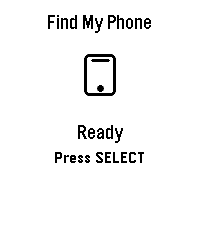
Tools & Utilities## Find My Phone **No companion app required - works directly through the Pebble app!** Never lose your phone again! Find My Phone helps you locate your misplaced phone instantly with a loud, attention-grabbing alarm - right from your wrist. ### Features: - **No Companion App Required** - Works directly through the Pebble app, no extra downloads needed - **One-Button Operation** - Simply press SELECT to activate the alarm - **Customizable Melodies** - Choose from 5 different alarm sounds to suit your preference - **Loud Audio Alert** - Plays a distinctive melody on your phone that's easy to hear - **Visual Feedback** - Animated display shows when the alarm is active - **Haptic Feedback** - Your watch vibrates to confirm the alarm is running - **Continuous Alarm** - Keeps playing until you press SELECT again to stop it ### How to Use: 1. Open the app on your Pebble 2. Press the SELECT button (middle button) 3. Your phone will start playing a loud alarm 4. Follow the sound to find your phone 5. Press SELECT again to stop the alarm ### Customize Your Sound: Access settings through the Pebble app to choose from: - Classic Find (Default) - Pleasant ascending melody - Urgent Alert - Fast alternating tones - Gentle Reminder - Soft repeating pattern - Emergency Siren - Loud alternating siren - Door Chime - Simple two-tone chime ### Perfect For: - Finding your phone under couch cushions - Locating your phone in another room - Quick phone location when you're in a hurry - Anyone who frequently misplaces their phone **Simple. Effective. Essential.** No more frantically searching for your phone. Just press a button and follow the sound! *** **Technical Notes:** - Requires Bluetooth connection between watch and phone - Compatible with Android devices running the Pebble mobile app - No additional apps or subscriptions needed - Settings accessible through the Pebble app configuration *** ### A Note from the Dev (FAQ & Troubleshooting) Hey there! I want this app to be as useful as possible, but because we are working with classic Pebble firmware, there are a few platform limitations I can't bypass. Here is what you need to know: **Q: Does this work on iPhone / iOS?** * **A:** Sadly, no. I would love to bring this to iOS, but Apple's strict background and browser limitations completely block the app from triggering the audio. It is currently strictly for Android. **Q: My watch is buzzing, but the phone is completely silent. Help?** * **A:** Double-check your phone's **media volume**! The app triggers audio through your phone's standard media channel. If your media slider is turned all the way down or muted, the sound won't come through. **Q: Can you make the app automatically turn up my phone's volume or override silent mode?** * **A:** Man, I really wish I could! This is the number one feature I want to add. I actually pushed for an official change to the SDK so app developers could control phone volume, but the system firmware just doesn't support that level of access control right now. If the platform team ever opens up that door, I'll be the first to implement it! Until then, we just have to wait and see.
 560
Stopwatch
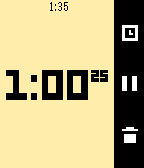
Tools & UtilitiesTime anything you wish with Pebble's beautifully simple stopwatch app! It runs in the background and can hold up to twenty laps.
 548
Touchy Weather - Weather App
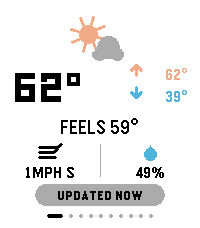
DailyTouchyWeather is a playful, card-based weather app for Pebble that mixes useful forecast data with personality for touchscreen Pebble Watches. It is the most feature complete weather application for the Pebble Platform. It’s designed around fast swipes, quick glances, and weather advice that is very practical. Keywords: weather, forecast, pebble, smartwatch, touch, swipe, current conditions, temperature, feels-like, wind, humidity, hourly forecast, 6-hour outlook, week ahead, 4-day forecast, precipitation, rain probability, UV index, air quality, AQI, sunrise, sunset, sun cycle, moon phase, night sky, golden hour, blue hour, weather radar, meteorology, climate, real-time, touch-first, wearable, glance-first, weather app, widget, interactive, customizable, weather cards, location-based, atmospheric, radial gauge, dynamic guidance. Included Features: ✓ Real-time current conditions (temperature, feels-like, high/low) ✓ Wind speed & direction display ✓ Humidity tracking ✓ 6-hour hourly forecast ✓ 4-day week-ahead view ✓ Precipitation probability charts & alerts ✓ UV index gauge with risk classification ✓ Air Quality Index (AQI) with health context ✓ Sunrise & sunset times ✓ Moon phase & illumination percentage ✓ Golden hour & blue hour timing (for photographers) ✓ Live weather radar imagery ✓ Touch-gesture controls (swipe, pull-to-refresh) ✓ Personality-driven weather advice ("Touch & Go" card) ✓ Fully customizable card layout ✓ Multi-platform support (rectangular & round displays) ✓ Location-aware weather data ✓ Celsius & Fahrenheit support ✓ Dark mode / theme options Device Compatibility: Pebble Time Round, Pebble Time 2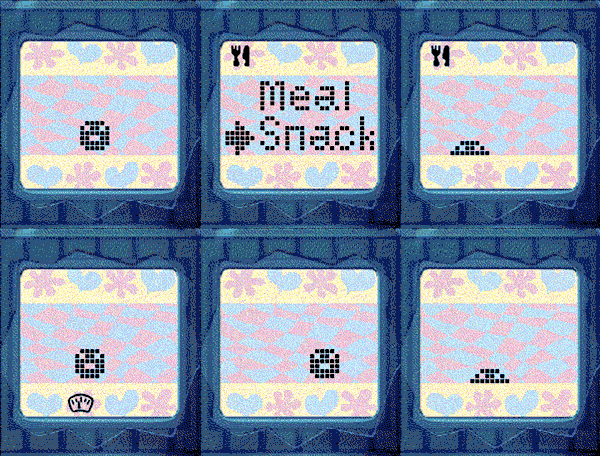 488
Tamagotchi Emulator
GamesNEW: Now with sound for Pebble watches with speaker! Press A+C to toggle the sound. Tamagotchi Emulator for Pebble! Run the original 1996-1997 Tamagotchi (P1 and P2) on your Pebble. Includes optional support for running your own background service to keep your Tamagotchi running when closed. Tamagotchi is a virtual pet which you need to take care of! Watch it evolve based on your care for it. How long can you keep your pet alive? If you like this project, please drop a heart! Thank you :) (You could help me win a Pebble so every like makes a difference!) See the readme for full instructions on how to get started: https://github.com/StefanBauwens/Tamagotchi-Emulator-Pebble You can also use this app together with the TamaTime watchface! (https://apps.repebble.com/c80224317250460987b9bb68) Never miss a call for attention! Created for the Pebble 2026 Spring Contest. Powered by TamaLIB by jcrona.
 483
Checklist
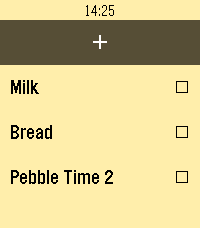
Tools & UtilitiesA checklist on your watch! Grocery shopping will never be the same. You can use Checklist to keep track of anything you need without needing to hold your phone: things to-do, shopping, and more! Features: - Manage the list directly from your phone! Add, edit, and delete checklist items directly from the settings page, including export and importing list items! - Add items directly from your watch via voice input! Like the app? Please "heart" it! "...only one app, a simple list-making app called Checklist, which uses the watch’s microphone to add tasks, really proved useful." —MIT Technology Review "I loved the convenience of adding items to the Checklist app just by speaking" —Tom's Guide
 483
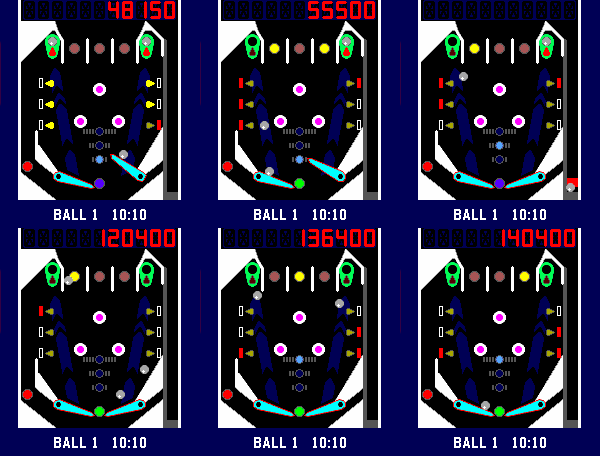
Pebbal - Miniature Pinball
GamesPebbal is a miniature pinball machine that you can play on your wrist* wherever you go! It features all the classic pinball mechanics you love: skill shots, bumpers, through lanes that act as bonus multipliers, a rechargeable kickback, and of course MULTIBALL, complete with jackpots that let you chase even higher scores. To start the 3 ball multiball mode you will need to lock a ball on both the top left and right side in the green lock zone, and then hit all the red drop targets. Once multiball starts, lock them again to collect the jackpot! Default controls in horizontal mode: - Up button controls the right flipper - Down button controls the left flipper - Select button starts and pulls the plunger when held Default controls in vertical mode: - Select button starts and controls the right flipper - Down button controls the left flipper - Up button pulls the plunger when held Bindings in either layout: - Back button pauses the game, when held it exits the game. - Holding the up button when paused or in attract mode toggles haptic vibrations. - Holding the down button when paused or in attract mode toggles between the vertical and horizontal layout. * You might want to take it off your wrist to play it though, that way you can rotate your pebble 90 degrees clockwise for a better button and screen layout. However you can play in vertical layout too, either change it in the settings or hold the left button in the games attract mode.
 464
Member card
DailyWear your membership cards on your wrist. Works with linear and 2D barcodes: CODE128, CODE39, CODE93, EAN8, EAN13, UPC-A, CODABAR, ITF, Data Matrix, PDF417, Aztec and QR Code. QR Code helpers are included for vCard contact cards and Wi-Fi network sharing. You can also add memo cards for short notes, IDs, locker codes, or any text you want to keep on your watch. Select cards with the up/down buttons. Press select to enter scan mode with forced backlight and a wider display area. Cards are stored on the watch, so no phone is needed to display them. Storage is limited by Pebble's persistent storage: the app uses up to about 4 KB for saved cards. The exact number of cards depends on barcode type and content size.