Orationes
Edward
Watchapp
Description
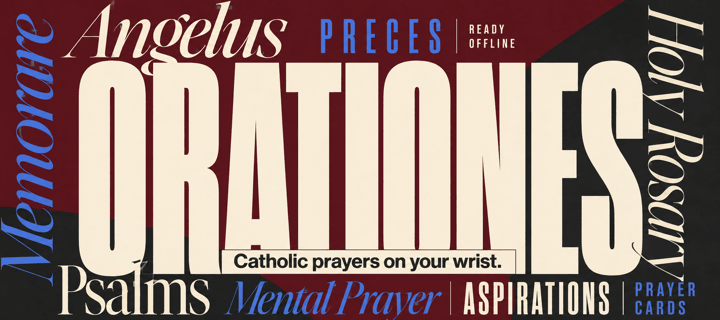
Make time for prayer. On your wrist. Available offline.

Orationes is a Catholic prayer book for Pebble Time 2. Large text and clear contrast help you focus on the words. Your prayers stay on your watch, ready without a phone or internet connection.

PRAY THROUGHOUT YOUR DAY
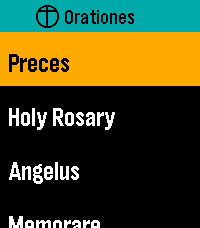
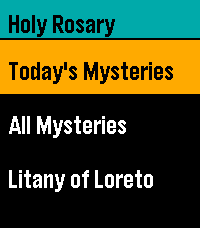
Start with Latin Preces, Holy Rosary, Regina Caeli, Angelus, and Memorare. Explore Come, Holy Spirit, the Litany of Humility, Adoro Te Devote, blessing and grace at meals, 92 Aspirations, 14 Prayer Cards, the Litany of Loreto, psalms, prayers before work, preparation for Confession, and more. The Rosary mystery reference previews today's set and weekday before opening it. All Mysteries separates each set's name from its weekday details.

KEEP YOUR PRAYERS CLOSE
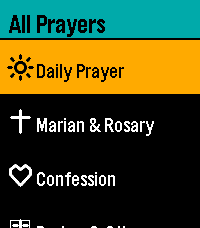
Choose and arrange up to seven shortcuts to individual prayers or collections. Personalize them on the watch or through Settings in the Pebble mobile app. Browse All Prayers and press Select to open a prayer directly; hold Select and release for Open/Pin options. A readable first-use hint explains where the gesture works. Settings → Help offers eight selectable topics covering navigation, reading, resuming, pinning, layout, phone settings, Rosary, and reminders. Scroll through each topic with Up/Down; Select or Back returns to topics.

PICK UP WHERE YOU LEFT OFF
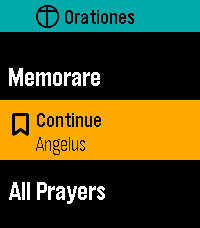
With Remember Place On, opening a prayer from any menu resumes its saved position, or starts at the beginning if none exists. With it Off, prayers always start at the beginning and saved places are cleared. Continue displays your last saved prayer name prominently and opens it directly. Recent Prayers keeps separate places for up to eight prayers. Enable Continue First at the top of watch Settings or in phone Settings to put Continue above your shortcuts; the setting stays synchronized between both. Both Settings pages show their bundled app version at the bottom.

READ YOUR WAY
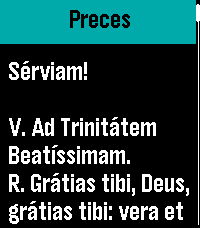
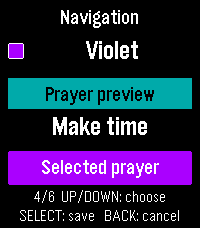
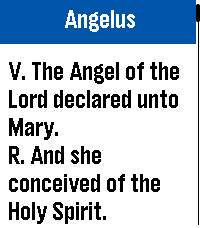
New installations start with Dark appearance, Ocean title accent, and Lime navigation highlight. Choose Large or Extra Large text, Light or Dark appearance, and independent title and navigation colors. Existing preferences are preserved on upgrade. Prayer text retains strong black-and-white contrast, with clearer response blocks and stanza spacing. The Litany of Humility attribution stays in small print. Compact headers, submenu chevrons, and a narrow list-position indicator make menus easier to browse. Compact Menus fits short rows into 36 pixels instead of the spacious 54-pixel default, keeping full-size text and expanding longer names. Short Settings labels and values share a line when they fit. Compact Menus is available on the watch and in Clay and syncs in both directions. Opening phone Settings requests current watch values; if the watch does not reply, cached values are clearly labelled. Open Orationes on the watch and reopen phone Settings to refresh. The Preces blessing cross is supported in both text sizes.

RESTORE YOUR DEFAULTS
One Restore Defaults action resets shortcuts and shared preferences: Dark/Ocean/Lime colors, Large text, Remember Place On, Continue First Off, Compact Menus Off, and the noon reminder Off with a 10-second duration. Saved prayer positions are kept. On the phone, tap Save Settings to apply the reset.

MOVE AT YOUR PACE
Swipe to scroll, tap Up or Down, or hold either button to move faster. Press Select while reading for Start again or Jump to section where available. Aspirations offers ten jump groups covering all 92 entries. Double-press Select while reading to return to your watchface.

PAUSE AT NOON
Enable an optional vibration reminder for Angelus or Regina Caeli, selected automatically for the season.

EXPLORE THE PRAYER DIRECTORY
https://github.com/ewijaya/pebble-orationes/blob/main/docs/prayer-list.md
- DeveloperEdward
- CategoryDaily
- PlatformsTime 2
- Updated2026-09-30
- Version0.14.0